

CLI and MCP server for the Qonto banking API
- ✓Open-source license (AGPL-3.0)
- ✓Actively maintained (<30d)
- ✓Clear description
- ✓Topics declared
claude mcp add qontoctl -- npx -y qontoctl{
"mcpServers": {
"qontoctl": {
"command": "npx",
"args": ["-y", "qontoctl"]
}
}
}Resumen de MCP Servers
[](https://github.com/alexey-pelykh/qontoctl/actions/workflows/ci.yml)
[](https://codecov.io/gh/alexey-pelykh/qontoctl)
[](https://www.npmjs.com/package/qontoctl)
[](https://www.npmjs.com/package/qontoctl)
[](https://github.com/alexey-pelykh/qontoctl)
[](LICENSE)
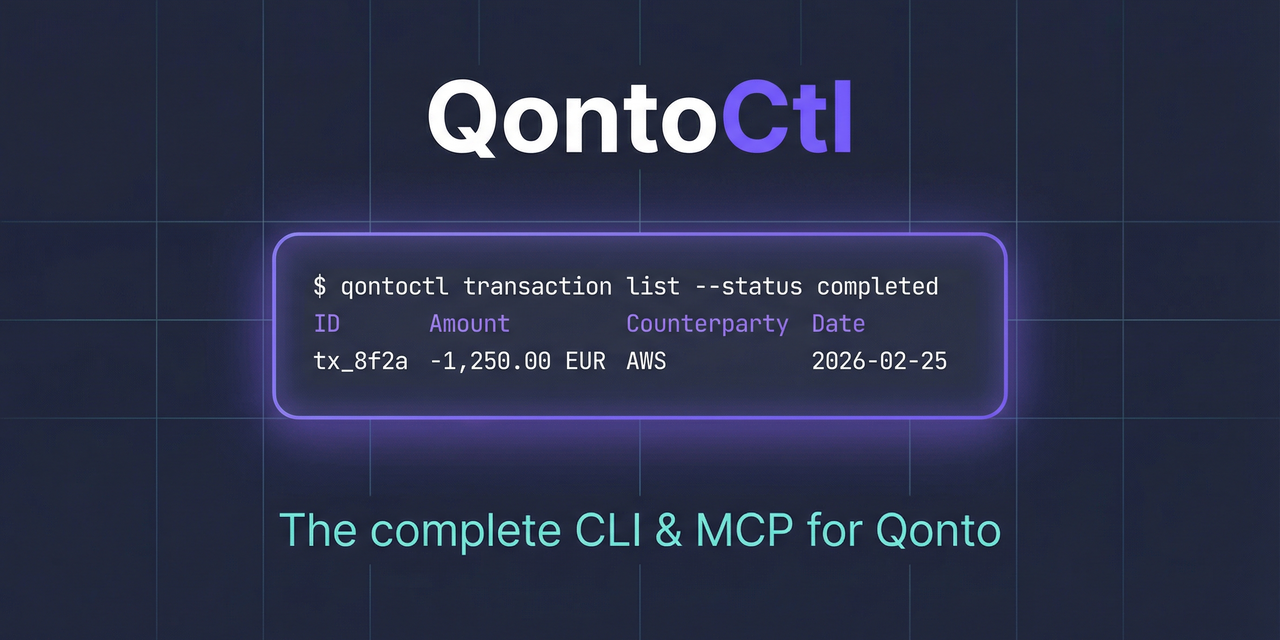
CLI and MCP server for the [Qonto](https://qonto.com) banking API.
This project is brought to you by [Alexey Pelykh](https://github.com/alexey-pelykh).
## What It Does
QontoCtl lets AI assistants (Claude, etc.) interact with Qonto through the [Model Context Protocol](https://modelcontextprotocol.io). It can:
- **Organizations** — retrieve organization details and settings
- **Accounts** — list, create, update, close bank accounts; download IBAN certificates
- **Transactions** — list, search, filter bank transactions; manage transaction attachments
- **Bank Statements** — list, view, and download bank statements
- **Labels** — manage transaction labels and categories
- **Memberships** — view team members, show current membership, invite new members
- **SEPA Beneficiaries** — list, add, update, trust/untrust SEPA beneficiaries
- **SEPA Transfers** — list, create, cancel transfers; download proofs; verify payees
- **Internal Transfers** — create transfers between accounts in the same organization
- **Bulk Transfers** — list and view bulk transfer batches
- **Recurring Transfers** — list and view recurring transfers
- **Terminals (POS)** — list Qonto Terminals and initiate terminal payments
- **Products** — list catalogue products
- **Clients** — list, create, update, delete clients
- **Client Invoices** — full lifecycle: create, update, finalize, send, mark paid, cancel, upload files
- **Quotes** — create, update, delete, send quotes
- **Credit Notes** — list and view credit notes
- **Supplier Invoices** — list, view, and bulk-create supplier invoices
- **Requests** — list organization requests
- **Attachments** — upload and view attachments
- **E-Invoicing** — retrieve e-invoicing settings
## Prerequisites
- **Node.js** >= 24
- A **Qonto** business account with API access
## Installation
```sh
npm install -g qontoctl
```
Or run directly with npx:
```sh
npx qontoctl --help
```
Or install via [Homebrew](https://brew.sh):
```sh
brew install qontoctl/tap/qontoctl
```
## Quick Start
```sh
# 1. Install
npm install -g qontoctl
# 2. Create a profile with your Qonto API credentials
qontoctl profile add mycompany
# 3. Test the connection
qontoctl profile test --profile mycompany
# 4. List your accounts
qontoctl account list --profile mycompany
```
## MCP Integration
QontoCtl implements the [Model Context Protocol](https://modelcontextprotocol.io) (MCP), letting AI assistants interact with your Qonto account through natural language.
### MCP Client Configuration
<details>
<summary><b>Claude Desktop</b></summary>
Add to your Claude Desktop configuration (`claude_desktop_config.json`):
```json
{
"mcpServers": {
"qontoctl": {
"command": "npx",
"args": ["qontoctl", "mcp"]
}
}
}
```
</details>
<details>
<summary><b>Claude Code</b></summary>
```sh
claude mcp add qontoctl -- npx qontoctl mcp
```
</details>
<details>
<summary><b>Cursor</b></summary>
Add to `.cursor/mcp.json` in your project root:
```json
{
"mcpServers": {
"qontoctl": {
"command": "npx",
"args": ["qontoctl", "mcp"]
}
}
}
```
</details>
<details>
<summary><b>Windsurf</b></summary>
Add to `~/.codeium/windsurf/mcp_config.json`:
```json
{
"mcpServers": {
"qontoctl": {
"command": "npx",
"args": ["qontoctl", "mcp"]
}
}
}
```
</details>
#### Pointing MCP at a non-default config file
The MCP server has no CLI flags. To load credentials from a config file other than `~/.qontoctl.yaml`, set `QONTOCTL_CONFIG_FILE` in the host's `env` block:
```jsonc
{
"mcpServers": {
"qontoctl": {
"command": "npx",
"args": ["qontoctl", "mcp"],
"env": {
"QONTOCTL_CONFIG_FILE": "/abs/path/to/qontoctl.yaml",
},
},
},
}
```
The path is captured at server startup. See [`docs/configuration.md`](docs/configuration.md) for the full resolution chain.
### Available MCP Tools
| Tool | Description |
| ------------------------------- | --------------------------------------------------------------------- |
| **Organization** | |
| `org_show` | Show organization details including name, slug, and bank accounts |
| **Accounts** | |
| `account_list` | List all bank accounts for the organization |
| `account_show` | Show details of a specific bank account |
| `account_iban_certificate` | Download IBAN certificate PDF for a bank account |
| `account_create` | Create a new bank account |
| `account_update` | Update an existing bank account |
| `account_close` | Close a bank account |
| **Transactions** | |
| `transaction_list` | List transactions for a bank account with optional filters |
| `transaction_show` | Show details of a specific transaction |
| `transaction_attachment_list` | List attachments for a transaction |
| `transaction_attachment_add` | Attach a file to a transaction |
| `transaction_attachment_remove` | Remove attachment(s) from a transaction |
| **Statements** | |
| `statement_list` | List bank statements with optional filters |
| `statement_show` | Show details of a specific bank statement |
| **Labels** | |
| `label_list` | List all labels in the organization |
| `label_show` | Show details of a specific label |
| **Memberships** | |
| `membership_list` | List all memberships in the organization |
| `membership_show` | Show the current authenticated user's membership |
| `membership_invite` | Invite a new member to the organization |
| **SEPA Beneficiaries** | |
| `beneficiary_list` | List SEPA beneficiaries in the organization |
| `beneficiary_show` | Show details of a specific SEPA beneficiary |
| `beneficiary_add` | Create a new SEPA beneficiary |
| `beneficiary_update` | Update an existing SEPA beneficiary |
| `beneficiary_trust` | Trust one or more SEPA beneficiaries |
| `beneficiary_untrust` | Untrust one or more SEPA beneficiaries |
| **SEPA Transfers** | |
| `transfer_list` | List SEPA transfers with optional filters |
| `transfer_show` | Show details of a specific SEPA transfer |
| `transfer_create` | Create a SEPA transfer |
| `transfer_cancel` | Cancel a pending SEPA transfer |
| `transfer_proof` | Download SEPA transfer proof PDF |
| `transfer_verify_payee` | Verify a payee (Verification of Payee / VoP) |
| `transfer_bulk_verify_payee` | Bulk verify payees (VoP) |
| **Internal Transfers** | |
| `internal_transfer_create` | Create an internal transfer between two bank accounts |
| **Bulk Transfers** | |
| `bulk_transfer_list` | List bulk transfers |
| `bulk_transfer_show` | Show details of a specific bulk transfer |
| `bulk_transfer_create`Lo que la gente pregunta sobre qontoctl
¿Qué es alexey-pelykh/qontoctl?
+
alexey-pelykh/qontoctl es mcp servers para el ecosistema de Claude AI. CLI and MCP server for the Qonto banking API Tiene 3 estrellas en GitHub y se actualizó por última vez today.
¿Cómo se instala qontoctl?
+
Puedes instalar qontoctl clonando el repositorio (https://github.com/alexey-pelykh/qontoctl) o siguiendo las instrucciones del README en GitHub. ClaudeWave también te ofrece bloques de instalación rápida en esta misma página.
¿Es seguro usar alexey-pelykh/qontoctl?
+
Nuestro agente de seguridad ha analizado alexey-pelykh/qontoctl y le ha asignado un Trust Score de 87/100 (tier: Trusted). Revisa el desglose completo de comprobaciones superadas y flags en esta página.
¿Quién mantiene alexey-pelykh/qontoctl?
+
alexey-pelykh/qontoctl es mantenido por alexey-pelykh. La última actividad registrada en GitHub es de today, con 9 issues abiertos.
¿Hay alternativas a qontoctl?
+
Sí. En ClaudeWave puedes explorar mcp servers similares en /categories/mcp, ordenados por popularidad o actividad reciente.
Despliega qontoctl en tu cloud
Lleva este repo a producción en minutos. Cada plataforma genera su propio entorno con variables de entorno editables.
¿Mantienes este repo? Añade un badge a tu README
Pega el badge en tu README de GitHub para mostrar que está auditado por ClaudeWave. Cada badge enlaza de vuelta a esta página y muestra el Trust Score actual.
[](https://claudewave.com/repo/alexey-pelykh-qontoctl)<a href="https://claudewave.com/repo/alexey-pelykh-qontoctl"><img src="https://claudewave.com/api/badge/alexey-pelykh-qontoctl" alt="Featured on ClaudeWave: alexey-pelykh/qontoctl" width="320" height="64" /></a>Más MCP Servers

Fair-code workflow automation platform with native AI capabilities. Combine visual building with custom code, self-host or cloud, 400+ integrations.

User-friendly AI Interface (Supports Ollama, OpenAI API, ...)

An open-source AI agent that brings the power of Gemini directly into your terminal.

The fastest path to AI-powered full stack observability, even for lean teams.

🕷️ An adaptive Web Scraping framework that handles everything from a single request to a full-scale crawl!

⭐AI-driven public opinion & trend monitor with multi-platform aggregation, RSS, and smart alerts.🎯 告别信息过载,你的 AI 舆情监控助手与热点筛选工具!聚合多平台热点 + RSS 订阅,支持关键词精准筛选。AI 智能筛选新闻 + AI 翻译 + AI 分析简报直推手机,也支持接入 MCP 架构,赋能 AI 自然语言对话分析、情感洞察与趋势预测等。支持 Docker ,数据本地/云端自持。集成微信/飞书/钉钉/Telegram/邮件/ntfy/bark/slack 等渠道智能推送。