

chrome-devtools-mcp
Chrome DevTools for coding agents
- 54k estrellas
- 6.6k forks
- 99 issues abiertos
- Lenguaje: TypeScript
- Licencia: Apache-2.0
- actualizado
Instalación
git clone https://github.com/ChromeDevTools/chrome-devtools-mcp{
"mcpServers": {
"chrome-devtools-mcp": {
"command": "node",
"args": ["/path/to/chrome-devtools-mcp/dist/index.js"]
}
}
}{
"mcpServers": {
"chrome-devtools-mcp": {
"command": "node",
"args": ["/path/to/chrome-devtools-mcp/dist/index.js"]
}
}
}- Run the command above in your terminal (Claude Code), or paste the JSON config into claude_desktop_config.json (Claude Desktop).
- Replace any <placeholder> values with your API keys or paths.
- Restart Claude. The MCP server and its tools appear automatically.
Clone https://github.com/ChromeDevTools/chrome-devtools-mcp and follow its README for install instructions.
Nota editorial
Chrome DevTools MCP is an MCP server, maintained by the Chrome DevTools team, that gives AI coding agents direct access to a live Google Chrome browser through the Model Context Protocol. It connects to Claude Code and other MCP-compatible clients via a simple `npx` configuration and uses Puppeteer under the hood to automate browser actions while automatically waiting for results. The server exposes tools for recording performance traces and extracting actionable insights, analyzing network requests, capturing screenshots, and reading browser console messages with source-mapped stack traces. A notable detail is its optional integration with the Chrome User Experience Report (CrUX) API, which supplements lab performance data with real-user field data from the wild. A `--slim` mode is available for lightweight, headless browser tasks. Frontend developers, QA engineers, and anyone debugging or profiling web applications from within an AI coding workflow are the primary beneficiaries.
Resumen de MCP Servers
Chrome DevTools for agents

Chrome DevTools for agents (chrome-devtools-mcp) lets your coding agent (such as Antigravity, Claude, Cursor or Copilot)
control and inspect a live Chrome browser. It is available as a
Model-Context-Protocol (MCP) server and as a CLI. Both give your AI
coding assistant access to the full power of Chrome DevTools for reliable
automation, in-depth debugging, and performance analysis.
Tool reference | CLI | Skills | Changelog | Contributing | Troubleshooting | Design Principles
Key features
Get performance insights: Uses Chrome DevTools to record traces and extract actionable performance insights.
Advanced browser debugging: Analyze network requests, take screenshots and check browser console messages (with source-mapped stack traces).
Reliable automation. Uses puppeteer to automate actions in Chrome and automatically wait for action results.
Disclaimers
chrome-devtools-mcp exposes content of the browser instance to the MCP clients
allowing them to inspect, debug, and modify any data in the browser or DevTools.
Avoid sharing sensitive or personal information that you don't want to share with
MCP clients.
chrome-devtools-mcp officially supports Google Chrome and Chrome for Testing only.
Other Chromium-based browsers may work, but this is not guaranteed, and you may encounter unexpected behavior. Use at your own discretion.
We are committed to providing fixes and support for the latest version of Extended Stable Chrome.
Performance tools may send trace URLs to the Google CrUX API to fetch real-user
experience data. This helps provide a holistic performance picture by
presenting field data alongside lab data. This data is collected by the Chrome
User Experience Report (CrUX). To disable
this, run with the --no-performance-crux flag.
Usage statistics
Google collects usage statistics (such as tool invocation success rates, latency, and environment information) to improve the reliability and performance of Chrome DevTools MCP.
Data collection is enabled by default. You can opt-out by passing the --no-usage-statistics flag when starting the server:
"args": ["-y", "chrome-devtools-mcp@latest", "--no-usage-statistics"]Google handles this data in accordance with the Google Privacy Policy.
Google's collection of usage statistics for Chrome DevTools MCP is independent from the Chrome browser's usage statistics. Opting out of Chrome metrics does not automatically opt you out of this tool, and vice-versa.
Collection is disabled if CHROME_DEVTOOLS_MCP_NO_USAGE_STATISTICS or CI env variables are set.
Update checks
By default, the server periodically checks the npm registry for updates and logs a notification when a newer version is available.
You can disable these update checks by setting the CHROME_DEVTOOLS_MCP_NO_UPDATE_CHECKS environment variable.
Requirements
Getting started
Add the following config to your MCP client:
{
  "mcpServers": {
    "chrome-devtools": {
      "command": "npx",
      "args": ["-y", "chrome-devtools-mcp@latest"]
    }
  }
}
Note
Using
chrome-devtools-mcp@latestensures that your MCP client will always use the latest version of the Chrome DevTools MCP server.
MCP Client configuration
For setup instructions specific to your editor or agent (e.g. Antigravity, Claude Code, Cursor, VS Code), please see our Client Configurations Guide.
Your first prompt
Enter the following prompt in your MCP Client to check if everything is working:
Check the performance of https://developers.chrome.comYour MCP client should open the browser and record a performance trace.
Note
The MCP server will start the browser automatically once the MCP client uses a tool that requires a running browser instance. Connecting to the Chrome DevTools MCP server on its own will not automatically start the browser.
CLI
The package also includes the chrome-devtools CLI. Use it to control the browser from your terminal without MCP:
npm i chrome-devtools-mcp@latest -g
chrome-devtools navigate_page 1 --url "https://developers.chrome.com"
chrome-devtools take_screenshot 1 --filePath screenshot.png
chrome-devtools stop
See the CLI guide for all commands and options.
Skills
The package includes skills that teach your agent how to use Chrome DevTools:
| Skill | Use it to |
|---|---|
chrome-devtools | Debug and automate pages with the MCP tools. |
chrome-devtools-cli | Run the CLI and write shell scripts with it. |
a11y-debugging | Audit and fix accessibility issues. |
cookie-debugging | Debug cookies, sessions, and authentication. |
debug-optimize-lcp | Debug and improve Largest Contentful Paint. |
memory-leak-debugging | Find and fix memory leaks. |
troubleshooting | Fix connection problems between MCP and Chrome. |
Install skills as a plugin
A plugin installs the MCP server and all skills, including the CLI skill:
Claude Code: Run
/plugin marketplace add ChromeDevTools/chrome-devtools-mcp, then/plugin install chrome-devtools-mcp@chrome-devtools-plugins.Copilot / VS Code: Run Chat: Install Plugin From Source and enter
ChromeDevTools/chrome-devtools-mcp.Gemini CLI: Run
gemini extensions install --auto-update https://github.com/ChromeDevTools/chrome-devtools-mcp.
See the Client Configurations Guide for more information.
Install skills manually
If your agent does not support plugins, copy the skill folders into the skills directory of your agent. The npm package contains the skills:
npm i chrome-devtools-mcp@latest -g
# Example for Claude Code. Use the skills directory of your agent.
mkdir -p ~/.claude/skills
cp -R "$(npm root -g)/chrome-devtools-mcp/skills/chrome-devtools-cli" ~/.claude/skills/
Important
The
chrome-devtools-cliskill requires the CLI. Install the package globally before you use the skill.
Keep skills up to date
Skills describe the tools of a specific version. Update the skills each time you update the MCP server or the CLI. Outdated skills can tell your agent to use tools or parameters that changed.
Plugins: Use the update command of the plugin manager of your agent. The Gemini CLI command above enables automatic updates with
--auto-update.Manual installs: Update the package, then copy the skill folders again:
npm i chrome-devtools-mcp@latest -g
mkdir -p ~/.claude/skills
cp -R "$(npm root -g)/chrome-devtools-mcp/skills/chrome-devtools-cli" ~/.claude/skills/
Tools
If you run into any issues, checkout our troubleshooting guide. See the full Tool Reference for a complete list of all supported MCP capabilities.
Configuration
Find the complete list of server parameters (e.g., --headless, --isolated, --slim) and how to configure WebSocket connections in the Configuration Guide.
For basic browser tasks only, the --slim flag exposes a reduced set of tools. See the Slim tool reference.
Advanced Usage
For advanced features such as handling concurrent sessions, persistent user data directories, connecting to a running Chrome instance instead of starting a new one, or debugging on Android, see our Advanced Usage Guide.
Integrating as a browser subagent
If you are developing agentic tooling and want to provide an integrated browser subagent as part of your product, we recommend building on top of Chrome DevTools for agents.
For a reference implementation, see the Gemini CLI browser agent documentation.
Lo que la gente pregunta sobre chrome-devtools-mcp
¿Qué es ChromeDevTools/chrome-devtools-mcp?
ChromeDevTools/chrome-devtools-mcp es mcp servers para el ecosistema de Claude AI. Chrome DevTools for coding agents Tiene 54k estrellas en GitHub y su última actualización registrada es del 2026-10-23.
¿Cómo se instala chrome-devtools-mcp?
Puedes instalar chrome-devtools-mcp clonando el repositorio (https://github.com/ChromeDevTools/chrome-devtools-mcp) o siguiendo las instrucciones del README en GitHub. ClaudeWave también te ofrece bloques de instalación rápida en esta misma página.
¿Es seguro usar ChromeDevTools/chrome-devtools-mcp?
Nuestro agente de seguridad ha analizado ChromeDevTools/chrome-devtools-mcp y le ha asignado un Trust Score de 100/100 (tier: Verified). Revisa el desglose completo de comprobaciones superadas y flags en esta página.
¿Quién mantiene ChromeDevTools/chrome-devtools-mcp?
ChromeDevTools/chrome-devtools-mcp es mantenido por ChromeDevTools. La última actividad registrada en GitHub es del 2026-10-23, con 99 issues abiertos.
¿Hay alternativas a chrome-devtools-mcp?
Sí. En ClaudeWave puedes explorar mcp servers similares en /categories/mcp, ordenados por popularidad o actividad reciente.
¿Mantienes este repo? Muestra su Trust Score en tu README
La insignia muestra el Trust Score y el veredicto actuales de este repositorio y enlaza a esta página. Sigue los datos del catálogo: nadie puede comprar ni editar la puntuación que enseña.
[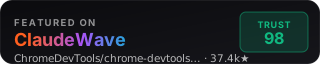](https://claudewave.com/en/repo/chromedevtools-chrome-devtools-mcp)<a href="https://claudewave.com/en/repo/chromedevtools-chrome-devtools-mcp"><img src="https://claudewave.com/api/badge/chromedevtools-chrome-devtools-mcp" alt="ClaudeWave Trust Score for ChromeDevTools/chrome-devtools-mcp" width="320" height="64"></a>