

- ✓Actively maintained (<30d)
- ✓Documented (README)
- !No standard license detected
- !No description
claude mcp add mcp -- npx -y @maproll/mcp{
"mcpServers": {
"mcp": {
"command": "npx",
"args": ["-y", "@maproll/mcp"]
}
}
}Resumen de MCP Servers
# @maproll/mcp
Let an AI assistant make real maps. Every map comes back as a maproll URL — permanent, embeddable, and the handle for the next change.
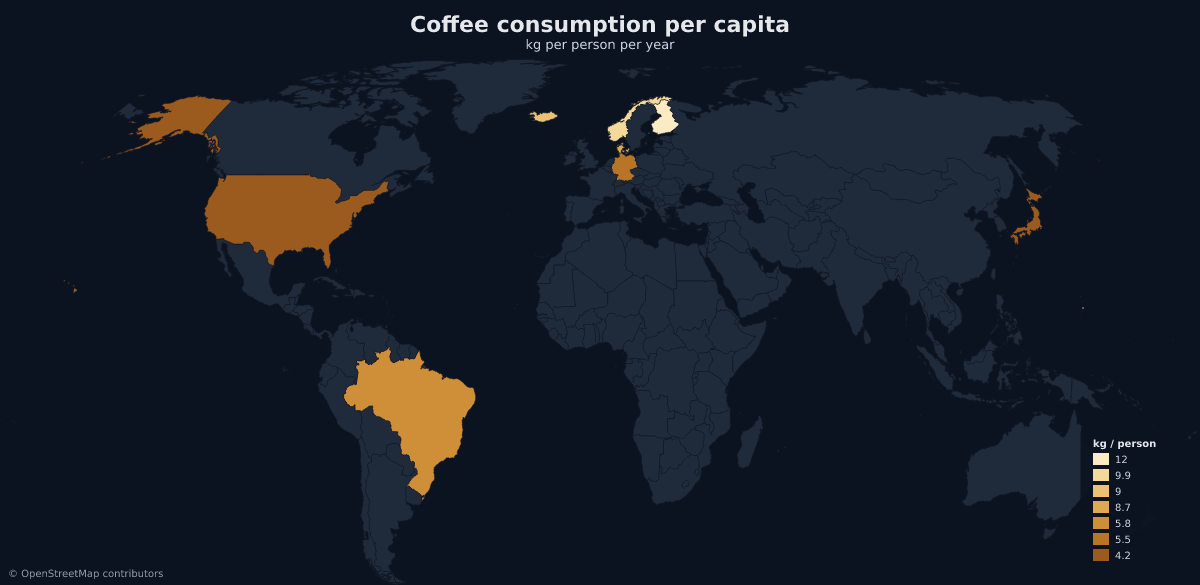
That image is not a file in this repository. It is a maproll URL rendering live, which is the whole idea: **the URL is the map.**
## Install
```bash
claude mcp add maproll -- npx -y @maproll/mcp
```
Any other client takes the same command as config — Claude Desktop, Cursor
(`.cursor/mcp.json`), VS Code (`.vscode/mcp.json` under `"servers"`):
```json
{
"mcpServers": {
"maproll": {
"command": "npx",
"args": ["-y", "@maproll/mcp"]
}
}
}
```
Needs Node 20 or newer. No API key, no signup, no account — the server runs
from npm on demand and talks to the public render API.
## Try it
Ask your assistant, in these words or your own:
> Map coffee consumption per capita for the ten biggest drinkers.
> Highlight the EU member states on a light map.
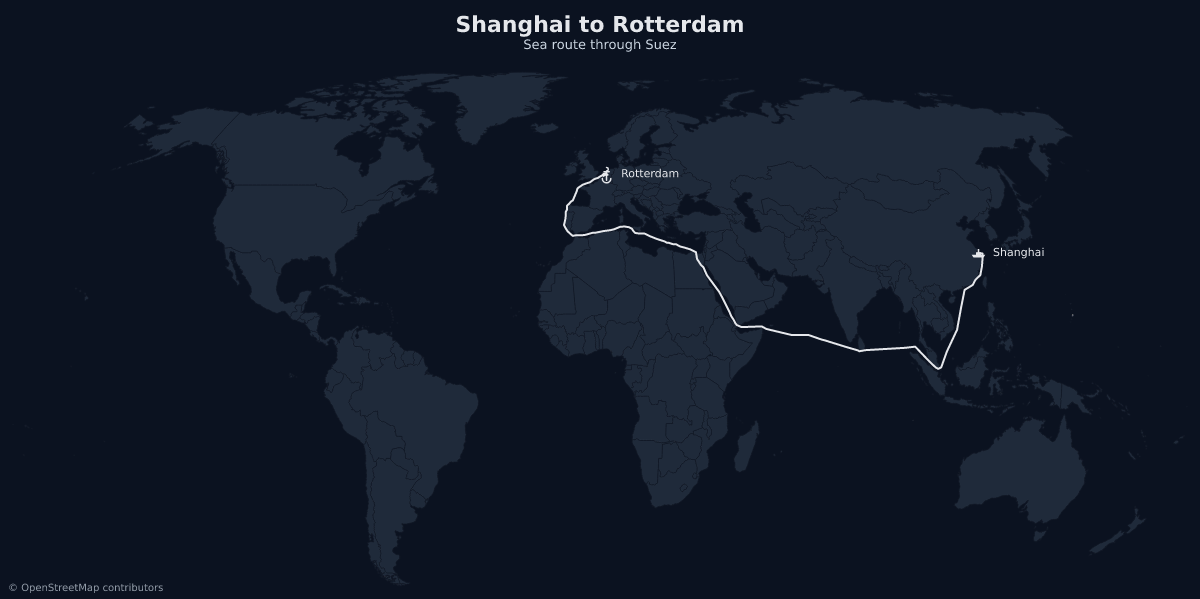
> Draw the sea route from Shanghai to Rotterdam, with the ports marked.
> Compare NATO and BRICS members on a dark map, and give me a URL I can embed.
The third one is the one to try if you only try one. Sea routes thread Suez,
Panama and Malacca instead of drawing a straight line across Asia:
## Tools
### `create_map`
A map from your data. Numeric values give a choropleth, colours paint regions
flat, text values give qualitative buckets, and `highlight` covers the case
where the point is *which* regions rather than *how much*.
Region ids are ISO 3166-1 alpha-2 at the world scope (`US`, `DE`, `BR`) and ISO
3166-2 inside a country scope (`RO-B`, `RO-CJ`). Data arrives structured — the
server owns the URL grammar, so the model never hand-assembles `US:200:#ff0000`.
### `add_layers`
Markers, routes, proportional circles, pattern fills, annotations and labels,
added to a map you already made. It takes that map's URL and **appends** — so
it is also how a map gets built up over several turns instead of rebuilt from
scratch each time.
### `find_places`
A place name resolved to real coordinates and the id maproll uses. Countries,
regions, cities and airports, each with its ISO 3166-1 / 3166-2 / IATA code.
Worth using before every marker. Coordinates recalled from memory are routinely
wrong by degrees, and a map draws a wrong marker exactly as confidently as a
right one.
### `describe_options`
The scopes, themes, marker icons, projections and pattern fills the renderer
actually accepts. An invented theme or icon name renders nothing and reports no
error, so checking beats guessing.
## What comes back
Every tool that makes a map returns the rendered PNG to look at, plus:
| Field | What it is |
| --- | --- |
| `svg_url` | The map. Embeddable, permanent, and the handle the other tools take. |
| `png_url` | The same map as PNG. |
| `editor_url` | Opens it in the maproll editor, loaded and editable. |
| `embed` | A ready `<img>` tag. |
| `warnings` | Non-fatal problems — region ids the renderer did not recognise, for instance. |
## Why the URL is the map
An agent usually hands back an artifact: a file, a blob, something that exists
in the conversation and nowhere else. maproll hands back an address.
```
prompt → assistant → maproll MCP → https://api.maproll.io/map.svg?…
↓
README · docs · dashboard · newsletter · the next tool call
```
There is no session and no state to keep, because `svg_url` **is** the state.
Pass it to `add_layers` and a new URL comes back with the addition applied.
Every URL from every step still renders, forever, in an `<img>` tag with no
JavaScript.
## Branding and keys
Maps work with no account. What anonymous costs is the wordmark: every map this
server makes carries the small maproll mark in the corner.
A key removes it. Mint one in the editor at
[app.maproll.io](https://app.maproll.io) → API keys, and pass it in the
server's environment:
```json
{
"mcpServers": {
"maproll": {
"command": "npx",
"args": ["-y", "@maproll/mcp"],
"env": { "MAPROLL_API_KEY": "mr_live_…" }
}
}
}
```
With a key, returned URLs carry a signature bound to that one map, so an
embedded map renders clean wherever it is published — without the key itself
ever appearing in a link someone can copy. Two things worth knowing: keys
expire after 90 days, and when one expires, embeds published under it start
carrying the wordmark again. Regenerate the maps if that matters.
OpenStreetMap attribution stays on either way. That is a licence obligation,
not branding.
| Variable | Default | Purpose |
| --- | --- | --- |
| `MAPROLL_API_KEY` | — | Entitles renders, and removes the wordmark. |
| `MAPROLL_PLACES_URL` | `https://mcp.maproll.io/places` | Where `find_places` resolves names. Override only for local development. |
## Resources and prompts
Seven read-only resources publish the catalogs a model otherwise guesses at —
`maproll://grammar` most of all, plus the scope, theme, icon, projection and
pattern lists and a set of worked examples.
Three prompts ship with the server: `mapped_episode` (a dataset in the house
style of [Mapped](https://www.maproll.io/content)), `readme_map` (a map plus a
paste-ready snippet with real alt text), and `refine_map` (change an existing
map in plain English).
## Documentation
- [maproll.io/mcp](https://www.maproll.io/mcp) — what this is, in one page.
- [docs.maproll.io/docs/mcp/intro](https://docs.maproll.io/docs/mcp/intro) —
per-client install, every tool's schema, recipes.
- Listed in the MCP Registry as `io.maproll/maproll`.
## Development
See [DEVELOPMENT.md](DEVELOPMENT.md) for the layout, the local loop, and the
end-to-end smoke test. Publishing notes are in [PUBLISHING.md](PUBLISHING.md).
MIT licensed.
Lo que la gente pregunta sobre mcp
¿Qué es maproll-io/mcp?
+
maproll-io/mcp es mcp servers para el ecosistema de Claude AI con 0 estrellas en GitHub.
¿Cómo se instala mcp?
+
Puedes instalar mcp clonando el repositorio (https://github.com/maproll-io/mcp) o siguiendo las instrucciones del README en GitHub. ClaudeWave también te ofrece bloques de instalación rápida en esta misma página.
¿Es seguro usar maproll-io/mcp?
+
Nuestro agente de seguridad ha analizado maproll-io/mcp y le ha asignado un Trust Score de 52/100 (tier: OK). Revisa el desglose completo de comprobaciones superadas y flags en esta página.
¿Quién mantiene maproll-io/mcp?
+
maproll-io/mcp es mantenido por maproll-io. La última actividad registrada en GitHub es del 2026-09-12, con 0 issues abiertos.
¿Hay alternativas a mcp?
+
Sí. En ClaudeWave puedes explorar mcp servers similares en /categories/mcp, ordenados por popularidad o actividad reciente.
Despliega mcp en tu cloud
Lleva este repo a producción en minutos. Cada plataforma genera su propio entorno con variables de entorno editables.
¿Mantienes este repo? Añade un badge a tu README
Pega el badge en tu README de GitHub para mostrar que está auditado por ClaudeWave. Cada badge enlaza de vuelta a esta página y muestra el Trust Score actual.
[](https://claudewave.com/repo/maproll-io-mcp)<a href="https://claudewave.com/repo/maproll-io-mcp"><img src="https://claudewave.com/api/badge/maproll-io-mcp" alt="Featured on ClaudeWave: maproll-io/mcp" width="320" height="64" /></a>Más MCP Servers

Fair-code workflow automation platform with native AI capabilities. Combine visual building with custom code, self-host or cloud, 400+ integrations.

User-friendly AI Interface (Supports Ollama, OpenAI API, ...)

An open-source AI agent that brings the power of Gemini directly into your terminal.

Real-time global intelligence dashboard. AI-powered news aggregation, geopolitical monitoring, and infrastructure tracking in a unified situational awareness interface

🕷️ An adaptive Web Scraping framework that handles everything from a single request to a full-scale crawl!

The fastest path to AI-powered full stack observability, even for lean teams.