

Discord MCP server. Let your AI assistant run and build your Discord server: chat, moderation, administration, and full server building from one brief. 150+ tools, with destructive actions gated behind a preview.
claude mcp add omnicord -- npx -y @orygn/omnicord{
"mcpServers": {
"omnicord": {
"command": "npx",
"args": ["-y", "@orygn/omnicord"],
"env": {
"DISCORD_TOKEN": "<discord_token>",
"OMNICORD_HTTP_TOKEN": "<omnicord_http_token>"
}
}
}
}DISCORD_TOKENOMNICORD_HTTP_TOKENResumen de MCP Servers
# Omnicord
[](https://github.com/OrygnsCode/Omnicord/actions/workflows/ci.yml)
[](https://www.npmjs.com/package/@orygn/omnicord)
[](https://glama.ai/mcp/servers/OrygnsCode/Omnicord)
[](LICENSE)
[](package.json)
[](docs/clients.md)
Omnicord is an MCP server that gives your AI assistant full operational
control of a Discord server. Day to day chat, moderation, administration,
and at the top end: building out an entire community server from a one
paragraph brief.
You describe what you want. Your AI decides how to do it. Omnicord makes
sure it happens correctly, and that nothing destructive happens without
your say so.
## How it works
Your AI client (Claude Desktop, Cursor, Windsurf, Claude Code, or any
other MCP client) is the brain. Omnicord is the hands: it talks to
Discord through your own bot, enforces Discord's rules before they bite,
queues politely behind rate limits, and gates every destructive action
behind a preview you confirm. There is no LLM inside Omnicord and no
cloud service behind it. Your bot token stays in a file on your machine.
## Quick start
You need Node 20 or newer and a Discord account. One command:
```
npx @orygn/omnicord init
```
Or from source:
```
git clone https://github.com/OrygnsCode/Omnicord.git && cd Omnicord
npm install
npm run build
node dist/index.js init
```
Prefer to watch? Here is the full setup, start to finish:
[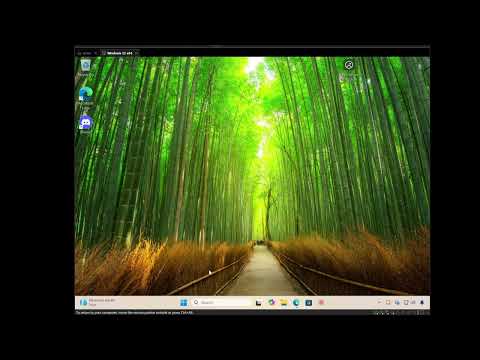](https://www.youtube.com/watch?v=Qk0lY5PGHSE)
This walkthrough is a little dated now, but the core steps still apply. A
fuller, updated walkthrough is planned.
The wizard goes from a bare Discord application to a working setup in
about a minute. It takes the bot token with input hidden, verifies it
live against Discord, checks the privileged intent toggles and waits
while you fix any that are off, generates an invite link at the
permission level you pick, saves the token locally (a gitignored `.env`
for a source checkout, or `.omnicord/.env` in your user folder for an
npx or global install), and writes the omnicord entry into your AI
client's config (backing the file up first). Claude Desktop (including the Microsoft Store build), Cursor,
Windsurf, and project level Claude Code are detected automatically, even
before you have set up MCP in them; anything else gets a snippet to
paste. It only adds the omnicord entry and never overwrites the rest of
the file.
Then fully restart your AI client and ask it:
> run a setup check on my Discord bot
Eight checks, plain English results, and the exact fix for anything that
is wrong.
## What it can do
| Area | Examples |
|---|---|
| Server building | Plan and execute a full server build from a brief: roles, categories, channels, permissions, in one additive operation. Save, diff, and rebuild layouts as blueprints. |
| Messaging | Send, edit, pin, forward, react, polls, scheduled messages, DMs, webhooks. |
| Reading | Channel history, full-text message search, members, roles, permissions, audit log. |
| Moderation | Timeouts, kicks, bans, bulk actions, and prune, all preview first, plus raid lockdown to pause invites and DMs. |
| AutoMod | Discord's server side filters: keyword rules, Discord maintained preset lists (slurs, profanity), member profile checks, spam and mention flood limits. |
| Real time | Subscribe to live server events and ask "what did I miss?" |
| Structure | Channels, categories, permission overwrites, reordering, cloning, voice channel status. |
| Community | Events (one-off or recurring), stages, threads, forums, invites, welcome screen, onboarding. |
| Expression | Emojis, stickers, soundboard sounds. |
| Diagnostics | Setup check, bot info, rate limit status, permission explainers. |
The full contract for every tool is in the
[tool catalog](docs/tool-catalog.md).
## The safety model
Destructive operations (deleting, banning, kicking, timeouts, bulk
actions) never execute on the first call. They return a human readable
preview and a confirmation token bound to that exact action; repeating
the call with the token executes it. Tokens are single use and expire
after two minutes. Moderation additionally preflights Discord's
hierarchy rules, owner protection, and self protection before the gate,
so the failure mode is an explanation rather than a 403.
This is enforced by Omnicord itself, not by the model's judgment. A
confused or compromised AI session cannot skip the gate.
## Multiple bots
Omnicord can drive several bots from one install, one per server. Point it
at a server and it uses the bot that is actually in that server, so a test
bot and a real bot, or a separate bot per community, sit side by side
without swapping tokens. Set it up by answering the wizard's "how many
bots" prompt, or by hand in a `bots.json`. Destructive previews name the
acting bot so a misrouted action is caught before it runs. A single
`DISCORD_TOKEN` is unchanged and never sees any of this. Full details in
[Multiple bots](docs/multi-bot.md).
## Running it
Stdio, the default, for desktop MCP clients:
```
node dist/index.js
```
Streamable HTTP, for remote capable clients and self hosting:
```
node dist/index.js --http # 127.0.0.1:3414/mcp
node dist/index.js --http --port 8080
```
A bot token sits behind the HTTP endpoint, so the defaults are strict:
binding beyond localhost without `OMNICORD_HTTP_TOKEN` refuses to start,
bearer auth is compared in constant time, browser origins are rejected
unless allowlisted, and the Host header is validated in loopback mode to
close DNS rebinding. Details in [self-hosting](docs/self-hosting.md).
## Docker
A published image is on Docker Hub (`orygn/omnicord`), or you can build
your own. The image runs the HTTP transport as a non root user with the
container health check wired to the health endpoint. It binds beyond
loopback, so it requires `OMNICORD_HTTP_TOKEN` and exits with a clear
message without one. The token never lives in the image; everything
arrives through the environment at runtime.
```
docker run -d -p 3414:3414 \
-e DISCORD_TOKEN=your-bot-token \
-e OMNICORD_HTTP_TOKEN=a-strong-secret \
orygn/omnicord
```
To build it yourself instead: `docker build -t omnicord .`. Or with
compose, after exporting the two secrets: `docker compose up -d`.
## Configuration
Environment variables, or a `.env` file (the wizard writes one for you;
source checkouts use `.env` next to `package.json`, npx and global
installs use `.omnicord/.env` in your user folder). Multiple bots are
configured in a `bots.json` in the same directory; see
[Multiple bots](docs/multi-bot.md).
| Variable | What it does |
|---|---|
| `DISCORD_TOKEN` | The bot token. Required for anything real; the server boots without it and the diagnostics explain what to fix. |
| `OMNICORD_GUILD` | Optional default server ID so tools can omit the guild parameter. |
| `OMNICORD_SAFE_MODE` | Default on. Destructive tools preview first and require a confirm token; set to `false` only for trusted automation. |
| `OMNICORD_GATEWAY` | Default on when a token is set: the bot shows as online and real time event subscriptions work. Set to `off` for REST only operation. |
| `OMNICORD_HOME` | Optional. One directory to hold `.env`, `bots.json`, and saved data. Defaults to the package root for a source checkout, `.omnicord` in your user folder for an installed copy. |
| `OMNICORD_DATA_DIR` | Where saved blueprints and scheduled messages live. Default: `.omnicord` next to `package.json` for a source checkout, `.omnicord` in your user folder for an installed copy. |
| `OMNICORD_PORT` | HTTP port, default 3414. |
| `OMNICORD_HTTP_HOST` | HTTP bind address, default `127.0.0.1`. |
| `OMNICORD_HTTP_TOKEN` | Bearer token for HTTP mode. Required to bind beyond localhost. |
| `OMNICORD_HTTP_ORIGINS` | Comma separated browser origins allowed to call the HTTP endpoint. Empty means none. |
Client config for stdio (Claude Desktop and compatible):
```json
{
"mcpServers": {
"omnicord": {
"command": "node",
"args": ["/absolute/path/to/dist/index.js"]
}
}
}
```
No token goes in the client config. The server finds `.env` and
`bots.json` no matter where the client spawns it from: it checks
`OMNICORD_HOME` if set, then the current directory, then the package
root, then `.omnicord` in your user folder, and a real environment
variable overrides all of them.
## Documentation
| Doc | What is in it |
|---|---|
| [Getting started](docs/getting-started.md) | Setup in a few minutes, wizard or by hand. |
| [Multiple bots](docs/multi-bot.md) | Running several bots, one per server, from one install. |
| [Connecting AI clients](docs/clients.md) | Exact config for Claude Desktop, Claude Code, Cursor, Windsurf, ChatGPT, and anything else. |
| [Self-hosting](docs/self-hosting.md) | HTTP transport, Docker, and the security model for networked deployments. |
| [Troubleshooting](docs/troubleshooting.md) | Common problems and their fixes. |
| [Security whitepaper](docs/security-whitepaper.md) | Plain language: what Omnicord can and cannot touch, for whoever decides whether to install it. |
| [SECURITY.md](SECURITY.md) | The engineering level threat model and audit findings. |
| [Tool catalog](docs/tool-catalog.md) | The full contract of all 151 tools. |
The docs are written to be read by AI assistants too: paste a page at
your AI and have it walk you through.
Omnicord is also listed on the
[official MCP registry](https://registry.modelcontextprotocol.io),
[Smithery](https://smithery.ai/servers/orygn/omnicord), Lo que la gente pregunta sobre Omnicord
¿Qué es OrygnsCode/Omnicord?
+
OrygnsCode/Omnicord es mcp servers para el ecosistema de Claude AI. Discord MCP server. Let your AI assistant run and build your Discord server: chat, moderation, administration, and full server building from one brief. 150+ tools, with destructive actions gated behind a preview. Tiene 6 estrellas en GitHub y se actualizó por última vez today.
¿Cómo se instala Omnicord?
+
Puedes instalar Omnicord clonando el repositorio (https://github.com/OrygnsCode/Omnicord) o siguiendo las instrucciones del README en GitHub. ClaudeWave también te ofrece bloques de instalación rápida en esta misma página.
¿Es seguro usar OrygnsCode/Omnicord?
+
OrygnsCode/Omnicord aún no ha sido auditado por nuestro agente de seguridad. Revisa el repositorio original en GitHub antes de usarlo en producción.
¿Quién mantiene OrygnsCode/Omnicord?
+
OrygnsCode/Omnicord es mantenido por OrygnsCode. La última actividad registrada en GitHub es de today, con 0 issues abiertos.
¿Hay alternativas a Omnicord?
+
Sí. En ClaudeWave puedes explorar mcp servers similares en /categories/mcp, ordenados por popularidad o actividad reciente.
Despliega Omnicord en tu cloud
Lleva este repo a producción en minutos. Cada plataforma genera su propio entorno con variables de entorno editables.
¿Mantienes este repo? Añade un badge a tu README
Pega el badge en tu README de GitHub para mostrar que está auditado por ClaudeWave. Cada badge enlaza de vuelta a esta página y muestra el Trust Score actual.
[](https://claudewave.com/repo/orygnscode-omnicord)<a href="https://claudewave.com/repo/orygnscode-omnicord"><img src="https://claudewave.com/api/badge/orygnscode-omnicord" alt="Featured on ClaudeWave: OrygnsCode/Omnicord" width="320" height="64" /></a>Más MCP Servers

Fair-code workflow automation platform with native AI capabilities. Combine visual building with custom code, self-host or cloud, 400+ integrations.

User-friendly AI Interface (Supports Ollama, OpenAI API, ...)

An open-source AI agent that brings the power of Gemini directly into your terminal.

The fastest path to AI-powered full stack observability, even for lean teams.

Real-time global intelligence dashboard. AI-powered news aggregation, geopolitical monitoring, and infrastructure tracking in a unified situational awareness interface

🕷️ An adaptive Web Scraping framework that handles everything from a single request to a full-scale crawl!