

Analytics tools for Humans and Agents
- ✓Actively maintained (<30d)
- ✓Clear description
- ✓Documented (README)
- !No standard license detected
git clone https://github.com/pattrnlabs/grain && cp grain/*.md ~/.claude/agents/Resumen de Subagents
# Grain
**A fast SQL workspace for VS Code, and for the AI agents you work with.**
[Docs](https://grain.tools/docs) · [Changelog](CHANGELOG.md) · [Report a bug](https://github.com/pattrnlabs/grain/issues/new?template=01-bug-report.yml) · [Ask a question](https://github.com/pattrnlabs/grain/issues/new?template=04-question.yml)
[](https://marketplace.visualstudio.com/items?itemName=pattrnlabs.grain)
[](https://open-vsx.org/extension/pattrnlabs/grain)
Run SQL from any `.sql` file with `Ctrl+Enter` and get the results in a
sortable grid inside VS Code. Passwords stay in your OS keychain, and Grain
has no hosted service.

## Quick start
1. Install Grain from the
[VS Code Marketplace](https://marketplace.visualstudio.com/items?itemName=pattrnlabs.grain)
or [Open VSX](https://open-vsx.org/extension/pattrnlabs/grain) (for Cursor,
Windsurf, and VSCodium).
2. Open a folder in VS Code. Grain adds its demo files there.
3. Open the **Grain** panel and click **Try the Demo**.
4. Put your cursor in any query in the file that opens and press `Ctrl+Enter`
(`Cmd+Enter` on macOS).
The demo reads two CSV files through Grain's built-in DuckDB connection, so
there's nothing to set up. To query your own database, run
**Grain: Manage Connections**, add a profile, and test it before you save.

If Grain is useful to you, a star on this repo helps other developers find it.
## Use Grain from an AI agent
Grain can serve your database connections to Claude Code, Cursor, and GitHub
Copilot over MCP. Agents get read-only access by default, and every query an
agent runs shows up in your Grain results panel, so you can see exactly what
it did.
MCP is off until you turn on `grain.mcpEnabled` in settings. Setup steps for
each client are in the [MCP docs](https://grain.tools/docs/mcp), and example
prompts are in [`examples/agents/`](examples/agents/).
## Features
| Feature | What it does |
| --- | --- |
| Run from the editor | `Ctrl+Enter` runs the file; **Run Query Under Cursor** runs one statement; **Run Query in New Tab** keeps the previous result |
| Non-blocking queries | Queries run in a background process, so a slow query doesn't freeze VS Code |
| Connection manager | Create, test, and switch database profiles without editing JSON |
| Result grid | Sort, filter, and resize columns, see each column's SQL type, copy a selection as TSV |
| Full export | The grid shows the first 500 rows; export re-runs the query and writes every row to CSV, TSV, or JSON |
| Agent access over MCP | Claude Code, Cursor, and Copilot can query your connections; their results land in your panel |
| Remote setups | Works over WSL, dev containers, GitHub Codespaces, and Remote - SSH |
## Supported databases
<table>
<tr>
<th align="left">Relational databases</th>
<td align="center" width="110"><img src="media/logos/postgresql.svg" width="36" height="36" alt=""><br>PostgreSQL</td>
<td align="center" width="110"><img src="media/logos/mysql.svg" width="36" height="36" alt=""><br>MySQL</td>
<td align="center" width="110"><img src="media/logos/sqlserver.svg" width="36" height="36" alt=""><br>SQL Server</td>
<td align="center" width="110"><img src="media/logos/sqlite.svg" width="36" height="36" alt=""><br>SQLite</td>
</tr>
<tr>
<th align="left">Data warehouses</th>
<td align="center"><img src="media/logos/snowflake.svg" width="36" height="36" alt=""><br>Snowflake</td>
<td align="center"><img src="media/logos/bigquery.svg" width="36" height="36" alt=""><br>BigQuery</td>
<td></td>
<td></td>
</tr>
<tr>
<th align="left">Query engines & lakehouses</th>
<td align="center"><img src="media/logos/trino.svg" width="36" height="36" alt=""><br>Trino / Presto</td>
<td align="center"><img src="media/logos/duckdb.svg" width="36" height="36" alt=""><br>DuckDB</td>
<td></td>
<td></td>
</tr>
<tr>
<th align="left">Search</th>
<td align="center"><img src="media/logos/elasticsearch.svg" width="36" height="36" alt=""><br>Elasticsearch</td>
<td></td>
<td></td>
<td></td>
</tr>
</table>
Through Trino or Presto you can query your cluster's Iceberg, Delta Lake, and Hive tables.
DuckDB queries local CSV and Parquet files directly.
PostgreSQL and Trino / Presto are bundled with the extension. The others load
their driver on first use, and if a driver is missing, Grain tells you what to
install.
Need another database? [Request a connector](https://github.com/pattrnlabs/grain/issues/new?template=03-connector-request.yml).
Requests with the most 👍 get built first.
## Examples
Runnable queries for [Postgres](examples/postgres/), [MySQL](examples/mysql/),
[Elasticsearch](examples/elasticsearch/), and [DuckDB](examples/duckdb/), plus
[agent prompts](examples/agents/). Open any `.sql` file with Grain installed
and press `Ctrl+Enter`.
## Privacy
- **Your SQL, results, and passwords stay on your machine.** Passwords are
stored in VS Code Secret Storage, backed by your OS keychain, and never in a
settings file.
- **Agents are read-only by default.** With `grain.mcpSafeMode` on (the
default), agents can only run `SELECT`, `SHOW`, `DESCRIBE`, `EXPLAIN`, `WITH`,
and metadata queries. Agents can't read stored passwords or change saved
connections.
- **Telemetry is anonymous.** Grain sends usage data that never includes SQL,
results, credentials, hostnames, or schema names. Turn it off with
`grain.telemetry.enabled`.
## FAQ
**Is Grain open source?**\
No. Grain is closed-source. This repo holds the issue tracker, docs, and
examples.
**Which databases does it support?**\
The nine listed [above](#supported-databases). To ask for another one,
[request a connector](https://github.com/pattrnlabs/grain/issues/new?template=03-connector-request.yml).
**Do my queries or passwords leave my machine?**\
No. There's no Grain server. Queries go straight from VS Code to your database,
and passwords stay in your OS keychain. See [Privacy](#privacy) for what the
anonymous telemetry does and doesn't include.
**How do I connect Claude Code or Cursor?**\
Turn on `grain.mcpEnabled`, then follow the steps for your client in the
[MCP docs](https://grain.tools/docs/mcp).
**Why does my database show a driver error?**\
Some connectors load their driver on first use. The error message names what
to install. If it's still failing after that,
[file a bug report](https://github.com/pattrnlabs/grain/issues/new?template=01-bug-report.yml)
with the Output panel logs (**View → Output → Grain**).
## Getting help
- **Bug:** [file a bug report](https://github.com/pattrnlabs/grain/issues/new?template=01-bug-report.yml)
- **Feature idea:** [file a feature request](https://github.com/pattrnlabs/grain/issues/new?template=02-feature-request.yml)
- **New database:** [request a connector](https://github.com/pattrnlabs/grain/issues/new?template=03-connector-request.yml)
- **Question:** check the [FAQ](#faq) and [docs](https://grain.tools/docs), then [ask a question](https://github.com/pattrnlabs/grain/issues/new?template=04-question.yml)
We don't have a fixed roadmap yet. What we build next depends a lot on what
people ask for here, especially connector requests. See
[CONTRIBUTING.md](CONTRIBUTING.md) for how to file a good issue.
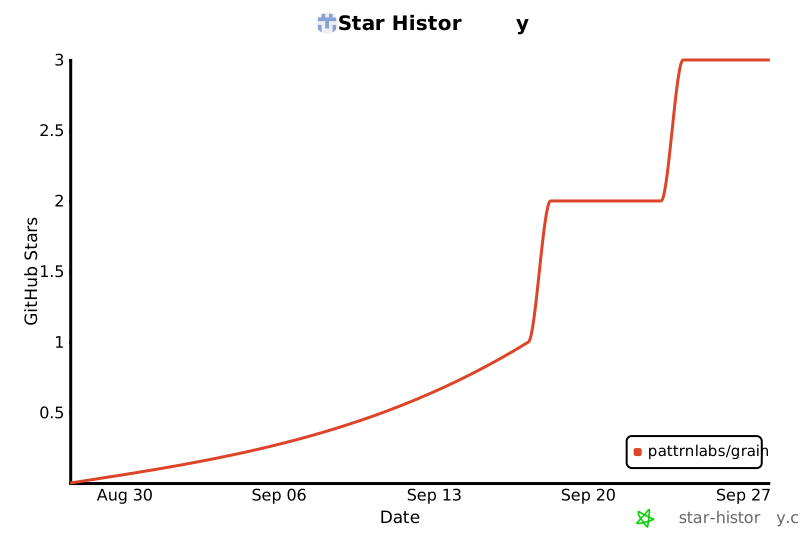
## Star History
[](https://www.star-history.com/?repos=pattrnlabs%2Fgrain&type=date&legend=bottom-right)
## License
Grain is closed-source. See [LICENSE](LICENSE).
Lo que la gente pregunta sobre grain
¿Qué es pattrnlabs/grain?
+
pattrnlabs/grain es subagents para el ecosistema de Claude AI. Analytics tools for Humans and Agents Tiene 3 estrellas en GitHub y su última actualización registrada es del 2026-09-27.
¿Cómo se instala grain?
+
Puedes instalar grain clonando el repositorio (https://github.com/pattrnlabs/grain) o siguiendo las instrucciones del README en GitHub. ClaudeWave también te ofrece bloques de instalación rápida en esta misma página.
¿Es seguro usar pattrnlabs/grain?
+
Nuestro agente de seguridad ha analizado pattrnlabs/grain y le ha asignado un Trust Score de 62/100 (tier: OK). Revisa el desglose completo de comprobaciones superadas y flags en esta página.
¿Quién mantiene pattrnlabs/grain?
+
pattrnlabs/grain es mantenido por pattrnlabs. La última actividad registrada en GitHub es del 2026-09-27, con 0 issues abiertos.
¿Hay alternativas a grain?
+
Sí. En ClaudeWave puedes explorar subagents similares en /categories/agents, ordenados por popularidad o actividad reciente.
Despliega grain en tu cloud
Lleva este repo a producción en minutos. Cada plataforma genera su propio entorno con variables de entorno editables.
¿Mantienes este repo? Añade un badge a tu README
Pega el badge en tu README de GitHub para mostrar que está auditado por ClaudeWave. Cada badge enlaza de vuelta a esta página y muestra el Trust Score actual.
[](https://claudewave.com/repo/pattrnlabs-grain)<a href="https://claudewave.com/repo/pattrnlabs-grain"><img src="https://claudewave.com/api/badge/pattrnlabs-grain" alt="Featured on ClaudeWave: pattrnlabs/grain" width="320" height="64" /></a>Más Subagents

The agent harness performance optimization system. Skills, instincts, memory, security, and research-first development for Claude Code, Codex, Opencode, Cursor and beyond.

The agent that grows with you

Java 面试 & 后端通用面试指南,覆盖计算机基础、数据库、分布式、高并发、系统设计与 AI 应用开发

Build Agentic workflows, RAG pipelines, with rich AI model and tool support on one collaborative workspace. Deploy on cloud, VPC, or self-hosted, so teams move from prototype to production without rebuilding the stack.

The agent engineering platform.

Makes your AI agent think like the laziest senior dev in the room. The best code is the code you never wrote.