

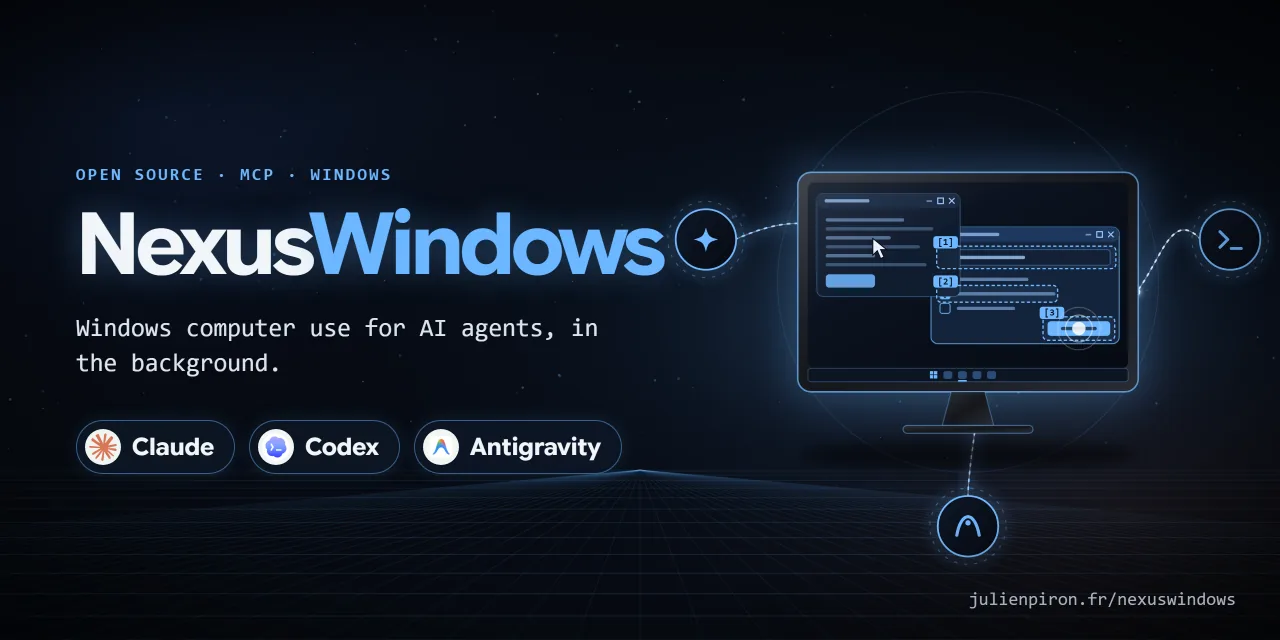
NexusWindows for Claude: Windows computer use in the background, as an MCP server for Claude Desktop and Claude Code.
- ✓Open-source license (MIT)
- ✓Actively maintained (<30d)
- ✓Clear description
- ✓Topics declared
- ✓Documented (README)
claude mcp add nexuswindows-claude -- uvx nexuswindows-claude{
"mcpServers": {
"nexuswindows-claude": {
"command": "uvx",
"args": ["nexuswindows-claude"]
}
}
}Resumen de MCP Servers
# NexusWindows for Claude
<!-- mcp-name: io.github.pironjulien/nexus-windows -->
[](https://github.com/pironjulien/NexusWindows-Claude/releases)
[](https://pypi.org/project/nexus-windows/)
[](https://github.com/pironjulien/NexusWindows-Claude/actions/workflows/tests.yml)
[](https://scorecard.dev/viewer/?uri=github.com/pironjulien/NexusWindows-Claude)
[](https://github.com/pironjulien/NexusWindows-Claude/blob/main/LICENSE)
[](https://github.com/pironjulien/NexusWindows-Claude/blob/main/pyproject.toml)
[](https://modelcontextprotocol.io)
[](#installation)
[](https://julienpiron.fr/nexuswindows/)

**Windows computer use for Claude, in the background.** An MCP server (`nexus-windows`) that lets Claude Desktop
and Claude Code see and operate Windows desktop applications while the user keeps their mouse, keyboard and
foreground window.
Version 0.13.4 · Windows 10/11 · Python 3.14 · MIT licence
Part of the Nexus family: [NexusWindows](https://julienpiron.fr/nexuswindows/)
([Claude](https://github.com/pironjulien/NexusWindows-Claude) ·
[Codex](https://github.com/pironjulien/NexusWindows-Codex) ·
[Antigravity](https://github.com/pironjulien/NexusWindows-Antigravity)),
[NexusBrowser](https://julienpiron.fr/nexusbrowser/) ([repo](https://github.com/pironjulien/NexusBrowser)),
[NexusAndroid](https://julienpiron.fr/nexusandroid/) ([repo](https://github.com/pironjulien/NexusAndroid)).
Project page: [julienpiron.fr/nexuswindows](https://julienpiron.fr/nexuswindows/).
## Why
Anthropic's own computer use (in Cowork and Claude Code inside Claude Desktop) is a beta for Pro and Max
subscribers: "Team and Enterprise plans don't have access to computer use at this time"
([Claude Help Center](https://support.claude.com/en/articles/14128542-let-claude-use-your-computer-in-cowork)).
NexusWindows for Claude is a local MCP server, so it works with Claude Desktop and Claude Code on any plan that
allows local MCP servers, Team and Enterprise included.
Screenshot-and-click computer use moves the real cursor and brings windows to the front, so the person at the PC has
to stop working while the agent acts. Most Windows applications can be driven without that: native controls accept
window messages, modern frameworks expose UI Automation, and Chromium can be reached through its accessibility tree.
This server picks, per UI family, a technique that was **measured** not to steal focus, reads the effect back, and
only falls back to the real mouse or keyboard when the user explicitly allows it.
## What it does
### Tools
| Tool | Purpose |
|---|---|
| `windows(filter)` | Application windows, front to back: hwnd, title, process, UI family, size |
| `look(window, show, query, region, detail, marks)` | Numbered `[N]` elements (role, name, value, state, position) plus an image, without bringing the window forward |
| `act(steps, window, then, foreground, remember, routine, params)` | Several steps in one call, each read back, then the updated state |
| `launch(app, args, devtools, restart)` | Start an application (Start menu name, Store app, executable), a folder or a document without giving it focus; the opening is verified |
| `window(action, ...)` | Restore behind, minimize, maximize, close, move, resize |
| `logs(count, errors_only)` | Debug log: techniques tried, durations, errors, server state |
Step actions: `click`, `double_click`, `right_click`, `type`, `set`, `clear`, `key`, `select`, `check`, `uncheck`,
`toggle`, `expand`, `collapse`, `scroll`, `focus`, `menu`, `wait`, `drag`, `hover`. A target is an `[N]` from the last
`look`, a visible name (`"OK"`), a role-qualified name (`"button:OK"`, `"edit:Name"`, `"checkbox:Subscribe"`) or an
`x,y` point in the last image.
### Only what changed (`then="changes"`, `show="changes"`)
After an action, `act(then="changes")` (or `look(show="changes")`) returns only what changed since the last list
shown for that window: `+` added, `~` changed (text, state or moved), `-` removed; every other element keeps its
`[N]`. A common scroll of many elements is one line naming them as ranges (`[2-21]`), not a full list. Comparison is
made in the window's own frame, so moving the window is not a change. A removed `[N]` is never given again, and an
element whose change was cut from a long report loses its `[N]` until the next `look`. When almost everything changed
(60 %), the full list is returned. Measured: 2 to 2.6 times shorter than the full list after a click.
### Text read from the image (OCR fallback)
When a window publishes almost no UI Automation elements (fewer than 6: Tk, canvases) or a Chromium page stops
publishing its content, the text of the window image is read with the Windows built-in OCR engine
(`Windows.Media.Ocr`, local, offline) and listed as `[N] Text "…" (OCR)` with its position; such an element can be
targeted by number or by name (click at its position, recomputed if the window moved). Measured on the lab apps: 10 to
21 ms per window; text correct 16/16 (WPF), 20/23 (Edge), 6/7 (Tk).
### Four outcomes per step
Each step is reported as one of:
- `✓` the effect was read back (value, state, window, image);
- `=` the state requested by the step's `check` was already true, so nothing was sent;
- `~` the input was sent but its effect could not be read (never counted as a success);
- `✗` failure, refusal, or postcondition not met; the batch stops there.
A batch ends with a tally of the four counts.
### Postconditions (`check`)
A step may carry `check`: one element and the state it must reach (`value`, `contains`, `checked`, `selected`,
`expanded`, `focused`, `enabled`, `exists`). Already true before the step: the step is skipped (`=`). True after: `✓`.
False after: `✗` and the batch stops. A state the element does not publish stays unknown, never false.
### Routines
`act(remember="name")` saves a batch only if every step ended `✓` or `=` and every target is a visible name (never an
`[N]` or a point). `{{x}}` marks variable text, filled at replay with `params`. `act(routine="name")` finds each
target again by name and re-verifies every step; an application update is reported and a failed replay marks the
routine for review. Routines are stored per executable under `%USERPROFILE%\.claude\nexus-claude\routines`. An
optional mirror folder (`NEXUS_ROUTINES_MIRROR`) can share definitions between PCs; typed text is never mirrored in
clear (a routine whose text is not a `{{x}}` template stays local).
### Verified opening of paths
`launch(app=<folder or document>)` opens through the file association (ShellExecuteEx, no activation requested), then
checks what actually opened: the folder shown in File Explorer (read through Shell.Application) or a window titled
with the file name. Scripts, shortcuts and installers are refused.
### Per UI family
- **Native Win32**: direct messages to controls (`BN_CLICKED`, `CB_SETCURSEL`/`LB_SETCURSEL` with their notification,
`EM_REPLACESEL`, menu `WM_COMMAND`, `TCM_SETCURFOCUS`), read back. UI Automation is avoided where it was measured to
steal focus (button Invoke) or to fail silently (list Select).
- **Win32 and WinForms drop-down lists**: opened and closed with `CB_SHOWDROPDOWN`, read back with
`CB_GETDROPPEDSTATE` (`expand`, `collapse`, or `click` on the list). Choosing in an open list closes it first
(Windows treats that close as a cancel and would drop a choice made before it), then sends `CB_SETCURSEL`,
`CBN_SELCHANGE` and `CBN_SELENDOK` to the parent and reads the application back (index and label); an empty or other
value is `✗`. While a list is open its UI Automation tree is not walked (it chains to every top-level window of the
desktop): the options are read from the ComboLBox pop-up itself.
- **WinForms, WPF, UWP, WinUI**: UI Automation with `AutoSetFocus` disabled and bounded timeouts. A WPF drop-down list
left open by a choice is closed and the choice read back.
- **Chromium and Electron, without activation**: for an app already open without DevTools, multiline fields, rich
editors, `<select>`, keys and Ctrl/Alt shortcuts go through a *simulated activation*: `WM_NCACTIVATE` and
`WM_ACTIVATE` are sent to that window only (Chromium takes its activation state from these messages; Windows does
not change the foreground), DOM focus is set with MSAA `accSelect(SELFLAG_TAKEFOCUS)` and read back, characters go
as `WM_CHAR`, and the deactivation is *posted* so it is processed after them. The page receives trusted `keydown`
and `input` events. One caveat was measured: an app launched a moment ago may use its launch-time foreground right
once (about 10 ms, handed back by the guard), so the first simulated activation per process is treated like a brief
activation. Apps started with `launch(devtools=true)` are driven through the DevTools protocol instead.
- **Steam (CEF in an SDL frame)**: recognised as Chromium; `launch(app="Steam")` adds Steam's own
`-cef-disable-occlusion -cef-fLo que la gente pregunta sobre NexusWindows-Claude
¿Qué es pironjulien/NexusWindows-Claude?
+
pironjulien/NexusWindows-Claude es mcp servers para el ecosistema de Claude AI. NexusWindows for Claude: Windows computer use in the background, as an MCP server for Claude Desktop and Claude Code. Tiene 4 estrellas en GitHub y su última actualización registrada es del 2026-10-20.
¿Cómo se instala NexusWindows-Claude?
+
Puedes instalar NexusWindows-Claude clonando el repositorio (https://github.com/pironjulien/NexusWindows-Claude) o siguiendo las instrucciones del README en GitHub. ClaudeWave también te ofrece bloques de instalación rápida en esta misma página.
¿Es seguro usar pironjulien/NexusWindows-Claude?
+
Nuestro agente de seguridad ha analizado pironjulien/NexusWindows-Claude y le ha asignado un Trust Score de 95/100 (tier: Verified). Revisa el desglose completo de comprobaciones superadas y flags en esta página.
¿Quién mantiene pironjulien/NexusWindows-Claude?
+
pironjulien/NexusWindows-Claude es mantenido por pironjulien. La última actividad registrada en GitHub es del 2026-10-20, con 3 issues abiertos.
¿Hay alternativas a NexusWindows-Claude?
+
Sí. En ClaudeWave puedes explorar mcp servers similares en /categories/mcp, ordenados por popularidad o actividad reciente.
Despliega NexusWindows-Claude en tu cloud
Lleva este repo a producción en minutos. Cada plataforma genera su propio entorno con variables de entorno editables.
¿Mantienes este repo? Añade un badge a tu README
Pega el badge en tu README de GitHub para mostrar que está auditado por ClaudeWave. Cada badge enlaza de vuelta a esta página y muestra el Trust Score actual.
[](https://claudewave.com/repo/pironjulien-nexuswindows-claude)<a href="https://claudewave.com/repo/pironjulien-nexuswindows-claude"><img src="https://claudewave.com/api/badge/pironjulien-nexuswindows-claude" alt="Featured on ClaudeWave: pironjulien/NexusWindows-Claude" width="320" height="64" /></a>Más MCP Servers

Reverse engineer anything with agents, from app behavior down to native binaries.

Fair-code workflow automation platform with native AI capabilities. Combine visual building with custom code, self-host or cloud, 400+ integrations.

User-friendly AI Interface (Supports Ollama, OpenAI API, ...)

An open-source AI agent that brings the power of Gemini directly into your terminal.

Real-time global intelligence dashboard. AI-powered news aggregation, geopolitical monitoring, and infrastructure tracking in a unified situational awareness interface

🕷️ A Web Scraping framework that handles everything from a single request to a full-scale crawl! Don't be shy, join here: https://discord.gg/EMgGbDceNQ and follow here for daily tips and tricks: https://x.com/Scrapling_dev