

Context-aware knowledge engine for AI assistants
- ✓Open-source license (MIT)
- ✓Actively maintained (<30d)
- ✓Clear description
- ✓Topics declared
- ✓Documented (README)
claude mcp add kairn -- python -m kairn-ai{
"mcpServers": {
"kairn": {
"command": "python",
"args": ["-m", "kairn-ai"]
}
}
}Resumen de MCP Servers
# Kairn
<video src="https://github.com/user-attachments/assets/dbaea32c-f88c-4669-935e-2912ef7d7857" controls>Watch the 30-second tour on <a href="https://github.com/primeline-ai/kairn">GitHub</a>.</video>
> Context-aware knowledge engine for AI assistants.
<!-- mcp-name: io.github.primeline-ai/kairn -->
**Status: pre-1.0.** In daily use since February 2026, with a test suite that runs on Linux, macOS and Windows (see [Development](https://github.com/primeline-ai/kairn/blob/v0.3.0/README.md#development)) and a published
[LongMemEval-S benchmark](https://github.com/primeline-ai/kairn/blob/v0.3.0/README.md#benchmarks) (measured before 0.3.0). Interfaces may still change between
releases until 1.0. Feedback and issues welcome.
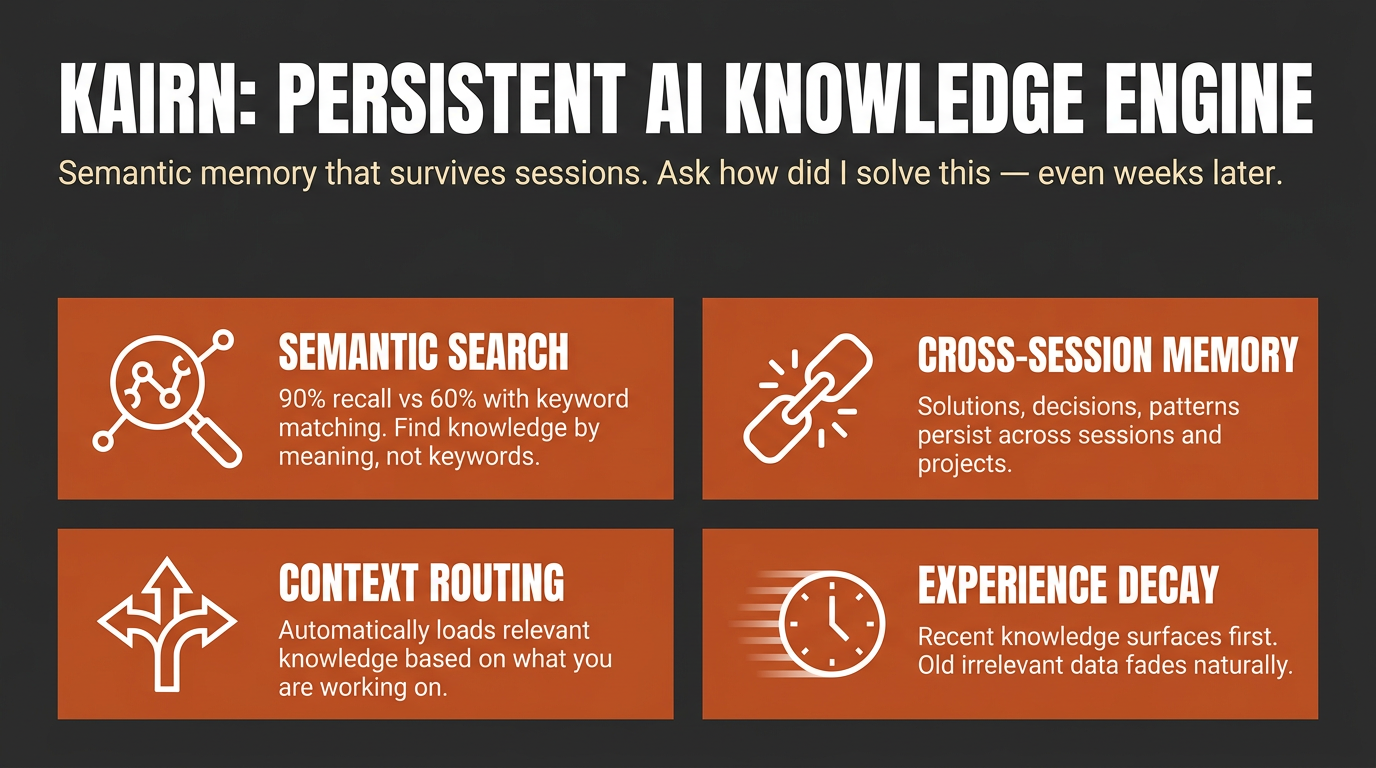
Other tools give your AI a memory. **Kairn** gives it a knowledge graph with intelligent context routing. It knows what to load, when to load it, and how much - so your AI stays focused, not overwhelmed.
```bash
pip install kairn-ai
kairn init ~/brain
kairn serve ~/brain
```
Claude Code and Codex each take one line; `--init` creates `~/brain` and its database on first start, so this works even without `kairn init`:
```bash
claude mcp add kairn -- kairn serve --init ~/brain
codex mcp add kairn -- kairn serve --init ~/brain
```
Or install it as a one-click bundle, no Python setup required: download the
`.mcpb` file from the [latest release](https://github.com/primeline-ai/kairn/releases/latest)
and open it with a bundle-aware app such as Claude Desktop.
For other clients, see [Quick Start](https://github.com/primeline-ai/kairn/blob/v0.3.0/README.md#quick-start) below. New to Kairn? Jump to [First 5 Minutes](https://github.com/primeline-ai/kairn/blob/v0.3.0/README.md#first-5-minutes).
## Install routes
| Route | Who it is for | Command |
|---|---|---|
| PyPI | anyone with Python, and every MCP client | `pip install kairn-ai` |
| MCP Bundle (`.mcpb`) | Claude Desktop and other bundle-aware apps; no Python install needed | download from [Releases](https://github.com/primeline-ai/kairn/releases) and open it |
| Claude Code | one line, uses the PyPI install | `claude mcp add kairn -- kairn serve --init ~/brain` |
| Codex | one line, uses the PyPI install | `codex mcp add kairn -- kairn serve --init ~/brain` |
The bundle carries no Kairn source of its own. It declares `kairn-ai` as a
dependency and the host resolves it with `uv`, so a bundle install and a
`pip install` run identical code. Where the database lives is configurable when
you install the bundle; it defaults to `~/.kairn` and never leaves your machine.
## Why Kairn?
Every AI conversation starts from scratch. Previous insights, decisions, and patterns - gone. Existing memory tools store flat key-value pairs that can't represent relationships or surface the *right* context at the *right* time.
Kairn is different:
- **Context Router + Progressive Disclosure** - Automatically loads relevant subgraphs based on keywords, starting with summaries and drilling into details only when needed. No other tool does this.
- **Knowledge Graph with FTS5** - Not flat storage. Typed relationships (`depends-on`, `resolves`, `causes`) between nodes with provenance tracking and full-text search across everything.
- **Experience Decay + Auto-Promotion** - Experiences lose relevance over time (biological decay model). Frequently-accessed experiences auto-promote to permanent knowledge. Your AI naturally forgets what doesn't matter.
- **22 MCP Tools** - Works with Claude Code, Codex, Claude Desktop, Cursor, VS Code, Windsurf, and any MCP client. Includes `kn_judge` for 5-verb relationship judgments and `kn_doctor` for read-only health diagnostics.
- **Per-Workspace Isolation** - Each workspace is its own isolated SQLite store. JWT auth and role-based access control (owner / maintainer / contributor / reader) ship for team deployments.
## Quick Start
### Claude Desktop
Add to `~/Library/Application Support/Claude/claude_desktop_config.json`:
```json
{
"mcpServers": {
"kairn": {
"command": "kairn",
"args": ["serve", "--init", "~/brain"]
}
}
}
```
### Cursor
Add to `.cursor/mcp.json`:
```json
{
"mcpServers": {
"kairn": {
"command": "kairn",
"args": ["serve", "--init", "~/brain"]
}
}
}
```
### VS Code
Add to `.vscode/mcp.json`:
```json
{
"servers": {
"kairn": {
"type": "stdio",
"command": "kairn",
"args": ["serve", "--init", "~/brain"]
}
}
}
```
### Windsurf
Add to `~/.codeium/windsurf/mcp_config.json`:
```json
{
"mcpServers": {
"kairn": {
"command": "kairn",
"args": ["serve", "--init", "~/brain"]
}
}
}
```
Restart your editor. Kairn's 22 tools appear in the MCP section.
## First 5 Minutes
A guided first run, end to end:
```bash
pip install kairn-ai
kairn init ~/brain # creates the workspace + database (optional: serve --init does it on first start)
```
Add the one-liner from above (or your client's Quick Start snippet), then restart the client. Once connected, ask your assistant to remember something:
> "Remember that we chose Postgres over SQLite for the analytics service because we needed concurrent writers."
That calls `kn_learn` under the hood and returns a JSON envelope like this (captured from a real run, via `kairn learn`, the CLI mirror of the tool):
```json
{"_v": "1.0", "stored_as": "node", "node_id": "002d9c22", "experience_id": "d0710c2f", "type": "decision", "confidence": "high", "namespace": "knowledge", "candidates": []}
```
Start a **new** session and ask it to recall the same thing - that calls `kn_recall` and surfaces what you just stored, no re-explaining required:
```json
{"_v": "1.0", "count": 2, "results": [
{"source": "node", "id": "002d9c22", "name": "Decision: we chose Postgres over SQLite for the analytics service beca", "type": "learned_decision", "description": "we chose Postgres over SQLite for the analytics service because we needed concurrent writers", "relevance": 1.0, "relevance_kind": "match"},
{"source": "experience", "id": "d0710c2f", "type": "decision", "content": "we chose Postgres over SQLite for the analytics service because we needed concurrent writers", "confidence": "high", "relevance": 1.0, "relevance_kind": "recency"}
]}
```
`kn_learn` stored both a permanent graph node and a decaying experience (high confidence does both, see [Confidence routing](https://github.com/primeline-ai/kairn/blob/v0.3.0/README.md#decay-model)); `kn_recall` found both from a three-word topic.
**Read `relevance_kind` before you read `relevance`.** Both rows above show `1.0` and they do not mean the same thing. `match` is lexical match strength (bm25); the experience's `recency` is time-decay - it is 1.0 because the row was created seconds ago, not because it matched well. A third value, `similarity`, is embedding cosine on the semantic-recall path, and `unscored` marks a row the surface had no ranking for and filled in with a constant. The numbers are not comparable across kinds, so do not sort a mixed result set on `relevance` alone. Same caution for `min_relevance` on `kn_recall`: it gates nodes on match strength and experiences on recency, one number against two scales. On `kn_memories` and `kn_prune`, which see experiences only, it is recency - and on `kn_prune` it **deletes**.
Run `kairn status ~/brain` any time as a smoke test - if it prints a JSON stats block (nodes/edges/experiences counts), the workspace is healthy. Want a scripted tour of every core feature instead of doing it by hand? Run `kairn demo ~/brain` - it walks through node creation, querying, experience saving, learning, recall, and context in about 30 seconds.
### Which tool when
22 tools is a lot to hold in your head on day one. Most sessions only need these:
| You want to... | Use | Why |
|---|---|---|
| Remember something new (a decision, gotcha, pattern, solution) | `kn_learn` | Default entry point - auto-routes to a permanent node (high confidence) or a decaying experience (medium/low), no need to decide yourself |
| Capture a stated user preference the moment it is expressed | `kn_preference` | Dedicated preference write path - you (the calling model) state the preference as one explicit sentence; stored with the longest half-life of any type |
| Add a permanent named concept you already know is durable | `kn_add` | Skips decay entirely - for structural knowledge, not day-to-day experience |
| Log a one-off experience with explicit confidence/decay control | `kn_save` | Lower-level primitive `kn_learn` wraps - reach for it when you want to set confidence/decay yourself |
| Search the permanent knowledge graph by text, type, tags, or namespace | `kn_query` | You're looking for nodes, not decaying experiences |
| Search saved experiences, ranked by relevance and decay | `kn_memories` | You're looking for experience content (solutions, gotchas, workarounds), not graph nodes |
| Surface everything relevant to a topic in one call | `kn_recall` (flat list) or `kn_context` (subgraph, progressive disclosure: summary first, full detail on demand) | You don't know yet whether the answer is a node or an experience - let Kairn search both |
Everything else (`kn_crossref`, `kn_related`, `kn_connect`, `kn_judge`, `kn_project`/`kn_projects`/`kn_log`, `kn_idea`/`kn_ideas`, `kn_promote_pending`, `kn_prune`, `kn_remove`, `kn_status`, `kn_doctor`) is advanced usage - see the full [22 Tools](https://github.com/primeline-ai/kairn/blob/v0.3.0/README.md#22-tools-kn_-prefix) reference below once you're past the basics.
## 22 Tools (kn_ prefix)
All tools follow MCP protocol with JSON responses.
### Graph (6)
| Tool | Description |
|------|-------------|
| `kn_add` | Add node to knowledge graph |
| `kn_connect` | Create typed edge between nodes (lax-mode vocabulary) |
| `kn_judge` | Record 5-verb judgment edge (strict mode: `conflicts_with` / Lo que la gente pregunta sobre kairn
¿Qué es primeline-ai/kairn?
+
primeline-ai/kairn es mcp servers para el ecosistema de Claude AI. Context-aware knowledge engine for AI assistants Tiene 13 estrellas en GitHub y su última actualización registrada es del 2026-10-10.
¿Cómo se instala kairn?
+
Puedes instalar kairn clonando el repositorio (https://github.com/primeline-ai/kairn) o siguiendo las instrucciones del README en GitHub. ClaudeWave también te ofrece bloques de instalación rápida en esta misma página.
¿Es seguro usar primeline-ai/kairn?
+
Nuestro agente de seguridad ha analizado primeline-ai/kairn y le ha asignado un Trust Score de 95/100 (tier: Verified). Revisa el desglose completo de comprobaciones superadas y flags en esta página.
¿Quién mantiene primeline-ai/kairn?
+
primeline-ai/kairn es mantenido por primeline-ai. La última actividad registrada en GitHub es del 2026-10-10, con 0 issues abiertos.
¿Hay alternativas a kairn?
+
Sí. En ClaudeWave puedes explorar mcp servers similares en /categories/mcp, ordenados por popularidad o actividad reciente.
Despliega kairn en tu cloud
Lleva este repo a producción en minutos. Cada plataforma genera su propio entorno con variables de entorno editables.
¿Mantienes este repo? Añade un badge a tu README
Pega el badge en tu README de GitHub para mostrar que está auditado por ClaudeWave. Cada badge enlaza de vuelta a esta página y muestra el Trust Score actual.
[](https://claudewave.com/repo/primeline-ai-kairn)<a href="https://claudewave.com/repo/primeline-ai-kairn"><img src="https://claudewave.com/api/badge/primeline-ai-kairn" alt="Featured on ClaudeWave: primeline-ai/kairn" width="320" height="64" /></a>Más MCP Servers

Fair-code workflow automation platform with native AI capabilities. Combine visual building with custom code, self-host or cloud, 400+ integrations.

User-friendly AI Interface (Supports Ollama, OpenAI API, ...)

An open-source AI agent that brings the power of Gemini directly into your terminal.

Real-time global intelligence dashboard. AI-powered news aggregation, geopolitical monitoring, and infrastructure tracking in a unified situational awareness interface

🕷️ An adaptive Web Scraping framework that handles everything from a single request to a full-scale crawl! Don't be shy, join here: https://discord.gg/EMgGbDceNQ and follow here for daily tips and tricks: https://x.com/Scrapling_dev

The fastest path to AI-powered full stack observability, even for lean teams.