

MCP bridge that lets Claude Code delegate heavy tasks to the Antigravity CLI (agy) — purpose-built tools, model routing with fallback, session continuity, and output truncation to save Claude's context and tokens.
claude mcp add agy-bridge -- npx -y --{
"mcpServers": {
"agy-bridge": {
"command": "npx",
"args": ["-y", "--"]
}
}
}Resumen de MCP Servers
# agy-bridge
[](https://github.com/sshahzaiib/agy-bridge/actions/workflows/ci.yml)
[](https://www.npmjs.com/package/agy-bridge)
[](https://www.npmjs.com/package/agy-bridge)
[](https://nodejs.org)
[](LICENSE)
An MCP bridge that lets **Claude Code delegate heavy tasks to the Antigravity CLI (`agy`)** — saving Claude's context window and tokens for what matters.
Claude sends a task → the bridge routes it to the best available model via `agy` → only the answer comes back. Large files, deep git searches, and web lookups never touch Claude's context.
```
User → Claude Code → agy-bridge (MCP) → agy CLI → Gemini / Claude / GPT-OSS
← ← ←
```
## Why this over claude-to-agy?
| | claude-to-agy | **agy-bridge** |
|---|---|---|
| Tool surface | 1 generic `delegate_to_agy` | 6 purpose-built tools — Claude self-routes reliably |
| Model selection | none (agy default only) | per-tool routing across all `agy models`, with availability detection and fallback |
| Multi-turn | stateless | session continuity — `follow_up` resumes agy conversations without resending context |
| Output safety | unbounded | configurable truncation cap protects Claude's context |
| Sandbox | no | optional `--sandbox` mode |
| Install | uvx (Python) | npx (Node) — zero install |
## Requirements
- Node.js 18+
- [Antigravity CLI](https://antigravity.google/docs/cli-getting-started) (`agy`) installed and authenticated
- [Claude Code](https://docs.anthropic.com/en/docs/claude-code)
## Install
```bash
# 1. Register the MCP server (user scope = all projects)
claude mcp add -s user agy-bridge npx -- -y agy-bridge
# 2. Add delegation rules to your project (or ~/.claude/CLAUDE.md for global)
curl -o CLAUDE.md https://raw.githubusercontent.com/sshahzaiib/agy-bridge/main/CLAUDE.md
```
## Tools
| Tool | Use for | Model routing (first available) |
|---|---|---|
| `analyze_files` | Files >200 lines, >3 files at once, logs, dumps, generated code | Gemini 3.5 Flash (High) → Gemini 3.1 Pro (Low) |
| `deep_search` | git log/diff/blame archaeology, repo-wide greps | Gemini 3.5 Flash (Medium) → (High) |
| `web_lookup` | Docs, API references, external/current knowledge | Gemini 3.5 Flash (Medium) → (High) |
| `adversarial_review` | Plan critiques, design and code reviews | Gemini 3.1 Pro (High) → Claude Opus 4.6 (Thinking) → Flash (High) |
| `follow_up` | Continue a prior session by `session_id` — no context resend | inherits the session |
| `delegate` | Anything else heavy | Gemini 3.5 Flash (High) |
All tools accept optional `cwd` (project root) and `model` (exact name from `agy models`; validated, with available models listed on mismatch).
Every response ends with a footer:
```
---
[agy-bridge] model: Gemini 3.5 Flash (High) | session: 1f0c…-d4 (use follow_up to continue)
```
### Model routing
On first use the bridge runs `agy models` (cached for the process lifetime) and picks the first available model in the tool's preference chain. If none is available it falls back to `AGY_DEFAULT_MODEL`, and finally to agy's own default. agy silently ignores unknown `--model` values, so the bridge validates names up front instead of letting requests land on the wrong model.
### Quota-aware failover
agy never surfaces quota exhaustion in print mode — it silently retries the 429 until its print-timeout, then exits 0 with empty output, which used to look like an indefinite hang. The bridge now watches each run's log file (via `--log-file`) and on `RESOURCE_EXHAUSTED (code 429)`:
1. kills the agy process group immediately (no waiting out the timeout),
2. parses the reset time ("Resets in 4h24m") into an in-process cooldown registry,
3. retries the same prompt on the next model in the tool's chain,
4. skips cooled-down models on all subsequent calls until their quota resets.
Failovers are annotated in the response footer (`failover: <model>: quota exhausted (resets in 4h24m)`). Only when every candidate is exhausted does the call fail — in seconds, with reset times listed — instead of hanging.
### Timeouts and cancellation
Each tool has its own default timeout sized to its job: `web_lookup` 120s, `deep_search` 180s, `analyze_files` / `adversarial_review` / `follow_up` 300s, `delegate` 600s. Setting `AGY_TIMEOUT` explicitly overrides all of them. The kill path escalates SIGTERM → SIGKILL across the whole process group, and the deadline fires even if agy's helper processes hold the output pipes open. Cancelling the tool call from the MCP client (e.g. pressing Esc in Claude Code) also kills the agy run instead of orphaning it.
## Configuration
All optional, via environment variables:
| Variable | Default | Description |
|---|---|---|
| `AGY_PATH` | `agy` | Path to the agy binary |
| `AGY_TIMEOUT` | per-tool | Seconds; overrides the per-tool timeouts (see above), passed as `--print-timeout`, enforced with a 15s kill grace |
| `AGY_MAX_OUTPUT_CHARS` | `50000` | Truncation cap for tool output |
| `AGY_DEFAULT_MODEL` | unset | Fallback model when no chain entry is available |
| `AGY_SKIP_PERMISSIONS` | `true` | Pass `--dangerously-skip-permissions` to agy |
| `AGY_SANDBOX` | `false` | Run agy with `--sandbox` |
| `AGY_ON_FAILURE` | `fallback` | `strict` appends an instruction to failed-tool errors telling the calling agent not to absorb the work itself |
### Failure behavior
The bridge always fails loudly: agy errors surface as MCP tool errors with agy's actual stderr, and degraded model routing is annotated in the response footer. By default the calling agent (Claude) will typically do the work itself after a failure — visible in the transcript, but easy to stop noticing in a long session. Set `AGY_ON_FAILURE=strict` to append an explicit "do NOT perform this work yourself — report the failure to the user" instruction to every delegation error, so you keep control over when token savings are silently lost.
## Development
```bash
npm install
npm test # vitest unit tests (exec mocked — no agy needed)
npm run typecheck
npm run build # tsup → dist/index.js
```
## Contributors
Contributions are welcome — open an issue or PR.
<a href="https://github.com/sshahzaiib/agy-bridge/graphs/contributors">
<img src="https://contrib.rocks/image?repo=sshahzaiib/agy-bridge" alt="Contributors" />
</a>
## Star History
[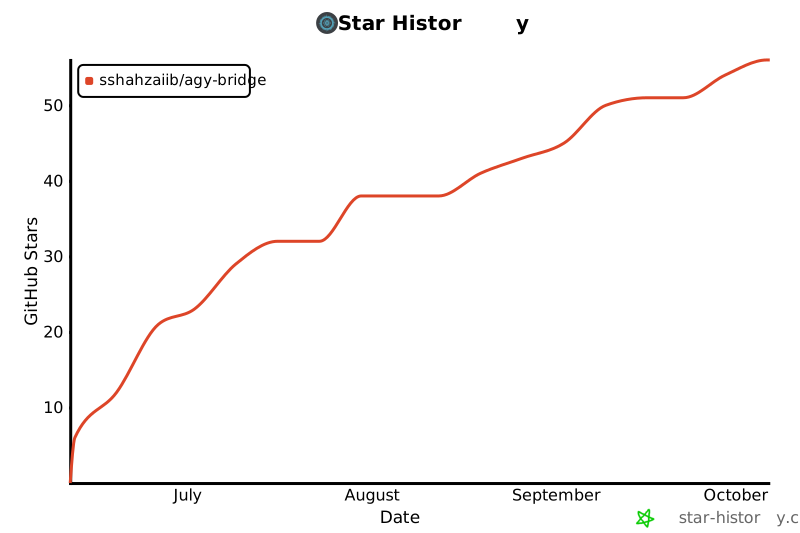](https://www.star-history.com/#sshahzaiib/agy-bridge&Date)
## License
MIT
Lo que la gente pregunta sobre agy-bridge
¿Qué es sshahzaiib/agy-bridge?
+
sshahzaiib/agy-bridge es mcp servers para el ecosistema de Claude AI. MCP bridge that lets Claude Code delegate heavy tasks to the Antigravity CLI (agy) — purpose-built tools, model routing with fallback, session continuity, and output truncation to save Claude's context and tokens. Tiene 6 estrellas en GitHub y se actualizó por última vez today.
¿Cómo se instala agy-bridge?
+
Puedes instalar agy-bridge clonando el repositorio (https://github.com/sshahzaiib/agy-bridge) o siguiendo las instrucciones del README en GitHub. ClaudeWave también te ofrece bloques de instalación rápida en esta misma página.
¿Es seguro usar sshahzaiib/agy-bridge?
+
sshahzaiib/agy-bridge aún no ha sido auditado por nuestro agente de seguridad. Revisa el repositorio original en GitHub antes de usarlo en producción.
¿Quién mantiene sshahzaiib/agy-bridge?
+
sshahzaiib/agy-bridge es mantenido por sshahzaiib. La última actividad registrada en GitHub es de today, con 0 issues abiertos.
¿Hay alternativas a agy-bridge?
+
Sí. En ClaudeWave puedes explorar mcp servers similares en /categories/mcp, ordenados por popularidad o actividad reciente.
Despliega agy-bridge en tu cloud
Lleva este repo a producción en minutos. Cada plataforma genera su propio entorno con variables de entorno editables.
¿Mantienes este repo? Añade un badge a tu README
Pega el badge en tu README de GitHub para mostrar que está auditado por ClaudeWave. Cada badge enlaza de vuelta a esta página y muestra el Trust Score actual.
[](https://claudewave.com/repo/sshahzaiib-agy-bridge)<a href="https://claudewave.com/repo/sshahzaiib-agy-bridge"><img src="https://claudewave.com/api/badge/sshahzaiib-agy-bridge" alt="Featured on ClaudeWave: sshahzaiib/agy-bridge" width="320" height="64" /></a>Más MCP Servers

Fair-code workflow automation platform with native AI capabilities. Combine visual building with custom code, self-host or cloud, 400+ integrations.

User-friendly AI Interface (Supports Ollama, OpenAI API, ...)

An open-source AI agent that brings the power of Gemini directly into your terminal.

The fastest path to AI-powered full stack observability, even for lean teams.

🕷️ An adaptive Web Scraping framework that handles everything from a single request to a full-scale crawl!

⭐AI-driven public opinion & trend monitor with multi-platform aggregation, RSS, and smart alerts.🎯 告别信息过载,你的 AI 舆情监控助手与热点筛选工具!聚合多平台热点 + RSS 订阅,支持关键词精准筛选。AI 智能筛选新闻 + AI 翻译 + AI 分析简报直推手机,也支持接入 MCP 架构,赋能 AI 自然语言对话分析、情感洞察与趋势预测等。支持 Docker ,数据本地/云端自持。集成微信/飞书/钉钉/Telegram/邮件/ntfy/bark/slack 等渠道智能推送。