

Lightweight and portable LLM sandbox runtime (code interpreter) Python library.
claude mcp add llm-sandbox -- python -m llm-sandbox{
"mcpServers": {
"llm-sandbox": {
"command": "python",
"args": ["-m", "llm-sandbox"]
}
}
}Resumen de MCP Servers
<!-- mcp-name: io.github.vndee/llm-sandbox -->
## LLM Sandbox
*Securely Execute LLM-Generated Code with Ease*
[](https://sonarcloud.io/summary/new_code?id=vndee_llm-sandbox)
[](https://sonarcloud.io/summary/new_code?id=vndee_llm-sandbox)
[](https://pypi.org/project/llm-sandbox/)
[](https://img.shields.io/github/v/release/vndee/llm-sandbox)
[](https://github.com/vndee/llm-sandbox/actions/workflows/main.yml?query=branch%3Amain)
[](https://www.codefactor.io/repository/github/vndee/llm-sandbox)
[](https://codecov.io/gh/vndee/llm-sandbox)

[](https://doi.org/10.5281/zenodo.21760525)
[](https://deepwiki.com/vndee/llm-sandbox)
**LLM Sandbox** is a lightweight and portable sandbox environment designed to run Large Language Model (LLM) generated code in a safe and isolated mode. It provides a secure execution environment for AI-generated code while offering flexibility in container backends and comprehensive language support, simplifying the process of running code generated by LLMs.
Documentation: https://vndee.github.io/llm-sandbox/
✨ **New:** This project now supports the [Model Context Protocol (MCP)](https://vndee.github.io/llm-sandbox/mcp-integration/) server, which allows your MCP clients (e.g. Claude Desktop) to run code generated by LLMs in a secure sandbox environment.
## 🚀 Key Features
### 🛡️ Security First
- **Isolated Execution**: Code runs in isolated containers with no access to host system
- **Security Policies**: Define custom security policies to control code execution
- **Resource Limits**: Set CPU, memory, and execution time limits
- **Network Isolation**: Control network access for sandboxed code
### 🏗️ Flexible Container Backends
- **Docker**: Most popular and widely supported option
- **Kubernetes**: Enterprise-grade orchestration for scalable deployments
- **Podman**: Rootless containers for enhanced security
### 🌐 Multi-Language Support
Execute code in multiple programming languages with automatic dependency management:
- **Python** - Full ecosystem support with pip packages
- **JavaScript/Node.js** - npm package installation
- **Java** - Maven and Gradle dependency management
- **C++** - Compilation and execution
- **Go** - Module support and compilation
- **R** - Statistical computing and data analysis with CRAN packages
### 🔌 LLM Framework Integration
Seamlessly integrate with popular LLM frameworks such as LangChain, LangGraph, LlamaIndex, OpenAI, and more.
### 📊 Advanced Features
- **Artifact Extraction**: Automatically capture plots and visualizations
- **Library Management**: Install dependencies on-the-fly
- **File Operations**: Copy files to/from sandbox environments
- **Custom Images**: Use your own container images
- **Fast Production Mode**: Skip environment setup for faster container startup
- **Container Pooling**: Pre-warm and reuse containers for improved performance (NEW!)
## 📦 Installation
### Basic Installation
```bash
pip install llm-sandbox
```
### With Specific Backend Support
```bash
# For Docker support (most common)
pip install 'llm-sandbox[docker]'
# For Kubernetes support
pip install 'llm-sandbox[k8s]'
# For Podman support
pip install 'llm-sandbox[podman]'
# All backends
pip install 'llm-sandbox[docker,k8s,podman]'
```
### Development Installation
```bash
git clone https://github.com/vndee/llm-sandbox.git
cd llm-sandbox
pip install -e '.[dev]'
```
## 🏃♂️ Quick Start
### Basic Usage
```python
from llm_sandbox import SandboxSession
# Create and use a sandbox session
with SandboxSession(lang="python") as session:
result = session.run("""
print("Hello from LLM Sandbox!")
print("I'm running in a secure container.")
""")
print(result.stdout)
```
### Installing Libraries
```python
from llm_sandbox import SandboxSession
with SandboxSession(lang="python") as session:
result = session.run("""
import numpy as np
# Create an array
arr = np.array([1, 2, 3, 4, 5])
print(f"Array: {arr}")
print(f"Mean: {np.mean(arr)}")
""", libraries=["numpy"])
print(result.stdout)
```
### Multi-Language Support
#### JavaScript
```python
with SandboxSession(lang="javascript") as session:
result = session.run("""
const greeting = "Hello from Node.js!";
console.log(greeting);
const axios = require('axios');
console.log("Axios loaded successfully!");
""", libraries=["axios"])
```
#### Java
```python
with SandboxSession(lang="java") as session:
result = session.run("""
public class HelloWorld {
public static void main(String[] args) {
System.out.println("Hello from Java!");
}
}
""")
```
#### C++
```python
with SandboxSession(lang="cpp") as session:
result = session.run("""
#include <iostream>
int main() {
std::cout << "Hello from C++!" << std::endl;
return 0;
}
""")
```
#### Go
```python
with SandboxSession(lang="go") as session:
result = session.run("""
package main
import "fmt"
func main() {
fmt.Println("Hello from Go!")
}
""")
```
#### R
```python
with SandboxSession(
lang="r",
image="ghcr.io/vndee/sandbox-r-451-bullseye",
verbose=True,
) as session:
result = session.run(
"""
# Basic R operations
print("=== Basic R Demo ===")
# Create some data
numbers <- c(1, 2, 3, 4, 5, 10, 15, 20)
print(paste("Numbers:", paste(numbers, collapse=", ")))
# Basic statistics
print(paste("Mean:", mean(numbers)))
print(paste("Median:", median(numbers)))
print(paste("Standard Deviation:", sd(numbers)))
# Work with data frames
df <- data.frame(
name = c("Alice", "Bob", "Charlie", "Diana"),
age = c(25, 30, 35, 28),
score = c(85, 92, 78, 96)
)
print("=== Data Frame ===")
print(df)
# Calculate average score
avg_score <- mean(df$score)
print(paste("Average Score:", avg_score))
"""
)
```
### Interactive Sessions
For notebook-style workflows you can use `InteractiveSandboxSession`, which keeps the Python interpreter state across multiple `run` calls.
```python
from llm_sandbox import InteractiveSandboxSession
with InteractiveSandboxSession(
lang="python",
kernel_type="ipython",
history_size=200,
) as session:
session.run("value = 21 * 2")
result = session.run("print(f'Result: {value}')")
print(result.stdout) # -> Result: 42
# Use magic command to install libraries
session.run("%pip install pandas")
result = session.run("import pandas as pd; print(pd.DataFrame({'A': [1, 2, 3], 'B': [4, 5, 6]}))")
print(result.stdout)
```
Interactive sessions support Docker, Podman, and Kubernetes backends and currently target Python language. They spin up a long-running IPython kernel inside the sandbox, so each `run()` behaves like a notebook cell—state, imports, and magic commands stay alive until the context manager exits, without any extra networking or manual serialization.
### Capturing Plots and Visualizations
#### Python Plots
```python
from llm_sandbox import ArtifactSandboxSession
import base64
from pathlib import Path
with ArtifactSandboxSession(lang="python") as session:
result = session.run("""
import matplotlib.pyplot as plt
import numpy as np
x = np.linspace(0, 10, 100)
y = np.sin(x)
plt.figure(figsize=(10, 6))
plt.plot(x, y)
plt.title("Sine Wave")
plt.xlabel("x")
plt.ylabel("sin(x)")
plt.grid(True)
plt.savefig("sine_wave.png", dpi=150, bbox_inches="tight")
plt.show()
""", libraries=["matplotlib", "numpy"])
# Extract the generated plots
print(f"Generated {len(result.plots)} plots")
# Save plots to files
for i, plot in enumerate(result.plots):
plot_path = Path(f"plot_{i + 1}.{plot.format.value}")
with plot_path.open("wb") as f:
f.write(base64.b64decode(plot.content_base64))
```
#### R Plots
```python
from llm_sandbox import ArtifactSandboxSession
import base64
from pathlib import Path
with ArtifactSandboxSession(lang="r") as session:
result = session.run("""
library(ggplot2)
# Create sample data
data <- data.frame(
x = rnorm(100),
y = rnorm(100)
)
# Create ggplot2 visualization
p <- ggplot(data, aes(x = x, y = y)) +
geom_point(alpha = 0.6) +
geom_smooth(method = "lm", se = FALSE) +
labs(title = "Scatter Plot with Trend Line",
x = "X values", y = "Y values") +
theme_minimal()
print(p)
# Base R plot
hist(data$x, main = "Distribution of X",
xlab = "X values", col = "lightblue", breaks = 20)
""", libraries=["ggplot2"])
# Extract the generated plots
print(f"Generated {len(result.plots)} R plots")
# Save plots to files
for i, plot in enumerate(result.plots):
plot_path = Path(f"r_plot_{i + 1}.{plot.format.value}")
with plot_path.open("wb") as f:
f.write(base64.b64decode(plot.content_base64))
```
## 🔧 Configuration
### Basic Configuration
```python
from llm_sandbox import SandboxSession
# Create a new sandbox session
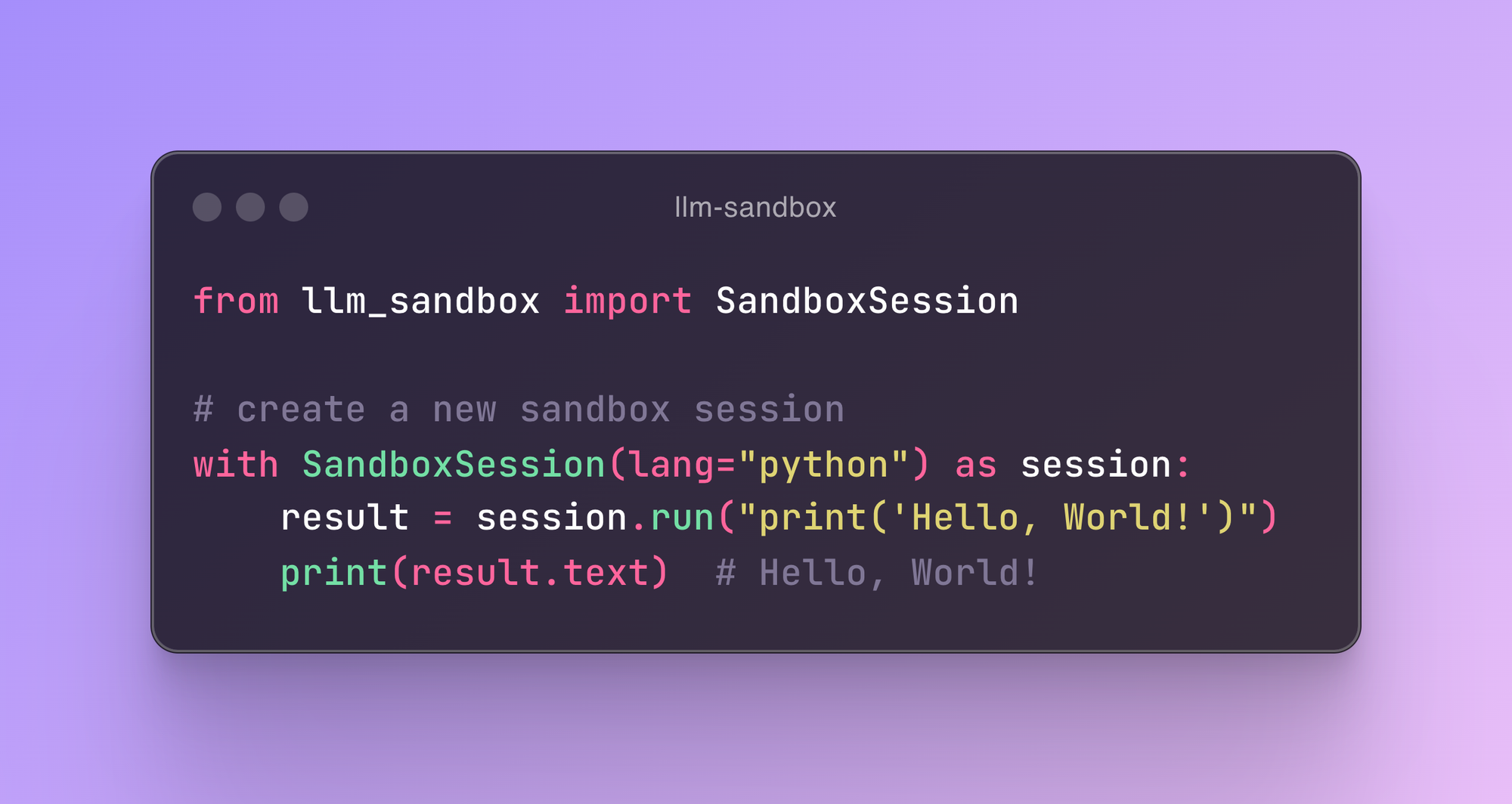
with SandboxSession(image="python:3.9.19-bullseye", keep_template=True, lang="python") as session:
result = session.run("print('Hello, World!')")
print(result)
# With custom Dockerfile
with SandboxSession(dockerfile="Dockerfile", keep_template=True, lang="python") as session:
resultLo que la gente pregunta sobre llm-sandbox
¿Qué es vndee/llm-sandbox?
+
vndee/llm-sandbox es mcp servers para el ecosistema de Claude AI. Lightweight and portable LLM sandbox runtime (code interpreter) Python library. Tiene 1.1k estrellas en GitHub y se actualizó por última vez today.
¿Cómo se instala llm-sandbox?
+
Puedes instalar llm-sandbox clonando el repositorio (https://github.com/vndee/llm-sandbox) o siguiendo las instrucciones del README en GitHub. ClaudeWave también te ofrece bloques de instalación rápida en esta misma página.
¿Es seguro usar vndee/llm-sandbox?
+
vndee/llm-sandbox aún no ha sido auditado por nuestro agente de seguridad. Revisa el repositorio original en GitHub antes de usarlo en producción.
¿Quién mantiene vndee/llm-sandbox?
+
vndee/llm-sandbox es mantenido por vndee. La última actividad registrada en GitHub es de today, con 34 issues abiertos.
¿Hay alternativas a llm-sandbox?
+
Sí. En ClaudeWave puedes explorar mcp servers similares en /categories/mcp, ordenados por popularidad o actividad reciente.
Despliega llm-sandbox en tu cloud
Lleva este repo a producción en minutos. Cada plataforma genera su propio entorno con variables de entorno editables.
¿Mantienes este repo? Añade un badge a tu README
Pega el badge en tu README de GitHub para mostrar que está auditado por ClaudeWave. Cada badge enlaza de vuelta a esta página y muestra el Trust Score actual.
[](https://claudewave.com/repo/vndee-llm-sandbox)<a href="https://claudewave.com/repo/vndee-llm-sandbox"><img src="https://claudewave.com/api/badge/vndee-llm-sandbox" alt="Featured on ClaudeWave: vndee/llm-sandbox" width="320" height="64" /></a>Más MCP Servers

Fair-code workflow automation platform with native AI capabilities. Combine visual building with custom code, self-host or cloud, 400+ integrations.

User-friendly AI Interface (Supports Ollama, OpenAI API, ...)

An open-source AI agent that brings the power of Gemini directly into your terminal.

The fastest path to AI-powered full stack observability, even for lean teams.

Real-time global intelligence dashboard. AI-powered news aggregation, geopolitical monitoring, and infrastructure tracking in a unified situational awareness interface

🕷️ An adaptive Web Scraping framework that handles everything from a single request to a full-scale crawl!