

AI-powered reverse engineering assistant that bridges IDA Pro with language models through MCP.
IDA Pro MCP is a Python-based MCP server that exposes IDA Pro's reverse engineering capabilities to language models, including Claude Desktop and Claude Code. It installs either as a headless idalib-backed server or as a GUI plugin inside IDA Pro 8.3 or higher, then registers MCP tools that let an AI client inspect decompiler output, rename variables and functions, retype arguments, add inline comments, and run integer conversion utilities without hallucination-prone manual base conversion. Reverse engineers connect any compatible MCP client, such as Claude or Claude Code, and drive iterative analysis through natural language prompts: the recommended workflow has the model read decompilation, annotate findings, fix types and names, drill into raw disassembly when needed, and produce a written report. A companion dataset repository supplies sample binaries and tested prompts for experimentation. The primary audience is security researchers and malware analysts who want to offload repetitive annotation and renaming tasks to an AI agent while retaining IDA Pro as the authoritative analysis backend.
- ✓Open-source license (MIT)
- ✓Actively maintained (<30d)
- ✓Healthy fork ratio
- ✓Clear description
- ✓Topics declared
- ✓Mature repo (>1y old)
- !README contains suspicious pattern: eval\s*\(
claude mcp add ida-pro-mcp -- python -m https{
"mcpServers": {
"ida-pro-mcp": {
"command": "python",
"args": ["-m", "https"]
}
}
}Resumen de MCP Servers
# IDA Pro MCP
Simple [MCP Server](https://modelcontextprotocol.io/introduction) to allow vibe reversing in IDA Pro.
https://github.com/user-attachments/assets/6ebeaa92-a9db-43fa-b756-eececce2aca0
The binaries and prompt for the video are available in the [mcp-reversing-dataset](https://github.com/mrexodia/mcp-reversing-dataset) repository.
## Prerequisites
- [Python](https://www.python.org/downloads/) (**3.11 or higher**)
- Use `idapyswitch` to switch to the newest Python version
- [IDA Pro](https://hex-rays.com/ida-pro) (8.3 or higher, 9 recommended), **IDA Free is not supported**
- Supported MCP Client (pick one you like)
- [Amazon Q Developer CLI](https://aws.amazon.com/q/developer/)
- [Augment Code](https://www.augmentcode.com/)
- [Claude](https://claude.ai/download)
- [Claude Code](https://www.anthropic.com/code)
- [Cline](https://cline.bot)
- [Codex](https://github.com/openai/codex)
- [Copilot CLI](https://docs.github.com/en/copilot)
- [Crush](https://github.com/charmbracelet/crush)
- [Cursor](https://cursor.com)
- [Gemini CLI](https://google-gemini.github.io/gemini-cli/)
- [Kilo Code](https://kilo.ai/)
- [Kiro](https://kiro.dev/)
- [LM Studio](https://lmstudio.ai/)
- [Opencode](https://opencode.ai/)
- [Qodo Gen](https://www.qodo.ai/)
- [Qwen Coder](https://qwenlm.github.io/qwen-code-docs/)
- [Roo Code](https://roocode.com)
- [Trae](https://trae.ai/)
- [VS Code](https://code.visualstudio.com/)
- [VS Code Insiders](https://code.visualstudio.com/insiders)
- [Warp](https://www.warp.dev/)
- [Windsurf](https://windsurf.com)
- [Zed](https://zed.dev/)
- [Kimi Code](https://moonshotai.github.io/kimi-code/en/)
- [Other MCP Clients](https://modelcontextprotocol.io/clients#example-clients): Run `ida-pro-mcp --config` to get the JSON config for your client.
**Note**: This requires having idalib activated globally and [uv](https://astral.sh/uv) installed:
```bash
# windows
uv run "C:\Program Files\IDA Professional 9.3\idalib\python\py-activate-idalib.py"
# macos
uv run "/Applications/IDA Professional 9.3.app/Contents/MacOS/idalib/python/py-activate-idalib.py"
```
## Installation (Claude Code)
To install the latest IDA Pro MCP in Claude Code:
```bash
claude plugin marketplace add mrexodia/claude-marketplace
claude plugin uninstall ida-pro-mcp@mrexodia
claude plugin install ida-pro-mcp@mrexodia
```
## Installation (Codex)
To install the latest IDA Pro MCP in Codex:
```bash
codex plugin marketplace add mrexodia/codex-marketplace
codex plugin remove ida-pro-mcp@mrexodia
codex plugin add ida-pro-mcp@mrexodia
```
## Installation (Kimi Code)
To install the latest IDA Pro MCP in Kimi Code, run this slash command in the chat:
```
/plugins install https://github.com/mrexodia/ida-pro-mcp/tree/main
/reload
```
This installs the `idalib` MCP server and the `idapython` skill. Plugins are copied to
`$KIMI_CODE_HOME/plugins/managed/`, so `uv` must be on your `PATH`. The first session after
installing is slower, because `uv` resolves the dependencies before the server responds.
## Installation (GUI)
**Note**: the MCP plugin is no longer recommended and will eventually be deprecated. Use `idalib-mcp` instead.
If you want to configure the MCP server manually from the IDA GUI:
```sh
pip uninstall ida-pro-mcp
pip install https://github.com/mrexodia/ida-pro-mcp/archive/refs/heads/main.zip
```
Configure the MCP servers and install the IDA Plugin:
```
ida-pro-mcp --install
```
**Important**: Make sure you completely restart IDA and your MCP client for the installation to take effect. Some clients (like Claude) run in the background and need to be quit from the tray icon.
## Prompt Engineering
LLMs are prone to hallucinations and you need to be specific with your prompting. For reverse engineering the conversion between integers and bytes are especially problematic. Below is a minimal example prompt, feel free to start a discussion or open an issue if you have good results with a different prompt:
```md
Your task is to analyze a crackme in IDA Pro. You can use the MCP tools to retrieve information. In general use the following strategy:
- Inspect the decompilation and add comments with your findings
- Rename variables to more sensible names
- Change the variable and argument types if necessary (especially pointer and array types)
- Change function names to be more descriptive
- If more details are necessary, disassemble the function and add comments with your findings
- NEVER convert number bases yourself. Use the `int_convert` MCP tool if needed!
- Do not attempt brute forcing, derive any solutions purely from the disassembly and simple python scripts
- Create a report.md with your findings and steps taken at the end
- When you find a solution, prompt to user for feedback with the password you found
```
This prompt was just the first experiment, please share if you found ways to improve the output!
Another prompt by [@can1357](https://github.com/can1357):
```md
Your task is to create a complete and comprehensive reverse engineering analysis. Reference AGENTS.md to understand the project goals and ensure the analysis serves our purposes.
Use the following systematic methodology:
1. **Decompilation Analysis**
- Thoroughly inspect the decompiler output
- Add detailed comments documenting your findings
- Focus on understanding the actual functionality and purpose of each component (do not rely on old, incorrect comments)
2. **Improve Readability in the Database**
- Rename variables to sensible, descriptive names
- Correct variable and argument types where necessary (especially pointers and array types)
- Update function names to be descriptive of their actual purpose
3. **Deep Dive When Needed**
- If more details are necessary, examine the disassembly and add comments with findings
- Document any low-level behaviors that aren't clear from the decompilation alone
- Use sub-agents to perform detailed analysis
4. **Important Constraints**
- NEVER convert number bases yourself - use the int_convert MCP tool if needed
- Use MCP tools to retrieve information as necessary
- Derive all conclusions from actual analysis, not assumptions
5. **Documentation**
- Produce comprehensive RE/*.md files with your findings
- Document the steps taken and methodology used
- When asked by the user, ensure accuracy over previous analysis file
- Organize findings in a way that serves the project goals outlined in AGENTS.md or CLAUDE.md
```
Live stream discussing prompting and showing some real-world malware analysis:
[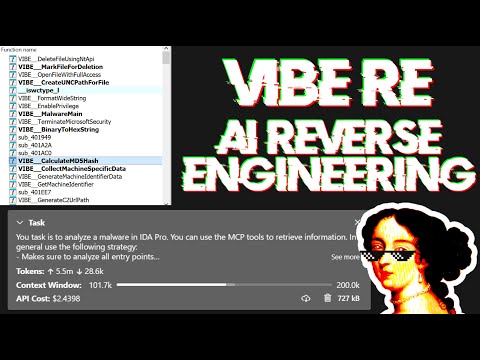](https://www.youtube.com/watch?v=iFxNuk3kxhk)
## Tips for Enhancing LLM Accuracy
Large Language Models (LLMs) are powerful tools, but they can sometimes struggle with complex mathematical calculations or exhibit "hallucinations" (making up facts). Make sure to tell the LLM to use the `int_convert` MCP tool and you might also need [math-mcp](https://github.com/EthanHenrickson/math-mcp) for certain operations.
Another thing to keep in mind is that LLMs will not perform well on obfuscated code. Before trying to use an LLM to solve the problem, take a look around the binary and spend some time (automatically) removing the following things:
- String encryption
- Import hashing
- Control flow flattening
- Code encryption
- Anti-decompilation tricks
You should also use a tool like Lumina or FLIRT to try and resolve all the open source library code and the C++ STL, this will further improve the accuracy.
## Transports & Headless MCP
You can run an SSE server to connect to the user interface like this:
```sh
uv run ida-pro-mcp --transport http://127.0.0.1:8744/sse
```
After installing [`idalib`](https://docs.hex-rays.com/core/idalib/getting-started) you can also run a headless MCP server. You can start with an initial binary:
```sh
uv run idalib-mcp --host 127.0.0.1 --port 8745 path/to/executable
```
Or start without a binary and open arbitrary files later with `idb_open(...)`:
```sh
uv run idalib-mcp --host 127.0.0.1 --port 8745
```
For stdio-based clients, use:
```sh
uv run idalib-mcp --stdio
```
Database workers are persistent: each one runs as a detached process that
outlives the supervisor that spawned it. When a new supervisor (over stdio
or HTTP) calls `idb_open` for a binary that is already open under a worker
on this host, the supervisor adopts that worker transparently — there is
no separate "shared" mode to enable. Workers self-exit when no request has
hit them for an idle interval.
_Note_: The `idalib` feature was contributed by [Willi Ballenthin](https://github.com/williballenthin).
## Headless idalib Session Model
`idalib-mcp` is a supervisor that keeps each open database in its own idalib worker process. Workers register themselves in a host-local discovery directory and outlive the supervisor that spawned them; any subsequent supervisor that wants the same path adopts the running worker. A worker self-exits when no request has hit it for its idle TTL (default 1 hour). There is no `idb_close` tool — clients that no longer care about a database simply stop using it, and only the user can close a GUI window.
`idb_open` picks the backend via its `mode` parameter:
- `prefer_headless` (default): spawn an idalib worker (or adopt one that already has the file open).
- `force_headless`: same, but never adopt a running GUI even if one has the file.
- `prefer_gui`: adopt a running GUI for the file; otherwise spawn an idalib worker.
- `force_gui`: adopt a running GUI for the file; otherwise launch a new IDA GUI process.
Every tool call must carry an explicit `database` argument. There is no implicit "current database" — callers name the session they want to operate on.
```sh
uv run idalib-mcp --stdio --max-workers 4
```
Typical flow:
```python
idb_open("/path/to/binary_a.exe", preferred_session_id="binary_a")
idb_open("/path/to/library.dll", preferreLo que la gente pregunta sobre ida-pro-mcp
¿Qué es mrexodia/ida-pro-mcp?
+
mrexodia/ida-pro-mcp es mcp servers para el ecosistema de Claude AI. AI-powered reverse engineering assistant that bridges IDA Pro with language models through MCP. Tiene 10.8k estrellas en GitHub y se actualizó por última vez 2d ago.
¿Cómo se instala ida-pro-mcp?
+
Puedes instalar ida-pro-mcp clonando el repositorio (https://github.com/mrexodia/ida-pro-mcp) o siguiendo las instrucciones del README en GitHub. ClaudeWave también te ofrece bloques de instalación rápida en esta misma página.
¿Es seguro usar mrexodia/ida-pro-mcp?
+
Nuestro agente de seguridad ha analizado mrexodia/ida-pro-mcp y le ha asignado un Trust Score de 100/100 (tier: Verified). Revisa el desglose completo de comprobaciones superadas y flags en esta página.
¿Quién mantiene mrexodia/ida-pro-mcp?
+
mrexodia/ida-pro-mcp es mantenido por mrexodia. La última actividad registrada en GitHub es de 2d ago, con 46 issues abiertos.
¿Hay alternativas a ida-pro-mcp?
+
Sí. En ClaudeWave puedes explorar mcp servers similares en /categories/mcp, ordenados por popularidad o actividad reciente.
Despliega ida-pro-mcp en tu cloud
Lleva este repo a producción en minutos. Cada plataforma genera su propio entorno con variables de entorno editables.
¿Mantienes este repo? Añade un badge a tu README
Pega el badge en tu README de GitHub para mostrar que está auditado por ClaudeWave. Cada badge enlaza de vuelta a esta página y muestra el Trust Score actual.
[](https://claudewave.com/repo/mrexodia-ida-pro-mcp)<a href="https://claudewave.com/repo/mrexodia-ida-pro-mcp"><img src="https://claudewave.com/api/badge/mrexodia-ida-pro-mcp" alt="Featured on ClaudeWave: mrexodia/ida-pro-mcp" width="320" height="64" /></a>Más MCP Servers

Fair-code workflow automation platform with native AI capabilities. Combine visual building with custom code, self-host or cloud, 400+ integrations.

User-friendly AI Interface (Supports Ollama, OpenAI API, ...)

An open-source AI agent that brings the power of Gemini directly into your terminal.

The fastest path to AI-powered full stack observability, even for lean teams.

Real-time global intelligence dashboard. AI-powered news aggregation, geopolitical monitoring, and infrastructure tracking in a unified situational awareness interface

🕷️ An adaptive Web Scraping framework that handles everything from a single request to a full-scale crawl!