
meme-factory
Meme Factory generates customizable memes using the memegen.link API, supporting over 100 popular templates like Drake, Buzz Lightyear, and Success Kid with adjustable top and bottom text. Use it when users request meme creation, need humorous visual content for social media, or want to add comedic illustrations to messages.
git clone --depth 1 https://github.com/softaworks/agent-toolkit /tmp/meme-factory && cp -r /tmp/meme-factory/dist/plugins/meme-factory/skills/meme-factory ~/.claude/skills/meme-factorySKILL.md
# Meme Factory
Create memes using the free memegen.link API and textual meme formats.
---
## Triggers
| Trigger | Description |
|---------|-------------|
| `/meme-factory` | Manual invocation |
| `/meme-factory {template} {top} {bottom}` | Direct meme generation |
| `meme-factory: create a meme about X` | Natural language request |
---
## Quick Reference
| Action | Format |
|--------|--------|
| Basic meme | `https://api.memegen.link/images/{template}/{top}/{bottom}.png` |
| With sizing | `?width=1200&height=630` |
| Custom background | `?style=https://example.com/image.jpg` |
| All templates | https://api.memegen.link/templates/ |
| Interactive docs | https://api.memegen.link/docs/ |
**Additional Resources:**
- [Markdown Memes Guide](references/markdown-memes-guide.md) - 15+ textual meme formats
- [Examples](references/examples.md) - Practical usage examples
- [meme_generator.py](scripts/meme_generator.py) - Python helper script
---
## Quick Start
### Basic Meme Structure
```
https://api.memegen.link/images/{template}/{top_text}/{bottom_text}.{extension}
```
**Example:**
```
https://api.memegen.link/images/buzz/memes/memes_everywhere.png
```
Result: Buzz Lightyear meme with "memes" at top and "memes everywhere" at bottom.
### Text Formatting
| Character | Encoding |
|-----------|----------|
| Space | `_` or `-` |
| Newline | `~n` |
| Question mark | `~q` |
| Percent | `~p` |
| Slash | `~s` |
| Hash | `~h` |
| Single quote | `''` |
| Double quote | `""` |
---
## Popular Templates
| Template | Use Case | Example |
|----------|----------|---------|
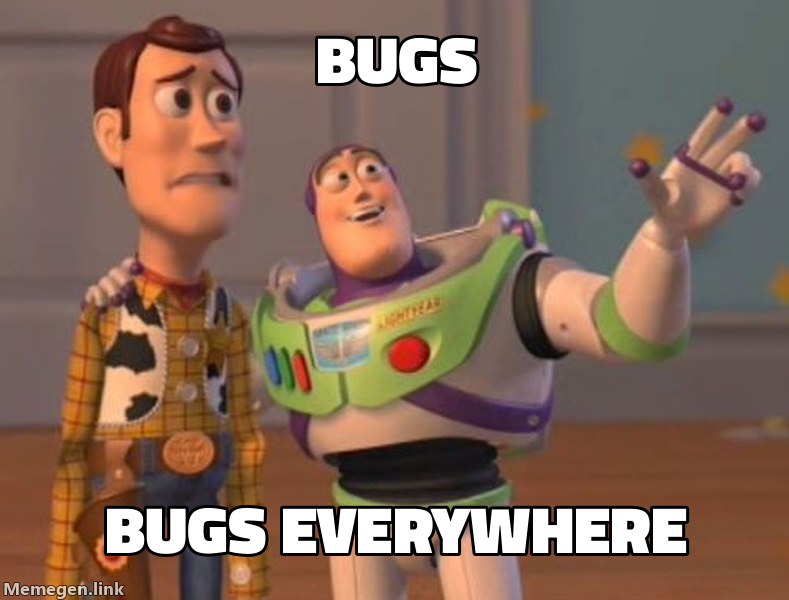
| `buzz` | X, X everywhere | bugs/bugs_everywhere |
| `drake` | Comparisons | manual_testing/automated_testing |
| `success` | Victories | deployed/no_errors |
| `fine` | Things going wrong | server_on_fire/this_is_fine |
| `fry` | Uncertainty | not_sure_if_bug/or_feature |
| `changemind` | Hot takes | tabs_are_better_than_spaces |
| `distracted` | Priorities | my_code/new_framework/current_project |
| `mordor` | One does not simply | one_does_not_simply/deploy_on_friday |
---
## Template Selection Guide
| Context | Template | Why |
|---------|----------|-----|
| Comparing options | `drake` | Two-panel reject/approve format |
| Celebrating wins | `success` | Positive outcome emphasis |
| Problems ignored | `fine` | Ironic "everything is fine" |
| Uncertainty | `fry` | "Not sure if X or Y" format |
| Controversial opinion | `changemind` | Statement + challenge |
| Ubiquitous things | `buzz` | "X, X everywhere" |
| Bad ideas | `mordor` | "One does not simply..." |
---
## Validation
After generating a meme:
- [ ] URL returns valid image (test in browser)
- [ ] Text is readable (not too long)
- [ ] Template matches the message context
- [ ] Special characters properly encoded
- [ ] Dimensions appropriate for platform
### Platform Dimensions
| Platform | Dimensions |
|----------|------------|
| Social media (Open Graph) | 1200x630 |
| Slack/Discord | 800x600 |
| GitHub | Default |
---
## Anti-Patterns
| Avoid | Why | Instead |
|-------|-----|---------|
| Spaces without encoding | URL breaks | Use `_` or `-` |
| Too much text | Unreadable | 2-6 words per line |
| Wrong template | Message mismatch | Match template to context |
| Missing extension | Invalid URL | Always include `.png`, `.jpg`, etc. |
| Unencoded special chars | URL breaks | Use `~q`, `~s`, `~p`, etc. |
| Assuming template exists | 404 error | Check templates list first |
---
## Verification
Meme generation is successful when:
1. **URL is valid** - Returns HTTP 200
2. **Image renders** - Displays correctly in markdown
3. **Text is visible** - Properly formatted on image
4. **Context matches** - Template fits the message
**Test command:**
```bash
curl -I "https://api.memegen.link/images/buzz/test/test.png"
# Should return: HTTP/2 200
```
---
<details>
<summary><strong>Deep Dive: Advanced Features</strong></summary>
### Image Formats
| Extension | Use Case |
|-----------|----------|
| `.png` | Best quality, default |
| `.jpg` | Smaller file size |
| `.webp` | Modern, good compression |
| `.gif` | Animated templates |
### Dimensions
```
?width=800
?height=600
?width=800&height=600 (padded to exact)
```
### Layout Options
```
?layout=top # Text at top only
?layout=bottom # Text at bottom only
?layout=default # Standard top/bottom
```
### Custom Fonts
View available: https://api.memegen.link/fonts/
```
?font=impact (default)
```
### Custom Images
Use any image as background:
```
https://api.memegen.link/images/custom/hello/world.png?style=https://example.com/image.jpg
```
</details>
<details>
<summary><strong>Deep Dive: Contextual Memes</strong></summary>
### Code Reviews
```
Template: fry
https://api.memegen.link/images/fry/not_sure_if_feature/or_bug.png
```
### Deployments
```
Template: interesting
https://api.memegen.link/images/interesting/i_dont_always_test/but_when_i_do_i_do_it_in_production.png
```
### Documentation
```
Template: yodawg
https://api.memegen.link/images/yodawg/yo_dawg_i_heard_you_like_docs/so_i_documented_the_documentation.png
```
### Performance Issues
```
Template: fine
https://api.memegen.link/images/fine/memory_usage_at_99~/this_is_fine.png
```
### Successful Deploy
```
Template: success
https://api.memegen.link/images/success/deployed_to_production/zero_downtime.png
```
</details>
<details>
<summary><strong>Deep Dive: Workflow Integration</strong></summary>
### Generating Memes in Response
```markdown
Here's a relevant meme:
```
### Dynamic Generation (Python)
```python
def generate_status_meme(status: str, message: str):
template_map = {
"success": "success",
"failure": "fine",
"review": "fry",
"deploy": "interesting"
}
template = template_map.get(status, "buzz")
words = message.split()
top = "_".join(words[0:3])
bottom = "_".join(words[3:6])
return f"https:/Add a skill to the project with validation and README generation
Sync root README.md with current skills inventory from skills/ directory
Use this agent when you need to visualize UI concepts through ASCII mockups before implementation. Examples: <example>Context: User has an idea for a dashboard layout with data tables and charts. user: 'I want to create a dashboard that shows user analytics with a sidebar navigation, main content area with charts, and a data table below' assistant: 'I'll use the ascii-ui-mockup-generator agent to create multiple ASCII mockup variations for your dashboard concept.' <commentary>The user wants to visualize a UI concept, so use the ascii-ui-mockup-generator to create multiple ASCII representations they can choose from.</commentary></example> <example>Context: User is designing a form layout with multiple input fields. user: 'I need a contact form with name, email, message fields and a submit button' assistant: 'Let me use the ascii-ui-mockup-generator to create several ASCII mockup options for your contact form layout.' <commentary>Since the user needs to visualize form layouts, use the ascii-ui-mockup-generator to provide multiple ASCII design options.</commentary></example>
codebase-pattern-finder is a useful subagent_type for finding similar implementations, usage examples, or existing patterns that can be modeled after. It will give you concrete code examples based on what you're looking for! It's sorta like codebase-locator, but it will not only tell you the location of files, it will also give you code details!
PROACTIVELY use when reviewing communication drafts or preparing difficult conversations. Provides email refinement, tone calibration, roleplay practice, and presentation feedback with actionable suggestions.
Default agent for handling complex, multi-step tasks with automatic delegation capabilities
Mermaid diagram specialist for creating flowcharts, sequence diagrams, ERDs,
Expert UI/UX design critic and advisor who provides research-backed, opinionated feedback on interfaces. Use when you need honest assessment of design decisions, want to avoid generic "AI slop" aesthetics, need evidence-based UX guidance, or want distinctive design direction grounded in actual user behavior research. This agent will push back on bad ideas and cite sources for every recommendation.