

Drive your real, logged-in Chrome from any AI agent (Claude Code, Codex, Cursor, VS Code) - works where headless dies. Reads emailed login codes from your Gmail, 40 tools, up to 20 concurrent sessions. MIT, runs on your machine.
- ✓Open-source license (MIT)
- ✓Actively maintained (<30d)
- ✓Clear description
- ✓Topics declared
- ✓Documented (README)
claude mcp add browser-mcp -- npx -y @agent360/browser-mcp{
"mcpServers": {
"browser-mcp": {
"command": "npx",
"args": ["-y", "@agent360/browser-mcp"]
}
}
}Resumen de MCP Servers
# Browser MCP by [Agent360](https://agent360.dk)
**Your AI agent drives your real, logged-in Chrome - and works where headless tools die.**
It is the browser you are already signed into. No login step to fail, no API key to wire up,
no fresh profile that is a stranger to every account you have. Up to 20 agents at once, each
in its own colour-coded tab group. 40 tools, MIT, runs on your machine.
→ **[What it can and cannot get past](https://browsermcp.dev/docs/capability-matrix/)** - every
wall, marked *measured*, *by design*, *not yet*, or *won't*. Including the ones we have not fixed.
[](https://www.npmjs.com/package/@agent360/browser-mcp)
[](https://www.npmjs.com/package/@agent360/browser-mcp)
[](https://github.com/Agent360dk/browser-mcp)
[](https://opensource.org/licenses/MIT)
[](https://modelcontextprotocol.io)
[](https://chromewebstore.google.com/detail/agent360-browser-mcp/jdehgalffmffhfhmmhaokfbfnafnmgcl)
[](https://cursor.com/install-mcp?name=browser-mcp&config=eyJjb21tYW5kIjoibnB4IiwiYXJncyI6WyJAYWdlbnQzNjAvYnJvd3Nlci1tY3BAbGF0ZXN0Il19)
[](https://vscode.dev/redirect/mcp/install?name=browser-mcp&config=%7B%22command%22%3A%22npx%22%2C%22args%22%3A%5B%22%40agent360%2Fbrowser-mcp%40latest%22%5D%7D)
[](https://glama.ai/mcp/servers/Agent360dk/browser-mcp)
[](https://browsermcp.dev)
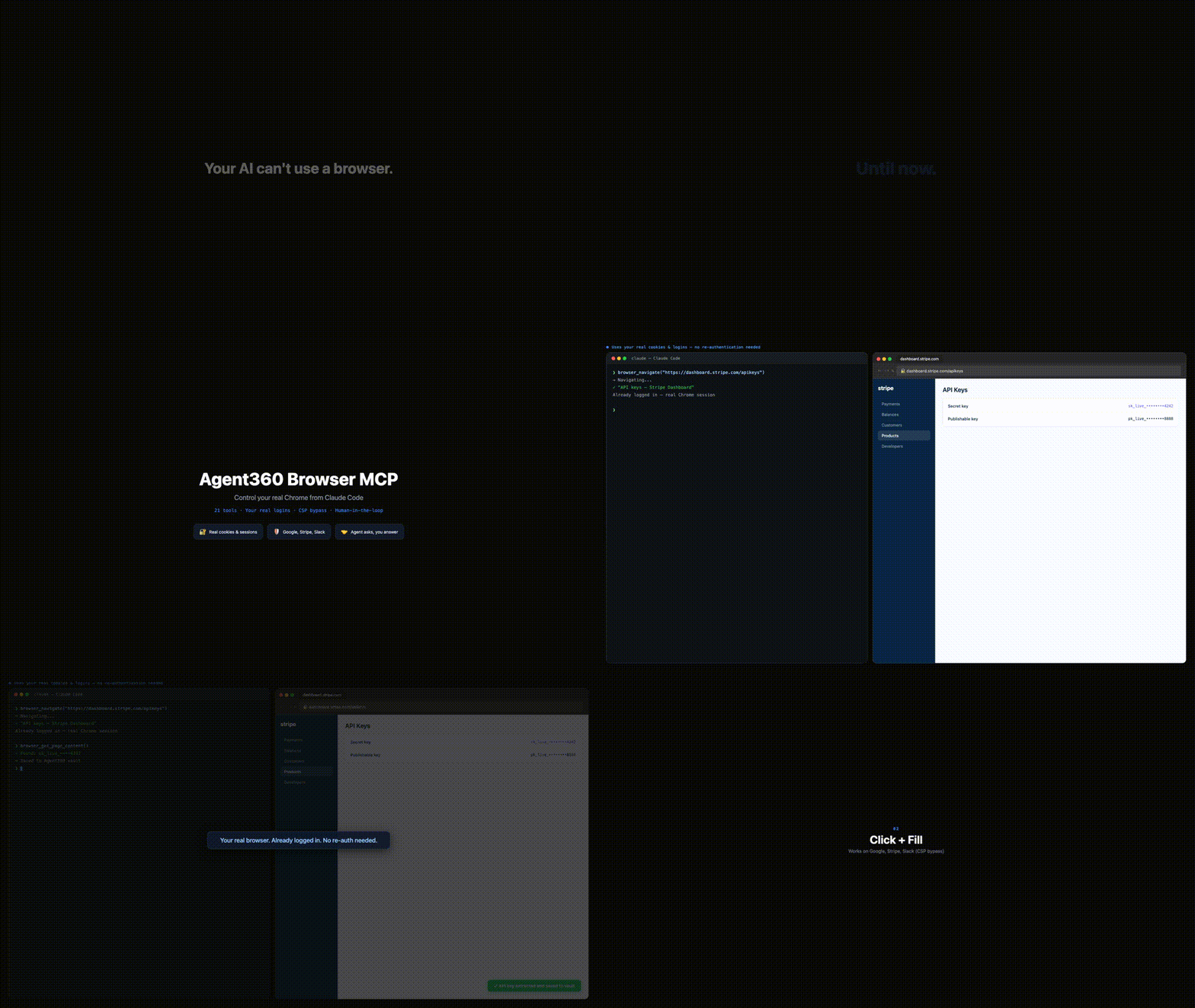
▶ **[Watch the 37-second demo with sound →](https://browsermcp.dev)**
Browser MCP gives Claude Code (and any MCP client - Cursor, VS Code agent mode) control of your actual Chrome: your cookies, your sessions, your 2FA. So it works on CAPTCHA, 2FA and anti-bot sites where Playwright and Puppeteer get blocked - because it's *you* browsing.
The killer move: it hits a login wall, reads the verification code from your own Gmail tab, and continues the sign-in. No API can do that. Operate platforms with no API, QA your own web app end-to-end, or work dashboards, LinkedIn and Reddit at human pace - with you approving the sensitive steps.
40 tools. Auto-clicks the reCAPTCHA v2 checkbox, with a human fallback for the rest. Multi-session color-coded tab groups. **MIT, free, and it runs on your machine - no account, no telemetry, nothing sent to us.**
## The whole thing, in four steps
**1 - Install the Chrome extension.** One click from the [Chrome Web Store](https://chromewebstore.google.com/detail/agent360-browser-mcp/jdehgalffmffhfhmmhaokfbfnafnmgcl); Chrome keeps it updated. No store? See the unpacked install below.
**2 - Add the MCP server.** Paste this in a terminal. Required - the extension does nothing on its own:
```bash
claude mcp add --scope user browser-mcp -- npx @agent360/browser-mcp@latest
```
**3 - Restart Claude Code.** That is what starts the server. The extension shows no badge until step 4 - the server only takes a port the first time your agent actually uses the browser. A green badge with the number of connected agents appears then; nothing on the icon before that is normal. (The icon itself never changes colour - it is the badge that turns green.)
**4 - Say this, to check it worked.** Paste it to Claude Code:
> Take a screenshot of my current Chrome tab.
You get an image back instead of *"I don't have browser access"*. **That's it - you're running.** → [What else to say](#youre-in-now-what)
Using Cursor, VS Code, Codex or Windsurf? Same server, that client's own config - see [browsermcp.dev/docs](https://browsermcp.dev/docs/install-cursor/). Everything below is the long version.
## The long version - install, step by step
> **Browser MCP is two halves and you need both:** a **Chrome extension** (drives the browser) and a **local MCP server** (what your agent actually talks to). Installing only the extension - e.g. straight from the Chrome Web Store - leaves it stuck on *"Not connected"*, because there is no server for it to reach. Chrome cannot install the server, and npm cannot install the extension. Hence two steps.
### Step 1: Register the MCP server with Claude Code
```bash
claude mcp add --scope user browser-mcp -- npx @agent360/browser-mcp@latest
```
That is Claude Code's own MCP command, so the entry lands in the config Claude Code actually reads. `--scope user` makes it available in every project.
Want the extension files on disk for the unpacked install in Step 2? Also run:
```bash
npx @agent360/browser-mcp install
```
It copies the extension to `~/.browser-mcp/extension/` and **prints that path in the terminal - copy it.** (Use it for the extension files only; register the server with `claude mcp add` above.)
### Step 2: Load the extension in Chrome
> Chrome won't let extensions install themselves from npm - you load it manually one time. To **update** later, re-run the install command and reload it (see [Keeping it updated](#keeping-it-updated)). Prefer the [Chrome Web Store](#chrome-web-store-one-click-install) install if you'd rather have the extension auto-update.
1. **Open Chrome** and type `chrome://extensions` in the address bar
2. **Toggle "Developer mode"** ON (top right corner)
3. **Click "Load unpacked"** (top left, next to "Pack extension")
4. **Navigate to `~/.browser-mcp/extension/`** and click "Select"
- On Mac: Press `Cmd+Shift+G` in the file picker, paste `~/.browser-mcp/extension/`, press Enter
- On Windows: Paste `%USERPROFILE%\.browser-mcp\extension\` in the address bar
- On Linux: Type `~/.browser-mcp/extension/` in the path field
5. **Restart Claude Code** so it picks up the new MCP server
That's it. The Browser MCP icon will appear in your toolbar, and 40 browser tools are now available in Claude Code.
### Alternative: Manual zip download (no npm)
If you don't want to use npm, download the extension directly:
1. [Download the extension zip](https://github.com/Agent360dk/browser-mcp/releases/latest) (`agent360-browser-mcp-<version>.zip`) from the latest GitHub release
2. Unzip the file (anywhere - e.g. `~/Downloads/browser-mcp-extension/`)
3. Follow Step 2 above, but select the unzipped folder instead of `~/.browser-mcp/extension/`
4. Register the server - run `claude mcp add --scope user browser-mcp -- npx @agent360/browser-mcp@latest`, or add this to `~/.claude.json` by hand:
```json
{
"mcpServers": {
"browser-mcp": {
"command": "npx",
"args": ["@agent360/browser-mcp@latest"]
}
}
}
```
### Chrome Web Store (no Developer mode, auto-updating extension)
**This replaces Step 2 only - you still need Step 1.**
1. [**Install the extension from the Chrome Web Store →**](https://chromewebstore.google.com/detail/agent360-browser-mcp/jdehgalffmffhfhmmhaokfbfnafnmgcl) - no Developer mode toggle, and Chrome keeps it updated for you.
2. Register the MCP server:
```bash
claude mcp add --scope user browser-mcp -- npx @agent360/browser-mcp@latest
```
(For Cursor / VS Code / Codex, use that client's own MCP config instead - see [browsermcp.dev/docs](https://browsermcp.dev/docs/install-claude-code/).)
3. Restart Claude Code.
Skip step 2 and the extension icon will sit on **"Not connected"** forever - that is the symptom of a missing MCP server, not a broken extension.
## You're in. Now what?
Nothing happens until you ask, and the hardest part of a new tool is knowing what to ask for. Paste one of these to your agent:
| Say this | What it shows |
|---|---|
| *"Take a screenshot of my current Chrome tab."* | **Start here.** An image back instead of *"I don't have browser access"* means both halves are talking. That is the whole install test. |
| *"Open my Gmail tab and tell me who sent my last 3 emails."* | The one that shows the difference - it works because it is *your* browser, already signed in. A headless tool hits a login wall here. |
| *"Go to my analytics dashboard, pull this month's numbers, and put them in a table."* | Any dashboard you are already logged into. No API key, no export, no integration to build first. |
| *"Fill in this signup form with my details. Stop and ask me before anything sensitive."* | You stay in the loop - it hands control back for passwords, payment details, or anything it should not decide alone. |
| *"Log me in here. If it emails a code, read it from my Gmail tab and continue."* | The move no API can make: it reads the one-time code out of your own inbox and finishes the sign-in. |
| *"Walk through my app's signup flow as a real user and tell me where it breaks."* | End-to-end QA of your own product, in the same browser your users have. |
The pattern: **anything you would do yourself in a browser, on a site you are already signed into.** It is strongest where there is no API - internal dashboards, admin panels, portals, LinkedIn. Built something good? [Add it to the gallery](USE_CASES.md).
## Why This Over Playwright MCP / BrowserMCP?
| | Browser MCP | Playwright MCP | BrowserMCP.io |
|---|---|---|---|
| **Browser** | Your real Chrome, via extension | Persistent profile by default, or your Chrome via their extension | Your real Chrome |
| **Maintained** | Actively - latest release v1.29.1 (2026-09-13) | Actively (Microsoft) | Last commit Apr 2025 |
| **Logins/cookies** | Your existing session | Persistent profile keeps logins between runs | Already authenticated |
| **Several agents, one logged-iLo que la gente pregunta sobre browser-mcp
¿Qué es Agent360dk/browser-mcp?
+
Agent360dk/browser-mcp es mcp servers para el ecosistema de Claude AI. Drive your real, logged-in Chrome from any AI agent (Claude Code, Codex, Cursor, VS Code) - works where headless dies. Reads emailed login codes from your Gmail, 40 tools, up to 20 concurrent sessions. MIT, runs on your machine. Tiene 42 estrellas en GitHub y su última actualización registrada es del 2026-09-13.
¿Cómo se instala browser-mcp?
+
Puedes instalar browser-mcp clonando el repositorio (https://github.com/Agent360dk/browser-mcp) o siguiendo las instrucciones del README en GitHub. ClaudeWave también te ofrece bloques de instalación rápida en esta misma página.
¿Es seguro usar Agent360dk/browser-mcp?
+
Nuestro agente de seguridad ha analizado Agent360dk/browser-mcp y le ha asignado un Trust Score de 95/100 (tier: Verified). Revisa el desglose completo de comprobaciones superadas y flags en esta página.
¿Quién mantiene Agent360dk/browser-mcp?
+
Agent360dk/browser-mcp es mantenido por Agent360dk. La última actividad registrada en GitHub es del 2026-09-13, con 8 issues abiertos.
¿Hay alternativas a browser-mcp?
+
Sí. En ClaudeWave puedes explorar mcp servers similares en /categories/mcp, ordenados por popularidad o actividad reciente.
Despliega browser-mcp en tu cloud
Lleva este repo a producción en minutos. Cada plataforma genera su propio entorno con variables de entorno editables.
¿Mantienes este repo? Añade un badge a tu README
Pega el badge en tu README de GitHub para mostrar que está auditado por ClaudeWave. Cada badge enlaza de vuelta a esta página y muestra el Trust Score actual.
[](https://claudewave.com/repo/agent360dk-browser-mcp)<a href="https://claudewave.com/repo/agent360dk-browser-mcp"><img src="https://claudewave.com/api/badge/agent360dk-browser-mcp" alt="Featured on ClaudeWave: Agent360dk/browser-mcp" width="320" height="64" /></a>Más MCP Servers

Fair-code workflow automation platform with native AI capabilities. Combine visual building with custom code, self-host or cloud, 400+ integrations.

User-friendly AI Interface (Supports Ollama, OpenAI API, ...)

An open-source AI agent that brings the power of Gemini directly into your terminal.

Real-time global intelligence dashboard. AI-powered news aggregation, geopolitical monitoring, and infrastructure tracking in a unified situational awareness interface

🕷️ An adaptive Web Scraping framework that handles everything from a single request to a full-scale crawl!

The fastest path to AI-powered full stack observability, even for lean teams.