

Drive your real, logged-in Chrome from any AI agent (Claude Code, Codex, Cursor, VS Code) - works where headless dies. Reads emailed login codes from your Gmail, 40 tools, up to 20 concurrent sessions. MIT, runs on your machine.
- ✓Open-source license (MIT)
- ✓Actively maintained (<30d)
- ✓Clear description
- ✓Topics declared
- ✓Documented (README)
claude mcp add browser-mcp -- npx -y @agent360/browser-mcp{
"mcpServers": {
"browser-mcp": {
"command": "npx",
"args": ["-y", "@agent360/browser-mcp"]
}
}
}MCP Servers overview
# Browser MCP by [Agent360](https://agent360.dk)
**Your AI agent drives your real, logged-in Chrome - and works where headless tools die.**
It is the browser you are already signed into. No login step to fail, no API key to wire up,
no fresh profile that is a stranger to every account you have. Up to 20 agents at once, each
in its own colour-coded tab group. 40 tools, MIT, runs on your machine.
→ **[What it can and cannot get past](https://browsermcp.dev/docs/capability-matrix/)** - every
wall, marked *measured*, *by design*, *not yet*, or *won't*. Including the ones we have not fixed.
[](https://www.npmjs.com/package/@agent360/browser-mcp)
[](https://www.npmjs.com/package/@agent360/browser-mcp)
[](https://github.com/Agent360dk/browser-mcp)
[](https://opensource.org/licenses/MIT)
[](https://modelcontextprotocol.io)
[](https://chromewebstore.google.com/detail/agent360-browser-mcp/jdehgalffmffhfhmmhaokfbfnafnmgcl)
[](https://cursor.com/install-mcp?name=browser-mcp&config=eyJjb21tYW5kIjoibnB4IiwiYXJncyI6WyJAYWdlbnQzNjAvYnJvd3Nlci1tY3BAbGF0ZXN0Il19)
[](https://vscode.dev/redirect/mcp/install?name=browser-mcp&config=%7B%22command%22%3A%22npx%22%2C%22args%22%3A%5B%22%40agent360%2Fbrowser-mcp%40latest%22%5D%7D)
[](https://glama.ai/mcp/servers/Agent360dk/browser-mcp)
[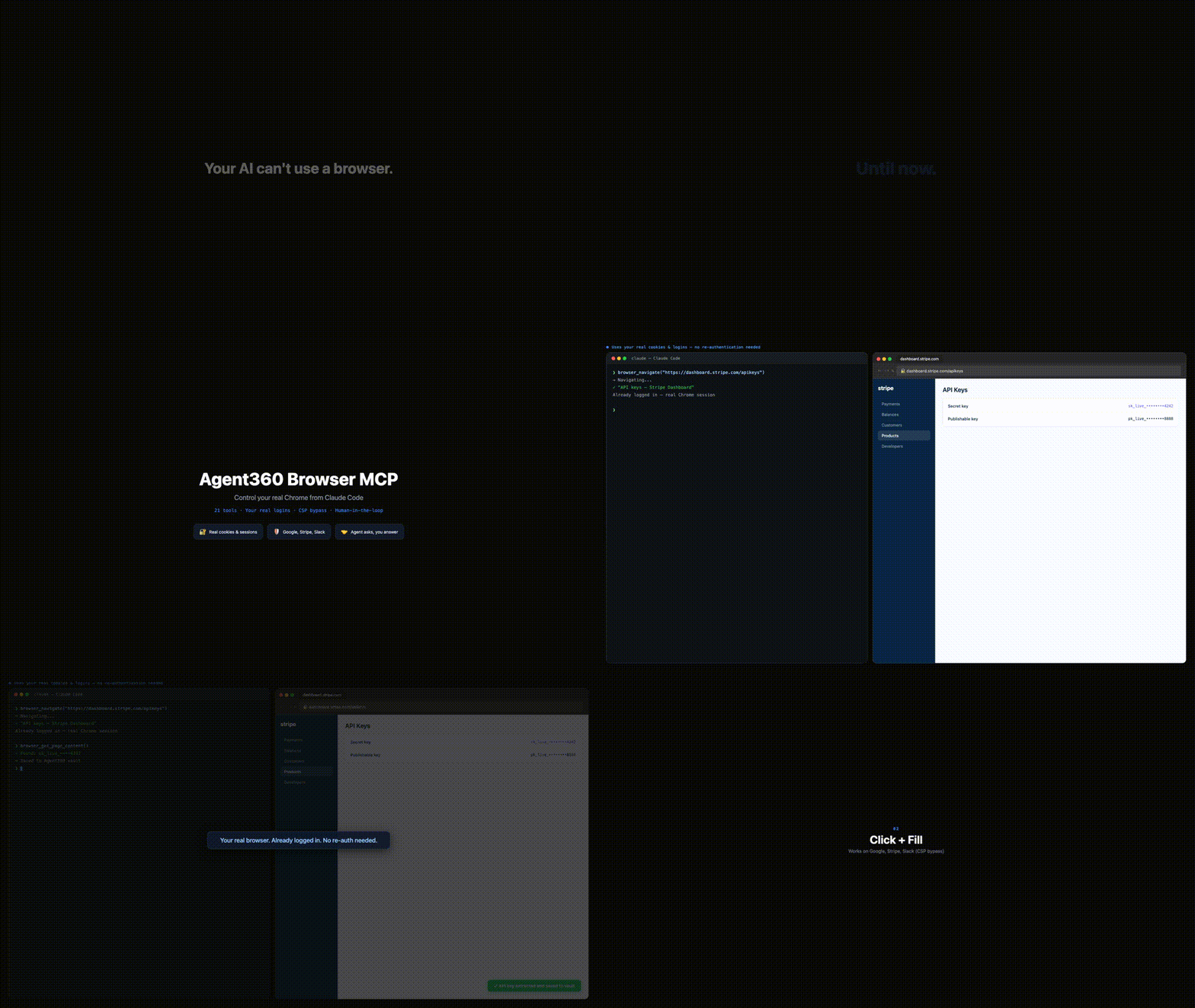](https://browsermcp.dev)
▶ **[Watch the 37-second demo with sound →](https://browsermcp.dev)**
Browser MCP gives Claude Code (and any MCP client - Cursor, VS Code agent mode) control of your actual Chrome: your cookies, your sessions, your 2FA. So it works on CAPTCHA, 2FA and anti-bot sites where Playwright and Puppeteer get blocked - because it's *you* browsing.
The killer move: it hits a login wall, reads the verification code from your own Gmail tab, and continues the sign-in. No API can do that. Operate platforms with no API, QA your own web app end-to-end, or work dashboards, LinkedIn and Reddit at human pace - with you approving the sensitive steps.
40 tools. Auto-clicks the reCAPTCHA v2 checkbox, with a human fallback for the rest. Multi-session color-coded tab groups. **MIT, free, and it runs on your machine - no account, no telemetry, nothing sent to us.**
## The whole thing, in four steps
**1 - Install the Chrome extension.** One click from the [Chrome Web Store](https://chromewebstore.google.com/detail/agent360-browser-mcp/jdehgalffmffhfhmmhaokfbfnafnmgcl); Chrome keeps it updated. No store? See the unpacked install below.
**2 - Add the MCP server.** Paste this in a terminal. Required - the extension does nothing on its own:
```bash
claude mcp add --scope user browser-mcp -- npx @agent360/browser-mcp@latest
```
**3 - Restart Claude Code.** That is what starts the server. The extension shows no badge until step 4 - the server only takes a port the first time your agent actually uses the browser. A green badge with the number of connected agents appears then; nothing on the icon before that is normal. (The icon itself never changes colour - it is the badge that turns green.)
**4 - Say this, to check it worked.** Paste it to Claude Code:
> Take a screenshot of my current Chrome tab.
You get an image back instead of *"I don't have browser access"*. **That's it - you're running.** → [What else to say](#youre-in-now-what)
Using Cursor, VS Code, Codex or Windsurf? Same server, that client's own config - see [browsermcp.dev/docs](https://browsermcp.dev/docs/install-cursor/). Everything below is the long version.
## The long version - install, step by step
> **Browser MCP is two halves and you need both:** a **Chrome extension** (drives the browser) and a **local MCP server** (what your agent actually talks to). Installing only the extension - e.g. straight from the Chrome Web Store - leaves it stuck on *"Not connected"*, because there is no server for it to reach. Chrome cannot install the server, and npm cannot install the extension. Hence two steps.
### Step 1: Register the MCP server with Claude Code
```bash
claude mcp add --scope user browser-mcp -- npx @agent360/browser-mcp@latest
```
That is Claude Code's own MCP command, so the entry lands in the config Claude Code actually reads. `--scope user` makes it available in every project.
Want the extension files on disk for the unpacked install in Step 2? Also run:
```bash
npx @agent360/browser-mcp install
```
It copies the extension to `~/.browser-mcp/extension/` and **prints that path in the terminal - copy it.** (Use it for the extension files only; register the server with `claude mcp add` above.)
### Step 2: Load the extension in Chrome
> Chrome won't let extensions install themselves from npm - you load it manually one time. To **update** later, re-run the install command and reload it (see [Keeping it updated](#keeping-it-updated)). Prefer the [Chrome Web Store](#chrome-web-store-one-click-install) install if you'd rather have the extension auto-update.
1. **Open Chrome** and type `chrome://extensions` in the address bar
2. **Toggle "Developer mode"** ON (top right corner)
3. **Click "Load unpacked"** (top left, next to "Pack extension")
4. **Navigate to `~/.browser-mcp/extension/`** and click "Select"
- On Mac: Press `Cmd+Shift+G` in the file picker, paste `~/.browser-mcp/extension/`, press Enter
- On Windows: Paste `%USERPROFILE%\.browser-mcp\extension\` in the address bar
- On Linux: Type `~/.browser-mcp/extension/` in the path field
5. **Restart Claude Code** so it picks up the new MCP server
That's it. The Browser MCP icon will appear in your toolbar, and 40 browser tools are now available in Claude Code.
### Alternative: Manual zip download (no npm)
If you don't want to use npm, download the extension directly:
1. [Download the extension zip](https://github.com/Agent360dk/browser-mcp/releases/latest) (`agent360-browser-mcp-<version>.zip`) from the latest GitHub release
2. Unzip the file (anywhere - e.g. `~/Downloads/browser-mcp-extension/`)
3. Follow Step 2 above, but select the unzipped folder instead of `~/.browser-mcp/extension/`
4. Register the server - run `claude mcp add --scope user browser-mcp -- npx @agent360/browser-mcp@latest`, or add this to `~/.claude.json` by hand:
```json
{
"mcpServers": {
"browser-mcp": {
"command": "npx",
"args": ["@agent360/browser-mcp@latest"]
}
}
}
```
### Chrome Web Store (no Developer mode, auto-updating extension)
**This replaces Step 2 only - you still need Step 1.**
1. [**Install the extension from the Chrome Web Store →**](https://chromewebstore.google.com/detail/agent360-browser-mcp/jdehgalffmffhfhmmhaokfbfnafnmgcl) - no Developer mode toggle, and Chrome keeps it updated for you.
2. Register the MCP server:
```bash
claude mcp add --scope user browser-mcp -- npx @agent360/browser-mcp@latest
```
(For Cursor / VS Code / Codex, use that client's own MCP config instead - see [browsermcp.dev/docs](https://browsermcp.dev/docs/install-claude-code/).)
3. Restart Claude Code.
Skip step 2 and the extension icon will sit on **"Not connected"** forever - that is the symptom of a missing MCP server, not a broken extension.
## You're in. Now what?
Nothing happens until you ask, and the hardest part of a new tool is knowing what to ask for. Paste one of these to your agent:
| Say this | What it shows |
|---|---|
| *"Take a screenshot of my current Chrome tab."* | **Start here.** An image back instead of *"I don't have browser access"* means both halves are talking. That is the whole install test. |
| *"Open my Gmail tab and tell me who sent my last 3 emails."* | The one that shows the difference - it works because it is *your* browser, already signed in. A headless tool hits a login wall here. |
| *"Go to my analytics dashboard, pull this month's numbers, and put them in a table."* | Any dashboard you are already logged into. No API key, no export, no integration to build first. |
| *"Fill in this signup form with my details. Stop and ask me before anything sensitive."* | You stay in the loop - it hands control back for passwords, payment details, or anything it should not decide alone. |
| *"Log me in here. If it emails a code, read it from my Gmail tab and continue."* | The move no API can make: it reads the one-time code out of your own inbox and finishes the sign-in. |
| *"Walk through my app's signup flow as a real user and tell me where it breaks."* | End-to-end QA of your own product, in the same browser your users have. |
The pattern: **anything you would do yourself in a browser, on a site you are already signed into.** It is strongest where there is no API - internal dashboards, admin panels, portals, LinkedIn. Built something good? [Add it to the gallery](USE_CASES.md).
## Why This Over Playwright MCP / BrowserMCP?
| | Browser MCP | Playwright MCP | BrowserMCP.io |
|---|---|---|---|
| **Browser** | Your real Chrome, via extension | Persistent profile by default, or your Chrome via their extension | Your real Chrome |
| **Maintained** | Actively - latest release v1.29.1 (2026-09-13) | Actively (Microsoft) | Last commit Apr 2025 |
| **Logins/cookies** | Your existing session | Persistent profile keeps logins between runs | Already authenticated |
| **Several agents, one logged-iWhat people ask about browser-mcp
What is Agent360dk/browser-mcp?
+
Agent360dk/browser-mcp is mcp servers for the Claude AI ecosystem. Drive your real, logged-in Chrome from any AI agent (Claude Code, Codex, Cursor, VS Code) - works where headless dies. Reads emailed login codes from your Gmail, 40 tools, up to 20 concurrent sessions. MIT, runs on your machine. It has 42 GitHub stars and its last recorded update is dated 2026-09-13.
How do I install browser-mcp?
+
You can install browser-mcp by cloning the repository (https://github.com/Agent360dk/browser-mcp) or following the README instructions on GitHub. ClaudeWave also provides quick install blocks on this page.
Is Agent360dk/browser-mcp safe to use?
+
Our security agent has analyzed Agent360dk/browser-mcp and assigned a Trust Score of 95/100 (tier: Verified). See the full breakdown of passed checks and flags on this page.
Who maintains Agent360dk/browser-mcp?
+
Agent360dk/browser-mcp is maintained by Agent360dk. The last recorded GitHub activity is dated 2026-09-13, with 8 open issues.
Are there alternatives to browser-mcp?
+
Yes. On ClaudeWave you can browse similar mcp servers at /categories/mcp, sorted by popularity or recent activity.
Deploy browser-mcp to your cloud
Ship this repo to production in minutes. Each platform spins up its own environment with editable env vars.
Maintain this repo? Add a badge to your README
Drop the badge into your GitHub README to show it's tracked on ClaudeWave. Each badge links back to this page and reflects the live Trust Score.
[](https://claudewave.com/repo/agent360dk-browser-mcp)<a href="https://claudewave.com/repo/agent360dk-browser-mcp"><img src="https://claudewave.com/api/badge/agent360dk-browser-mcp" alt="Featured on ClaudeWave: Agent360dk/browser-mcp" width="320" height="64" /></a>More MCP Servers

Fair-code workflow automation platform with native AI capabilities. Combine visual building with custom code, self-host or cloud, 400+ integrations.

User-friendly AI Interface (Supports Ollama, OpenAI API, ...)

An open-source AI agent that brings the power of Gemini directly into your terminal.

Real-time global intelligence dashboard. AI-powered news aggregation, geopolitical monitoring, and infrastructure tracking in a unified situational awareness interface

🕷️ An adaptive Web Scraping framework that handles everything from a single request to a full-scale crawl!

The fastest path to AI-powered full stack observability, even for lean teams.