

Agent-first CLI for OddSockets real-time messaging. As simple as git.
- ✓Actively maintained (<30d)
- ✓Clear description
- ✓Topics declared
- ✓Documented (README)
- !Licence file present but not machine-readable
git clone https://github.com/jyswee/oddsockets{
"mcpServers": {
"oddsockets": {
"command": "node",
"args": ["/path/to/oddsockets/dist/index.js"]
}
}
}Resumen de MCP Servers
# oddsockets [](https://www.npmjs.com/package/oddsockets) [](#see-it-live) [](#install) [](#mcp-server-remote) **Real-time messaging for coding agents — pub/sub, presence and history your agent provisions itself, from the command line.** > **Prototype in one command. Ship the same channels to production — no rewrite.** Your agent can write the app but can't give it a real-time backbone without you stopping to wire up a messaging service. `oddsockets` is the CLI the agent runs itself: one install, and it signs up, mints its own key, and starts publishing and subscribing to live channels — the same channels that carry your production traffic. Zero dependencies. **Works with:** Claude Code · Cursor · Cline · Windsurf · Aider · Codex · any terminal [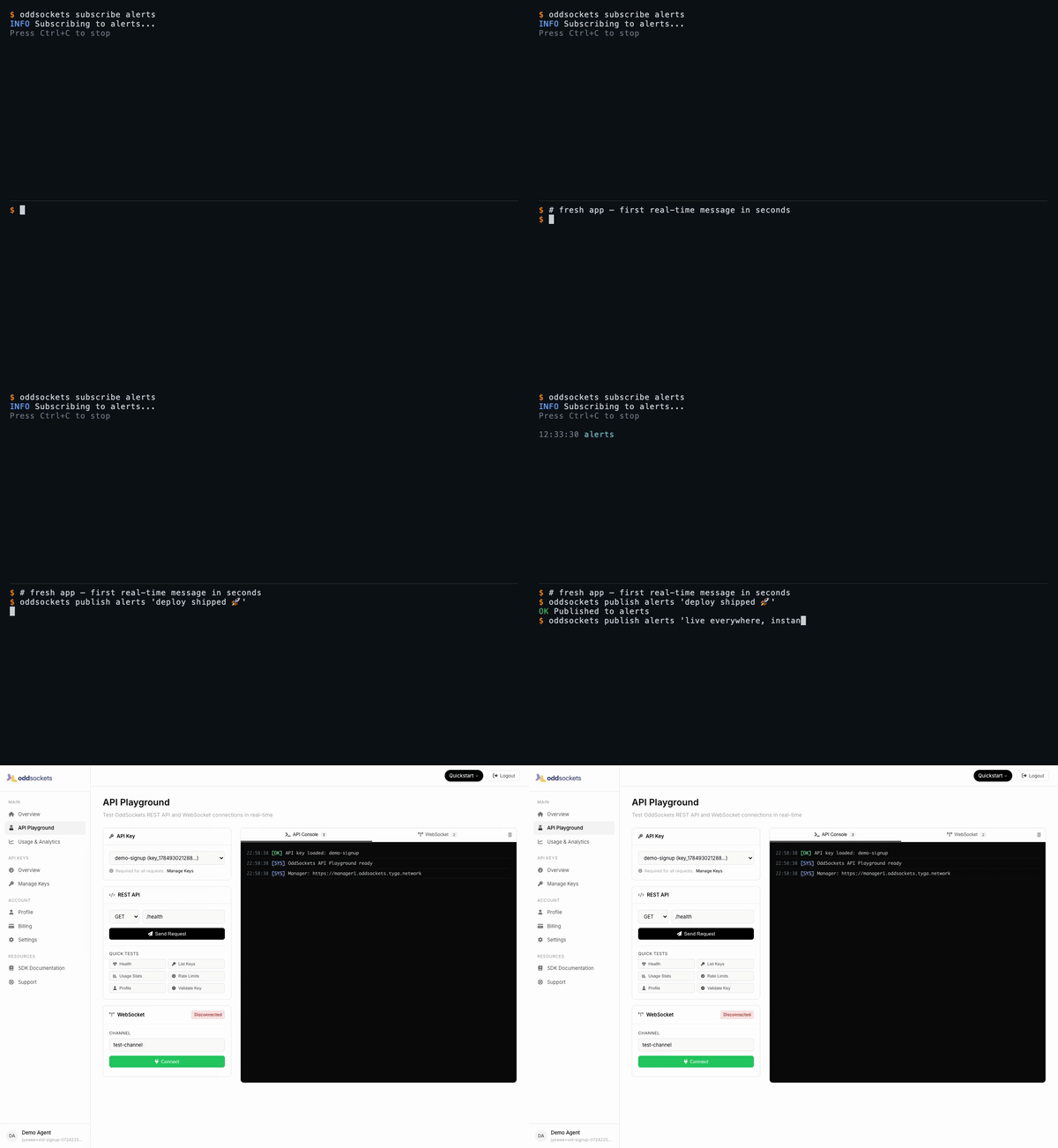](https://oddsockets.com/#demo) *Signup to your first real-time message in 60 seconds — [watch the full demo](https://oddsockets.com/#demo).* ## See it live Each demo below is a **real CLI session** — a throwaway account, a real key, real messages over the live cluster — stitched to the **developer dashboard** showing that same traffic. Click any tab for the full-res video. | Signup → first message | Live pub/sub | Who's online | Agent integration | |---|---|---|---| | [](https://prodmedia.tyga.host/public/tyga.cloud/landing/oddsockets.com/demo/signup-demo.mp4) | [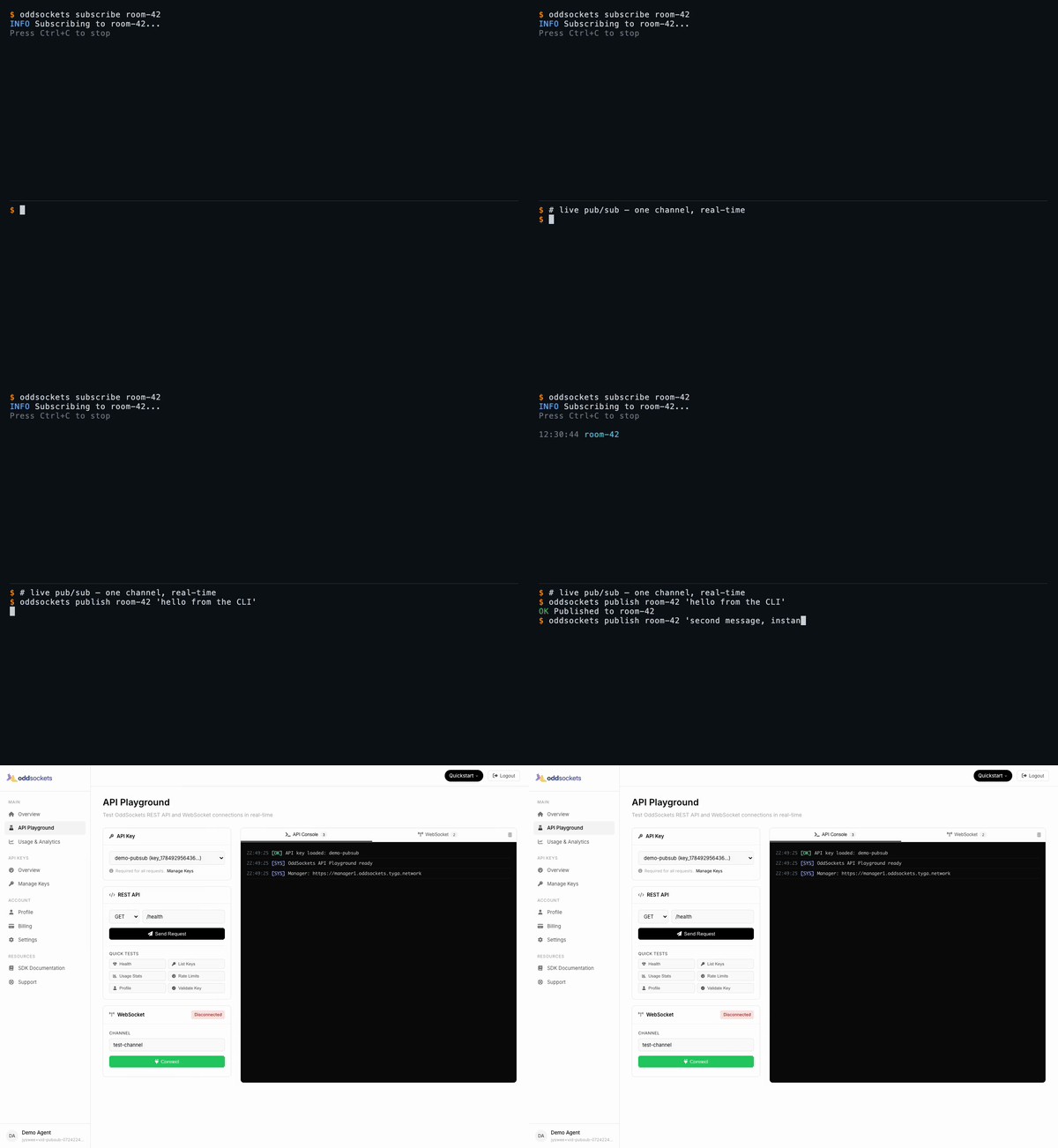](https://prodmedia.tyga.host/public/tyga.cloud/landing/oddsockets.com/demo/pubsub-demo.mp4) | [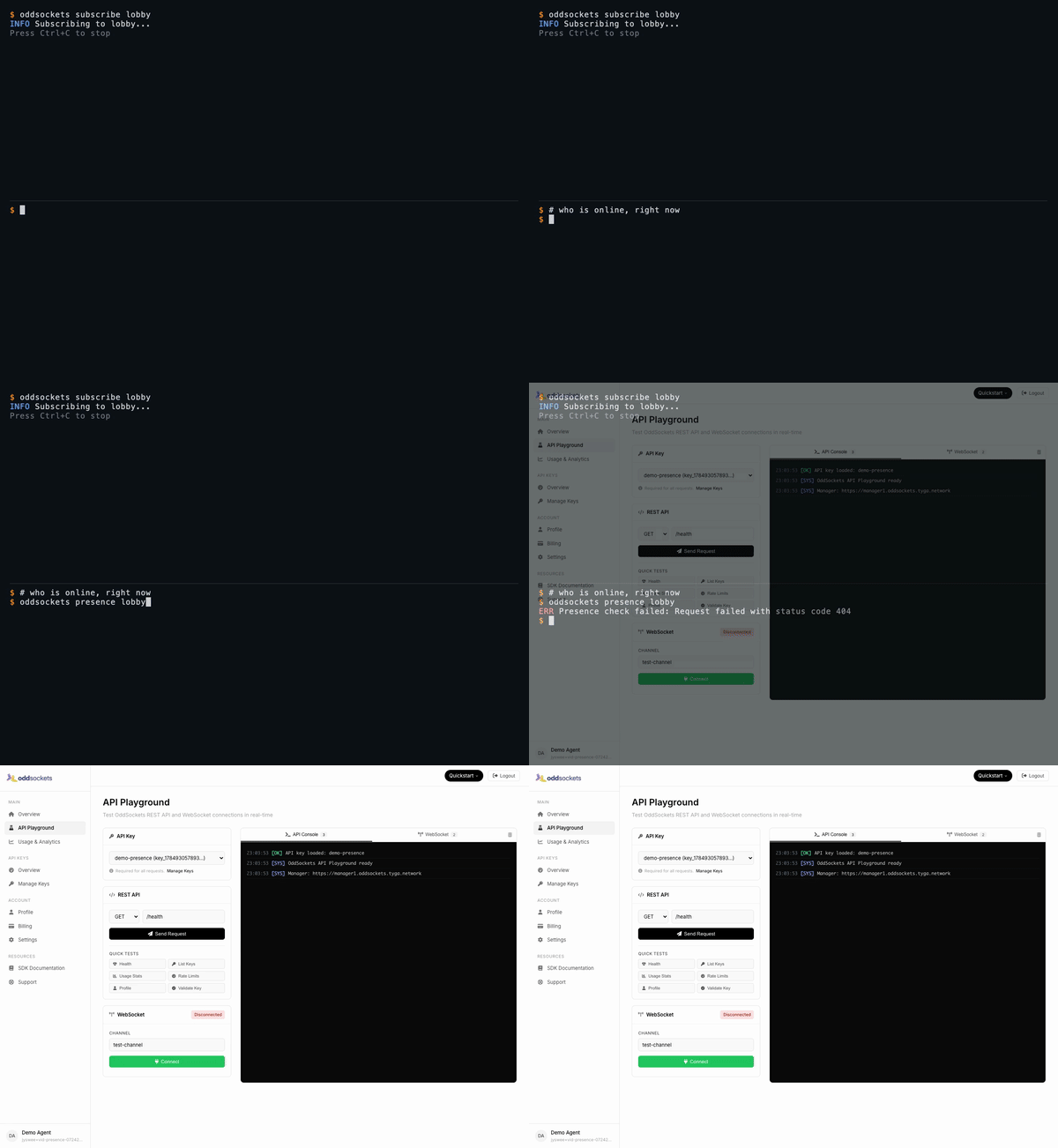](https://prodmedia.tyga.host/public/tyga.cloud/landing/oddsockets.com/demo/presence-demo.mp4) | [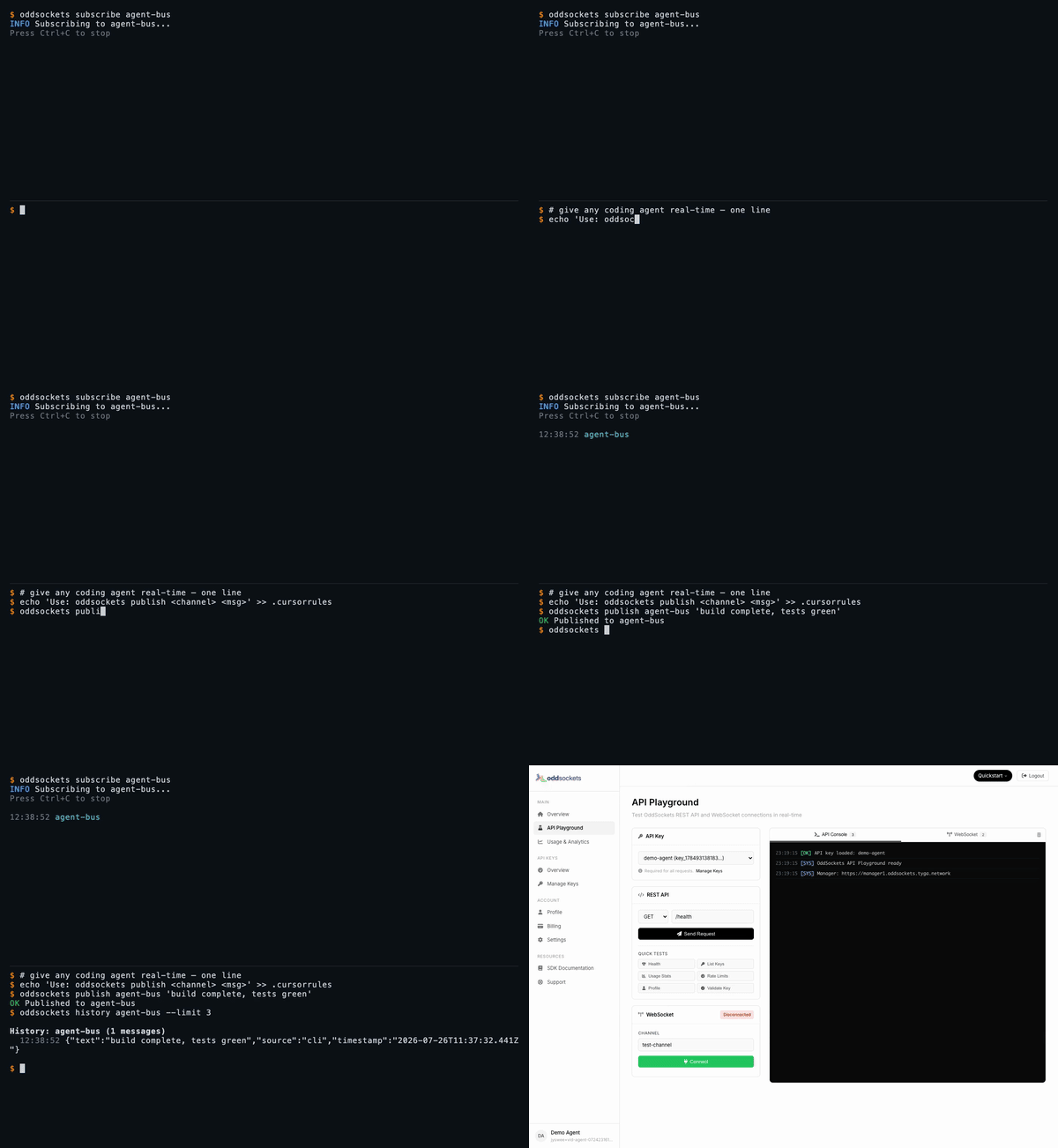](https://prodmedia.tyga.host/public/tyga.cloud/landing/oddsockets.com/demo/agent-demo.mp4) | | Fresh app, first message in seconds | One channel, two messages, instant | Live member list | `publish` + `history` in one line | *[Watch the full set on oddsockets.com →](https://oddsockets.com/#demo)* ## Install ```bash npm install -g oddsockets ``` ## Quick Start ```bash # 1. Sign up (instant API key, no email verification) oddsockets signup my-app --local # 2. Publish a message oddsockets publish my-channel "Hello from the CLI!" # 3. Subscribe (live tail) oddsockets subscribe my-channel # 4. Check who's online oddsockets presence my-channel ``` ## Pub/sub — one channel, real-time The core primitive: publish to a channel, subscribe to tail it live. Every subscriber gets every message the instant it lands — no polling, no queue to run. ```bash oddsockets subscribe room-42 & # live tail in the background oddsockets publish room-42 "hello from the CLI" # arrives on the tail instantly oddsockets publish room-42 --file payload.json # publish structured data from a file ``` ## Presence — who's online, right now Ask any channel who's connected. Presence is tracked server-side and updates in real time as clients join and leave. ```bash oddsockets subscribe lobby & # join the channel oddsockets presence lobby # live member list ``` ## History — replay what you missed Channels keep a rolling message history, so a client that connects late (or your agent after a context reset) can catch up. ```bash oddsockets history agent-bus --limit 10 ``` ## Agent Integration Add to your `CLAUDE.md`, `.cursorrules`, `.clinerules`, or `.windsurfrules`: ```markdown ## OddSockets Use the `oddsockets` CLI for real-time messaging. Key is in .oddsockets/config.json (auto-loaded). oddsockets status # cluster health oddsockets publish my-channel "message" # send message oddsockets subscribe my-channel # live tail oddsockets presence my-channel # who's online oddsockets keys # list API keys ``` ## MCP Server (remote) Prefer tools over a CLI? No install needed — point Claude Web, Claude Desktop, Cursor, Cline, Windsurf, Raycast, or any MCP client at our hosted server and your agent gets **12 native tools**: publish, history, presence, channels and API-key management. ``` URL: https://mcp.oddsockets.ai/sse Auth: Authorization: Bearer YOUR_API_KEY ``` No key yet? Connect keyless and call `oddsockets_get_started`, then `oddsockets_signup` to self-provision an app and mint your own key — then reconnect with the `Bearer` header to unlock every tool. Same account, same channels as the CLI. ## Commands ### Setup | Command | Description | |---------|-------------| | `oddsockets signup <app> [--email x] [--local]` | Sign up, get instant API key | | `oddsockets login --key KEY [--local]` | Save existing API key | | `oddsockets logout [--local]` | Clear config | | `oddsockets me` | Account info + plan | | `oddsockets status` | Cluster health + platform stats | ### Messaging | Command | Description | |---------|-------------| | `oddsockets publish <channel> "message"` | Publish message | | `oddsockets publish <channel> --file data.json` | Publish from file | | `oddsockets subscribe <channel>` | Live tail (Ctrl+C to stop) | | `oddsockets history <channel> [--limit 10]` | Message history | | `oddsockets presence <channel>` | Channel members | ### Channels | Command | Description | |---------|-------------| | `oddsockets channels` | List channels | | `oddsockets channel create <name>` | Create channel | | `oddsockets channel delete <name>` | Delete channel | ### API Keys | Command | Description | |---------|-------------| | `oddsockets keys` | List API keys | | `oddsockets key create "name"` | Create new key | | `oddsockets key revoke <id>` | Revoke key | ### Admin (superadmin) Operator commands for running the whole platform from the CLI — fleet monitoring, tenant/key provisioning, session and security management. Credentials span three planes; save them once with `oddsockets admin login` (manager analytics key, worker dashboard basic-auth, and the tenant superadmin key). Every command supports `--json` for scripting, and the live monitors support `--watch`. | Command | Description | |---------|-------------| | `oddsockets admin login [--key K] [--tenant-key T] [--worker-url U --dashboard-pass P]` | Save credentials for any plane | | `oddsockets admin config` | Show configured planes (redacted) | | `oddsockets admin fleet [--watch] [--interval N]` | Fleet health + per-worker traffic table | | `oddsockets admin telemetry [--watch]` | Live fleet telemetry (no key needed) | | `oddsockets admin worker <id> [--watch]` | Per-worker deep metrics (dashboard plane) | | `oddsockets admin worker <id> <section>` | One worker dashboard panel (`all` for every panel) | | `oddsockets admin worker drain <id> --confirm` | Deregister/drain a worker from the LB | | `oddsockets admin worker redis-toggle <id> --confirm` | Flip a worker's redis adapter | | `oddsockets admin disk [--watch]` | Manager disk cards (summary/usage/io) | | `oddsockets admin cache [--watch]` | Manager apikey cache hit-rate stats | | `oddsockets admin analytics [mau\|dau] [<apiKeyId>] [--watch]` | MAU/DAU top tenants + per-key rollups | | `oddsockets admin analytics history <apiKeyId>` | 30-day MAU/DAU trend (dashboard charts) | | `oddsockets admin session stats [--watch]` | Sticky-session stats + per-worker counts | | `oddsockets admin session get <id>` | Inspect one session | | `oddsockets admin session reassign <id> --confirm` | Move a session off its worker | | `oddsockets admin session cleanup --confirm` | Purge stale sessions | | `oddsockets admin apikey mint <name> [--plan P]` | Provision a connectable tenant key | | `oddsockets admin users [--worker URL] [--status S]` | Live connected users (worker plane) | | `oddsockets admin security status` | Blocked + whitelisted IPs | | `oddsockets admin security whitelist <ip>` | Whitelist an IP (also unblocks it) | | `oddsockets admin security block <ip> --confirm` | Block an IP at the manager edge | | `oddsockets admin security clear --confirm` | Clear all blocked IPs | Worker dashboard sections (`admin worker <id> <section>`): `stats`, `channels`, `connections`, `telemetry`, `messages`, `recent`, `threads`, `dms`, `notifications`, `reactions`, `files`, `presence`, `receipts`, `disk`, `redis`, or `all`. ## Flags - `--json` — Machine-readable JSON output (every command) - `--key KEY` — Override API key for one command - `--local` — Use project-local config (`.oddsockets/`) - `--watch` — Live-refresh admin monitors (fleet/worker/session/analytics) - `--interval N` — Refresh interval in seconds for `--watch` (default 5) - `--confirm` — Required for destructive admin ops (drain, block, cleanup, …) - `--help` — Help ## Config Priority 1. `--key` flag 2. `ODDSOCKETS_API_KEY` environment variable 3. `.oddsockets/config.json` in project directory 4. `~/.oddsockets/config.json` in home directory ## Pricing **7-day free trial on every plan.** Card required (secure Stripe checkout), nothing charged during the trial — cancel before it ends and you pay nothing. Agents and the CLI get a **48-hour keyless window** to prototype before a key is needed. Plans from $29/mo. [Details](https://oddsockets.com/#pricing). ## SDKs Prefer to build it into your app? OddSockets ships a native SDK for every major langua
Lo que la gente pregunta sobre oddsockets
¿Qué es jyswee/oddsockets?
+
jyswee/oddsockets es mcp servers para el ecosistema de Claude AI. Agent-first CLI for OddSockets real-time messaging. As simple as git. Tiene 1 estrellas en GitHub y su última actualización registrada es del 2026-08-15.
¿Cómo se instala oddsockets?
+
Puedes instalar oddsockets clonando el repositorio (https://github.com/jyswee/oddsockets) o siguiendo las instrucciones del README en GitHub. ClaudeWave también te ofrece bloques de instalación rápida en esta misma página.
¿Es seguro usar jyswee/oddsockets?
+
Nuestro agente de seguridad ha analizado jyswee/oddsockets y le ha asignado un Trust Score de 80/100 (tier: Trusted). Revisa el desglose completo de comprobaciones superadas y flags en esta página.
¿Quién mantiene jyswee/oddsockets?
+
jyswee/oddsockets es mantenido por jyswee. La última actividad registrada en GitHub es del 2026-08-15, con 0 issues abiertos.
¿Hay alternativas a oddsockets?
+
Sí. En ClaudeWave puedes explorar mcp servers similares en /categories/mcp, ordenados por popularidad o actividad reciente.
Despliega oddsockets en tu cloud
Lleva este repo a producción en minutos. Cada plataforma genera su propio entorno con variables de entorno editables.
¿Mantienes este repo? Añade un badge a tu README
Pega el badge en tu README de GitHub para mostrar que está auditado por ClaudeWave. Cada badge enlaza de vuelta a esta página y muestra el Trust Score actual.
[](https://claudewave.com/repo/jyswee-oddsockets)<a href="https://claudewave.com/repo/jyswee-oddsockets"><img src="https://claudewave.com/api/badge/jyswee-oddsockets" alt="Featured on ClaudeWave: jyswee/oddsockets" width="320" height="64" /></a>Más MCP Servers

Fair-code workflow automation platform with native AI capabilities. Combine visual building with custom code, self-host or cloud, 400+ integrations.

User-friendly AI Interface (Supports Ollama, OpenAI API, ...)

An open-source AI agent that brings the power of Gemini directly into your terminal.

Real-time global intelligence dashboard. AI-powered news aggregation, geopolitical monitoring, and infrastructure tracking in a unified situational awareness interface

🕷️ An adaptive Web Scraping framework that handles everything from a single request to a full-scale crawl!

The fastest path to AI-powered full stack observability, even for lean teams.