

Agent-first CLI for OddSockets real-time messaging. As simple as git.
- ✓Actively maintained (<30d)
- ✓Clear description
- ✓Topics declared
- ✓Documented (README)
- !Licence file present but not machine-readable
git clone https://github.com/jyswee/oddsockets{
"mcpServers": {
"oddsockets": {
"command": "node",
"args": ["/path/to/oddsockets/dist/index.js"]
}
}
}MCP Servers overview
# oddsockets [](https://www.npmjs.com/package/oddsockets) [](#see-it-live) [](#install) [](#mcp-server-remote) **Real-time messaging for coding agents — pub/sub, presence and history your agent provisions itself, from the command line.** > **Prototype in one command. Ship the same channels to production — no rewrite.** Your agent can write the app but can't give it a real-time backbone without you stopping to wire up a messaging service. `oddsockets` is the CLI the agent runs itself: one install, and it signs up, mints its own key, and starts publishing and subscribing to live channels — the same channels that carry your production traffic. Zero dependencies. **Works with:** Claude Code · Cursor · Cline · Windsurf · Aider · Codex · any terminal [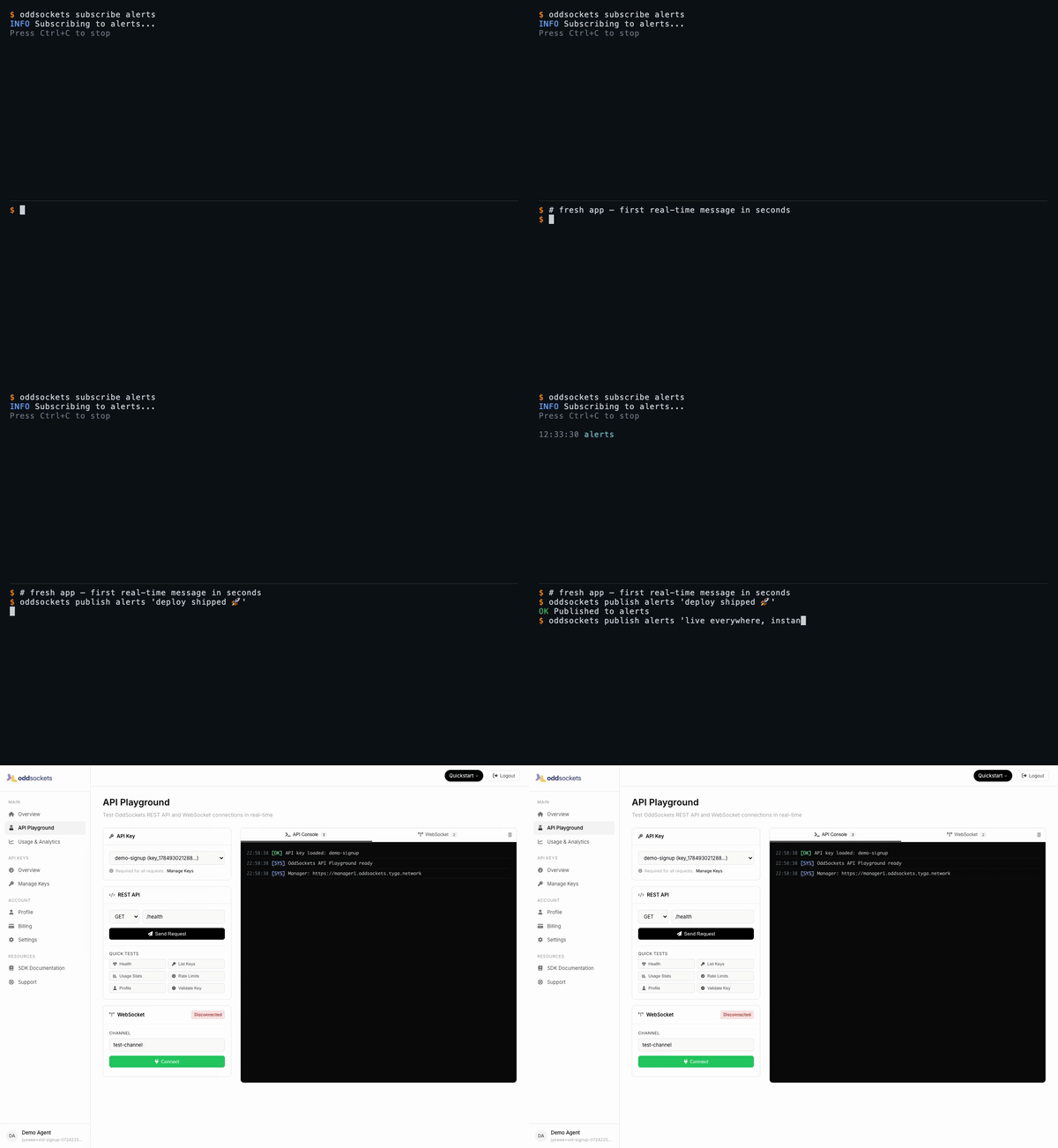](https://oddsockets.com/#demo) *Signup to your first real-time message in 60 seconds — [watch the full demo](https://oddsockets.com/#demo).* ## See it live Each demo below is a **real CLI session** — a throwaway account, a real key, real messages over the live cluster — stitched to the **developer dashboard** showing that same traffic. Click any tab for the full-res video. | Signup → first message | Live pub/sub | Who's online | Agent integration | |---|---|---|---| | [](https://prodmedia.tyga.host/public/tyga.cloud/landing/oddsockets.com/demo/signup-demo.mp4) | [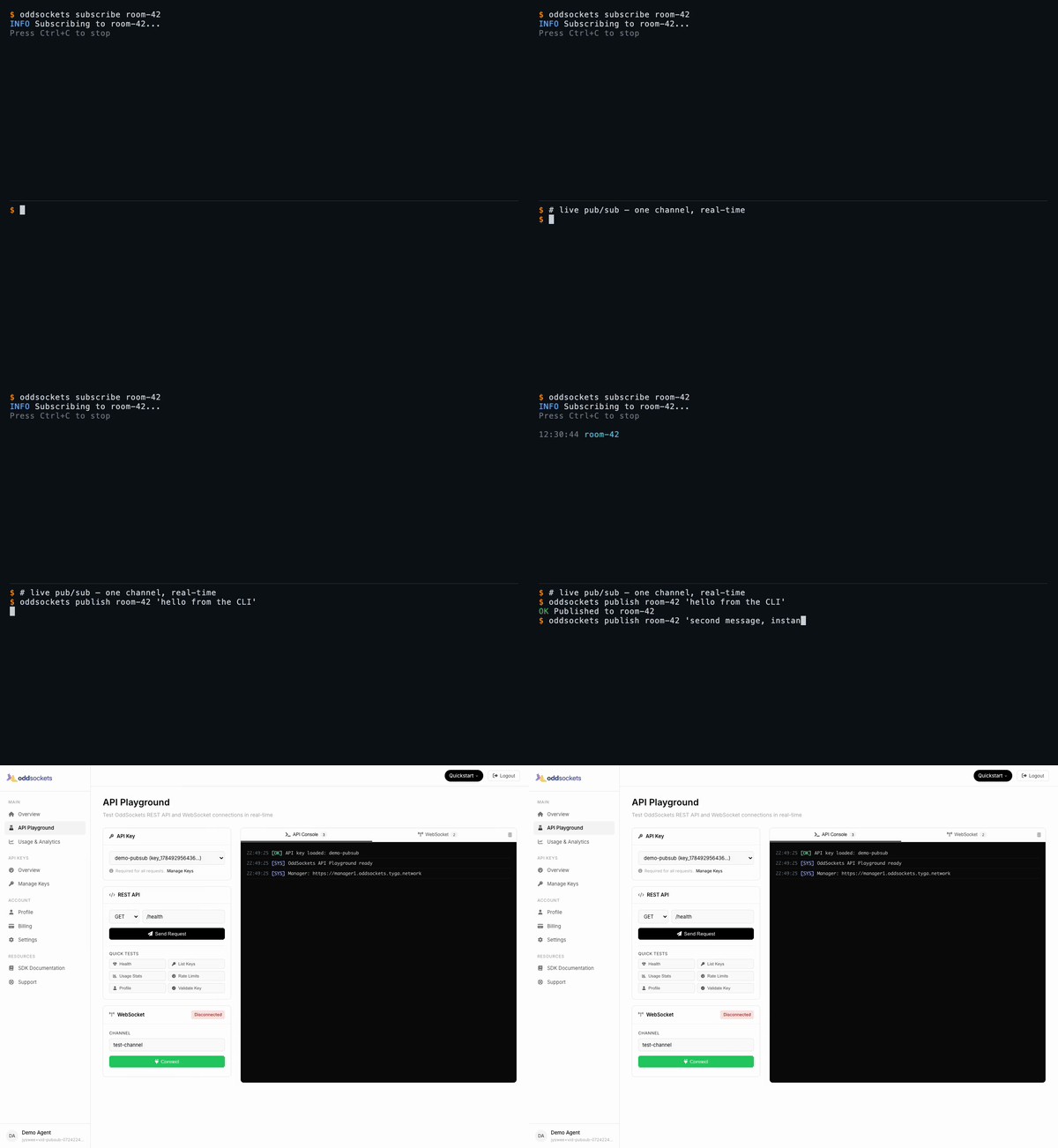](https://prodmedia.tyga.host/public/tyga.cloud/landing/oddsockets.com/demo/pubsub-demo.mp4) | [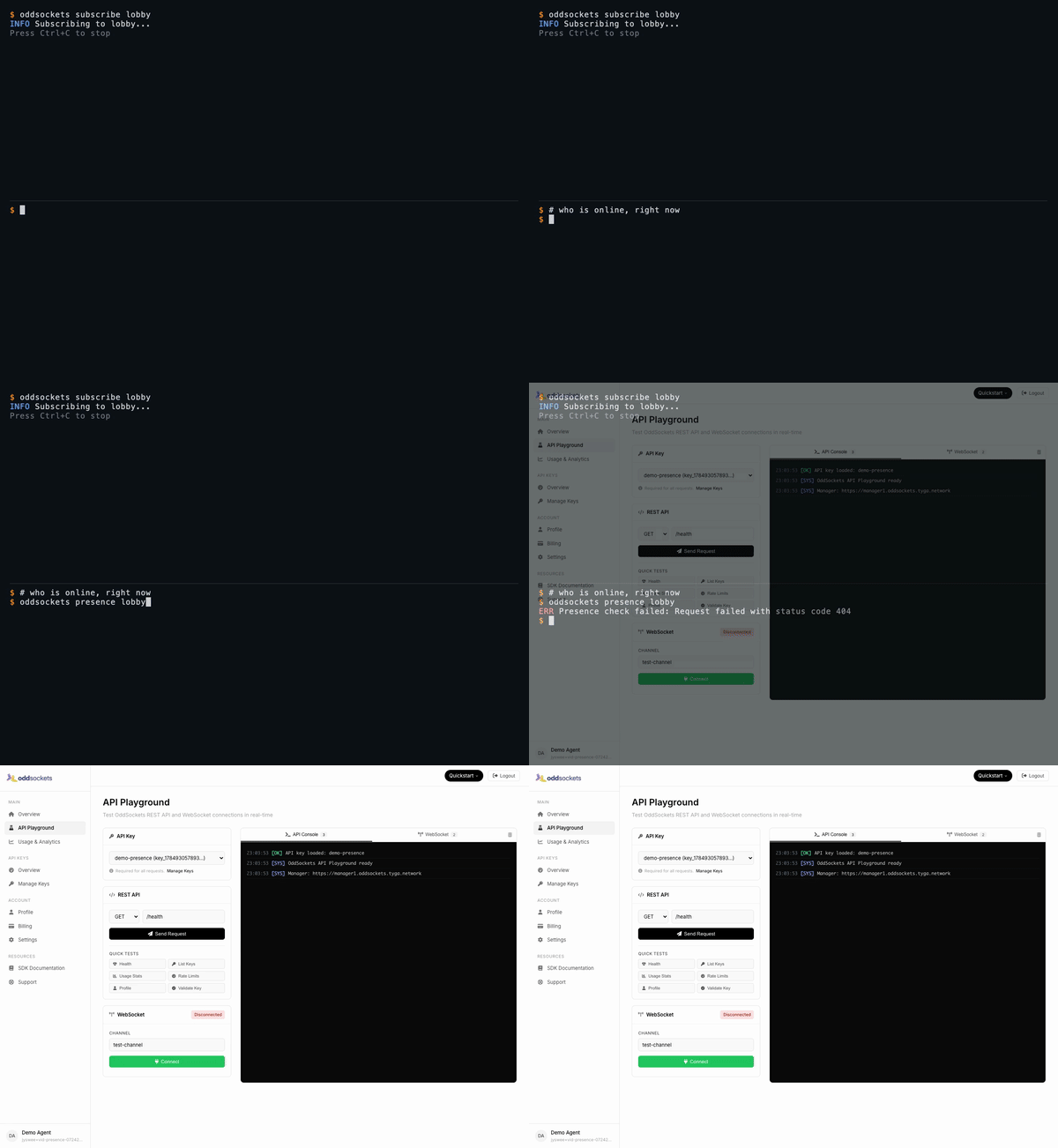](https://prodmedia.tyga.host/public/tyga.cloud/landing/oddsockets.com/demo/presence-demo.mp4) | [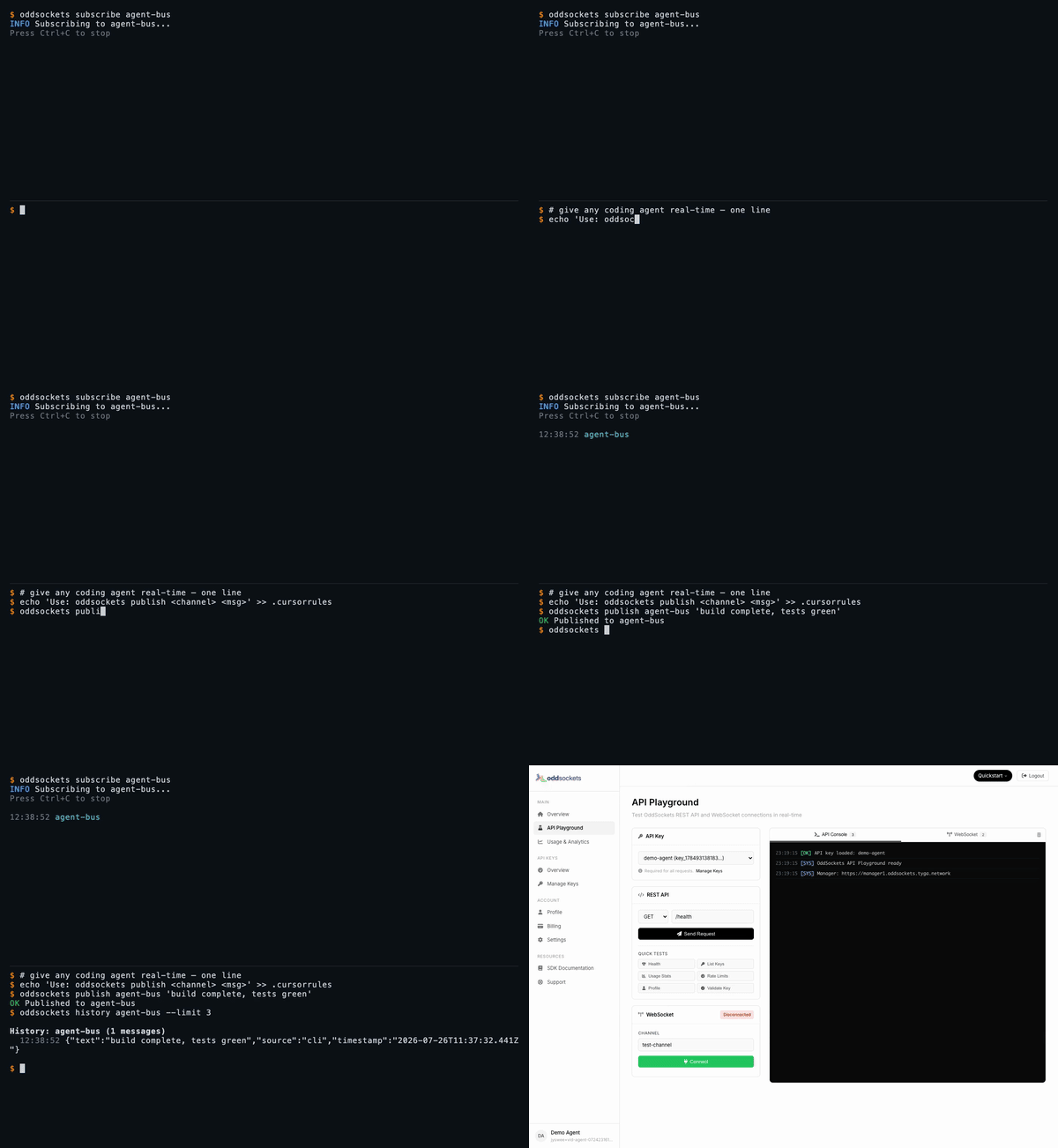](https://prodmedia.tyga.host/public/tyga.cloud/landing/oddsockets.com/demo/agent-demo.mp4) | | Fresh app, first message in seconds | One channel, two messages, instant | Live member list | `publish` + `history` in one line | *[Watch the full set on oddsockets.com →](https://oddsockets.com/#demo)* ## Install ```bash npm install -g oddsockets ``` ## Quick Start ```bash # 1. Sign up (instant API key, no email verification) oddsockets signup my-app --local # 2. Publish a message oddsockets publish my-channel "Hello from the CLI!" # 3. Subscribe (live tail) oddsockets subscribe my-channel # 4. Check who's online oddsockets presence my-channel ``` ## Pub/sub — one channel, real-time The core primitive: publish to a channel, subscribe to tail it live. Every subscriber gets every message the instant it lands — no polling, no queue to run. ```bash oddsockets subscribe room-42 & # live tail in the background oddsockets publish room-42 "hello from the CLI" # arrives on the tail instantly oddsockets publish room-42 --file payload.json # publish structured data from a file ``` ## Presence — who's online, right now Ask any channel who's connected. Presence is tracked server-side and updates in real time as clients join and leave. ```bash oddsockets subscribe lobby & # join the channel oddsockets presence lobby # live member list ``` ## History — replay what you missed Channels keep a rolling message history, so a client that connects late (or your agent after a context reset) can catch up. ```bash oddsockets history agent-bus --limit 10 ``` ## Agent Integration Add to your `CLAUDE.md`, `.cursorrules`, `.clinerules`, or `.windsurfrules`: ```markdown ## OddSockets Use the `oddsockets` CLI for real-time messaging. Key is in .oddsockets/config.json (auto-loaded). oddsockets status # cluster health oddsockets publish my-channel "message" # send message oddsockets subscribe my-channel # live tail oddsockets presence my-channel # who's online oddsockets keys # list API keys ``` ## MCP Server (remote) Prefer tools over a CLI? No install needed — point Claude Web, Claude Desktop, Cursor, Cline, Windsurf, Raycast, or any MCP client at our hosted server and your agent gets **12 native tools**: publish, history, presence, channels and API-key management. ``` URL: https://mcp.oddsockets.ai/sse Auth: Authorization: Bearer YOUR_API_KEY ``` No key yet? Connect keyless and call `oddsockets_get_started`, then `oddsockets_signup` to self-provision an app and mint your own key — then reconnect with the `Bearer` header to unlock every tool. Same account, same channels as the CLI. ## Commands ### Setup | Command | Description | |---------|-------------| | `oddsockets signup <app> [--email x] [--local]` | Sign up, get instant API key | | `oddsockets login --key KEY [--local]` | Save existing API key | | `oddsockets logout [--local]` | Clear config | | `oddsockets me` | Account info + plan | | `oddsockets status` | Cluster health + platform stats | ### Messaging | Command | Description | |---------|-------------| | `oddsockets publish <channel> "message"` | Publish message | | `oddsockets publish <channel> --file data.json` | Publish from file | | `oddsockets subscribe <channel>` | Live tail (Ctrl+C to stop) | | `oddsockets history <channel> [--limit 10]` | Message history | | `oddsockets presence <channel>` | Channel members | ### Channels | Command | Description | |---------|-------------| | `oddsockets channels` | List channels | | `oddsockets channel create <name>` | Create channel | | `oddsockets channel delete <name>` | Delete channel | ### API Keys | Command | Description | |---------|-------------| | `oddsockets keys` | List API keys | | `oddsockets key create "name"` | Create new key | | `oddsockets key revoke <id>` | Revoke key | ### Admin (superadmin) Operator commands for running the whole platform from the CLI — fleet monitoring, tenant/key provisioning, session and security management. Credentials span three planes; save them once with `oddsockets admin login` (manager analytics key, worker dashboard basic-auth, and the tenant superadmin key). Every command supports `--json` for scripting, and the live monitors support `--watch`. | Command | Description | |---------|-------------| | `oddsockets admin login [--key K] [--tenant-key T] [--worker-url U --dashboard-pass P]` | Save credentials for any plane | | `oddsockets admin config` | Show configured planes (redacted) | | `oddsockets admin fleet [--watch] [--interval N]` | Fleet health + per-worker traffic table | | `oddsockets admin telemetry [--watch]` | Live fleet telemetry (no key needed) | | `oddsockets admin worker <id> [--watch]` | Per-worker deep metrics (dashboard plane) | | `oddsockets admin worker <id> <section>` | One worker dashboard panel (`all` for every panel) | | `oddsockets admin worker drain <id> --confirm` | Deregister/drain a worker from the LB | | `oddsockets admin worker redis-toggle <id> --confirm` | Flip a worker's redis adapter | | `oddsockets admin disk [--watch]` | Manager disk cards (summary/usage/io) | | `oddsockets admin cache [--watch]` | Manager apikey cache hit-rate stats | | `oddsockets admin analytics [mau\|dau] [<apiKeyId>] [--watch]` | MAU/DAU top tenants + per-key rollups | | `oddsockets admin analytics history <apiKeyId>` | 30-day MAU/DAU trend (dashboard charts) | | `oddsockets admin session stats [--watch]` | Sticky-session stats + per-worker counts | | `oddsockets admin session get <id>` | Inspect one session | | `oddsockets admin session reassign <id> --confirm` | Move a session off its worker | | `oddsockets admin session cleanup --confirm` | Purge stale sessions | | `oddsockets admin apikey mint <name> [--plan P]` | Provision a connectable tenant key | | `oddsockets admin users [--worker URL] [--status S]` | Live connected users (worker plane) | | `oddsockets admin security status` | Blocked + whitelisted IPs | | `oddsockets admin security whitelist <ip>` | Whitelist an IP (also unblocks it) | | `oddsockets admin security block <ip> --confirm` | Block an IP at the manager edge | | `oddsockets admin security clear --confirm` | Clear all blocked IPs | Worker dashboard sections (`admin worker <id> <section>`): `stats`, `channels`, `connections`, `telemetry`, `messages`, `recent`, `threads`, `dms`, `notifications`, `reactions`, `files`, `presence`, `receipts`, `disk`, `redis`, or `all`. ## Flags - `--json` — Machine-readable JSON output (every command) - `--key KEY` — Override API key for one command - `--local` — Use project-local config (`.oddsockets/`) - `--watch` — Live-refresh admin monitors (fleet/worker/session/analytics) - `--interval N` — Refresh interval in seconds for `--watch` (default 5) - `--confirm` — Required for destructive admin ops (drain, block, cleanup, …) - `--help` — Help ## Config Priority 1. `--key` flag 2. `ODDSOCKETS_API_KEY` environment variable 3. `.oddsockets/config.json` in project directory 4. `~/.oddsockets/config.json` in home directory ## Pricing **7-day free trial on every plan.** Card required (secure Stripe checkout), nothing charged during the trial — cancel before it ends and you pay nothing. Agents and the CLI get a **48-hour keyless window** to prototype before a key is needed. Plans from $29/mo. [Details](https://oddsockets.com/#pricing). ## SDKs Prefer to build it into your app? OddSockets ships a native SDK for every major langua
What people ask about oddsockets
What is jyswee/oddsockets?
+
jyswee/oddsockets is mcp servers for the Claude AI ecosystem. Agent-first CLI for OddSockets real-time messaging. As simple as git. It has 1 GitHub stars and its last recorded update is dated 2026-08-15.
How do I install oddsockets?
+
You can install oddsockets by cloning the repository (https://github.com/jyswee/oddsockets) or following the README instructions on GitHub. ClaudeWave also provides quick install blocks on this page.
Is jyswee/oddsockets safe to use?
+
Our security agent has analyzed jyswee/oddsockets and assigned a Trust Score of 80/100 (tier: Trusted). See the full breakdown of passed checks and flags on this page.
Who maintains jyswee/oddsockets?
+
jyswee/oddsockets is maintained by jyswee. The last recorded GitHub activity is dated 2026-08-15, with 0 open issues.
Are there alternatives to oddsockets?
+
Yes. On ClaudeWave you can browse similar mcp servers at /categories/mcp, sorted by popularity or recent activity.
Deploy oddsockets to your cloud
Ship this repo to production in minutes. Each platform spins up its own environment with editable env vars.
Maintain this repo? Add a badge to your README
Drop the badge into your GitHub README to show it's tracked on ClaudeWave. Each badge links back to this page and reflects the live Trust Score.
[](https://claudewave.com/repo/jyswee-oddsockets)<a href="https://claudewave.com/repo/jyswee-oddsockets"><img src="https://claudewave.com/api/badge/jyswee-oddsockets" alt="Featured on ClaudeWave: jyswee/oddsockets" width="320" height="64" /></a>More MCP Servers

Fair-code workflow automation platform with native AI capabilities. Combine visual building with custom code, self-host or cloud, 400+ integrations.

User-friendly AI Interface (Supports Ollama, OpenAI API, ...)

An open-source AI agent that brings the power of Gemini directly into your terminal.

Real-time global intelligence dashboard. AI-powered news aggregation, geopolitical monitoring, and infrastructure tracking in a unified situational awareness interface

🕷️ An adaptive Web Scraping framework that handles everything from a single request to a full-scale crawl!

The fastest path to AI-powered full stack observability, even for lean teams.