

The StoryBook for native mobile applications
- ✓Open-source license (MIT)
- ✓Actively maintained (<30d)
- ✓Clear description
- ✓Topics declared
- ✓Documented (README)
claude mcp add phonebook -- npx -y @stag-build/phonebook{
"mcpServers": {
"phonebook": {
"command": "npx",
"args": ["-y", "@stag-build/phonebook"]
}
}
}Resumen de MCP Servers
<div align="center">
<img src="https://raw.githubusercontent.com/stag-build/phonebook/main/assets/phonebook-logo-lockup.svg" alt="Phonebook" width="360" />
<p>A self-hosted, open-source alternative to Emerge Tools Snapshots: harvest your existing Compose <code>@Preview</code>s and SwiftUI <code>#Preview</code>s into a browsable, static HTML gallery — no SaaS account required.</p>

[](https://glama.ai/mcp/servers/stag-build/phonebook)
</div>
Phonebook turns screenshots your team already has into a Storybook-style component gallery. No new test code, no design tokens to maintain by hand — it renders what's already in your codebase into a static site designers can open without installing anything. Each repo runs Phonebook independently; v1 is single-platform, so one Android repo (or one iOS repo) produces one bundle and one site.
## Features
- **Zero new test code** — reuses `@Preview` / `#Preview` you've already written
- **No SaaS account** — self-hosted, runs entirely in your CI or locally
- **MCP-first** — a coding agent can check setup, analyze coverage, add missing previews, and build the gallery for you
- **Smart component grouping** — `component / state` cards inferred from preview names, no required annotation
- **Cross-platform** — Android (Roborazzi + ComposablePreviewScanner, runs on the JVM, no emulator) and iOS (SnapshotPreviews, runs on a simulator)
- **Version-aware setup** — `init`/`doctor` resolve library versions against your project's Kotlin version and catch Kotlin/Roborazzi metadata mismatches before they cause opaque compiler crashes
## Demo
[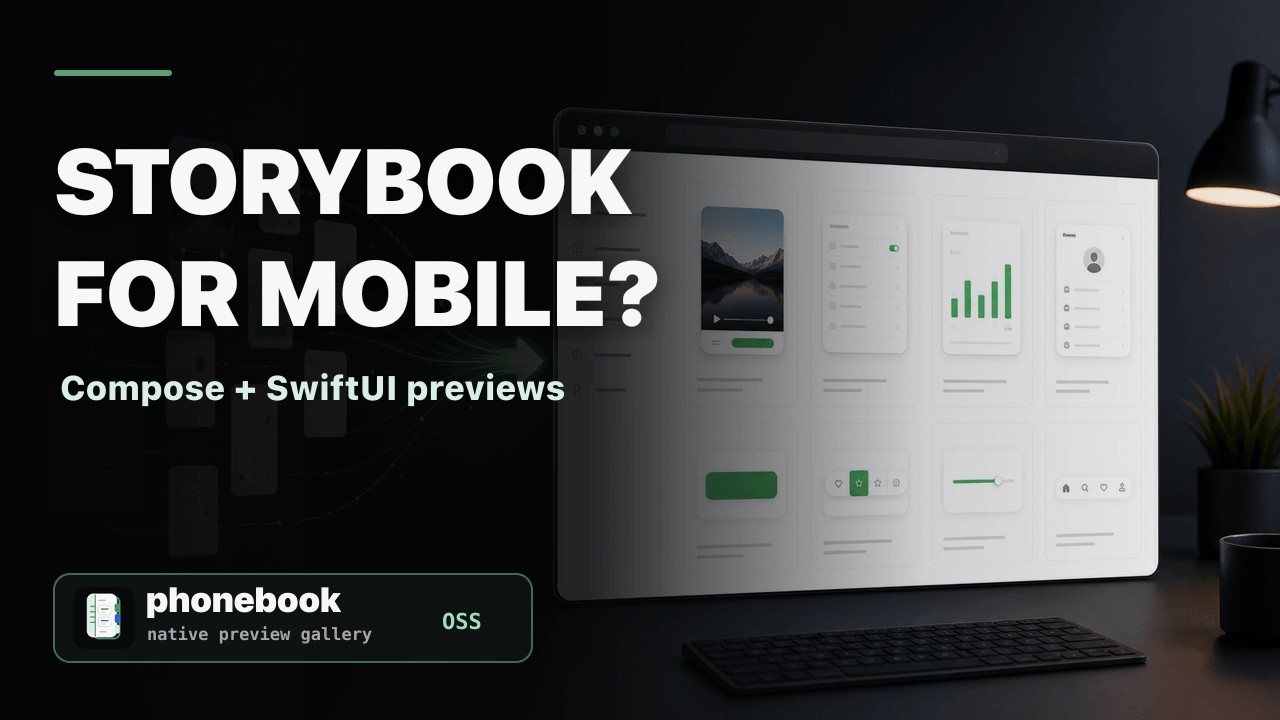](https://youtu.be/trHbUaG784w)
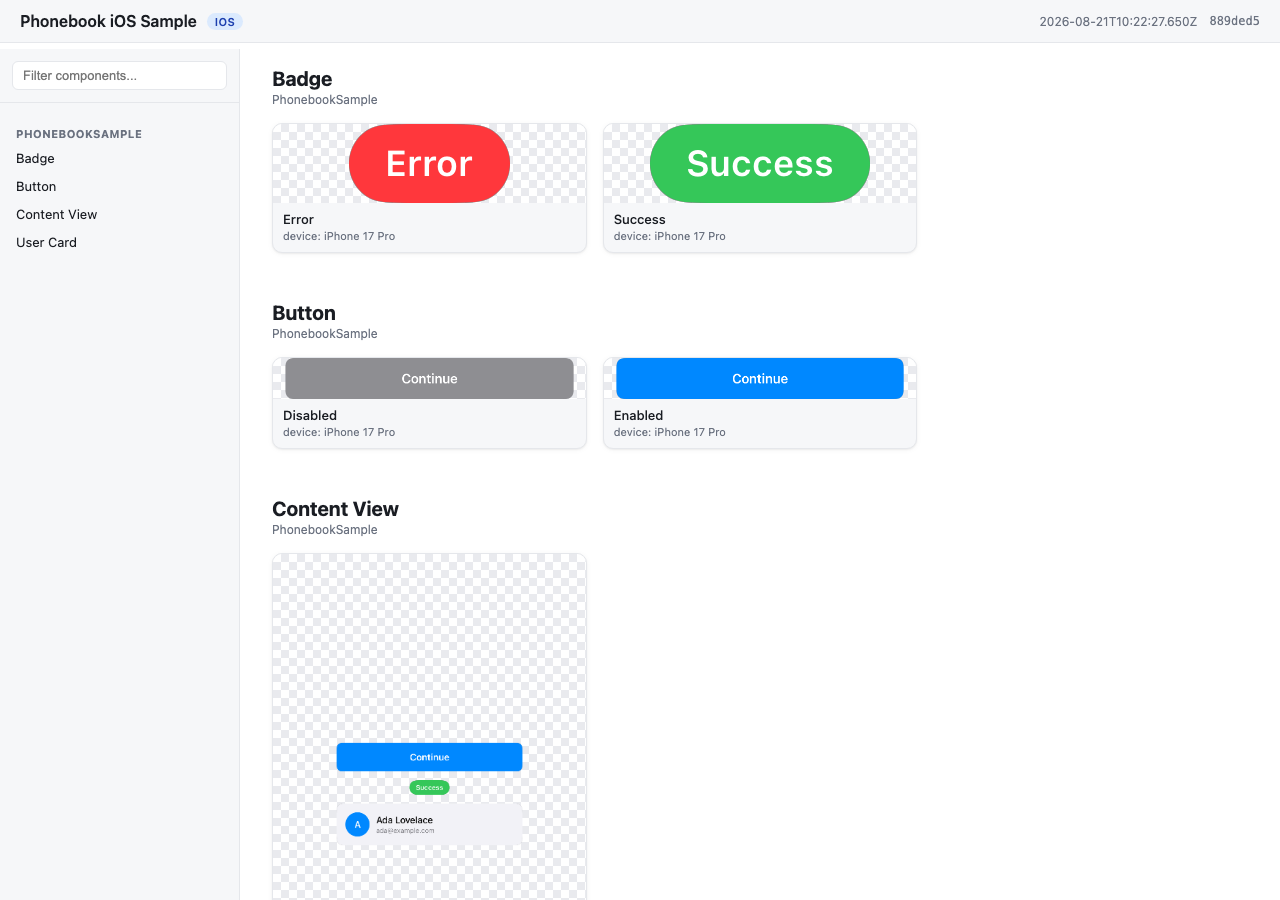
A gallery generated from `samples/ios` — `component / state` cards grouped from the app's own `#Preview`s, no extra annotation.
**[Browse the live gallery →](https://stag-build.github.io/phonebook/)**
## How it works
1. `phonebook generate` runs your platform's preview-rendering engine and harvests the output into a **bundle** (`manifest.json` + `images/`).
- Android: [Roborazzi](https://github.com/takahirom/roborazzi) + [ComposablePreviewScanner](https://github.com/sergio-sastre/ComposablePreviewScanner), run on the JVM via Robolectric. No emulator, works on Linux CI.
- iOS: [SnapshotPreviews](https://github.com/getsentry/SnapshotPreviews), run via `xcodebuild test` on a simulator. Requires macOS.
2. `phonebook build` turns that bundle into a static site — by default it writes `index.html` directly into the bundle directory (reusing the images already there, no copying), so the site lands at `<bundle>/index.html`. Pass `-o <dir>` to instead copy everything into a standalone site directory (for publishing elsewhere, or later merging multiple bundles). Plain HTML/CSS/JS, works from `file://` or any static host.
## Installation
<details>
<summary><strong>npm</strong></summary>
```sh
npm install -g @stag-build/phonebook
```
</details>
<details>
<summary><strong>Homebrew</strong></summary>
```sh
brew install stag-build/phonebook/phonebook
```
Or tap first, then install:
```sh
brew tap stag-build/phonebook
brew install phonebook
```
Formula source: [stag-build/homebrew-phonebook](https://github.com/stag-build/homebrew-phonebook).
</details>
<details>
<summary><strong>No install (npx)</strong></summary>
```sh
npx @stag-build/phonebook <cmd>
```
</details>
## Using it with a coding agent (recommended)
Most people won't run the CLI directly — Phonebook is built to be driven by a coding agent (Claude Code, Codex, etc.) through its MCP server. The agent adds previews, runs setup checks, and generates the gallery for you; the CLI underneath is the engine it calls.
The server runs via `npx @stag-build/phonebook mcp` — no install step needed. Pick your client below.
<details>
<summary><strong>Claude Code</strong></summary>
```sh
claude mcp add phonebook -- npx -y @stag-build/phonebook mcp
```
</details>
<details>
<summary><strong>Codex CLI</strong></summary>
Add to `~/.codex/config.toml`:
```toml
[mcp_servers.phonebook]
command = "npx"
args = ["-y", "@stag-build/phonebook", "mcp"]
```
</details>
<details>
<summary><strong>Claude Desktop</strong></summary>
Add to your Claude Desktop config (`~/Library/Application Support/Claude/claude_desktop_config.json` on macOS):
```json
{
"mcpServers": {
"phonebook": {
"command": "npx",
"args": ["-y", "@stag-build/phonebook", "mcp"]
}
}
}
```
</details>
<details>
<summary><strong>Cursor</strong></summary>
Add to `.cursor/mcp.json` (project) or `~/.cursor/mcp.json` (global):
```json
{
"mcpServers": {
"phonebook": {
"command": "npx",
"args": ["-y", "@stag-build/phonebook", "mcp"]
}
}
}
```
</details>
<details>
<summary><strong>Xcode (Codex Agent)</strong> — Xcode 26.3+</summary>
Add to `.codex/config.toml` at your project's workspace root. Xcode's agent runs with a minimal `PATH`, so the command wraps `npx` in a shell that adds the usual Homebrew/nvm locations first:
```toml
[mcp_servers.phonebook]
command = "/bin/zsh"
args = [
"-lc",
"PATH=/opt/homebrew/bin:/usr/local/bin:/usr/bin:/bin:/usr/sbin:/sbin; npx -y @stag-build/phonebook mcp"
]
enabled = true
```
</details>
<details>
<summary><strong>Xcode (Claude Code Agent)</strong> — Xcode 26.3+</summary>
Add the `mcpServers` block to `~/Library/Developer/Xcode/CodingAssistant/ClaudeAgentConfig/.claude.json`:
```json
{
"mcpServers": {
"phonebook": {
"command": "/bin/zsh",
"args": [
"-lc",
"PATH=/opt/homebrew/bin:/usr/local/bin:/usr/bin:/bin:/usr/sbin:/sbin; npx -y @stag-build/phonebook mcp"
]
}
}
}
```
</details>
**Android Studio (Gemini Agent Mode):** not supported yet — its MCP integration only connects to remote `httpUrl` servers, not local stdio processes like Phonebook's. Use one of the terminal-based clients above (Claude Code, Codex CLI) from the Android repo instead.
Then, from a chat in your Android or iOS repo, just ask:
> "Use the phonebook MCP and create a catalog for my designer."
The agent figures out the rest — checking setup, filling in missing previews, generating, and building the site. For more targeted asks, it also exposes: `check_setup` (setup diagnosis, same as `phonebook doctor`), `analyze_coverage` (components missing previews or dark variants), `get_preview_guidance`, `run_generate`, and `run_build`.
## Quickstart: Android
Run `phonebook init` first — it detects your project's Kotlin version and prints these instructions with **library versions resolved to be compatible with it** (e.g. Kotlin 2.0 projects get Roborazzi 1.60.0; Kotlin 2.2+ gets the latest). The versions below are what a current-Kotlin project gets (see `samples/android/app/build.gradle.kts` for a full working example):
```kotlin
// app/build.gradle.kts
plugins {
id("io.github.takahirom.roborazzi") // root build.gradle.kts: version "1.72.0" apply false
}
roborazzi {
generateComposePreviewRobolectricTests {
enable = true
packages = listOf("dev.stag.phonebook.sample") // your app's package
}
}
dependencies {
testImplementation("org.robolectric:robolectric:4.14.1")
testImplementation("io.github.takahirom.roborazzi:roborazzi:1.72.0")
testImplementation("io.github.takahirom.roborazzi:roborazzi-compose:1.72.0")
testImplementation("io.github.sergio-sastre.ComposablePreviewScanner:android:0.9.3")
testImplementation("io.github.takahirom.roborazzi:roborazzi-compose-preview-scanner-support:1.72.0")
testImplementation("androidx.compose.ui:ui-test-junit4") // version from your Compose BOM, or pin one
}
```
Add a `phonebook.config.json` next to `settings.gradle.kts`:
```json
{
"appName": "My Android App",
"platform": "android",
"android": { "modules": [":app"], "variant": "debug" }
}
```
Then, from the repo containing Phonebook:
```sh
npx @stag-build/phonebook generate -C /path/to/your/android/repo
npx @stag-build/phonebook build -C /path/to/your/android/repo
```
Open `phonebook-out/index.html`.
## Quickstart: iOS
Add the [SnapshotPreviews](https://github.com/getsentry/SnapshotPreviews) SPM package to your project and a small XCTest target that subclasses `SnapshotTest` (see `samples/ios` for a full working example):
```swift
// PhonebookSnapshotTests.swift
import Foundation
import SnapshottingTests
final class PhonebookSnapshotTests: SnapshotTest {
override class func snapshotPreviews() -> [String]? {
guard let raw = ProcessInfo.processInfo.environment["SNAPSHOTS_ONLY_FILTER"], !raw.isEmpty else {
return nil // record every #Preview
}
return raw.components(separatedBy: "\n")
}
}
```
Reading `SNAPSHOTS_ONLY_FILTER` is what lets `phonebook generate --changed` (or `--files A.swift,B.swift`)
render only the previews in the files you just edited; with the variable unset, every `#Preview` is recorded
as before.
Add `phonebook.config.json` next to your `.xcodeproj`:
```json
{
"appName": "My iOS App",
"platform": "ios",
"ios": {
"project": "MyApp.xcodeproj",
"scheme": "MyApp",
"simulator": "iPhone 17 Pro"
}
}
```
Your scheme must build and test the snapshot test target (see `PhonebookSample.xcscheme` in the sample). Then:
```sh
npx @stag-build/phonebook generate -C /path/to/your/ios/repo
npx @stag-build/phonebook build -C /path/to/your/ios/repo
```
Open `phonebook-out/index.html`.
## Naming convention
Phonebook groups screenshots into `component / state` cards from your existing preview names — no required annotation. See [docs/naming-convention.md](docs/naming-convention.md) for the full rules and examples.
## ConfiguratLo que la gente pregunta sobre phonebook
¿Qué es stag-build/phonebook?
+
stag-build/phonebook es mcp servers para el ecosistema de Claude AI. The StoryBook for native mobile applications Tiene 10 estrellas en GitHub y su última actualización registrada es del 2026-09-17.
¿Cómo se instala phonebook?
+
Puedes instalar phonebook clonando el repositorio (https://github.com/stag-build/phonebook) o siguiendo las instrucciones del README en GitHub. ClaudeWave también te ofrece bloques de instalación rápida en esta misma página.
¿Es seguro usar stag-build/phonebook?
+
Nuestro agente de seguridad ha analizado stag-build/phonebook y le ha asignado un Trust Score de 95/100 (tier: Verified). Revisa el desglose completo de comprobaciones superadas y flags en esta página.
¿Quién mantiene stag-build/phonebook?
+
stag-build/phonebook es mantenido por stag-build. La última actividad registrada en GitHub es del 2026-09-17, con 0 issues abiertos.
¿Hay alternativas a phonebook?
+
Sí. En ClaudeWave puedes explorar mcp servers similares en /categories/mcp, ordenados por popularidad o actividad reciente.
Despliega phonebook en tu cloud
Lleva este repo a producción en minutos. Cada plataforma genera su propio entorno con variables de entorno editables.
¿Mantienes este repo? Añade un badge a tu README
Pega el badge en tu README de GitHub para mostrar que está auditado por ClaudeWave. Cada badge enlaza de vuelta a esta página y muestra el Trust Score actual.
[](https://claudewave.com/repo/stag-build-phonebook)<a href="https://claudewave.com/repo/stag-build-phonebook"><img src="https://claudewave.com/api/badge/stag-build-phonebook" alt="Featured on ClaudeWave: stag-build/phonebook" width="320" height="64" /></a>Más MCP Servers

Fair-code workflow automation platform with native AI capabilities. Combine visual building with custom code, self-host or cloud, 400+ integrations.

User-friendly AI Interface (Supports Ollama, OpenAI API, ...)

An open-source AI agent that brings the power of Gemini directly into your terminal.

Real-time global intelligence dashboard. AI-powered news aggregation, geopolitical monitoring, and infrastructure tracking in a unified situational awareness interface

🕷️ An adaptive Web Scraping framework that handles everything from a single request to a full-scale crawl! Don't be shy, join here: https://discord.gg/EMgGbDceNQ

The fastest path to AI-powered full stack observability, even for lean teams.