

A remote MCP server for personal nutrition tracking — log meals, track macros, and review nutrition history through conversation.
- ✓Open-source license (MIT)
- ✓Actively maintained (<30d)
- ✓Clear description
- ✓Topics declared
- ✓Documented (README)
git clone https://github.com/akutishevsky/nutrition-mcp{
"mcpServers": {
"nutrition-mcp": {
"command": "node",
"args": ["/path/to/nutrition-mcp/dist/index.js"]
}
}
}Resumen de MCP Servers
# Nutrition MCP
A remote MCP server for personal nutrition tracking — log meals with calories, macros, fiber, total and added sugar, saturated and trans fat and caffeine (optionally ingredient by ingredient), look up generic foods in USDA FoodData Central and packaged products by barcode in Open Food Facts, record where each nutrient value came from, save meals you eat often and log them again by name, log water, body weight and body measurements, review nutrition history, and import an existing food diary from another app, all through conversation. Alcohol tracking is opt-in and off by default.
[Help me pay for the servers on Patreon][patreon]
[patreon]: https://patreon.com/akutishevskyi
## Table of Contents
- [Quick Start](#quick-start)
- [Demo](#demo)
- [Tech Stack](#tech-stack)
- [MCP Tools](#mcp-tools)
- [MCP Resources](#mcp-resources)
- [Self-hosting](#self-hosting)
- [0. Get the code](#0-get-the-code)
- [1. Supabase setup](#1-supabase-setup)
- [2. Environment variables](#2-environment-variables)
- [3. Google sign-in (optional)](#3-google-sign-in-optional)
- [Development](#development)
- [Testing and quality](#testing-and-quality)
- [Connect to Claude.ai](#connect-to-claudeai)
- [Apple Health sync](#apple-health-sync)
- [Troubleshooting](#troubleshooting)
- [API Endpoints](#api-endpoints)
- [Deploy](#deploy)
- [Support & security](#support--security)
- [Data sources](#data-sources)
- [License](#license)
## Quick Start
Already hosted and ready to use — just connect it to your MCP client:
```
https://nutrition-mcp.com/mcp
```
**On Claude.ai:** open [Nutrition MCP in the Claude directory](https://claude.ai/directory/nutrition-mcp) and click **Connect** (see [Connect to Claude.ai](#connect-to-claudeai) below)
On first connect, sign in with Google or enter an email and password and choose **Create account**. Your data persists across reconnections. Trouble connecting? See [Troubleshooting](#troubleshooting).
By connecting you agree to the [Terms of Service](https://nutrition-mcp.com/terms); how your data is handled is in the [Privacy Policy](https://nutrition-mcp.com/privacy).
Switching from another tracker? See the [nutrition-app alternatives](https://nutrition-mcp.com/alternatives) — how it compares to [MyFitnessPal](https://nutrition-mcp.com/myfitnesspal-mcp), [Cronometer](https://nutrition-mcp.com/cronometer-mcp), [Lose It!](https://nutrition-mcp.com/lose-it-mcp), [MacroFactor](https://nutrition-mcp.com/macrofactor-mcp), [Yazio](https://nutrition-mcp.com/yazio-mcp), and [Lifesum](https://nutrition-mcp.com/lifesum-mcp). Bring your history with you: say "import my meals" and an importer opens in the chat, where you pick the CSV you exported from your old app, map its columns, and check what will be added before anything is saved. Exports from MyFitnessPal, Cronometer, Lose It! and MacroFactor are recognised automatically; any other CSV works by mapping its columns yourself. In clients that can't show in-chat panels, paste the export instead and the AI imports it for you. If your export has an alcohol column and you want it kept, turn alcohol tracking on before importing — the importer skips that column while tracking is off, and re-importing the same file later won't backfill it.
## Demo
[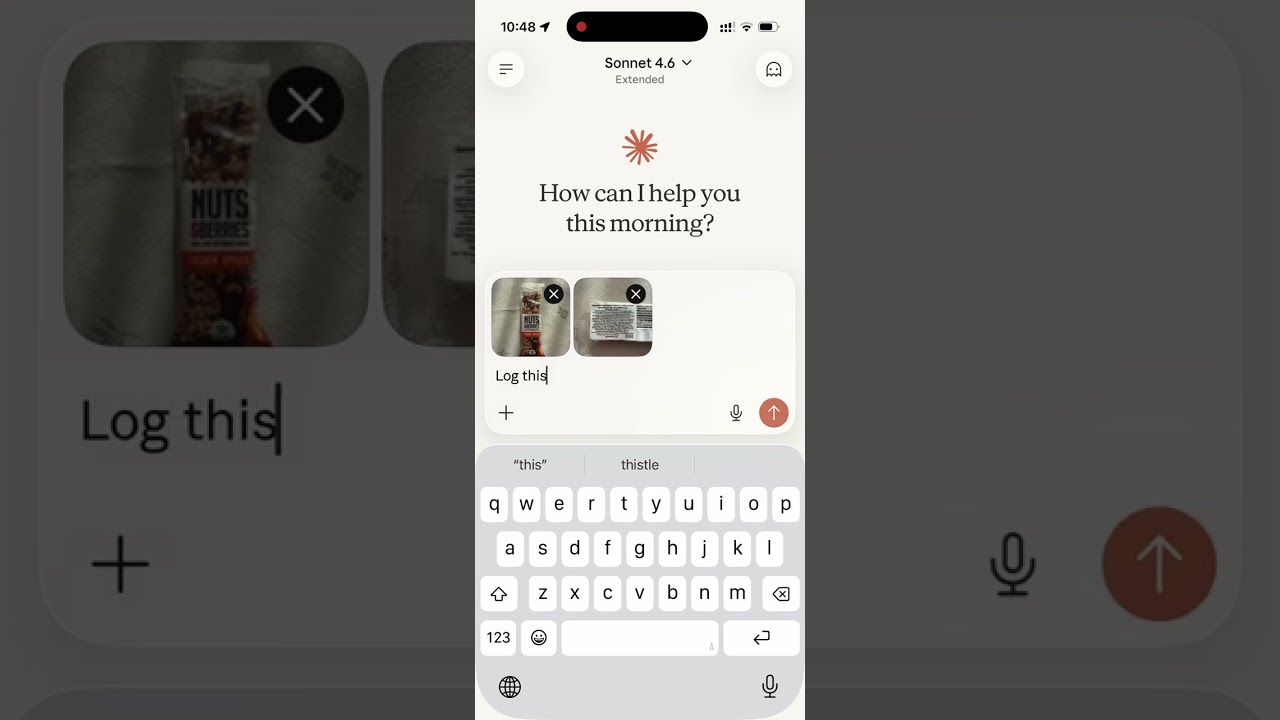](https://youtube.com/shorts/Y1EHbfimQ70)
Read the story behind it: [How I Replaced MyFitnessPal and Other Apps with a Single MCP Server](https://medium.com/@akutishevsky/how-i-replaced-myfitnesspal-and-other-apps-with-a-single-mcp-server-56ca5ec7d673)
## Tech Stack
- **Bun** — runtime and package manager
- **Hono** — HTTP framework
- **MCP SDK** — Model Context Protocol over Streamable HTTP
- **Supabase** — PostgreSQL database + user authentication
- **OAuth 2.0** — authentication for Claude.ai and other MCP clients: per-client dynamic client registration (RFC 7591) with exact redirect-URI matching, mandatory PKCE (`S256`), token-endpoint client authentication (`none`, `client_secret_post`, `client_secret_basic`), codes and refresh tokens bound to the client they were issued to, `iss` on every authorization response (RFC 9207), and client secrets, access tokens, refresh tokens and codes stored only as a SHA-256 hash. Access tokens last 24 hours; refresh tokens last 90 days from their last use and rotate on every refresh; expired tokens and never-used client registrations are swept hourly
## MCP Tools
| Tool | Description |
| -------------------------- | -------------------------------------------------------------------------------------------------------------------------------------------------------------------------------------------------------------- |
| `log_meal` | Log a meal with description, type, calories, macros, fiber, total and added sugar, saturated and trans fat, alcohol, caffeine (mg), notes — from text or a photo of your plate; each value records its source |
| `start_meal_import` | Open the in-chat CSV importer: pick an export from another app, map its columns, preview, confirm |
| `bulk_import_meals` | Write up to 50 imported rows per call — each row validated, duplicates skipped so a re-send is safe while the timezone is unchanged |
| `lookup_barcode` | Look up a packaged product's label nutrition by barcode via Open Food Facts, including added sugar when listed (read from a photo or typed; data © OFF contributors, ODbL) |
| `search_foods` | Search USDA FoodData Central generic foods by English name; up to 10 candidates with their ids and macros per 100 g |
| `get_food_macros` | USDA FoodData Central values for one generic food by its id, per 100 g or scaled to `amount_g`, with its listed portion sizes |
| `get_meals_today` | Get all meals logged today, one compact line per meal with its id; `detail: "full"` adds notes |
| `get_meals_by_date` | Get meals for a specific date (YYYY-MM-DD), one compact line per meal; `detail: "full"` adds notes |
| `get_meals_by_date_range` | Get meals between two dates (inclusive), up to 31 days per call; one compact line per meal, `detail: "full"` adds notes |
| `search_meals` | Search past meals by keyword, grouped into recurring variations (counts, last logged, typical macros) |
| `get_nutrition_summary` | Daily nutrition totals + goal progress for a date range, up to 92 days per call |
| `update_meal` | Update any fields of an existing meal |
| `delete_meal` | Delete a meal by ID |
| `save_meal` | Save a meal under a name, with values per serving and optional ingredients, to log again later |
| `log_saved_meal` | Log a saved meal, scaled by servings, with single ingredients set to the amount eaten or left out |
| `get_saved_meals` | List saved meals with their values and ingredients, optionally filtered by name |
| `update_saved_meal` | Change a saved meal's name, values or ingredients; meals already logged from it keep theirs |
| `delete_saved_meal` | Delete a saved meal; meals already logged from it keep their values |
| `set_nutrition_goals` | Set daily calorie, macro, fiber and water targets to reach, total-sugar/added-sugar/alcohol/caffeine limits to stay under, plus an optional target weight |
| `get_nutrition_goals` | Get the current daily targets and limits |
| `get_goal_progress` | Get intake vs. targets and limits for a given day (default: today), plus latest weight vs. target |
| `logLo que la gente pregunta sobre nutrition-mcp
¿Qué es akutishevsky/nutrition-mcp?
+
akutishevsky/nutrition-mcp es mcp servers para el ecosistema de Claude AI. A remote MCP server for personal nutrition tracking — log meals, track macros, and review nutrition history through conversation. Tiene 75 estrellas en GitHub y su última actualización registrada es del 2026-10-10.
¿Cómo se instala nutrition-mcp?
+
Puedes instalar nutrition-mcp clonando el repositorio (https://github.com/akutishevsky/nutrition-mcp) o siguiendo las instrucciones del README en GitHub. ClaudeWave también te ofrece bloques de instalación rápida en esta misma página.
¿Es seguro usar akutishevsky/nutrition-mcp?
+
Nuestro agente de seguridad ha analizado akutishevsky/nutrition-mcp y le ha asignado un Trust Score de 95/100 (tier: Verified). Revisa el desglose completo de comprobaciones superadas y flags en esta página.
¿Quién mantiene akutishevsky/nutrition-mcp?
+
akutishevsky/nutrition-mcp es mantenido por akutishevsky. La última actividad registrada en GitHub es del 2026-10-10, con 13 issues abiertos.
¿Hay alternativas a nutrition-mcp?
+
Sí. En ClaudeWave puedes explorar mcp servers similares en /categories/mcp, ordenados por popularidad o actividad reciente.
Despliega nutrition-mcp en tu cloud
Lleva este repo a producción en minutos. Cada plataforma genera su propio entorno con variables de entorno editables.
¿Mantienes este repo? Añade un badge a tu README
Pega el badge en tu README de GitHub para mostrar que está auditado por ClaudeWave. Cada badge enlaza de vuelta a esta página y muestra el Trust Score actual.
[](https://claudewave.com/repo/akutishevsky-nutrition-mcp)<a href="https://claudewave.com/repo/akutishevsky-nutrition-mcp"><img src="https://claudewave.com/api/badge/akutishevsky-nutrition-mcp" alt="Featured on ClaudeWave: akutishevsky/nutrition-mcp" width="320" height="64" /></a>Más MCP Servers

Fair-code workflow automation platform with native AI capabilities. Combine visual building with custom code, self-host or cloud, 400+ integrations.

User-friendly AI Interface (Supports Ollama, OpenAI API, ...)

An open-source AI agent that brings the power of Gemini directly into your terminal.

Real-time global intelligence dashboard. AI-powered news aggregation, geopolitical monitoring, and infrastructure tracking in a unified situational awareness interface

🕷️ An adaptive Web Scraping framework that handles everything from a single request to a full-scale crawl! Don't be shy, join here: https://discord.gg/EMgGbDceNQ and follow here for daily tips and tricks: https://x.com/Scrapling_dev

The fastest path to AI-powered full stack observability, even for lean teams.