

Auto-Apply That Ends on an Interview. Applies on the employer's own hiring system across 34 hiring systems (Workday, Greenhouse, Lever, Ashby, iCIMS, Workable and more) and keeps the confirmation they return. Plus ATS scoring, per-role resumes, cover letters and interview prep. Remote MCP at mcp.aiapplyd.com
- ✓Open-source license (MIT)
- ✓Actively maintained (<30d)
- ✓Clear description
- ✓Topics declared
- ✓Documented (README)
claude mcp add aiapplyd-mcp -- npx -y poke{
"mcpServers": {
"aiapplyd-mcp": {
"command": "npx",
"args": ["-y", "poke"]
}
}
}MCP Servers overview
<div align="center">
<img src="assets/logo.png" alt="AI Applyd" width="96" height="96" />
# AI Applyd MCP Server
**Auto-Apply That Ends on an Interview**
**Stop applying. Start interviewing.**
Score your resume the way the screening software scores it, rewrite it for the exact role,
write the cover letter, prepare for the interview, and send the application in on the
employer's own hiring system. All from inside the assistant you already work in.
<br />
<img src="assets/01-stop-applying-start-interviewing.png" alt="AI Applyd - stop applying, start interviewing" width="820" />
**And it keeps the employer's own confirmation.** Most tools count applications sent, which is
a number the tool awards itself off its own button click. This one reports what the employer's
system actually returned, so a real rejection is distinguishable from a form that quietly
dropped your application.
[](https://glama.ai/mcp/servers/aiapplyd/aiapplyd-mcp)
[](https://smithery.ai/servers/aiapplyd/aiapplyd)
[](https://registry.modelcontextprotocol.io/v0/servers?search=aiapplyd)
[](https://lobehub.com/mcp/aiapplyd-aiapplyd-mcp)
[](https://mcpservers.org/servers/aiapplyd/aiapplyd-mcp)
[](https://cursor.directory/plugins/ai-applyd-1)
[](LICENSE)
**[Listing page](https://aiapplyd.com/mcps)** · **[Website](https://aiapplyd.com)** · **[Privacy](https://aiapplyd.com/legal/privacy)** · **[Terms](https://aiapplyd.com/legal/terms)**
</div>
---
Most applicants are screened out by software before a person reads a word, and a good number
are never screened at all, because the form silently dropped a required field or the upload
never attached. From the candidate's side those look identical to rejection, which is why so
many people rewrite a CV nobody ever read.
This server puts both halves of that process in your hands: the screening, and the proof that
the application arrived.
<div align="center">
<img src="assets/02-only-roles-that-actually-fit.png" alt="Only roles that actually fit, scored before you see them" width="49%" />
<img src="assets/03-the-company-confirmed-it.png" alt="The employer's own system confirming an application arrived" width="49%" />
<img src="assets/04-sent-means-they-got-it.png" alt="Sent means they got it: every application carries the employer's confirmation" width="49%" />
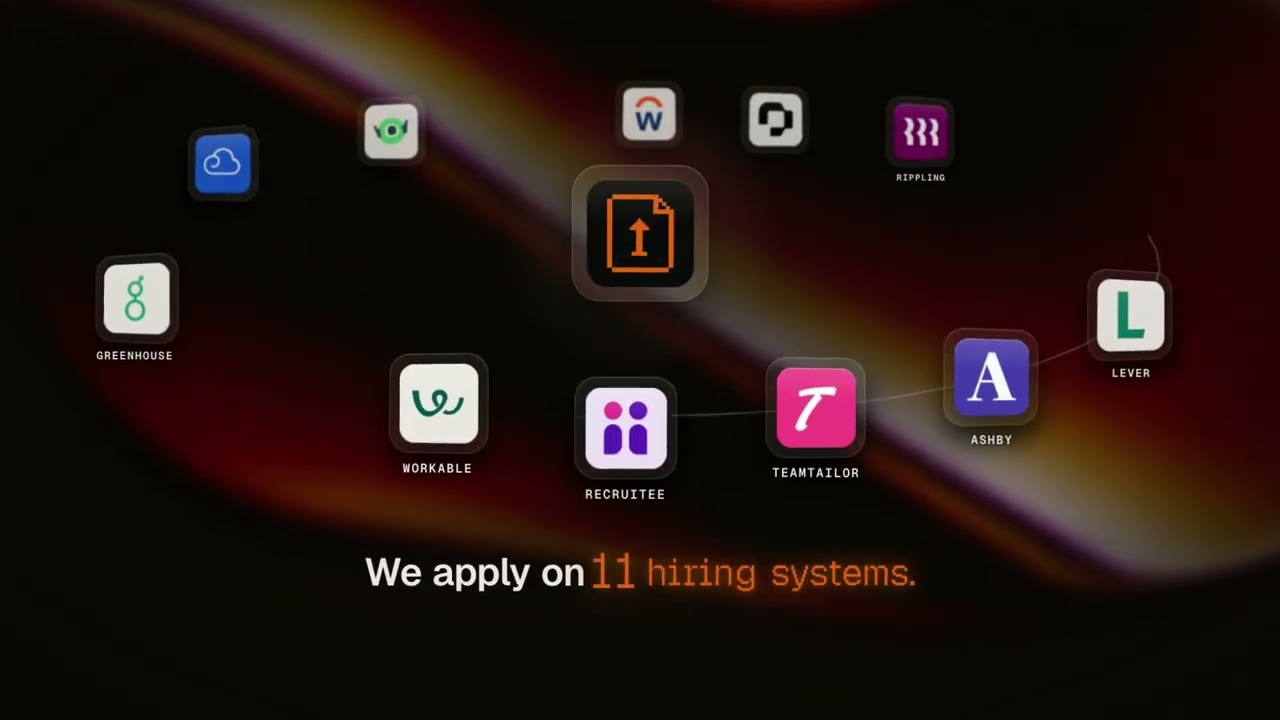
<img src="assets/05-we-apply-where-the-jobs-live.png" alt="It applies on 34 hiring systems, where the jobs actually live" width="49%" />
<img src="assets/06-you-always-know-where-you-stand.png" alt="You always know where every application stands" width="49%" />
<img src="assets/07-they-wrote-back-an-interview.png" alt="They wrote back: an interview, not a no" width="49%" />
<img src="assets/08-wake-up-to-interviews.png" alt="Wake up to interviews" width="820" />
<sub>From the first match to the interview invite. Every application carries the employer's own confirmation.</sub>
</div>
Every application goes in on the company's real careers page, under your name, with your own
materials. It lands on 34 hiring systems, including **Workday, Greenhouse, Lever, Ashby, iCIMS, Workable, SAP SuccessFactors, Oracle, ADP and Dayforce**.
Nothing to install. Connect once and run it from Claude, ChatGPT, Codex, Cursor, Gemini CLI, VS Code or any MCP client, and from your phone over iMessage through Poke.
**The whole job search in five calls:** see your matches (`aiapplyd_get_matches`), apply to one
(`aiapplyd_apply`, sent automatically or held for your yes), approve or reject what is waiting
(`aiapplyd_review_application`), track every application to the employer's own receipt
(`aiapplyd_get_applications`), and check your plan and what is left (`aiapplyd_get_account`).
The full list is under [Tools](#tools).
## Watch the demo
[](https://www.youtube.com/watch?v=xt1pbpVzf4I)
90 seconds: resume upload, job matching, a real application sent on the employer's own form, the
employer's confirmation email, interview prep, and applying from ChatGPT, Claude and Cursor.
## Quick start
One click, if your app supports it:
[](https://cursor.com/install-mcp?name=aiapplyd&config=eyJ1cmwiOiJodHRwczovL21jcC5haWFwcGx5ZC5jb20vbWNwIn0=)
[](https://insiders.vscode.dev/redirect/mcp/install?name=aiapplyd&config=%7B%22type%22%3A%22http%22%2C%22url%22%3A%22https%3A//mcp.aiapplyd.com/mcp%22%7D)
[](https://poke.com/integrations/new?name=AI%20Applyd&url=https%3A%2F%2Fmcp.aiapplyd.com%2Fmcp)
AI Applyd is a **hosted remote MCP server**. Point your client at one URL:
```
https://mcp.aiapplyd.com/mcp
```
The first tool call opens an OAuth sign-in. Sign in with Google, and you are connected.
A free account needs no card and arrives with a one-time 10,000-token starter grant.
### Claude (web, Desktop, Code)
**Settings → Connectors → Add custom connector**
| Field | Value |
|---|---|
| Name | `AI Applyd` |
| Remote MCP server URL | `https://mcp.aiapplyd.com/mcp` |
In Claude Code, one line does it:
```bash
claude mcp add --transport http aiapplyd https://mcp.aiapplyd.com/mcp
```
### Cursor
`~/.cursor/mcp.json`:
```json
{
"mcpServers": {
"aiapplyd": {
"url": "https://mcp.aiapplyd.com/mcp"
}
}
}
```
### ChatGPT
**Settings → Connectors → Create** and paste `https://mcp.aiapplyd.com/mcp`. ChatGPT speaks MCP
natively, so there is no Action schema to import and nothing to host.
### VS Code
```bash
code --add-mcp '{"name":"aiapplyd","type":"http","url":"https://mcp.aiapplyd.com/mcp"}'
```
### Plugin for Codex, ChatGPT, Claude Code and Cursor
This repository is a plugin marketplace. The `aiapplyd` plugin bundles the MCP server with five
skills, in the portable `plugin.json` format that Codex, ChatGPT, Claude Code and Cursor read:
| Skill | Use it when |
|---|---|
| [`find-matching-jobs`](plugins/aiapplyd/skills/find-matching-jobs/SKILL.md) | You want your job matches, want to save or skip one, or want to change what it looks for |
| [`apply-to-a-job`](plugins/aiapplyd/skills/apply-to-a-job/SKILL.md) | You want to apply, or you paste a job link and say "apply" |
| [`review-and-send`](plugins/aiapplyd/skills/review-and-send/SKILL.md) | You want to see what is waiting for you, change it, and send it |
| [`tailor-for-a-job`](plugins/aiapplyd/skills/tailor-for-a-job/SKILL.md) | You paste a job description and want the resume, cover letter or interview prep for it |
| [`track-applications`](plugins/aiapplyd/skills/track-applications/SKILL.md) | You ask "did it go through", or how many applications you have left |
The same five skills are published for any agent at
[`aiapplyd.com/.well-known/agent-skills/index.json`](https://aiapplyd.com/.well-known/agent-skills/index.json),
and the copies here are byte-identical to those (each file matches the `sha256` digest in that index).
Codex:
```bash
codex plugin marketplace add aiapplyd/aiapplyd-mcp
codex plugin add aiapplyd@aiapplyd
```
Claude Code:
```bash
claude plugin marketplace add aiapplyd/aiapplyd-mcp
claude plugin install aiapplyd@aiapplyd
```
### Codex (CLI, IDE extension and the ChatGPT desktop app)
```bash
codex mcp add aiapplyd --url https://mcp.aiapplyd.com/mcp
codex mcp login aiapplyd
```
The Codex CLI, the IDE extension and the ChatGPT desktop app share this configuration.
### Gemini CLI
This repository is also a Gemini CLI extension (`gemini-extension.json` plus `GEMINI.md`):
```bash
gemini extensions install https://github.com/aiapplyd/aiapplyd-mcp
```
Or add the server by hand in `~/.gemini/settings.json`:
```json
{
"mcpServers": {
"aiapplyd": { "httpUrl": "https://mcp.aiapplyd.com/mcp" }
}
}
```
### Zed
**Settings → AI → MCP Servers → Add Remote Server**, then paste `https://mcp.aiapplyd.com/mcp`.
### Windsurf
`~/.codeium/windsurf/mcp_config.json`:
```json
{
"mcpServers": {
"aiapplyd": { "command": "npx", "args": ["-y", "mcp-remote", "https://mcp.aiapplyd.com/mcp"] }
}
}
```
### Perplexity, Mistral Le Chat and Raycast
Each has a custom connector screen that takes a remote MCP URL. Paste
`https://mcp.aiapplyd.com/mcp` and choose OAuth.
### From your phone: iMessage, Telegram and WhatsApp
- **iMessage / SMS:** [add AI Applyd to Poke in one tap](https://poke.com/integrations/new?name=AI%20Applyd&url=https%3A%2F%2Fmcp.aiapplyd.com%2Fmcp)
(or `npx poke@latest mcp add https://mcp.aiapplyd.com/mcp -n "AI Applyd"`), sign in, then text Poke:
"find me remote product designer jobs and apply to the best two".
- **Telegram, WhatsApp or iMessage on your own server:** [OpenClaw](https://github.com/SamurAIGPT/awesome-openclaw)
is a self-hosted gateway. Add the URL as an MCP server and enable the channel you use.
### Any client that only speaks stdio
This repository ships a thin bridge. It relays the protocol to the hosted server and adds
nothing of its own.
```bash
npx -y github:aiapplyd/aiapplyd-mcp
```
Or with Docker:
```bash
docker build -t aiapplyd-mcp .
docker run --rm -i aiapplyd-mcp
```
```json
{
"mcpServers": {
"aiapplyd": {
"command": "docker",
"args": ["run", "--rm", "-i", "What people ask about aiapplyd-mcp
What is aiapplyd/aiapplyd-mcp?
+
aiapplyd/aiapplyd-mcp is mcp servers for the Claude AI ecosystem. Auto-Apply That Ends on an Interview. Applies on the employer's own hiring system across 34 hiring systems (Workday, Greenhouse, Lever, Ashby, iCIMS, Workable and more) and keeps the confirmation they return. Plus ATS scoring, per-role resumes, cover letters and interview prep. Remote MCP at mcp.aiapplyd.com It has 2 GitHub stars and its last recorded update is dated 2026-10-05.
How do I install aiapplyd-mcp?
+
You can install aiapplyd-mcp by cloning the repository (https://github.com/aiapplyd/aiapplyd-mcp) or following the README instructions on GitHub. ClaudeWave also provides quick install blocks on this page.
Is aiapplyd/aiapplyd-mcp safe to use?
+
Our security agent has analyzed aiapplyd/aiapplyd-mcp and assigned a Trust Score of 95/100 (tier: Verified). See the full breakdown of passed checks and flags on this page.
Who maintains aiapplyd/aiapplyd-mcp?
+
aiapplyd/aiapplyd-mcp is maintained by aiapplyd. The last recorded GitHub activity is dated 2026-10-05, with 0 open issues.
Are there alternatives to aiapplyd-mcp?
+
Yes. On ClaudeWave you can browse similar mcp servers at /categories/mcp, sorted by popularity or recent activity.
Deploy aiapplyd-mcp to your cloud
Ship this repo to production in minutes. Each platform spins up its own environment with editable env vars.
Maintain this repo? Add a badge to your README
Drop the badge into your GitHub README to show it's tracked on ClaudeWave. Each badge links back to this page and reflects the live Trust Score.
[](https://claudewave.com/repo/aiapplyd-aiapplyd-mcp)<a href="https://claudewave.com/repo/aiapplyd-aiapplyd-mcp"><img src="https://claudewave.com/api/badge/aiapplyd-aiapplyd-mcp" alt="Featured on ClaudeWave: aiapplyd/aiapplyd-mcp" width="320" height="64" /></a>More MCP Servers

Fair-code workflow automation platform with native AI capabilities. Combine visual building with custom code, self-host or cloud, 400+ integrations.

User-friendly AI Interface (Supports Ollama, OpenAI API, ...)

An open-source AI agent that brings the power of Gemini directly into your terminal.

Real-time global intelligence dashboard. AI-powered news aggregation, geopolitical monitoring, and infrastructure tracking in a unified situational awareness interface

🕷️ An adaptive Web Scraping framework that handles everything from a single request to a full-scale crawl! Don't be shy, join here: https://discord.gg/EMgGbDceNQ and follow here for daily tips and tricks: https://x.com/Scrapling_dev

The fastest path to AI-powered full stack observability, even for lean teams.