

- ✓Open-source license (MIT)
- ✓Actively maintained (<30d)
- ✓Documented (README)
- !No description
claude mcp add talkthru -- npx -y talkthru{
"mcpServers": {
"talkthru": {
"command": "npx",
"args": ["-y", "talkthru"]
}
}
}MCP Servers overview
# talkthru
**[talkthru.dev](https://talkthru.dev)** · [npm](https://www.npmjs.com/package/talkthru) · [@dr_edon](https://x.com/dr_edon) · MIT
**An automated feedback loop for any app.** Screen-record your app on your phone and talk
while you use it. Send it to your machine and your coding agent gets everything you
said, attached to the screen you were looking at when you said it.
```
you: *tapping through checkout* "this button is too small, I keep missing it"
"and this error doesn't say what went wrong"
agent: sees both screens, finds both components, fixes them.
```
Runs entirely on your machine. No accounts, no uploads, no API keys.
Works with a mac screen recording (⌘⇧5), an iPhone one over AirDrop, or Windows Game Bar. Any video with sound works — point the watcher at a folder.
[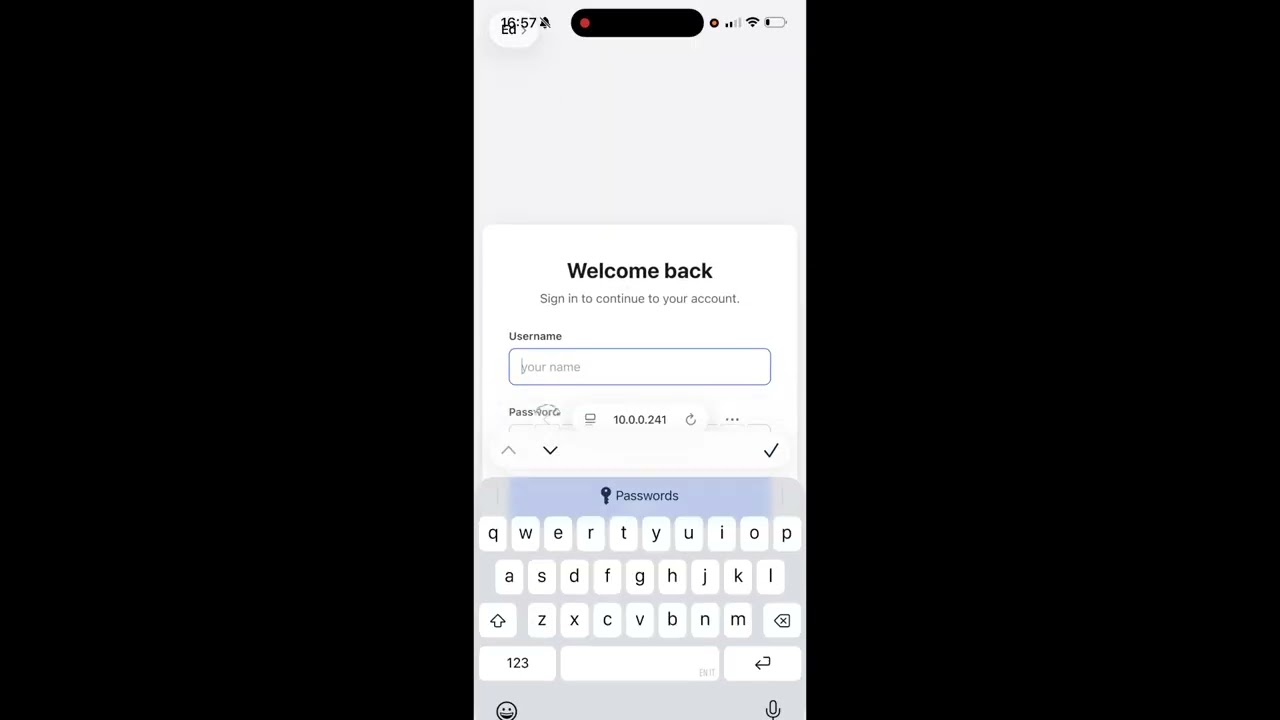](https://youtu.be/3BimSScnGOg)
*70-second demo — install, record, and the agent picking it up.*
---
## Install
```bash
npx talkthru doctor --fix
```
Pulls `ffmpeg`, `whisper.cpp` and the speech model. Nothing else to set up.
## Start the watcher
```bash
npx talkthru watch
```
Leave it running. It only touches files named like a screen recording — the rest of your
Downloads folder is invisible to it.
## Connect your agent
talkthru is an MCP server, so any MCP client works — Cursor, Windsurf, Cline, Zed,
Claude Desktop. Add it to your client's config:
```json
{
"mcpServers": {
"talkthru": {
"command": "npx",
"args": ["talkthru-mcp"]
}
}
}
```
Claude Code has a one-liner for the same thing:
```bash
claude mcp add --scope user talkthru -- npx talkthru-mcp
```
Restart your client afterwards so it picks up the server.
Built and tested against Claude Code. Other MCP clients should work — tell me if yours doesn't.
---
## Set up your mac
Once. Press **⌘⇧5**, pick a **record** mode (the icons with the ◉ dot), then open
**Options** and set **Save to → Downloads** and your **Microphone**. Both stick.
<table>
<tr>
<td colspan="2"><img src="https://raw.githubusercontent.com/EdonZo/talkthru/main/site/img/web/mac-1-record-mode.png" alt="Screenshot toolbar with a record mode selected and Options highlighted"></td>
</tr>
<tr>
<td colspan="2"><b>1 · 2.</b> press <b>⌘⇧5</b>, pick a record mode, open <b>Options</b></td>
</tr>
<tr>
<td width="50%"><img src="https://raw.githubusercontent.com/EdonZo/talkthru/main/site/img/web/mac-2-downloads.png" alt="Options menu with Downloads ticked under Save to"></td>
<td width="50%"><img src="https://raw.githubusercontent.com/EdonZo/talkthru/main/site/img/web/mac-3-mic.png" alt="Options menu with MacBook Pro Microphone ticked"></td>
</tr>
<tr>
<td><b>3.</b> <b>Save to → Downloads</b> — the folder <code>talkthru watch</code> looks at</td>
<td><b>4.</b> pick your mic under <b>Microphone</b></td>
</tr>
<tr>
<td colspan="2"><img src="https://raw.githubusercontent.com/EdonZo/talkthru/main/site/img/web/mac-4-record.png" alt="Screenshot toolbar with the Record button highlighted"></td>
</tr>
<tr>
<td colspan="2"><b>5.</b> hit <b>Record</b> and talk as you use your app</td>
</tr>
</table>
**No mic selected means a silent video** and nothing to transcribe. Worth checking before
your first recording.
---
## Set up your phone
Optional — only if you want to record a phone app rather than your desktop.
Once. Control Centre → **+** → **Add a Control** → **Screen Recording**. Then press and
hold it and turn the **microphone on**.
<table>
<tr>
<td width="33%"><img src="site/img/web/ios-1-plus.jpg" alt="Tap the plus button"></td>
<td width="33%"><img src="site/img/web/ios-2-add-control.png" alt="Tap Add a Control"></td>
<td width="33%"><img src="site/img/web/ios-3-screen-recording.png" alt="Pick Screen Recording"></td>
</tr>
<tr>
<td><b>1.</b> tap <b>+</b></td>
<td><b>2.</b> Add a Control</td>
<td><b>3.</b> pick Screen Recording</td>
</tr>
<tr>
<td><img src="site/img/web/ios-4-long-press.png" alt="Press and hold the record button"></td>
<td><img src="site/img/web/ios-5-mic-on.png" alt="Microphone switched on"></td>
<td><img src="site/img/web/ios-6-rec.png" alt="Recording started"></td>
</tr>
<tr>
<td><b>4.</b> press and hold ◉</td>
<td><b>5.</b> Microphone <b>On</b></td>
<td><b>6.</b> tap ◉ and talk</td>
</tr>
</table>
---
## Recording a web app
Optional — a drop-in script that hands the agent the element you were pointing at, not
just the picture of it.
```html
<script src="/talkthru-dom.js"></script>
```
Record, then `talkthru.stop()` in the console downloads `hierarchy.json`. Process the two
together:
```bash
talkthru process ~/Downloads/screen-recording.mov --hierarchy ~/Downloads/hierarchy.json
```
The script and what it captures: [`clients/web`](clients/web).
---
## Use it
1. Record your app, talk as you go
2. Get the video onto your machine (AirDrop is easiest)
3. Ask your agent: **"check the feedback in my last talkthru session and implement it"**
Ready in about twenty seconds. Your original video is kept in `~/.talkthru/archive/`.
**Mute your app if it talks.** Its narration lands in the transcript next to yours and
whisper can't tell you apart.
---
## Output
Your words, attached to the screen that was up when you said them:
```markdown
## 00:34 · f11 — `frames/f11.jpg`
- [00:39] "this button is too small, I keep missing it"
## 00:52 · f13 — `frames/f13.jpg`
- [00:55] "and this error doesn't say what actually went wrong"
```
Plus the frames. A two-minute session is about 600 tokens.
---
## Element context (optional)
Point talkthru at a UI hierarchy file and your agent gets element types, labels
and **stable test ids** instead of guessing which component you meant from
pixels:
```bash
talkthru process recording.mp4 --hierarchy hierarchy.json
```
```markdown
## 00:34 · f11 — `frames/f11.jpg`
ui: button#checkout-submit "Place order" @24,680 342x48
- [00:39] "this button is too small, I keep missing it"
```
It is a timestamped sidecar your app writes — nothing here generates it, and the
format is plain JSON with no iOS-specific assumption:
```json
{ "snapshots": [
{ "tMs": 1200, "nodes": [
{ "type": "button", "testId": "checkout-submit", "label": "Place order",
"rect": [24, 680, 342, 48], "depth": 4 }
] }
] }
```
Common alternate spellings (`tag`, `id`, `text`, `bounds`, `elements`, …) are
accepted as-is, so a DOM client can usually emit its natural shape. Malformed
files are ignored with a warning rather than failing the recording.
**Full format: [docs/hierarchy.md](https://github.com/EdonZo/talkthru/blob/main/docs/hierarchy.md)** — fields, aliases, ranking rules, and how to write a client.
---
## Network and console (optional)
Drop an `events.json` next to your recording and failed requests land under the
frame you were looking at:
```markdown
## 00:34 · f11 — `frames/f11.jpg`
ui: button#checkout-submit "Place order" @24,680 342x48
net: POST https://api.example.com/checkout 500 340ms
- [00:39] "I tapped place order and nothing happened"
```
```json
{ "events": [
{ "tMs": 12400, "kind": "network", "method": "POST",
"url": "https://api.example.com/checkout", "status": 500, "durationMs": 340 },
{ "tMs": 12450, "kind": "console", "level": "error", "text": "TypeError: ..." }
] }
```
**No headers, no bodies** — auth tokens live in headers and the point of this
tool is that your data stays on your machine. Secret-looking query values are
replaced with `REDACTED` at parse time. Everything you send is stored; only
failures and `error`/`warn` reach the agent by default, because two minutes of
XHR is more text than the frames and narration combined.
**Full format: [docs/events.md](https://github.com/EdonZo/talkthru/blob/main/docs/events.md)**
---
## Windows
`Win+Alt+R` (Game Bar) records to `Videos\Captures`, which is where the watcher
looks by default — no name filter there, because that folder holds nothing else:
```powershell
winget install -e --id Gyan.FFmpeg
npx talkthru watch
```
whisper.cpp has no winget package. Build it from
[ggml-org/whisper.cpp](https://github.com/ggml-org/whisper.cpp) and point
`TALKTHRU_WHISPER` at the binary.
Written and unit-tested for Windows, but **not yet run on a Windows machine** —
I do not have one. If you try it, an issue either way is useful.
---
## Commands
```bash
talkthru watch # watch ~/Downloads for screen recordings
talkthru watch ~/some-folder # watch your own folder, any video
talkthru process video.mp4 # process one file
talkthru list # recent sessions
talkthru show latest # print one
talkthru doctor # check the setup
talkthru compact # reclaim disk: drops old originals, keeps every frame + transcript
talkthru prune # delete old sessions entirely
```
`tt` also works.
---
## How it works
`ffmpeg` pulls the frames where your screen actually changed. `whisper.cpp` transcribes
your voice locally, split on the real silence between sentences, so each thing you said
lands on the screen you were looking at. An MCP server hands it to your agent.
Needs Node 20.11+.
---
## Why
I built this because I test my own app on my phone every day and kept losing the feedback
on the way back to my editor — screenshotting, cropping, trying to describe which screen I
meant. Now I just record, talk, and Claude Code picks it up. Sharing it in case it saves
you the same trip.
What people ask about talkthru
What is EdonZo/talkthru?
+
EdonZo/talkthru is mcp servers for the Claude AI ecosystem with 4 GitHub stars.
How do I install talkthru?
+
You can install talkthru by cloning the repository (https://github.com/EdonZo/talkthru) or following the README instructions on GitHub. ClaudeWave also provides quick install blocks on this page.
Is EdonZo/talkthru safe to use?
+
Our security agent has analyzed EdonZo/talkthru and assigned a Trust Score of 77/100 (tier: Trusted). See the full breakdown of passed checks and flags on this page.
Who maintains EdonZo/talkthru?
+
EdonZo/talkthru is maintained by EdonZo. The last recorded GitHub activity is dated 2026-08-25, with 3 open issues.
Are there alternatives to talkthru?
+
Yes. On ClaudeWave you can browse similar mcp servers at /categories/mcp, sorted by popularity or recent activity.
Deploy talkthru to your cloud
Ship this repo to production in minutes. Each platform spins up its own environment with editable env vars.
Maintain this repo? Add a badge to your README
Drop the badge into your GitHub README to show it's tracked on ClaudeWave. Each badge links back to this page and reflects the live Trust Score.
[](https://claudewave.com/repo/edonzo-talkthru)<a href="https://claudewave.com/repo/edonzo-talkthru"><img src="https://claudewave.com/api/badge/edonzo-talkthru" alt="Featured on ClaudeWave: EdonZo/talkthru" width="320" height="64" /></a>More MCP Servers

Fair-code workflow automation platform with native AI capabilities. Combine visual building with custom code, self-host or cloud, 400+ integrations.

User-friendly AI Interface (Supports Ollama, OpenAI API, ...)

An open-source AI agent that brings the power of Gemini directly into your terminal.

Real-time global intelligence dashboard. AI-powered news aggregation, geopolitical monitoring, and infrastructure tracking in a unified situational awareness interface

The fastest path to AI-powered full stack observability, even for lean teams.

🕷️ An adaptive Web Scraping framework that handles everything from a single request to a full-scale crawl!