

Agent-controllable Pixel Asset Creation Engine for Minecraft (mc-asset) — CLI-first, deterministic, pixel-native.
- ✓Open-source license (MIT)
- ✓Actively maintained (<30d)
- ✓Clear description
- ✓Topics declared
- ✓Documented (README)
claude mcp add mc-asset -- npx -y mc-asset{
"mcpServers": {
"mc-asset": {
"command": "npx",
"args": ["-y", "mc-asset"]
}
}
}MCP Servers overview
# mc-asset
[](https://github.com/smile-minecraft/mc-asset/actions/workflows/ci.yml)
[](https://github.com/smile-minecraft/mc-asset/releases)
[](https://github.com/smile-minecraft/mc-asset/blob/main/LICENSE)
[](https://www.npmjs.com/package/mc-asset)
[English](https://github.com/smile-minecraft/mc-asset/blob/main/README.md) | [繁體中文](https://github.com/smile-minecraft/mc-asset/blob/main/README.zh-TW.md) | [简体中文](https://github.com/smile-minecraft/mc-asset/blob/main/README.zh-CN.md)

A pixel-native 2D asset engine and deterministic CLI/MCP toolchain for Minecraft Java Edition resource packs, built for human creators and AI coding agents.
Language models can't place pixels by eye, so `mc-asset` turns texture work into text and commands. Draw a sprite as a character grid, pixelize reference art, generate tiling textures, pack animation sheets, and validate a whole resource pack, from a shell or over MCP. The same input and seed always produce the same bytes.

*Six 16×16 items, each written as a text grid and rendered by `mc-asset render` (shown ×6), drawn to the vanilla style rules in the [`minecraft-pixel-art`](https://github.com/smile-minecraft/mc-asset/tree/main/skills/minecraft-pixel-art) skill. The grids are in [`docs/assets/showcase/items/`](https://github.com/smile-minecraft/mc-asset/tree/main/docs/assets/showcase/items).*
---
## Contents
- [Highlights](#highlights)
- [Showcase](#showcase)
- [Installation](#installation)
- [For AI agents](#for-ai-agents)
- [Quickstart](#quickstart)
- [Practical Recipes](#practical-recipes)
- [MCP Server](#mcp-server)
- [Command Reference](#command-reference)
- [Batch Operations (`--operations`)](#batch-operations---operations)
- [Architecture & Reliability Guarantees](#architecture--reliability-guarantees)
- [Development](#development)
- [License](#license)
---
## Highlights
- **Text in, texture out.** Sprites are character grids (`.grid`) or editable multi-layer sources (`.mcpx`) that build to PNG. See [`docs/mcpx-format.md`](https://github.com/smile-minecraft/mc-asset/blob/main/docs/mcpx-format.md).
- **Reproducible bytes.** No unseeded randomness and integer-only color blending, so PNG and `.mcpx` output is identical run to run and between Bun and Node.
- **One engine, two front ends.** The CLI and the stdio MCP server call the same core, so an agent gets exactly what a shell script gets.
- **Output you can parse.** `--json` returns one `{ success, result, error }` envelope with a stable error code, and logs never mix into data on stdout.
- **No surprise writes.** Every output path is explicit, existing files need `--force`, and each file lands through a temp file and an atomic rename.
---
## Showcase
Every image below is produced by mc-asset itself, with fixed seeds for the procedural sources, so the whole set is reproducible. The commands live in [`docs/assets/showcase/README.md`](https://github.com/smile-minecraft/mc-asset/blob/main/docs/assets/showcase/README.md).
| Pixelize | Quantize |
|---|---|
| 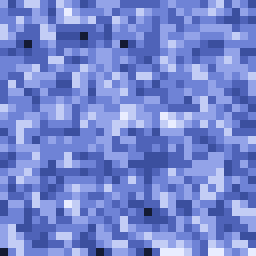 → 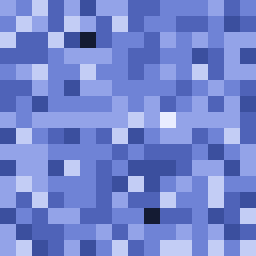 |  →  |
| A detailed reference image (128px, shown ×2) reduced to 16px (shown ×16): the grain coarsens and shapes snap to a tidy pixel grid. | A 64-color gradient reduced to 8 colors (both ×4): the color count drops and the result settles into clear steps. |
**Material variants** — the sword from the top of this page fanned out into all seven built-in materials (`copper`, `crystal`, `gold`, `iron`, `oxidized_copper`, `stone`, `wood`, shown ×5). Its palette gives each color a role, so the blade and guard take the new ramp while the darkest outline, the white glint, the wooden grip, and the guard's gem keep their colors:

**Procedural patterns** — every `generate` pattern as a 16px swatch from a fixed seed (shown ×4):
| `noise` | `clustered-noise` | `stripes` | `checker` | `gradient` |
|:-:|:-:|:-:|:-:|:-:|
|  |  |  |  |  |
| `brick` | `spots` | `veins` | `cracks` | `grain` |
|  |  |  |  |  |
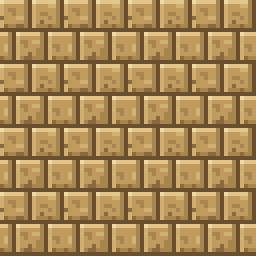
**Seamless tiling** — a 16px brick block face (left, ×8) and a 4×4 wall of it (right, ×4); the mortar lines continue across every edge:
**Animation sheet** — four frames of a glowing ore block packed into one vertical strip (×4), the layout Minecraft reads with an `.mcmeta` animation:

---
## Installation
### Via npm (recommended)
Run the server straight from the registry — no local install needed:
```sh
npx -y mc-asset mcp
```
Install the CLI globally to get the `mc-asset` command on your PATH:
```sh
npm install -g mc-asset
mc-asset --version
```
### Via Homebrew (macOS / Linux)
```sh
brew tap smile-minecraft/tap
brew install smile-minecraft/tap/mc-asset
mc-asset --version
```
### Via Bun or Node.js (From Source)
```sh
git clone https://github.com/smile-minecraft/mc-asset.git
cd mc-asset
bun install --frozen-lockfile
bun run build
./bin/mc-asset.js --version
```
*Prerequisites*: tested with [Node.js](https://nodejs.org) 22 and [Bun](https://bun.sh) 1.3. `bun run build` needs Bun and `./bin/mc-asset.js` needs Node.js; with Bun alone, run `bun ./bin/mc-asset.js`.
---
## For AI agents
- [`llms.txt`](https://github.com/smile-minecraft/mc-asset/blob/main/llms.txt) — a compact index of the repository for agents.
- [`llms-full.txt`](https://github.com/smile-minecraft/mc-asset/blob/main/llms-full.txt) — the same material as a single file: install, the twenty-five MCP tools, batch operations, the error model, and the limits.
- [`docs/cli-surface.md`](https://github.com/smile-minecraft/mc-asset/blob/main/docs/cli-surface.md) — the frozen CLI commands, the batch operations specification, and the exit-code registry.
- [`docs/mcpx-format.md`](https://github.com/smile-minecraft/mc-asset/blob/main/docs/mcpx-format.md) — the editable multi-layer `.mcpx` and `.grid` grammar and specification.
- [`docs/mcp-guide.md`](https://github.com/smile-minecraft/mc-asset/blob/main/docs/mcp-guide.md) — registration, one verbatim capture per MCP tool, and the error model.
- [`docs/mcp-surface.md`](https://github.com/smile-minecraft/mc-asset/blob/main/docs/mcp-surface.md) — the frozen MCP surface: tool names, inputs, and the read/write contract.
- [`AGENTS.md`](https://github.com/smile-minecraft/mc-asset/blob/main/AGENTS.md) — the rules for changing this repository.
### Agent skills
The repository ships two [Agent Skills](https://skills.sh/) in [`skills/`](https://github.com/smile-minecraft/mc-asset/tree/main/skills), installable with the skills CLI:
```sh
npx skills add smile-minecraft/mc-asset
```
- [`mc-asset`](https://github.com/smile-minecraft/mc-asset/tree/main/skills/mc-asset) — the draw → render → preview → measure → validate loop with this tool, the CLI/MCP command map, and how palette roles drive recoloring.
- [`minecraft-pixel-art`](https://github.com/smile-minecraft/mc-asset/tree/main/skills/minecraft-pixel-art) — the vanilla style rules for items, blocks, GUI sprites, and animations: palettes and hue-shifted ramps, material outlines, top-left light, tiling, and an anti-pattern review checklist.
Add `--skill mc-asset` or `--skill minecraft-pixel-art` to install only one.
---
## Quickstart
### From a Text Grid to a Validated Texture
Draw a 16×16 gem as a character grid, one character per pixel:
```sh
mkdir -p /tmp/mc-asset-demo
cat << 'EOF' > /tWhat people ask about mc-asset
What is smile-minecraft/mc-asset?
+
smile-minecraft/mc-asset is mcp servers for the Claude AI ecosystem. Agent-controllable Pixel Asset Creation Engine for Minecraft (mc-asset) — CLI-first, deterministic, pixel-native. It has 3 GitHub stars and its last recorded update is dated 2026-10-15.
How do I install mc-asset?
+
You can install mc-asset by cloning the repository (https://github.com/smile-minecraft/mc-asset) or following the README instructions on GitHub. ClaudeWave also provides quick install blocks on this page.
Is smile-minecraft/mc-asset safe to use?
+
Our security agent has analyzed smile-minecraft/mc-asset and assigned a Trust Score of 95/100 (tier: Verified). See the full breakdown of passed checks and flags on this page.
Who maintains smile-minecraft/mc-asset?
+
smile-minecraft/mc-asset is maintained by smile-minecraft. The last recorded GitHub activity is dated 2026-10-15, with 0 open issues.
Are there alternatives to mc-asset?
+
Yes. On ClaudeWave you can browse similar mcp servers at /categories/mcp, sorted by popularity or recent activity.
Deploy mc-asset to your cloud
Ship this repo to production in minutes. Each platform spins up its own environment with editable env vars.
Maintain this repo? Add a badge to your README
Drop the badge into your GitHub README to show it's tracked on ClaudeWave. Each badge links back to this page and reflects the live Trust Score.
[](https://claudewave.com/repo/smile-minecraft-mc-asset)<a href="https://claudewave.com/repo/smile-minecraft-mc-asset"><img src="https://claudewave.com/api/badge/smile-minecraft-mc-asset" alt="Featured on ClaudeWave: smile-minecraft/mc-asset" width="320" height="64" /></a>More MCP Servers

Reverse engineer anything with agents, from app behavior down to native binaries.

Fair-code workflow automation platform with native AI capabilities. Combine visual building with custom code, self-host or cloud, 400+ integrations.

User-friendly AI Interface (Supports Ollama, OpenAI API, ...)

An open-source AI agent that brings the power of Gemini directly into your terminal.

Real-time global intelligence dashboard. AI-powered news aggregation, geopolitical monitoring, and infrastructure tracking in a unified situational awareness interface

🕷️ An adaptive Web Scraping framework that handles everything from a single request to a full-scale crawl! Don't be shy, join here: https://discord.gg/EMgGbDceNQ and follow here for daily tips and tricks: https://x.com/Scrapling_dev