

MCP server for Sqemo. AI agents query and edit ERDs, generate physical names from your team's shared glossary, import/export SQL (7 dialects) and DBML, and diff the model against a live database.
- ✓Open-source license (MIT)
- ✓Actively maintained (<30d)
- ✓Clear description
- ✓Topics declared
- ✓Documented (README)
claude mcp add sqemo-mcp -- npx -y sqemo-mcp{
"mcpServers": {
"sqemo-mcp": {
"command": "npx",
"args": ["-y", "sqemo-mcp"]
}
}
}MCP Servers overview
# sqemo-mcp
[](https://www.npmjs.com/package/sqemo-mcp)
[](https://www.npmjs.com/package/sqemo-mcp)
[](https://registry.modelcontextprotocol.io/?search=sqemo)
[](#)
[](LICENSE)
**MCP server for [Sqemo](https://sqemo.com)** — AI agents that follow your team's database naming standard.
Your agent models in business terms (`"Customer Number"`); the column comes out as `cust_no`
because *your* word list says `customer → cust`, `number → no` (case and delimiter are rules
too, so `CUST_NO` is one setting away). Same input, same name, every
table, every agent. Overrides are allowed but flagged, and a CLI lint catches drift in CI.
```json
{ "mcpServers": { "sqemo": { "command": "npx", "args": ["-y", "sqemo-mcp"] } } }
```
Works with Claude Code, Claude Desktop, Cursor, and any MCP client. Local `.erd.json` files
need no account; cloud ERDs and Pro tools need `npx sqemo-mcp login`.
## What it looks like
> *Model a discussion board where members post articles, a post can be a reply to another
> post, and members comment on posts.*
The agent calls the tools with **logical** names and never types a column name:
```jsonc
upsert_entity { logicalName: "Post" }
// → { physicalName: "POST" }
upsert_attribute { logicalName: "Post Content", domain: "Content" }
// → { physicalName: "POST_CNTS" } // Content → CNTS: from the team word list
upsert_attribute { logicalName: "Delete Flag", domain: "Flag" }
// → { physicalName: "DELETE_YN" } // Flag → YN: same rule in every table
lint_erd
// → naming drift, missing words, referential integrity — before any DDL is written
```
`CNTS` and `YN` are not the agent's taste. They are your word list's abbreviations, applied the
same way they were applied in every other table your team has modelled. Domains carry the data
type, so `Content` is `varchar(1000)` everywhere it appears.
[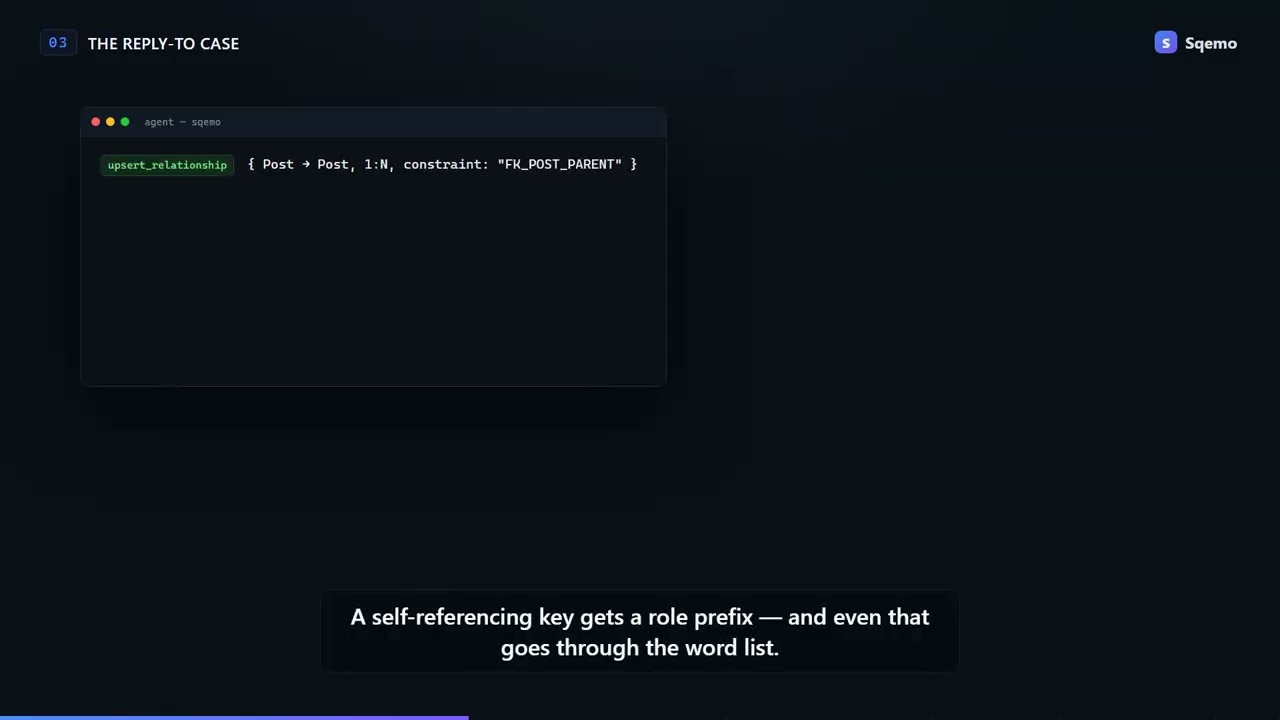](https://youtu.be/MqHWtiHfBI0)
Full walkthrough with every tool call: [Describe the work, get a governed schema](https://sqemo.com/docs/ai-walkthrough).
## Overview
AI agents can query and edit entities, relationships, and domains; generate physical names
from a shared team glossary; import/export SQL (7 dialects) and DBML; and compare the model
against a live database. Works with both local `.erd.json` files and ERDs stored on the
Sqemo cloud.
- npm: [`sqemo-mcp`](https://www.npmjs.com/package/sqemo-mcp)
- Official MCP Registry: `io.github.sqemo/sqemo`
- Web app: [app.sqemo.com](https://app.sqemo.com)
> Requires Node.js >= 22. Local-file tools work without any account or configuration.
> Login is needed for cloud ERD tools, and for the tools marked (Pro) below.
## Installation
### Claude Code (`.mcp.json`)
```json
{
"mcpServers": {
"sqemo": { "command": "npx", "args": ["-y", "sqemo-mcp"] }
}
}
```
### Claude Desktop
Add the same `mcpServers` entry to your config file:
- Windows: `%APPDATA%\Claude\claude_desktop_config.json`
- macOS: `~/Library/Application Support/Claude/claude_desktop_config.json`
### Cursor (`.cursor/mcp.json`)
```json
{
"mcpServers": {
"sqemo": { "command": "npx", "args": ["-y", "sqemo-mcp"] }
}
}
```
## Login (cloud ERDs and Pro tools)
```bash
npx sqemo-mcp login # pick Google, GitHub, or email + password
npx sqemo-mcp logout # removes stored credentials
```
`login` asks how you want to sign in. Google and GitHub open a browser tab, complete a
PKCE OAuth flow, and hand the session back through a one-shot loopback server on
`127.0.0.1`; the third option takes an email and password in the terminal. Only a
refresh token is ever stored.
- Credentials are stored in `~/.erdmaker/credentials.json` (mode 0600 on POSIX);
your password is never persisted.
- **Non-interactive shortcuts:** `--password` forces the email + password path,
`--provider google|github` forces a browser path.
- **Piped input skips the menu** and goes straight to email + password, so existing
automation keeps working: `printf 'email\npassword\n' | npx sqemo-mcp login`
- The browser paths need a browser on the same machine (the callback returns to
`127.0.0.1`). Over SSH or in CI, use `--password` or the `SQEMO_EMAIL` /
`SQEMO_PASSWORD` environment variables.
## What you can do
36 tools in total.
### Read (17 tools)
| Tool | Description |
|------|-------------|
| `list_erds` / `list_workspaces` | Cloud ERDs and workspaces you belong to (login required) |
| `get_erd_overview` | Name, dialect, entity/relationship/domain/glossary stats |
| `list_entities` / `get_entity` | Entity list and full detail (attributes, keys, logical/physical mapping) |
| `list_relationships` | Relationships with endpoints and cardinality |
| `list_domains` | Domain definitions (also from workspace standard glossaries) |
| `search_dictionary` | Search the team glossary (logical/physical words, abbreviations, synonyms) |
| `check_naming` | Check a logical name against the team naming standard |
| `generate_physical_name` | Logical name → physical name via glossary + naming rules |
| `export_sql` | CREATE TABLE SQL — mysql, postgres, cubrid, oracle, sqlserver, sqlite, h2 |
| `export_dbml` | DBML text |
| `validate_erd` / `lint_erd` | Structural validation and full lint (naming drift, referential integrity, duplicates) |
| `diff_erds` | Diff two sources (files, cloud ERDs, or raw SQL/DBML text) — dry-run before imports |
| `export_alter_sql` | Migration (ALTER) script from the physical diff against a baseline — renames stay renames via stable IDs, destructive changes come commented out (Pro) |
| `list_proposals` | Glossary proposal queue status (login required) |
### Live database (2 tools)
Read-only against your own database. Both query only the information schema —
never table data — and the connection URL is used by this local process only,
never sent to Sqemo servers.
| Tool | Description |
|------|-------------|
| `introspect_db` | Import a live PostgreSQL/MySQL schema into an existing ERD (Pro) |
| `check_db_drift` | Check a live database or a schema dump against the ERD's physical model — missing/extra tables and columns, PK/FK/NOT NULL mismatches (Pro) |
### Write (17 tools)
| Tool | Description |
|------|-------------|
| `create_erd` | New ERD from scratch or from SQL/DBML text — to a file or the cloud |
| `upsert_entity` / `delete_entity` | Entity editing with automatic physical-name derivation |
| `upsert_attribute` / `delete_attribute` | Attribute editing — PK rules and FK propagation handled automatically |
| `upsert_relationship` / `delete_relationship` | Relationship editing with automatic FK derivation |
| `upsert_domain` / `delete_domain` | Domain definition editing |
| `upsert_dictionary_word` / `delete_dictionary_word` | Glossary editing (standard-linked glossaries are protected) |
| `update_naming_rules` | Naming rule editing (delimiter, case, unknown-word handling) |
| `import_sql` / `import_dbml` | Replace an ERD from parsed SQL/DBML (IDs preserved) |
| `auto_layout` | Automatic entity/table layout (dagre) |
| `propose_dictionary_word` / `withdraw_proposal` | Propose new glossary words for owner approval |
Cloud writes require owner or shared-editor permission and are protected by
version CAS with 3-way auto-merge for concurrent edits.
## CLI for CI pipelines
Offline, file-based subcommands (no login needed):
```bash
# Naming-standard check — exits 1 on violations, great as a CI gate
npx sqemo-mcp lint schema.erd.json
# Schema export to stdout
npx sqemo-mcp export schema.erd.json --format sql --dialect postgres > schema.sql
npx sqemo-mcp export schema.erd.json --format dbml > schema.dbml
```
Drift mode compares the model against a real database or a dump, and exits 1 when
they disagree (Pro, requires login):
```bash
npx sqemo-mcp lint schema.erd.json --db "$DATABASE_URL" [--db-schema public] [--strict]
npx sqemo-mcp lint schema.erd.json --schema dump.sql --dialect postgres
npx sqemo-mcp lint --erd <cloud-erd-id> --db "$DATABASE_URL" --ignore 'tmp_*'
```
GitHub Actions example:
```yaml
- run: npx sqemo-mcp lint schema.erd.json
- run: npx sqemo-mcp lint schema.erd.json --db "${{ secrets.DATABASE_URL }}"
```
## Environment variables
| Variable | Purpose |
|----------|---------|
| `SQEMO_EMAIL` / `SQEMO_PASSWORD` | Non-interactive login for CI and SSH sessions (no browser needed) |
| `ERDMAKER_HOME` | Override the credentials directory (default `~/.erdmaker`) |
| `ERDMAKER_SUPABASE_URL` | Override the API URL (defaults to the Sqemo cloud) |
| `ERDMAKER_SUPABASE_ANON_KEY` | Override the API publishable key |
| `ERDMAKER_MAX_REQUESTS_PER_MINUTE` | Per-minute request cap (default `120`, `0` disables) |
| `ERDMAKER_MAX_REQUESTS_PER_DAY` | Daily request cap (default `10000`, `0` disables) |
The request caps are a safety net against agents stuck in loops; exceeding them
returns a `rate_limited` error that tells the agent to stop and notify the user.
## Errors
All tool errors return `{ code, message }` — e.g. `not_authenticated`, `no_permission`,
`save_conflict` (retry after re-reading), `validation_failed`, `rate_limited`.
## Links
- [Sqemo](https://sqemo.com) — team naming standards + ERD design in the browser
- [Live database guide](https://sqemo.com/docs/live-database) — drift checks in CI, step by step
- [Plans](https://sqemo.com/pricing) — which tools need Pro
- [sqemo-mcp on npm](https://www.npmjs.com/package/sqemo-mcp)
- Feedback and bug reports: [issues](https://github.com/sqemo/sqemo-mcp/issues) or hello@sqemo.com
## License
[MIT](LICENSE)
What people ask about sqemo-mcp
What is sqemo/sqemo-mcp?
+
sqemo/sqemo-mcp is mcp servers for the Claude AI ecosystem. MCP server for Sqemo. AI agents query and edit ERDs, generate physical names from your team's shared glossary, import/export SQL (7 dialects) and DBML, and diff the model against a live database. It has 0 GitHub stars and its last recorded update is dated 2026-08-23.
How do I install sqemo-mcp?
+
You can install sqemo-mcp by cloning the repository (https://github.com/sqemo/sqemo-mcp) or following the README instructions on GitHub. ClaudeWave also provides quick install blocks on this page.
Is sqemo/sqemo-mcp safe to use?
+
Our security agent has analyzed sqemo/sqemo-mcp and assigned a Trust Score of 95/100 (tier: Verified). See the full breakdown of passed checks and flags on this page.
Who maintains sqemo/sqemo-mcp?
+
sqemo/sqemo-mcp is maintained by sqemo. The last recorded GitHub activity is dated 2026-08-23, with 0 open issues.
Are there alternatives to sqemo-mcp?
+
Yes. On ClaudeWave you can browse similar mcp servers at /categories/mcp, sorted by popularity or recent activity.
Deploy sqemo-mcp to your cloud
Ship this repo to production in minutes. Each platform spins up its own environment with editable env vars.
Maintain this repo? Add a badge to your README
Drop the badge into your GitHub README to show it's tracked on ClaudeWave. Each badge links back to this page and reflects the live Trust Score.
[](https://claudewave.com/repo/sqemo-sqemo-mcp)<a href="https://claudewave.com/repo/sqemo-sqemo-mcp"><img src="https://claudewave.com/api/badge/sqemo-sqemo-mcp" alt="Featured on ClaudeWave: sqemo/sqemo-mcp" width="320" height="64" /></a>More MCP Servers

Fair-code workflow automation platform with native AI capabilities. Combine visual building with custom code, self-host or cloud, 400+ integrations.

User-friendly AI Interface (Supports Ollama, OpenAI API, ...)

An open-source AI agent that brings the power of Gemini directly into your terminal.

Real-time global intelligence dashboard. AI-powered news aggregation, geopolitical monitoring, and infrastructure tracking in a unified situational awareness interface

The fastest path to AI-powered full stack observability, even for lean teams.

🕷️ An adaptive Web Scraping framework that handles everything from a single request to a full-scale crawl!