

Universal MCP server: connect any OpenAPI/Swagger, GraphQL, gRPC or SOAP API to AI agents. Security-first, local, token-efficient. Any API. One server.
claude mcp add universal-connector-mcp -- uvx universal-connector-mcp{
"mcpServers": {
"universal-connector-mcp": {
"command": "uvx",
"args": ["universal-connector-mcp"]
}
}
}MCP Servers overview
<!-- mcp-name: io.github.TeodorMCP/universal-connector-mcp -->
<div align="center">
# Universal API Connector MCP
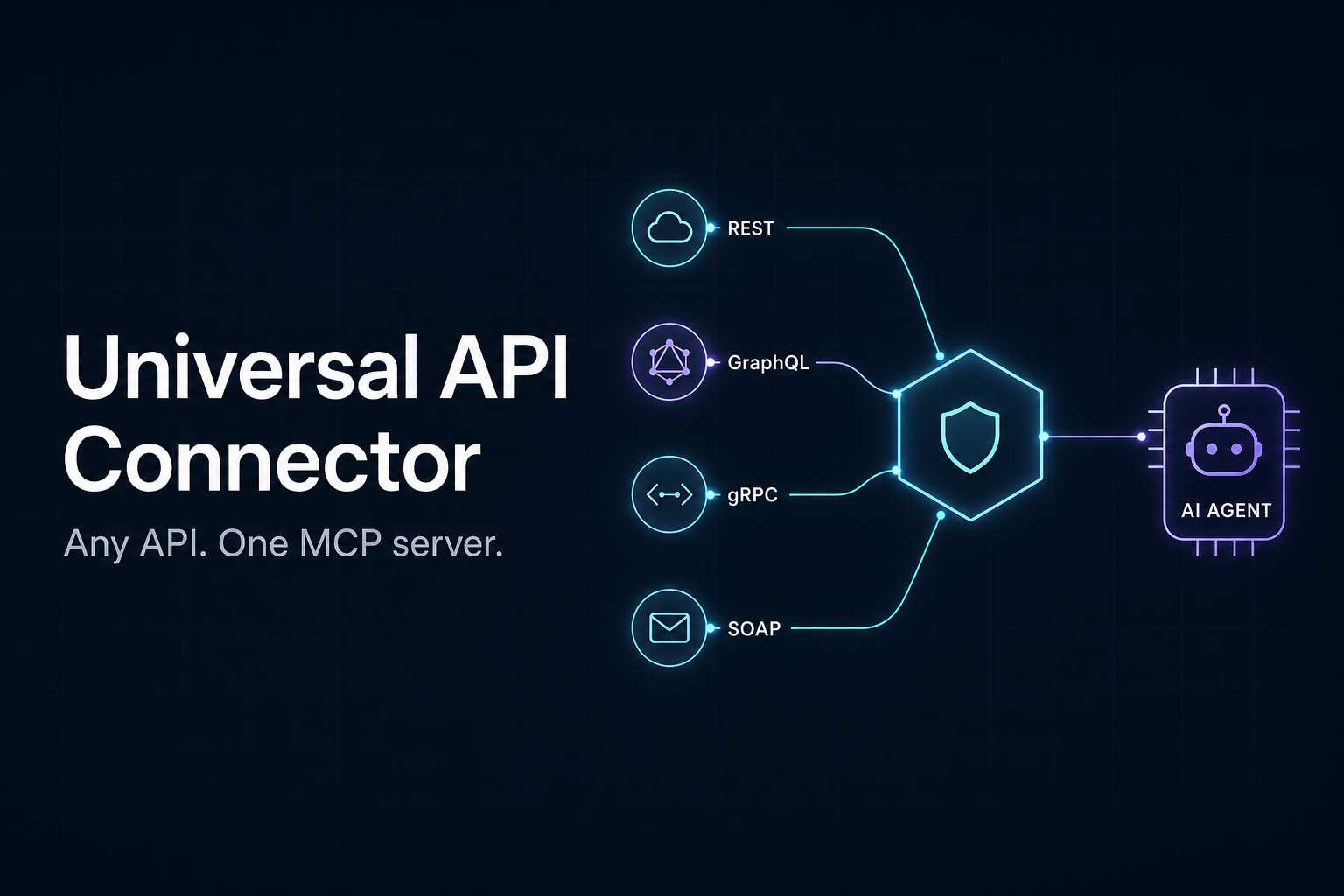
### Any API. One MCP server.
Stop installing a new MCP server for every service: point this one at any OpenAPI/Swagger, GraphQL,<br>
gRPC or SOAP spec - or pick one from the built-in catalog of **2500+ public APIs** - and your AI agent<br>
can call it. Securely, in fewer steps, with fewer tokens.
[](https://github.com/TeodorMCP/universal-connector-mcp/actions)
[](https://pypi.org/project/universal-connector-mcp/)
[](pyproject.toml)
[](LICENSE)
[](cursor://anysphere.cursor-deeplink/mcp/install?name=universal-connector&config=eyJjb21tYW5kIjoidXZ4IiwiYXJncyI6WyJ1bml2ZXJzYWwtY29ubmVjdG9yLW1jcCJdfQ==)
[Installation](#installation) · [Meta-tools](#meta-tools) · [API catalog](#built-in-api-catalog) · [Examples](#example-session) · [Configuration](#configuration) · [Security](#security-model)

</div>
## Why another one?
Most "universal API" MCP servers only speak REST/OpenAPI. This project is built around three differentiators:
1. **Truly universal** - a normalized `Operation` model with pluggable spec adapters (OpenAPI, GraphQL, gRPC, SOAP). Tools and executors never care which protocol produced an operation.
2. **Security-first / local-first** - a direct response to supply-chain attacks like the *AgentBaiting / FakeGit* campaign. Outbound requests are restricted to an allowlist, secrets never touch logs, responses are size-capped, and every call is audit-logged. No arbitrary code execution, no binary downloads, no telemetry.
3. **Built for context efficiency** - field-level response filtering, chained and parallel execution, and response caching mean whole workflows fit in one tool call and responses stay small.
## How it works
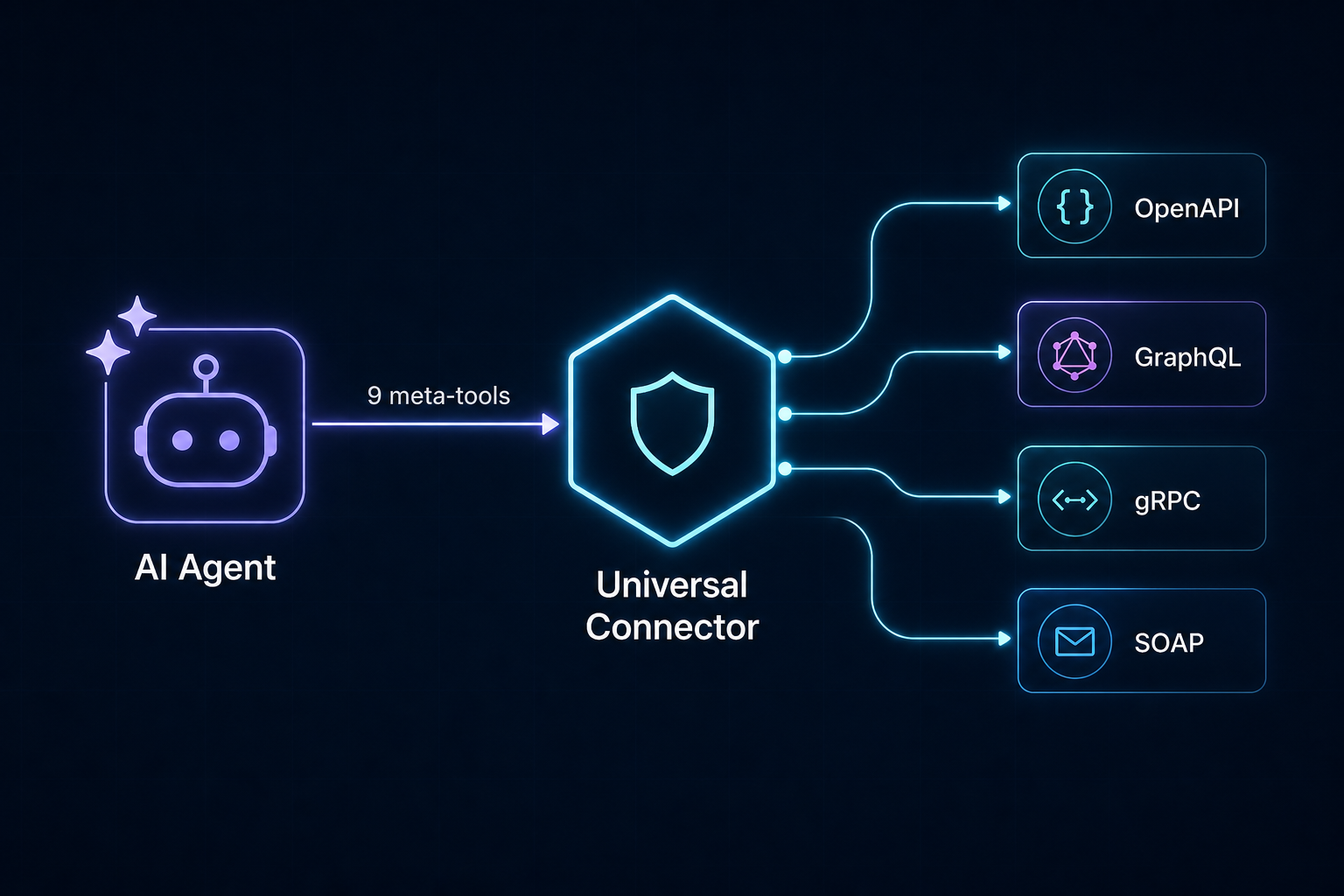
The agent explores APIs like a filesystem instead of loading hundreds of tools at once (which would blow up the context window on large APIs like Stripe). It searches for operations, inspects the ones it needs, then executes them.
<details>
<summary>Architecture (click to expand)</summary>
```mermaid
flowchart TD
Agent["AI Agent"] -->|"MCP stdio"| Server["FastMCP Server"]
Server --> Tools["Meta-tools"]
Tools --> Registry["Operation Registry (normalized)"]
Adapters["Spec Adapters"] --> Registry
Tools --> Guard["Security Guard"]
Guard --> Executor["Protocol Executors"]
Executor --> Auth["Auth Manager"]
Executor --> UpstreamAPI["Upstream API"]
```
</details>
## Meta-tools
| Tool | Purpose |
| --- | --- |
| `search_catalog` | Find ready-to-load public APIs (curated list + APIs.guru directory, 2500+ specs) |
| `load_api` | Register an API from a spec URL/file (protocol auto-detected) |
| `list_apis` | List loaded APIs |
| `search_operations` | Fuzzy-search operations across loaded APIs |
| `get_operation` | Full parameter/response schema for one operation |
| `execute` | Call an operation (auth + security guard applied); `extract` returns only the fields you ask for |
| `execute_chained` | Run a sequence of operations in one call, piping results between steps; nested lists run in parallel |
| `execute_graph` | Run a dependency graph of operations; order is inferred from `${id.path}` references and independent nodes run in parallel automatically |
| `unload_api` | Remove a loaded API |
| `audit_log` | Recent outbound calls (method, host, path, status) |
## Why fewer steps (and fewer tokens)
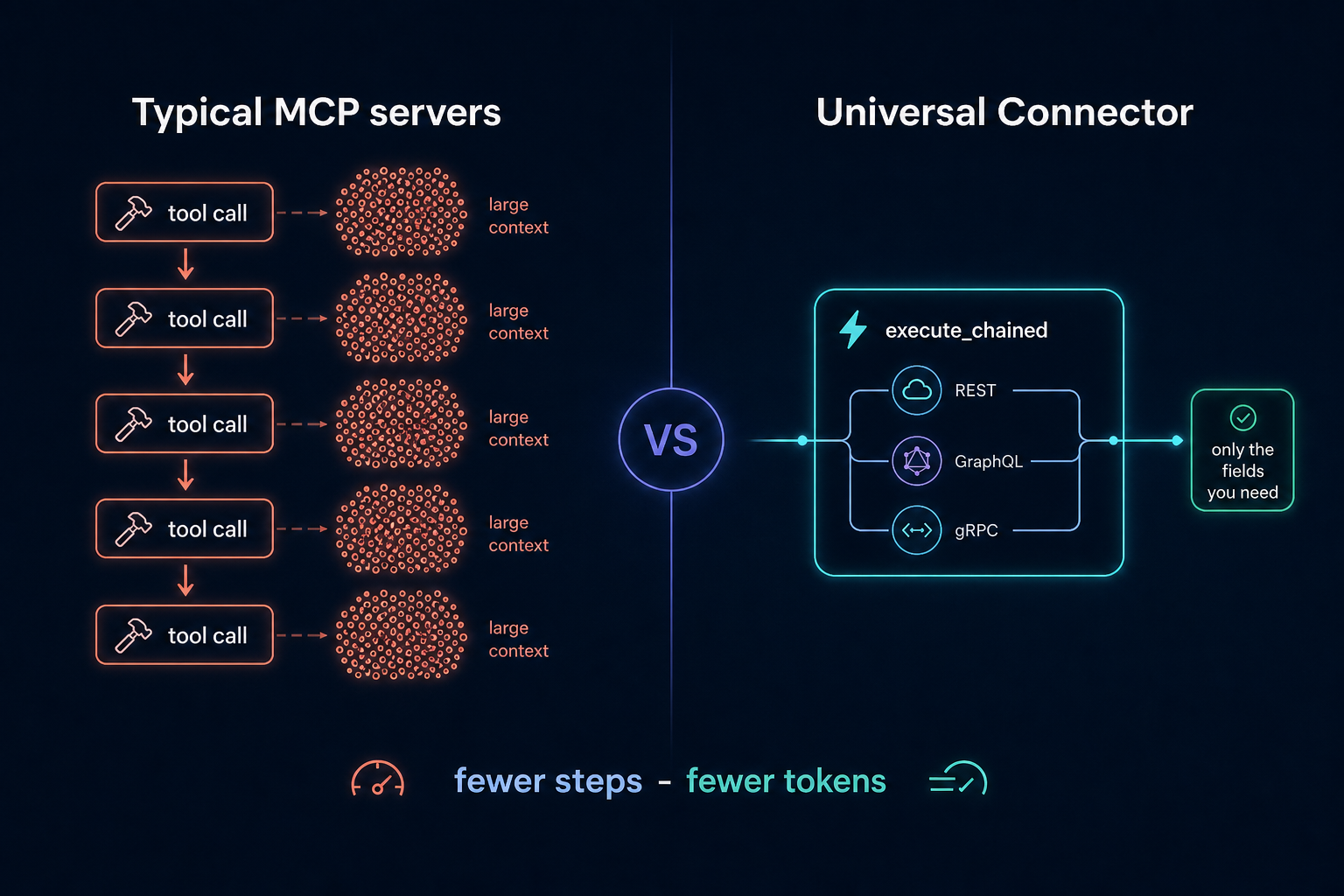
Where a per-API MCP server needs one tool round-trip per call - each returning a full JSON payload into the agent's context - this server collapses whole workflows:
- **`extract`** - `execute(..., extract=["items.*.name", "total_count"])` returns just those fields instead of a multi-kilobyte response. `*` fans out over arrays.
- **Chaining** - `execute_chained` pipes step results into later params via `${save_as.path}` references: one tool call instead of N.
- **Parallel groups** - a nested list of steps runs concurrently, so "query three APIs and combine" is still one call:
```text
execute_chained(steps=[
[
{"operation_id": "github.repos_get", "params": {"owner": "o", "repo": "r"},
"save_as": "gh", "extract": ["stargazers_count"]},
{"operation_id": "open_meteo.get_v1_forecast", "params": {"latitude": 52.5, "longitude": 13.4},
"save_as": "weather", "extract": ["current_weather.temperature"]}
],
{"operation_id": "github.issues_list_for_repo",
"params": {"owner": "o", "repo": "r"}, "extract": ["*.title"]}
])
```
- **Response cache** - successful GET/query results are cached for `UCMCP_CACHE_TTL` seconds (default 60), so repeated lookups are instant and free; pass `fresh: true` to bypass. Successful mutations invalidate that API's cached reads.
## Built-in API catalog
You don't need to hunt for spec URLs. `search_catalog` searches two sources:
1. A **curated list** of verified free/popular APIs: GitHub, GitLab, Stripe, OpenAI, Wikipedia, Open-Meteo (weather, no key), a countries GraphQL API, httpbin and the Swagger Petstore. Entries carry working spec URLs, base-URL overrides and auth hints (e.g. "optional GITHUB_TOKEN").
2. The [APIs.guru](https://apis.guru) directory - 2500+ community-indexed OpenAPI specs (Google, AWS, Microsoft, Twilio, NASA, ...), fetched once per session and searched locally.
```text
search_catalog(query="weather forecast")
-> [{"name": "open_meteo", "spec": "https://...forecast.yml", "base_url": "https://api.open-meteo.com", ...}]
load_api(spec="https://...forecast.yml", name="open_meteo", base_url="https://api.open-meteo.com")
execute(operation_id="open_meteo.get_v1_forecast", params={"latitude": 52.52, "longitude": 13.41, "hourly": "temperature_2m"})
```
The catalog is discovery-only: it returns spec URLs, never loads or executes anything itself, so the security guard still applies to everything you load from it.
## Installation
The server runs in any MCP host via [`uvx`](https://docs.astral.sh/uv/) - no manual install needed, the package is fetched from [PyPI](https://pypi.org/project/universal-connector-mcp/) automatically (add `[all]` for GraphQL/gRPC/SOAP support):
```json
{
"mcpServers": {
"universal-connector": {
"command": "uvx",
"args": ["universal-connector-mcp"],
"env": { "UCMCP_ALLOWED_HOSTS": "api.github.com" }
}
}
}
```
From source (development): `pip install -e ".[all,dev]"` and use `"command": "universal-connector-mcp"` instead. Extras: `graphql`, `grpc`, `soap`, `keyring`, `all`, `dev`; the core install supports OpenAPI/REST only.
### Cursor
[](cursor://anysphere.cursor-deeplink/mcp/install?name=universal-connector&config=eyJjb21tYW5kIjoidXZ4IiwiYXJncyI6WyJ1bml2ZXJzYWwtY29ubmVjdG9yLW1jcCJdfQ==)
One click via the badge above, or add the JSON block to `.cursor/mcp.json` in your project (shared with your team) or `~/.cursor/mcp.json` (personal, all projects). See [`examples/mcp.json`](examples/mcp.json) for a full config with credentials.
### Claude Desktop
Add the same `mcpServers` block to `claude_desktop_config.json` (Settings > Developer > Edit Config).
### Claude Code
```bash
claude mcp add universal-connector -- uvx universal-connector-mcp
```
### VS Code (Copilot)
Add the server under `"servers"` in `.vscode/mcp.json`:
```json
{
"servers": {
"universal-connector": { "command": "uvx", "args": ["universal-connector-mcp"] }
}
}
```
### Windsurf / Cline / others
All major MCP hosts accept the same `mcpServers` block shown above in their respective config files (`~/.codeium/windsurf/mcp_config.json`, Cline's MCP settings, etc.).
> AI agents installing this server for a user: follow [llms-install.md](llms-install.md).
### Preloading APIs
Point `UCMCP_APIS_CONFIG` at a YAML file to auto-load APIs at startup - see [`examples/apis.example.yaml`](examples/apis.example.yaml).
### Managing APIs from chat
You never edit config files to manage APIs - just tell your agent:
- *"Connect the Stripe API"* - the agent finds it in the catalog and loads it.
- *"What APIs are connected?"* - `list_apis` shows them.
- *"Forget GitHub"* - `unload_api` removes it (and from the remembered state).
When an API needs credentials, `load_api` tells the agent exactly which environment variable to set (e.g. `STRIPE_API_KEY`), whether it is already configured, and the agent relays copy-pasteable instructions - you add the variable to the `env` block of your MCP config and restart. Secrets are never typed into the chat.
### Session persistence
The server remembers which APIs you loaded (their spec locations - never credentials or response data) in `UCMCP_STATE_FILE` and restores them automatically on the next start, so the agent can pick up right where it left off. Set `UCMCP_STATE_FILE=off` to disable.
## Supported protocols
| Protocol | Spec source | Notes |
| --- | --- | --- |
| OpenAPI / Swagger | OpenAPI 3.x or Swagger 2.0 (JSON/YAML), URL/file/raw | Core install. Local `$ref` resolution, all HTTP methods. |
| GraphQL | IWhat people ask about universal-connector-mcp
What is TeodorMCP/universal-connector-mcp?
+
TeodorMCP/universal-connector-mcp is mcp servers for the Claude AI ecosystem. Universal MCP server: connect any OpenAPI/Swagger, GraphQL, gRPC or SOAP API to AI agents. Security-first, local, token-efficient. Any API. One server. It has 2 GitHub stars and was last updated today.
How do I install universal-connector-mcp?
+
You can install universal-connector-mcp by cloning the repository (https://github.com/TeodorMCP/universal-connector-mcp) or following the README instructions on GitHub. ClaudeWave also provides quick install blocks on this page.
Is TeodorMCP/universal-connector-mcp safe to use?
+
TeodorMCP/universal-connector-mcp has not been audited yet by our security agent. Review the original repository on GitHub before using it in production.
Who maintains TeodorMCP/universal-connector-mcp?
+
TeodorMCP/universal-connector-mcp is maintained by TeodorMCP. The last recorded GitHub activity is from today, with 0 open issues.
Are there alternatives to universal-connector-mcp?
+
Yes. On ClaudeWave you can browse similar mcp servers at /categories/mcp, sorted by popularity or recent activity.
Deploy universal-connector-mcp to your cloud
Ship this repo to production in minutes. Each platform spins up its own environment with editable env vars.
Maintain this repo? Add a badge to your README
Drop the badge into your GitHub README to show it's tracked on ClaudeWave. Each badge links back to this page and reflects the live Trust Score.
[](https://claudewave.com/repo/teodormcp-universal-connector-mcp)<a href="https://claudewave.com/repo/teodormcp-universal-connector-mcp"><img src="https://claudewave.com/api/badge/teodormcp-universal-connector-mcp" alt="Featured on ClaudeWave: TeodorMCP/universal-connector-mcp" width="320" height="64" /></a>More MCP Servers

Fair-code workflow automation platform with native AI capabilities. Combine visual building with custom code, self-host or cloud, 400+ integrations.

User-friendly AI Interface (Supports Ollama, OpenAI API, ...)

An open-source AI agent that brings the power of Gemini directly into your terminal.

The fastest path to AI-powered full stack observability, even for lean teams.

Real-time global intelligence dashboard. AI-powered news aggregation, geopolitical monitoring, and infrastructure tracking in a unified situational awareness interface

🕷️ An adaptive Web Scraping framework that handles everything from a single request to a full-scale crawl!