

Lightweight and portable LLM sandbox runtime (code interpreter) Python library.
claude mcp add llm-sandbox -- python -m llm-sandbox{
"mcpServers": {
"llm-sandbox": {
"command": "python",
"args": ["-m", "llm-sandbox"]
}
}
}MCP Servers overview
<!-- mcp-name: io.github.vndee/llm-sandbox -->
## LLM Sandbox
*Securely Execute LLM-Generated Code with Ease*
[](https://sonarcloud.io/summary/new_code?id=vndee_llm-sandbox)
[](https://sonarcloud.io/summary/new_code?id=vndee_llm-sandbox)
[](https://pypi.org/project/llm-sandbox/)
[](https://img.shields.io/github/v/release/vndee/llm-sandbox)
[](https://github.com/vndee/llm-sandbox/actions/workflows/main.yml?query=branch%3Amain)
[](https://www.codefactor.io/repository/github/vndee/llm-sandbox)
[](https://codecov.io/gh/vndee/llm-sandbox)

[](https://doi.org/10.5281/zenodo.21760525)
[](https://deepwiki.com/vndee/llm-sandbox)
**LLM Sandbox** is a lightweight and portable sandbox environment designed to run Large Language Model (LLM) generated code in a safe and isolated mode. It provides a secure execution environment for AI-generated code while offering flexibility in container backends and comprehensive language support, simplifying the process of running code generated by LLMs.
Documentation: https://vndee.github.io/llm-sandbox/
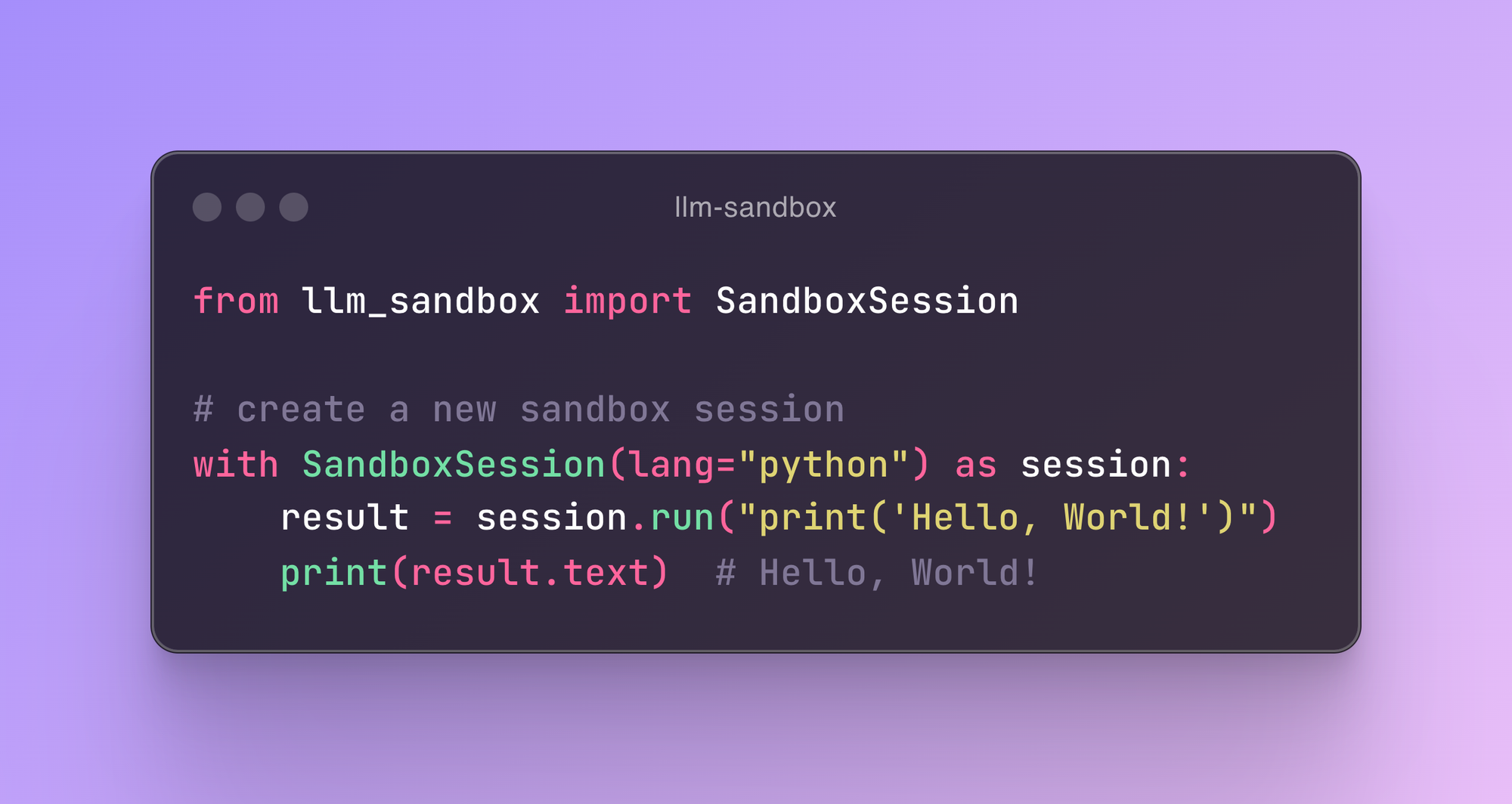
✨ **New:** This project now supports the [Model Context Protocol (MCP)](https://vndee.github.io/llm-sandbox/mcp-integration/) server, which allows your MCP clients (e.g. Claude Desktop) to run code generated by LLMs in a secure sandbox environment.
## 🚀 Key Features
### 🛡️ Security First
- **Isolated Execution**: Code runs in isolated containers with no access to host system
- **Security Policies**: Define custom security policies to control code execution
- **Resource Limits**: Set CPU, memory, and execution time limits
- **Network Isolation**: Control network access for sandboxed code
### 🏗️ Flexible Container Backends
- **Docker**: Most popular and widely supported option
- **Kubernetes**: Enterprise-grade orchestration for scalable deployments
- **Podman**: Rootless containers for enhanced security
### 🌐 Multi-Language Support
Execute code in multiple programming languages with automatic dependency management:
- **Python** - Full ecosystem support with pip packages
- **JavaScript/Node.js** - npm package installation
- **Java** - Maven and Gradle dependency management
- **C++** - Compilation and execution
- **Go** - Module support and compilation
- **R** - Statistical computing and data analysis with CRAN packages
### 🔌 LLM Framework Integration
Seamlessly integrate with popular LLM frameworks such as LangChain, LangGraph, LlamaIndex, OpenAI, and more.
### 📊 Advanced Features
- **Artifact Extraction**: Automatically capture plots and visualizations
- **Library Management**: Install dependencies on-the-fly
- **File Operations**: Copy files to/from sandbox environments
- **Custom Images**: Use your own container images
- **Fast Production Mode**: Skip environment setup for faster container startup
- **Container Pooling**: Pre-warm and reuse containers for improved performance (NEW!)
## 📦 Installation
### Basic Installation
```bash
pip install llm-sandbox
```
### With Specific Backend Support
```bash
# For Docker support (most common)
pip install 'llm-sandbox[docker]'
# For Kubernetes support
pip install 'llm-sandbox[k8s]'
# For Podman support
pip install 'llm-sandbox[podman]'
# All backends
pip install 'llm-sandbox[docker,k8s,podman]'
```
### Development Installation
```bash
git clone https://github.com/vndee/llm-sandbox.git
cd llm-sandbox
pip install -e '.[dev]'
```
## 🏃♂️ Quick Start
### Basic Usage
```python
from llm_sandbox import SandboxSession
# Create and use a sandbox session
with SandboxSession(lang="python") as session:
result = session.run("""
print("Hello from LLM Sandbox!")
print("I'm running in a secure container.")
""")
print(result.stdout)
```
### Installing Libraries
```python
from llm_sandbox import SandboxSession
with SandboxSession(lang="python") as session:
result = session.run("""
import numpy as np
# Create an array
arr = np.array([1, 2, 3, 4, 5])
print(f"Array: {arr}")
print(f"Mean: {np.mean(arr)}")
""", libraries=["numpy"])
print(result.stdout)
```
### Multi-Language Support
#### JavaScript
```python
with SandboxSession(lang="javascript") as session:
result = session.run("""
const greeting = "Hello from Node.js!";
console.log(greeting);
const axios = require('axios');
console.log("Axios loaded successfully!");
""", libraries=["axios"])
```
#### Java
```python
with SandboxSession(lang="java") as session:
result = session.run("""
public class HelloWorld {
public static void main(String[] args) {
System.out.println("Hello from Java!");
}
}
""")
```
#### C++
```python
with SandboxSession(lang="cpp") as session:
result = session.run("""
#include <iostream>
int main() {
std::cout << "Hello from C++!" << std::endl;
return 0;
}
""")
```
#### Go
```python
with SandboxSession(lang="go") as session:
result = session.run("""
package main
import "fmt"
func main() {
fmt.Println("Hello from Go!")
}
""")
```
#### R
```python
with SandboxSession(
lang="r",
image="ghcr.io/vndee/sandbox-r-451-bullseye",
verbose=True,
) as session:
result = session.run(
"""
# Basic R operations
print("=== Basic R Demo ===")
# Create some data
numbers <- c(1, 2, 3, 4, 5, 10, 15, 20)
print(paste("Numbers:", paste(numbers, collapse=", ")))
# Basic statistics
print(paste("Mean:", mean(numbers)))
print(paste("Median:", median(numbers)))
print(paste("Standard Deviation:", sd(numbers)))
# Work with data frames
df <- data.frame(
name = c("Alice", "Bob", "Charlie", "Diana"),
age = c(25, 30, 35, 28),
score = c(85, 92, 78, 96)
)
print("=== Data Frame ===")
print(df)
# Calculate average score
avg_score <- mean(df$score)
print(paste("Average Score:", avg_score))
"""
)
```
### Interactive Sessions
For notebook-style workflows you can use `InteractiveSandboxSession`, which keeps the Python interpreter state across multiple `run` calls.
```python
from llm_sandbox import InteractiveSandboxSession
with InteractiveSandboxSession(
lang="python",
kernel_type="ipython",
history_size=200,
) as session:
session.run("value = 21 * 2")
result = session.run("print(f'Result: {value}')")
print(result.stdout) # -> Result: 42
# Use magic command to install libraries
session.run("%pip install pandas")
result = session.run("import pandas as pd; print(pd.DataFrame({'A': [1, 2, 3], 'B': [4, 5, 6]}))")
print(result.stdout)
```
Interactive sessions support Docker, Podman, and Kubernetes backends and currently target Python language. They spin up a long-running IPython kernel inside the sandbox, so each `run()` behaves like a notebook cell—state, imports, and magic commands stay alive until the context manager exits, without any extra networking or manual serialization.
### Capturing Plots and Visualizations
#### Python Plots
```python
from llm_sandbox import ArtifactSandboxSession
import base64
from pathlib import Path
with ArtifactSandboxSession(lang="python") as session:
result = session.run("""
import matplotlib.pyplot as plt
import numpy as np
x = np.linspace(0, 10, 100)
y = np.sin(x)
plt.figure(figsize=(10, 6))
plt.plot(x, y)
plt.title("Sine Wave")
plt.xlabel("x")
plt.ylabel("sin(x)")
plt.grid(True)
plt.savefig("sine_wave.png", dpi=150, bbox_inches="tight")
plt.show()
""", libraries=["matplotlib", "numpy"])
# Extract the generated plots
print(f"Generated {len(result.plots)} plots")
# Save plots to files
for i, plot in enumerate(result.plots):
plot_path = Path(f"plot_{i + 1}.{plot.format.value}")
with plot_path.open("wb") as f:
f.write(base64.b64decode(plot.content_base64))
```
#### R Plots
```python
from llm_sandbox import ArtifactSandboxSession
import base64
from pathlib import Path
with ArtifactSandboxSession(lang="r") as session:
result = session.run("""
library(ggplot2)
# Create sample data
data <- data.frame(
x = rnorm(100),
y = rnorm(100)
)
# Create ggplot2 visualization
p <- ggplot(data, aes(x = x, y = y)) +
geom_point(alpha = 0.6) +
geom_smooth(method = "lm", se = FALSE) +
labs(title = "Scatter Plot with Trend Line",
x = "X values", y = "Y values") +
theme_minimal()
print(p)
# Base R plot
hist(data$x, main = "Distribution of X",
xlab = "X values", col = "lightblue", breaks = 20)
""", libraries=["ggplot2"])
# Extract the generated plots
print(f"Generated {len(result.plots)} R plots")
# Save plots to files
for i, plot in enumerate(result.plots):
plot_path = Path(f"r_plot_{i + 1}.{plot.format.value}")
with plot_path.open("wb") as f:
f.write(base64.b64decode(plot.content_base64))
```
## 🔧 Configuration
### Basic Configuration
```python
from llm_sandbox import SandboxSession
# Create a new sandbox session
with SandboxSession(image="python:3.9.19-bullseye", keep_template=True, lang="python") as session:
result = session.run("print('Hello, World!')")
print(result)
# With custom Dockerfile
with SandboxSession(dockerfile="Dockerfile", keep_template=True, lang="python") as session:
resultWhat people ask about llm-sandbox
What is vndee/llm-sandbox?
+
vndee/llm-sandbox is mcp servers for the Claude AI ecosystem. Lightweight and portable LLM sandbox runtime (code interpreter) Python library. It has 1.1k GitHub stars and was last updated today.
How do I install llm-sandbox?
+
You can install llm-sandbox by cloning the repository (https://github.com/vndee/llm-sandbox) or following the README instructions on GitHub. ClaudeWave also provides quick install blocks on this page.
Is vndee/llm-sandbox safe to use?
+
vndee/llm-sandbox has not been audited yet by our security agent. Review the original repository on GitHub before using it in production.
Who maintains vndee/llm-sandbox?
+
vndee/llm-sandbox is maintained by vndee. The last recorded GitHub activity is from today, with 34 open issues.
Are there alternatives to llm-sandbox?
+
Yes. On ClaudeWave you can browse similar mcp servers at /categories/mcp, sorted by popularity or recent activity.
Deploy llm-sandbox to your cloud
Ship this repo to production in minutes. Each platform spins up its own environment with editable env vars.
Maintain this repo? Add a badge to your README
Drop the badge into your GitHub README to show it's tracked on ClaudeWave. Each badge links back to this page and reflects the live Trust Score.
[](https://claudewave.com/repo/vndee-llm-sandbox)<a href="https://claudewave.com/repo/vndee-llm-sandbox"><img src="https://claudewave.com/api/badge/vndee-llm-sandbox" alt="Featured on ClaudeWave: vndee/llm-sandbox" width="320" height="64" /></a>More MCP Servers

Fair-code workflow automation platform with native AI capabilities. Combine visual building with custom code, self-host or cloud, 400+ integrations.

User-friendly AI Interface (Supports Ollama, OpenAI API, ...)

An open-source AI agent that brings the power of Gemini directly into your terminal.

The fastest path to AI-powered full stack observability, even for lean teams.

Real-time global intelligence dashboard. AI-powered news aggregation, geopolitical monitoring, and infrastructure tracking in a unified situational awareness interface

🕷️ An adaptive Web Scraping framework that handles everything from a single request to a full-scale crawl!