

MCP server that lets AI (Claude, Cursor…) draw, check and fix plane-geometry figures live on GeoGebra Calculator
- ✓Open-source license (MIT)
- ✓Actively maintained (<30d)
- ✓Clear description
- ✓Topics declared
- ✓Documented (README)
claude mcp add geogebra-mcp -- npx -y playwright{
"mcpServers": {
"geogebra-mcp": {
"command": "npx",
"args": ["-y", "playwright"]
}
}
}MCP Servers overview
# geogebra-mcp
An MCP server that lets an AI (Claude Desktop, Claude Code, Cursor, …) draw and edit plane-geometry figures **directly on GeoGebra Calculator** (`https://www.geogebra.org/calculator`).
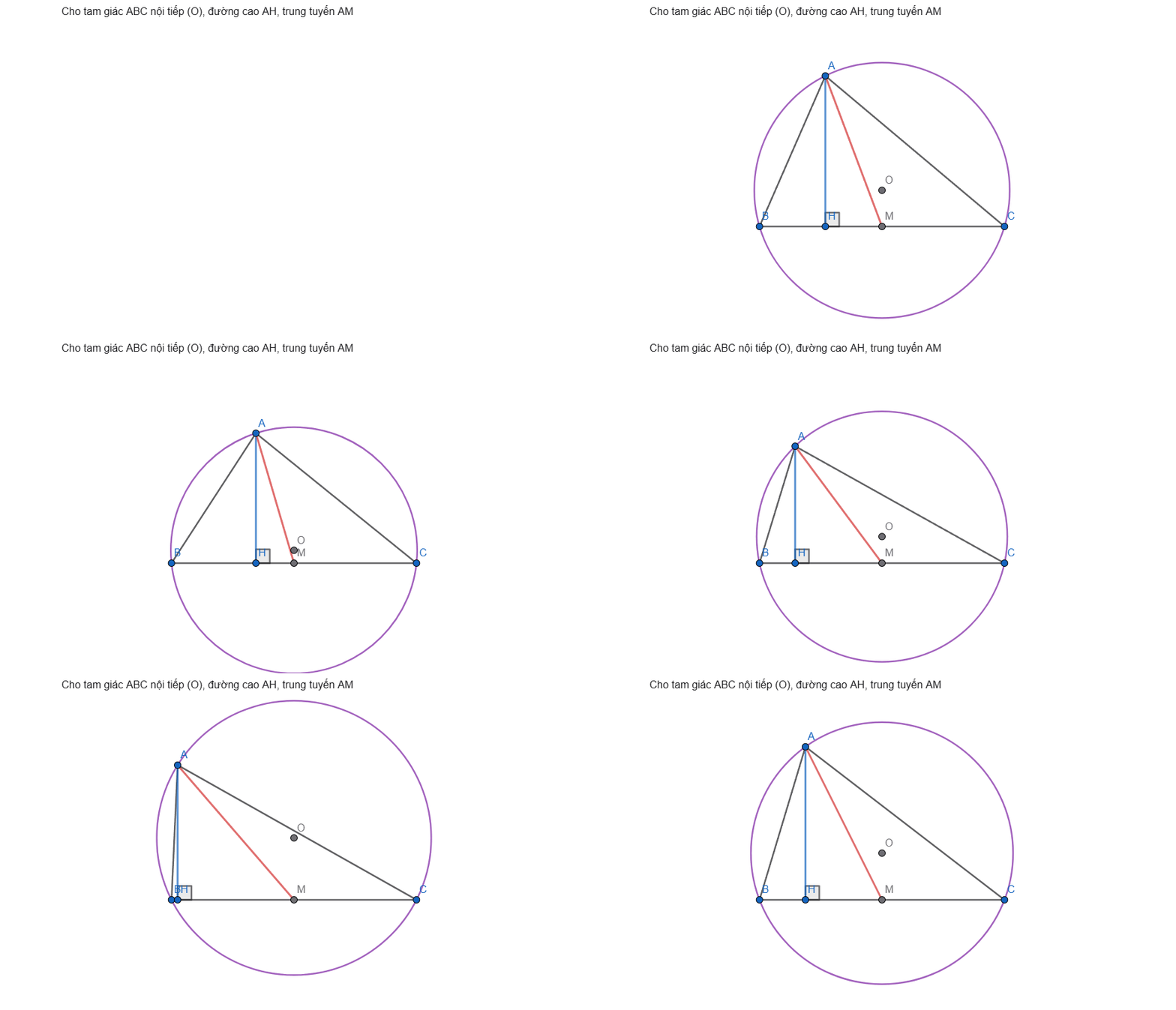
Unlike the copy/paste workflow of the GeoGebra AutoDraw AI extension, the AI here works in a loop: it runs commands, reads errors and the figure state, verifies properties, looks at a screenshot, and fixes the figure itself — and it can edit the figure on request ("H must be the foot from A").
## How it works
```
AI client ──MCP (stdio)──► geogebra-mcp ──Playwright──► Chrome window: geogebra.org/calculator
└─ window.ggbApplet (GeoGebra JS API)
```
- On the first tool call the server opens a Chrome (or Edge) window on GeoGebra Calculator. The user watches the figure being drawn and can drag/edit it by hand.
- Tools call the GeoGebra JS API (`ggbApplet`) inside the page through `page.evaluate` — no simulated clicks.
- Commands run through `asyncEvalCommandGetLabels`, which lazy-loads GeoGebra modules, so prover/scripting commands (`AreCollinear`, `Incircle`, `TriangleCenter`, `ClosestPoint(line, point)`…) work.
- GeoGebra reports a failed command only as `null`, so the server adds its own diagnostics (unknown names, unknown commands, unbalanced brackets, known pitfalls) and warnings (undefined results, reserved names, two-point intersections without an index).
- If the window is closed or reloaded, the next tool call reopens it and restores the last known figure.
- Undo is managed by the server (XML history), because `ggbApplet.undo()` does not revert API commands.
## Tools
| Tool | Purpose |
|---|---|
| `ggb_run_commands` | Run commands in order; per-command result, created/removed objects, warnings, failure hints. Assigning to an existing name redefines it. |
| `ggb_get_state` | Objects with type, definition, value, coordinates, visibility, `dependsOn` / `usedBy`. |
| `ggb_screenshot` | PNG of the drawing area (or the whole window) for visual checking. |
| `ggb_evaluate` | Evaluate expressions without adding objects (`Angle(B, A, C)`, `AreCollinear(A, H, O)`…). |
| `ggb_set_style` | Color, visibility, label, caption, thickness, line style, point size, fill, fixed. |
| `ggb_delete` | Delete objects (and their dependents). |
| `ggb_clear` | Start a new figure. |
| `ggb_undo` | Revert changes made through the server. |
| `ggb_snapshot` | Save / restore / list named versions. |
| `ggb_fit_view` | Fit every visible point and circle in view (1:1 ratio), toggle axes/grid. |
| `ggb_export` | Save as `.ggb` or `.png`. |
Also: resource `geogebra://rules` (construction rules), resource `geogebra://commands` (command catalog), prompt `draw_geometry_problem`.
## Setup
Requirements: Node.js ≥ 20 and Google Chrome or Microsoft Edge (otherwise run `npx playwright install chromium`).
### Claude Code (plugin)
```bash
claude plugin marketplace add haison8x/geogebra-mcp
claude plugin install geogebra-mcp@geogebra-tools
```
The server then shows up in `/mcp` as `plugin:geogebra-mcp:geogebra`. Update later with `claude plugin update geogebra-mcp@geogebra-tools`.
### Claude Code (without the plugin)
```bash
claude mcp add geogebra -- npx -y geogebra-mcp
```
### Claude Desktop, Cursor and other MCP clients
Edit `claude_desktop_config.json` (Settings → Developer → Edit Config), or your client's MCP config:
```json
{
"mcpServers": {
"geogebra": {
"command": "npx",
"args": ["-y", "geogebra-mcp"]
}
}
}
```
Then restart the client and ask, for example: *"Vẽ tam giác ABC nội tiếp đường tròn (O), đường cao AH, M là trung điểm BC."*
### From source
```bash
git clone https://github.com/haison8x/geogebra-mcp.git
cd geogebra-mcp
npm install
npm run build
claude mcp add geogebra -- node /path/to/geogebra-mcp/dist/index.js
```
### Configuration (environment variables)
| Variable | Default | Meaning |
|---|---|---|
| `GGB_BROWSER` | try `chrome`, `msedge`, then Playwright Chromium | Browser channel |
| `GGB_HEADLESS` | `0` | `1` to run without a window (testing) |
| `GGB_PROFILE_DIR` | `~/.geogebra-mcp/profile` | Browser profile (keeps the GeoGebra login). One server instance per profile. |
| `GGB_URL` | `https://www.geogebra.org/calculator` | Page to open |
## Development
Releasing: bump the version in `package.json`, `.claude-plugin/plugin.json`, `.claude-plugin/marketplace.json`, `server.json` (both `version` fields) and the pinned version in `.mcp.json`. Then push, `npm publish`, `mcp-publisher publish`, and create a GitHub release.
```bash
npm run build
npm run smoke # end-to-end test through a real MCP client (headless)
npm run smoke -- --headed # same, with a visible window
```
## Notes
- GeoGebra is free for non-commercial use; check the GeoGebra license before any commercial use of this automation.
- Snapshots and undo history live in memory while the server runs.
What people ask about geogebra-mcp
What is haison8x/geogebra-mcp?
+
haison8x/geogebra-mcp is mcp servers for the Claude AI ecosystem. MCP server that lets AI (Claude, Cursor…) draw, check and fix plane-geometry figures live on GeoGebra Calculator It has 0 GitHub stars and its last recorded update is dated 2026-10-16.
How do I install geogebra-mcp?
+
You can install geogebra-mcp by cloning the repository (https://github.com/haison8x/geogebra-mcp) or following the README instructions on GitHub. ClaudeWave also provides quick install blocks on this page.
Is haison8x/geogebra-mcp safe to use?
+
Our security agent has analyzed haison8x/geogebra-mcp and assigned a Trust Score of 95/100 (tier: Verified). See the full breakdown of passed checks and flags on this page.
Who maintains haison8x/geogebra-mcp?
+
haison8x/geogebra-mcp is maintained by haison8x. The last recorded GitHub activity is dated 2026-10-16, with 0 open issues.
Are there alternatives to geogebra-mcp?
+
Yes. On ClaudeWave you can browse similar mcp servers at /categories/mcp, sorted by popularity or recent activity.
Deploy geogebra-mcp to your cloud
Ship this repo to production in minutes. Each platform spins up its own environment with editable env vars.
Maintain this repo? Add a badge to your README
Drop the badge into your GitHub README to show it's tracked on ClaudeWave. Each badge links back to this page and reflects the live Trust Score.
[](https://claudewave.com/repo/haison8x-geogebra-mcp)<a href="https://claudewave.com/repo/haison8x-geogebra-mcp"><img src="https://claudewave.com/api/badge/haison8x-geogebra-mcp" alt="Featured on ClaudeWave: haison8x/geogebra-mcp" width="320" height="64" /></a>More MCP Servers

Reverse engineer anything with agents, from app behavior down to native binaries.

Fair-code workflow automation platform with native AI capabilities. Combine visual building with custom code, self-host or cloud, 400+ integrations.

User-friendly AI Interface (Supports Ollama, OpenAI API, ...)

An open-source AI agent that brings the power of Gemini directly into your terminal.

Real-time global intelligence dashboard. AI-powered news aggregation, geopolitical monitoring, and infrastructure tracking in a unified situational awareness interface

🕷️ An adaptive Web Scraping framework that handles everything from a single request to a full-scale crawl! Don't be shy, join here: https://discord.gg/EMgGbDceNQ and follow here for daily tips and tricks: https://x.com/Scrapling_dev