

Run unit tests on your manuscript. Check every manuscript claim against its cited evidence. Human-first, AI-second, Zotero-audited, local-first.
claude mcp add citevahti -- python -m --no-cache-dir{
"mcpServers": {
"citevahti": {
"command": "python",
"args": ["-m", "--no-cache-dir"]
}
}
}MCP Servers overview
# CiteVahti
**Does the cited paper actually support the claim? Check every citation in your
manuscript — before a reviewer does.**
<p align="center">
<img
src="https://raw.githubusercontent.com/heidihelena/citevahti/main/assets/hero-workflow.svg"
alt="CiteVahti workflow: claim, source evidence, human rating first, blinded AI second opinion, agreement or adjudication, and an audited decision — with local manuscript, previewed writes, Zotero, undo and a hash-chained record as the supporting rail"
width="1200">
</p>
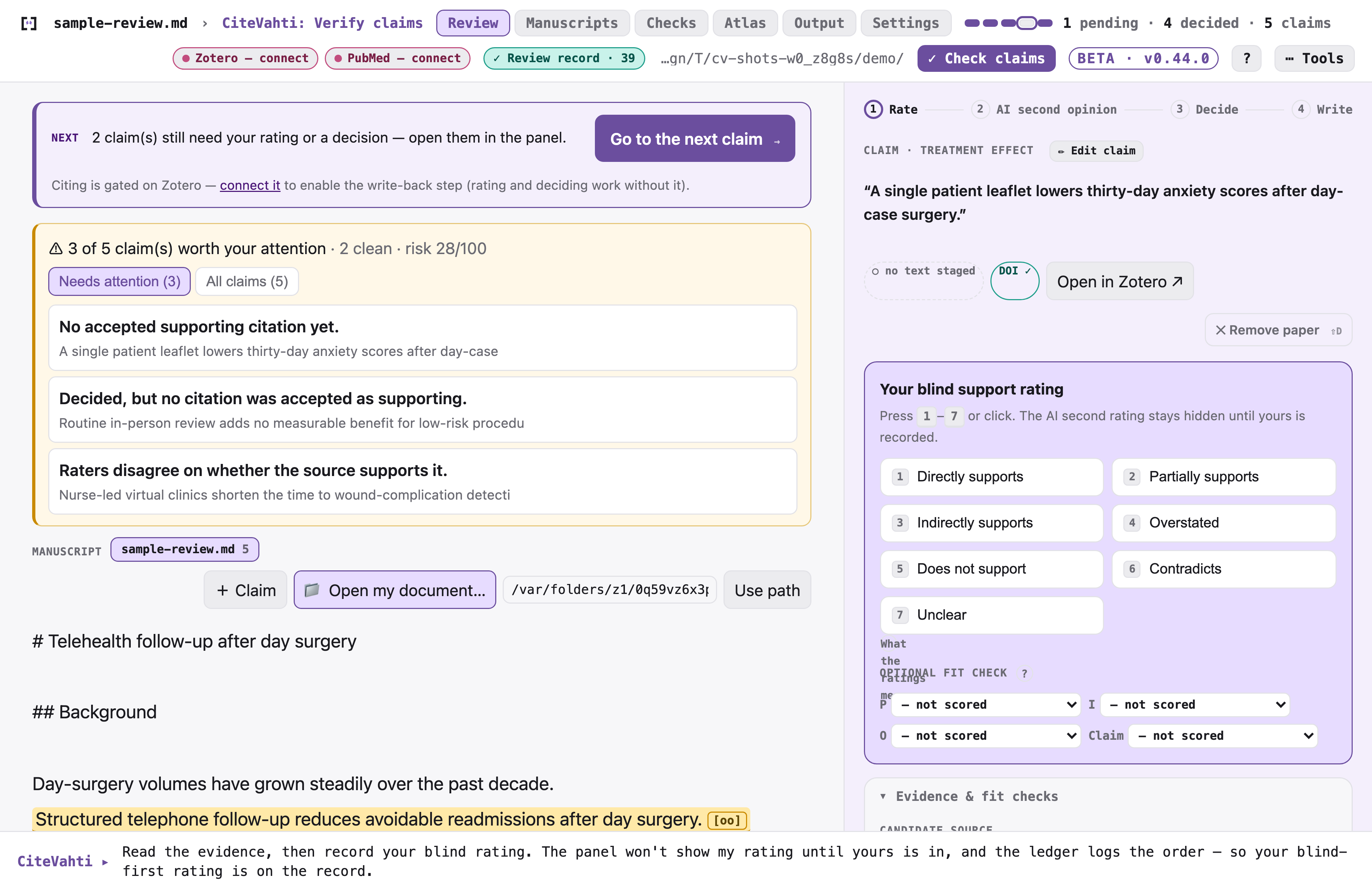
CiteVahti walks you through your manuscript one claim at a time. You decide whether each
cited source really backs the sentence; an optional AI gives a *blinded* second opinion
(you rate first, it can never overrule you); and every decision is saved as a timestamped,
tamper-evident record on your own computer.
> **Free while in beta.** CiteVahti is local-first: your manuscript stays on your device
> unless *you* choose to turn on an external AI model. No account. Nothing uploaded.
>
> **What beta means here:** the review workflow and your data format are stable, but the
> tool is young and your feedback still shapes it. The app does **not update itself yet** —
> when a new version ships you replace it yourself (steps under *Updating*, below; the
> panel can check for a newer version, but only if you turn that on). If something is
> confusing or judged wrong, [say so](#feedback--support) — beta reports are how it improves.
## Who it's for
Researchers, clinicians, and students who write papers and want to be sure every citation
holds up — without learning new software or touching a command line. If you can open a file
on your computer, you can use CiteVahti.
**What it does for you**
- **Catches citations that don't support the sentence** they're attached to — the kind a
reviewer or editor will flag.
- **Keeps you in charge.** You make every call; the AI is only ever a second opinion, shown
*after* you've decided.
- **Leaves a clean paper trail** — a timestamped record of what you checked and concluded,
ready for a supervisor, co-author, journal, or registry.
- **Builds a reusable evidence map** so you don't re-do the same checks next project.
- **Stays private by default** — everything lives in a folder on your Mac or PC.
## Get started in 2 minutes — no terminal, ever
**On a Mac, use the desktop app.** It's a normal app: download it, open it, review.
1. Download **`citevahti-<version>-macos-arm64.app.zip`** from the
[latest release](https://github.com/heidihelena/citevahti/releases/latest).
2. Unzip it and drag **`CiteVahti.app`** into your **Applications** folder, then open it
like any other app. *(It's signed and notarized — it opens with no security warnings.)*
3. Choose a folder to keep your reviews in when it asks.
4. Drag your manuscript (`.docx` or `.md`) onto the window. The panel walks you through the
rest, one step at a time — there's nothing to memorise.
Want an AI assistant to help pre-screen citations? Whenever you're ready, click the
**CiteVahti menu-bar icon → Start Agent Server**. CiteVahti first explains exactly what an
assistant can and cannot do — and either way, you rate every claim yourself and make every
final call.
### Or: use it inside Claude Desktop
If you already work in Claude, install CiteVahti as a one-click extension and drive the
review by chatting. *(This is also the path on Windows and Linux, where the desktop app
isn't available yet.)*
1. Download the extension **for your computer** from the
[latest release](https://github.com/heidihelena/citevahti/releases/latest):
- **macOS** (Apple Silicon) — `citevahti-<version>-macos-arm64.mcpb` *(signed + notarized)*
- **Windows** — `citevahti-<version>-windows-x64.mcpb`
- **Linux** — `citevahti-<version>-linux-x64.mcpb`
2. **Double-click** the downloaded file to add it to Claude Desktop.
3. Choose a folder for your reviews when asked.
4. Tell your assistant: *"Check the claims in my manuscript using CiteVahti."*
> **First time on macOS** you may see a one-time security prompt — the extension is a zip,
> which macOS can't pre-stamp even though the app inside is signed and notarized. If it
> appears: **right-click the file → Open**, or go to **System Settings → Privacy & Security →
> "Open Anyway"**. After that it installs and runs normally.
> **First time on Windows** you may see a SmartScreen warning ("Windows protected your PC")
> — the Windows build is unsigned, so Windows can't check who published it. If it appears:
> click **More info**, then **Run anyway**. After that it installs and runs normally.
<details>
<summary><b>Updating</b> — your review data is never touched; only the program is replaced</summary>
- **Desktop app:** quit `CiteVahti.app`, download the newest
`citevahti-<version>-macos-arm64.app.zip` from the
[latest release](https://github.com/heidihelena/citevahti/releases/latest), and replace the
old `CiteVahti.app` in Applications with it. Your reviews live in the project folder you
chose, not inside the app, so nothing is lost.
- **Claude Desktop extension:** remove the existing CiteVahti extension, fully quit and reopen
Claude Desktop, then add the newest `.mcpb` from the
[latest release](https://github.com/heidihelena/citevahti/releases/latest). Ask your
assistant to run the **`status`** tool to confirm the running version. *(macOS Intel: install
via `pip install "citevahti[mcp]"`, or run the Apple-Silicon `.mcpb` under Rosetta.)*
- **pip:** `pip install --no-cache-dir --upgrade "citevahti[mcp]"`, then `pip show citevahti`
to confirm the version.
</details>
<details>
<summary><b>For developers & technical readers</b> — pip, CLI, architecture, security</summary>
Everything below assumes a terminal; none of it is needed to use the app.
**Try it on synthetic data** (nothing of yours touched — builds an invented ledger and
opens the panel showing every claim state):
```bash
pip install "citevahti[mcp]"
citevahti demo
```
**Run the review panel from the terminal:**
```bash
pip install "citevahti[mcp]"
citevahti run
```
CiteVahti opens the review panel on your machine at `127.0.0.1` and tells you the one next
thing to do.
**Run the desktop app from source** (the same supervised shell as the packaged `.app`):
```bash
pip install "citevahti[app]"
citevahti-app
```
**What the app actually runs:** `CiteVahti.app` is a thin shell supervising two local
processes — the review panel engine (for you) and an optional MCP agent server (for a chat
client; it can suggest and stage, but it can never rate for you, see your rating first, or
make the final call). Both bind only to `127.0.0.1`, write rotating logs (menu-bar icon →
*Open Logs Folder*), exit on their own if the app dies, and shut down cleanly when you quit.
The agent server is off until you enable it and can be stopped anytime from the menu bar.
**Deeper reading:**
- [Architecture](https://github.com/heidihelena/citevahti/blob/main/docs/ARCHITECTURE.md) · [CLI reference](https://github.com/heidihelena/citevahti/blob/main/docs/CLI.md)
- [Safety invariants](https://github.com/heidihelena/citevahti/blob/main/docs/SAFETY_INVARIANTS.md) · [Security policy](https://github.com/heidihelena/citevahti/blob/main/SECURITY.md)
- [Building the desktop app / extension](https://github.com/heidihelena/citevahti/blob/main/desktop-extension/BUILD.md)
- [Status & capabilities](https://github.com/heidihelena/citevahti/blob/main/docs/STATUS.md) · [Dependencies / SBOM](https://github.com/heidihelena/citevahti/blob/main/docs/SBOM.md)
</details>
## How it works
CiteVahti always tells you the **one next thing** to do — there's no command to remember and
nothing to set up.
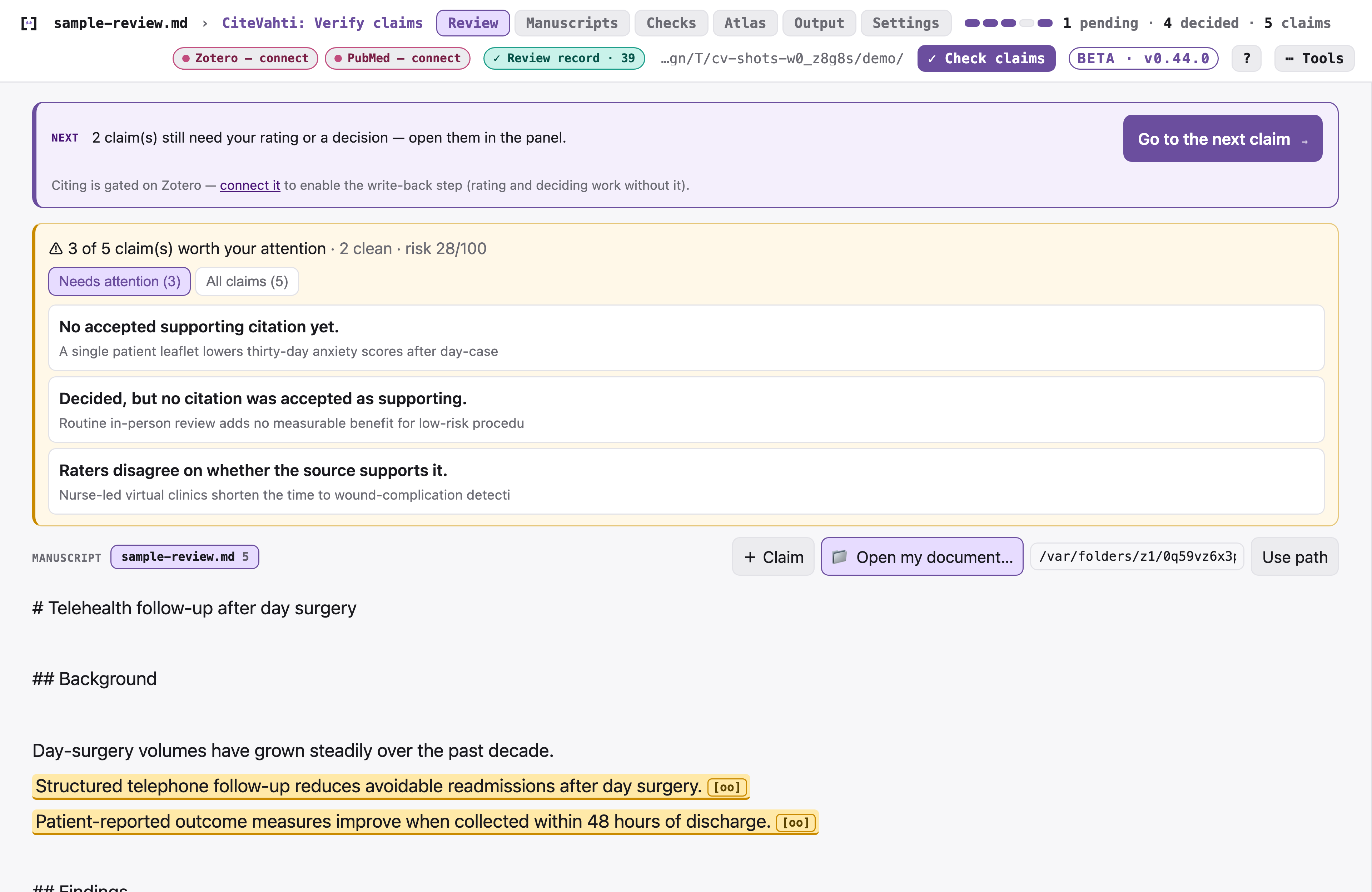
You start by adding your manuscript — choose a Word or Markdown file, drag it onto the window,
or paste the text. Nothing is uploaded.
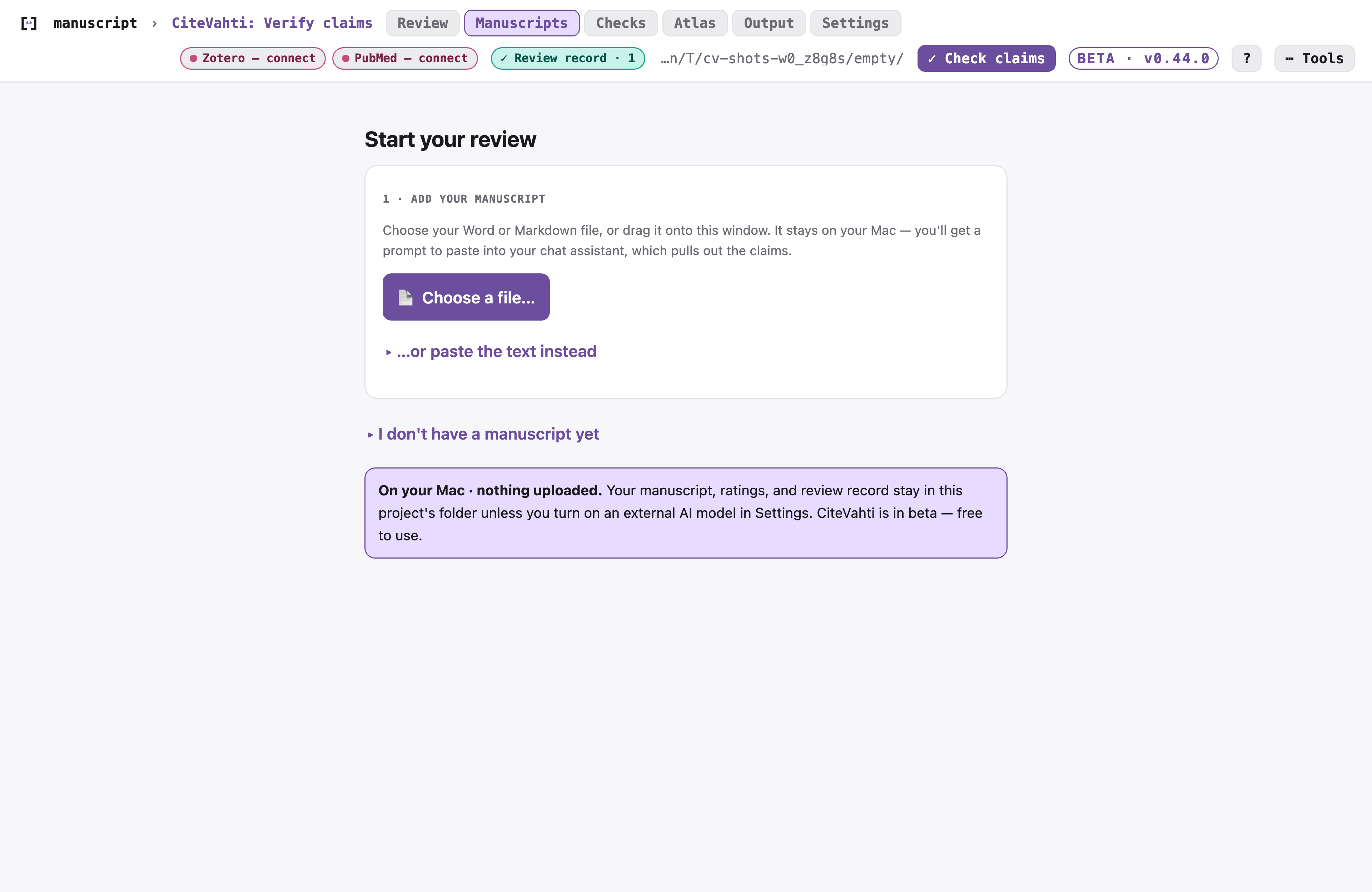
Then you work through each claim on a simple card that walks a visible
**Rate → Reveal → Decide → Write** path, so you always know where you are:
1. **Rate** — you judge whether the cited paper supports the claim.
2. **Reveal** — *now* the optional AI second opinion appears (never before).
3. **Decide** — accept, caution, review, or reject. The decision is yours.
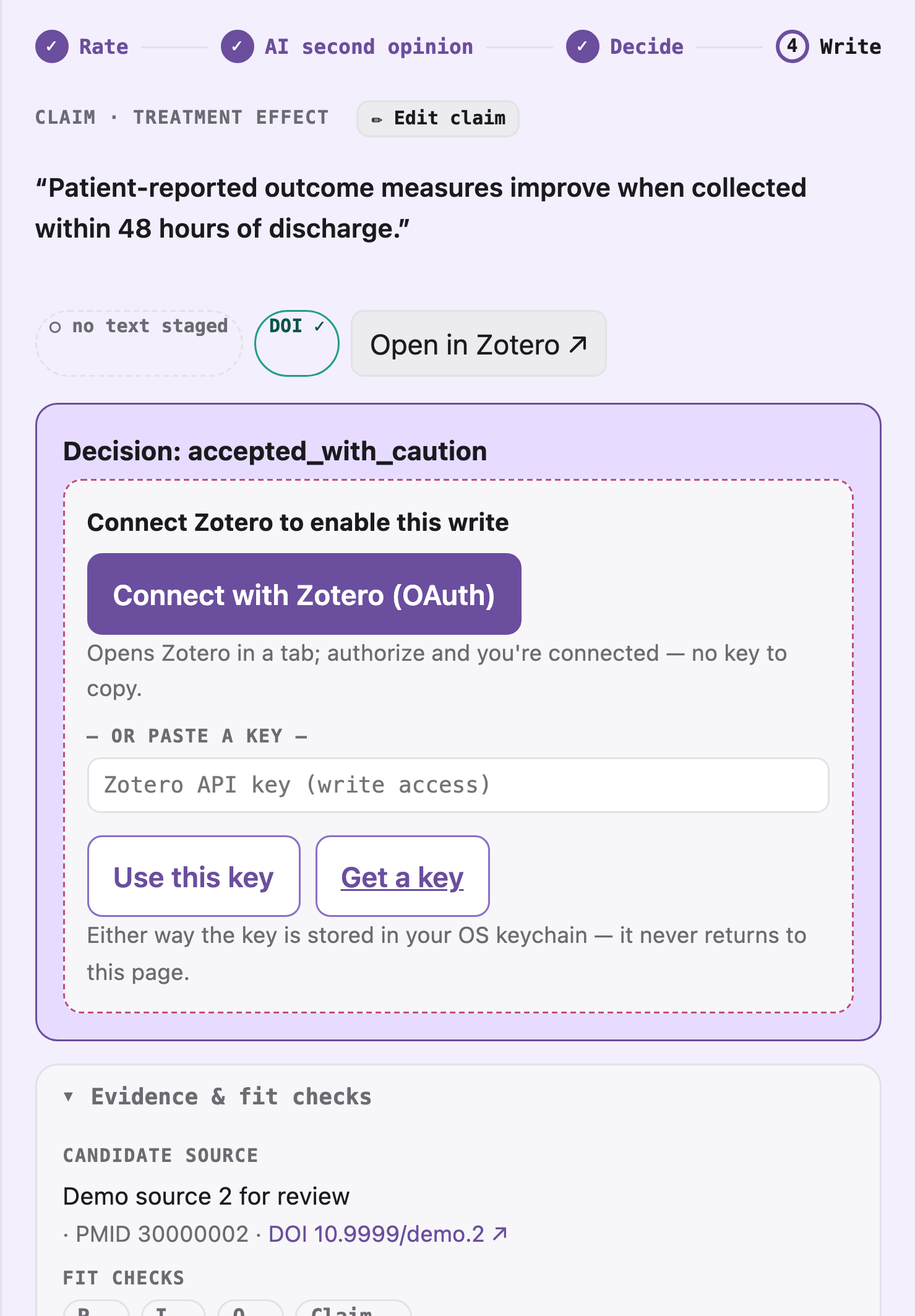
4. **Write** — optionally update your manuscript or Zotero, always after a preview.
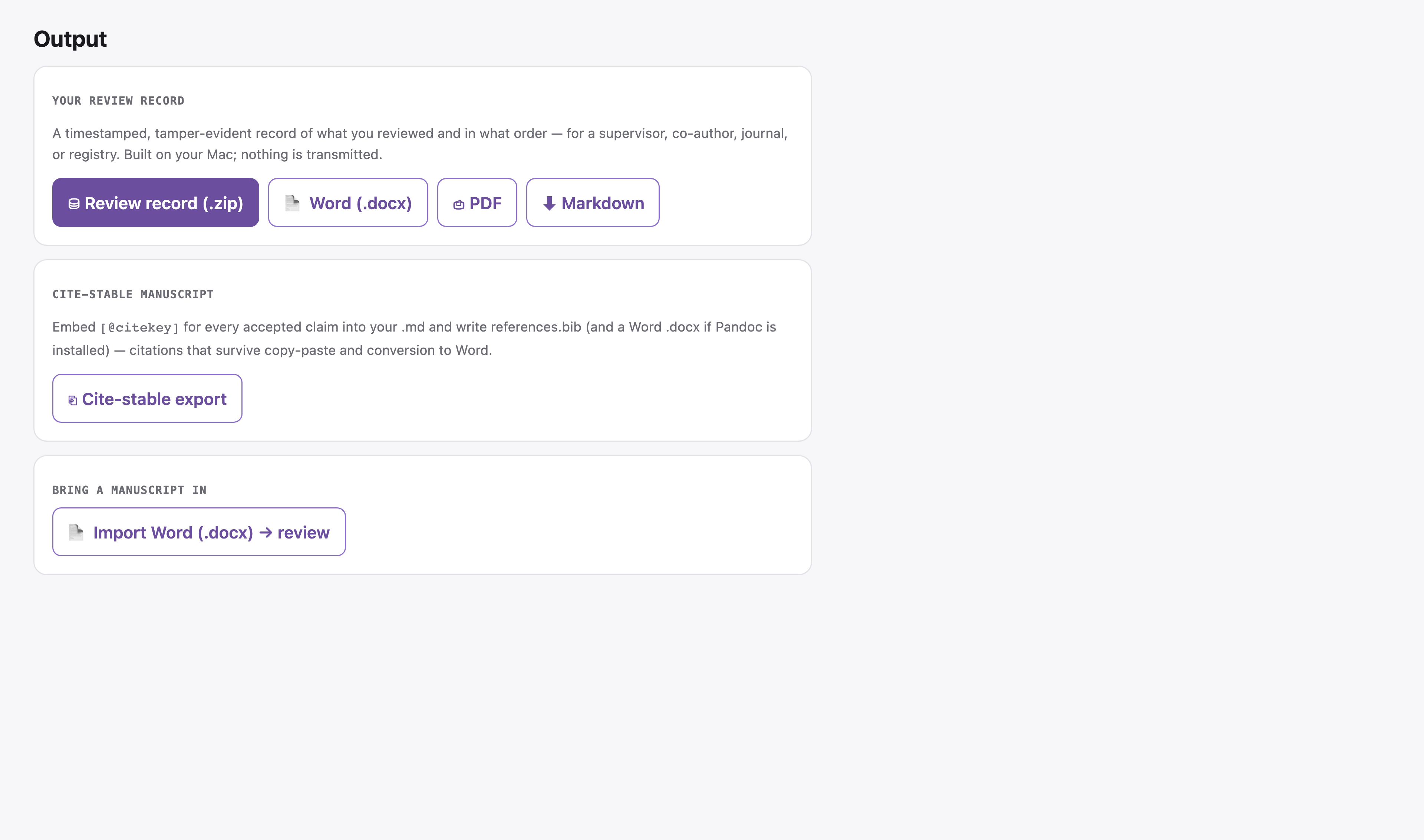
## A record you can hand to anyone
Every decision is saved to a **timestamped, tamper-evident review record** — a plain-language
log of what you reviewed and in what order. Export it as a Word document, a print-ready report,
or a review-packet `.zip` (which even includes an auto-filled methods paragraph with your
review's real numbers) for a methods section, a co-author, a supervisor, or a journal.
## Build an evidence map you can reuse
**Stop losing evidence work after each project.** Most citation checks vanish after one
manuscript or one deadline. Every claim you assess in CiteVahti is saved to your own private
evidence map, so next time you work on the same topic you don't start from zero — pull back
earlier judgments, see what you alWhat people ask about citevahti
What is heidihelena/citevahti?
+
heidihelena/citevahti is mcp servers for the Claude AI ecosystem. Run unit tests on your manuscript. Check every manuscript claim against its cited evidence. Human-first, AI-second, Zotero-audited, local-first. It has 1 GitHub stars and was last updated today.
How do I install citevahti?
+
You can install citevahti by cloning the repository (https://github.com/heidihelena/citevahti) or following the README instructions on GitHub. ClaudeWave also provides quick install blocks on this page.
Is heidihelena/citevahti safe to use?
+
heidihelena/citevahti has not been audited yet by our security agent. Review the original repository on GitHub before using it in production.
Who maintains heidihelena/citevahti?
+
heidihelena/citevahti is maintained by heidihelena. The last recorded GitHub activity is from today, with 0 open issues.
Are there alternatives to citevahti?
+
Yes. On ClaudeWave you can browse similar mcp servers at /categories/mcp, sorted by popularity or recent activity.
Deploy citevahti to your cloud
Ship this repo to production in minutes. Each platform spins up its own environment with editable env vars.
Maintain this repo? Add a badge to your README
Drop the badge into your GitHub README to show it's tracked on ClaudeWave. Each badge links back to this page and reflects the live Trust Score.
[](https://claudewave.com/repo/heidihelena-citevahti)<a href="https://claudewave.com/repo/heidihelena-citevahti"><img src="https://claudewave.com/api/badge/heidihelena-citevahti" alt="Featured on ClaudeWave: heidihelena/citevahti" width="320" height="64" /></a>More MCP Servers

Fair-code workflow automation platform with native AI capabilities. Combine visual building with custom code, self-host or cloud, 400+ integrations.

User-friendly AI Interface (Supports Ollama, OpenAI API, ...)

An open-source AI agent that brings the power of Gemini directly into your terminal.

The fastest path to AI-powered full stack observability, even for lean teams.

Real-time global intelligence dashboard. AI-powered news aggregation, geopolitical monitoring, and infrastructure tracking in a unified situational awareness interface

🕷️ An adaptive Web Scraping framework that handles everything from a single request to a full-scale crawl!