

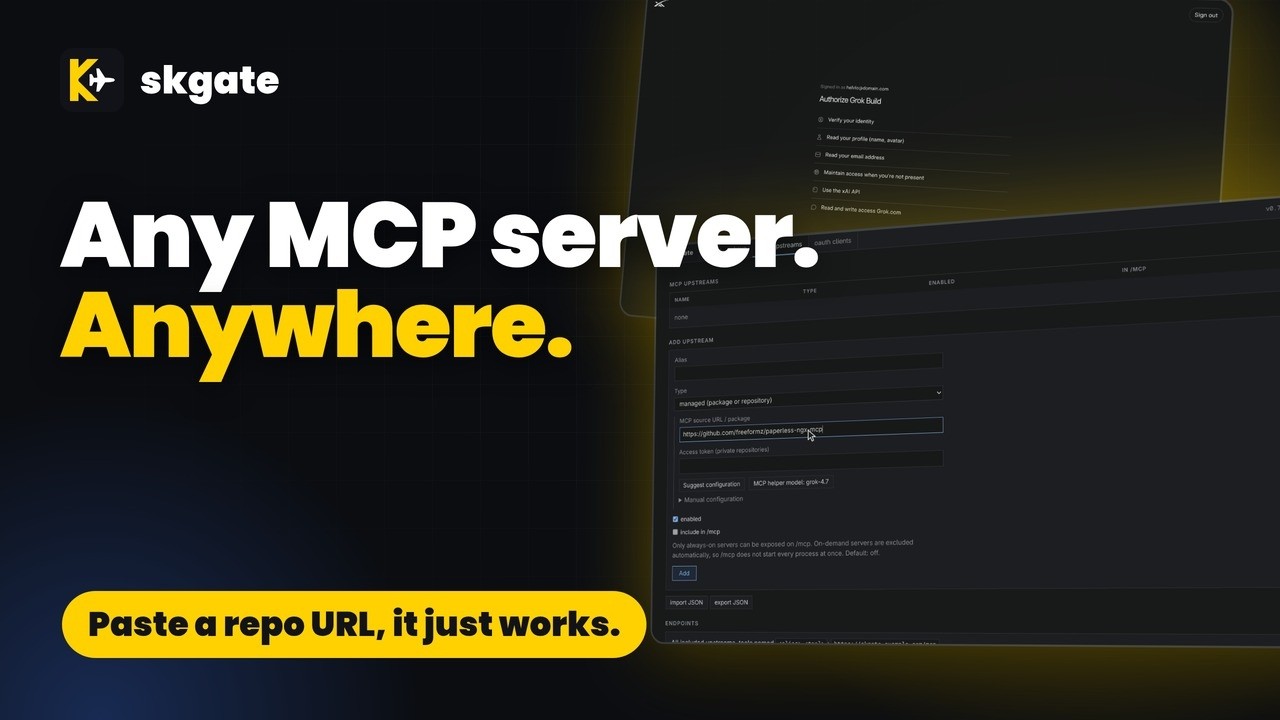
Any MCP server. Anywhere. An OAuth-protected MCP gateway that can also run the servers, plus your Grok subscription as an OpenAI-compatible API.
- ✓Open-source license (MIT)
- ✓Actively maintained (<30d)
- ✓Clear description
- ✓Topics declared
- ✓Documented (README)
git clone https://github.com/helv-io/skgate{
"mcpServers": {
"skgate": {
"command": "skgate",
"env": {
"PUBLIC_URL": "<public_url>",
"OIDC_CLIENT_SECRET": "<oidc_client_secret>",
"OPENAI_BASE_URL": "<openai_base_url>",
"OPENAI_API_KEY": "<openai_api_key>"
}
}
}
}PUBLIC_URLOIDC_CLIENT_SECRETOPENAI_BASE_URLOPENAI_API_KEYMCP Servers overview
<p align="center"><img src="docs/img/logo.svg" width="72" alt="skgate logo"></p>
<h1 align="center">skgate</h1>
<p align="center">Use your Grok subscription as an OpenAI-compatible API, and serve your MCP servers from one OAuth-protected gateway.</p>
<p align="center">Yes, all MCP servers: everyone's welcome. skgate can run them for you too, so no more stacks. It just works.</p>
[](https://youtu.be/57oxqkjzb4w)
## Name Origin
**skgate** /ɛsˈkɑːɡeɪt/ (ess-KAH-gate)
"sk" is what most AI API keys start with, or so I perceive it, and "gate" is for gateway. Bit rubbish as names go, but it's ours.
The plane in the logo is an inside joke. The public wouldn't understand it, and I'm not about to explain it. Sorry.
## Quick start
Before you start: an [OIDC provider](#oidc-setup) with a confidential client for skgate (admin login is OIDC only). Just trying it on one machine? [docs/quickstart.md](docs/quickstart.md) runs skgate with a bundled provider and no accounts.
A Grok subscription is recommended but not required.
```yaml
# docker-compose.yml
services:
skgate:
container_name: skgate
image: ghcr.io/helv-io/skgate:latest
restart: always
ports:
- 8080:8080
environment:
- PUBLIC_URL=https://skgate.example.com
- OIDC_ISSUER=https://auth.example.com
- OIDC_CLIENT_ID=skgate
- OIDC_CLIENT_SECRET=change-me
volumes:
- ./data:/data
healthcheck:
test: ["CMD", "/skgate", "healthcheck"]
interval: 30s
timeout: 5s
retries: 3
```
1. `docker compose up -d`
2. Open `https://skgate.example.com/admin` and sign in through your OIDC provider.
3. **status** > Grok > **Sign in**: open the shown address, enter the code, approve.
4. **keys** > enter a name > **Create key**. Copy the `sk-...` key; it is shown once.
5. Use it: base URL `https://skgate.example.com/v1`, API key `sk-...` (see Examples).
- The base URL is forgiving: `/v1`, `/api`, `/api/v1` and the bare host all reach the same API, so use whichever form your client expects.
Image tags:
- `latest`: proxy + managed MCP servers (Node.js, Python, uv, .NET, Go, git)
- `slim`: proxy only
Upgrade: back up `./data`, then `docker compose pull && docker compose up -d`.
## Examples
<details><summary>curl: models and a chat completion</summary>
```sh
export SKGATE=https://skgate.example.com KEY=sk-...
curl -s $SKGATE/v1/models -H "Authorization: Bearer $KEY"
curl -s $SKGATE/v1/chat/completions -H "Authorization: Bearer $KEY" \
-H 'Content-Type: application/json' \
-d '{"model":"<id from /v1/models>","messages":[{"role":"user","content":"Say hi"}]}'
```
</details>
<details><summary>OpenAI client</summary>
```sh
export OPENAI_BASE_URL=https://skgate.example.com/v1 OPENAI_API_KEY=sk-...
```
```python
from openai import OpenAI
client = OpenAI() # reads the two variables above
r = client.chat.completions.create(model="grok-latest", messages=[{"role": "user", "content": "Say hi"}])
print(r.choices[0].message.content)
```
</details>
<details><summary>Model alias: one name that always points at the newest model</summary>
Map `grok-latest` to the latest available model. Change the target in this one place and every app using `grok-latest` is upgraded at once, with no client config changes.
Grok > **Details** > Model aliases: alias `grok-latest`, target the newest model in the list (for example `grok-4.7`), **Save**.
```text
client sends {"model": "grok-latest", ...}
skgate sends {"model": "grok-4.7", ...}
```
Aliases are listed first in `/v1/models`.
</details>
<details><summary>Add an MCP server with Suggest configuration</summary>
Needs the `latest` image and Grok signed in. The first time, **Pick MCP helper model** next to the button opens the model picker right on the page.
**mcp upstreams** > **Add upstream** > Type `managed (package or repository)`:
1. **MCP source URL / package**, one of:
| Source | Runs as |
| --- | --- |
| `@modelcontextprotocol/server-everything` | npm package, `npx` |
| `pypi:mcp-server-time` | PyPI package, `uvx` |
| `https://github.com/example-org/notes-mcp` | git repo: clone, install, run (private: **Access token**) |
2. **Suggest configuration**. skgate fetches the README and manifests (`package.json`, `pyproject.toml`, `server.json`), the MCP helper model proposes command, args, install step and env names (marked secret or not, required or optional), and the **Manual configuration** fields are filled in with a confidence and any warnings. Nothing is saved yet. Point it at the repo, fill in the variables it needs, and it just works.
3. Set an alias, fill in the variables you need (empty ones are not passed to the server), **Save**. The server is at `https://skgate.example.com/mcp/<alias>`.
If the button is greyed out, hover it: sign in to Grok on **status**, or use **Pick MCP helper model** beside it.
</details>
<details><summary>MCP client: one upstream or all of them</summary>
| URL | Serves |
| --- | --- |
| `https://skgate.example.com/mcp/<alias>` | One upstream; tool names unchanged |
| `https://skgate.example.com/mcp` | Every upstream marked **In /mcp**; tools prefixed `<alias>-` |
Hosted connectors use OAuth (leave client ID and secret empty). Scripts and CLIs send a key:
```json
{"mcpServers": {"skgate": {"type": "http", "url": "https://skgate.example.com/mcp/<alias>",
"headers": {"Authorization": "Bearer sk-..."}}}}
```
</details>
<details><summary>On-demand MCP servers: no RAM while idle</summary>
On a RAM-constrained homelab, idle MCP servers should cost nothing. Managed servers (`npx`, `uvx`, git) are child processes of skgate. By default (**Lifecycle** `on-demand`) one starts on its first request and stops after 10 minutes without requests; the next request starts it again.
```text
before 3 MCP servers = 3 containers, always running
after 1 skgate container; 0 server processes while idle, 1 per server in use
```
```text
stopped --request--> starting --> running --10 min idle--> stopped
```
- Default is on-demand; **Lifecycle** `always-on` starts the server at boot instead.
- The first request after a stop waits until the server answers `initialize` (up to 60 s).
- A server with a request in flight is never stopped. Stopping is SIGTERM, then SIGKILL after 5 s.
- Idle time is `idleTimeoutSeconds` in import JSON (default 600; not in the form):
```json
{"mcpServers": {"time": {"command": "uvx", "args": ["mcp-server-time"], "skgate": {"idleTimeoutSeconds": 120}}}}
```
- The aggregated `/mcp` includes remote and always-on upstreams marked **In /mcp**. On-demand servers are left out, so `/mcp` never starts them. Point a client at `/mcp/<alias>` to use one.
- Remote upstreams have no process; there is nothing to idle.
- An admin **Stop** keeps a server stopped until **Start** or **Restart**.
</details>
<details><summary>Managed MCP server: npx (stdio)</summary>
**mcp upstreams** > **import JSON** > paste > **Import**. Needs the `latest` image.
```json
{"mcpServers": {"everything": {"command": "npx", "args": ["-y", "@modelcontextprotocol/server-everything"]}}}
```
Served at `https://skgate.example.com/mcp/everything`. For Python servers use `"command": "uvx", "args": ["<package>"]`.
</details>
<details><summary>Managed MCP server: git repository</summary>
**mcp upstreams** > **import JSON** > paste > **Import**. skgate clones the repo, runs `install`, then the command.
```json
{"mcpServers": {"notes": {"command": "node", "args": ["server.js"],
"skgate": {"gitUrl": "https://github.com/example-org/notes-mcp.git", "gitRef": "main", "install": "npm ci"}}}}
```
</details>
<details><summary>Remote MCP server</summary>
**mcp upstreams** > **Add upstream** > Type `remote (URL)`, or import:
```json
{"mcpServers": {"docs": {"type": "http", "url": "https://mcp.example.com/mcp",
"headers": {"Authorization": "Bearer ..."}}}}
```
</details>
## Features
| Feature | What it does |
| --- | --- |
| Grok sign-in | Device code or browser paste-back; tokens refresh |
| Model aliases | `grok-latest` maps to the newest model; change the target once |
| API | `/v1`, `/api/v1`, `/api`, no prefix; SSE ([docs](docs/api.md)) |
| Virtual keys | Hashed; tokens in/out per key ([docs](docs/keys-and-clients.md)) |
| MCP | Remote, stdio and git servers behind OAuth 2.1 ([docs](docs/mcp.md)) |
## Comparison
| Provider | Own subscription sign-in in third-party tools | In skgate |
| --- | --- | --- |
| xAI Grok | ✅ announced for OpenCode, more planned [1] | ✅ (independent, not an xAI product) |
| OpenAI | ✅ "Sign in with ChatGPT" since 2026-09-29; hosted apps need approval [2] | ❌ |
| Anthropic Claude | ❌ not offered to third parties [3] | ❌ use the API |
| Google Gemini | ❌ CLI login not for reuse [4] | ❌ use an API key |
| GitHub Copilot | ⚠️ OpenCode partnership only [5] | ❌ |
As of 2026-10-02; check each provider's terms.
<details><summary>Sources</summary>
1. xAI, [Use Grok in OpenCode](https://x.ai/news/grok-opencode)
2. OpenAI, [Sign in with ChatGPT](https://developers.openai.com/siwc/token-sharing-open-source)
3. Anthropic, [Legal and compliance](https://code.claude.com/docs/en/legal-and-compliance)
4. Google, [Gemini CLI terms](https://github.com/google-gemini/gemini-cli/blob/main/docs/resources/tos-privacy.md)
5. GitHub, [Copilot now supports OpenCode](https://github.blog/changelog/2026-01-16-github-copilot-now-supports-opencode/)
</details>
## Configuration
Set under `environment:` (or `env_file`); placeholders in [`.env.example`](.env.example).
| Variable | Default | Purpose |
| --- | --- | --- |
| `PUBLIC_URL` | `http://localhost:8080` | Public origin, no trailing slash. |
| `OIDC_ISSUER` | | Issuer URL, equal to the provider's discovery `issuer`. |
| `OIDC_CLIENT_ID`, `OIDC_CLIENT_SECRET` | | Confidential client credentials. |
| `OIDC_SCOPES` | `openid profile email groups` | Requested scopes. |
| `OIDC_REDIRECT_What people ask about skgate
What is helv-io/skgate?
+
helv-io/skgate is mcp servers for the Claude AI ecosystem. Any MCP server. Anywhere. An OAuth-protected MCP gateway that can also run the servers, plus your Grok subscription as an OpenAI-compatible API. It has 4 GitHub stars and its last recorded update is dated 2026-10-04.
How do I install skgate?
+
You can install skgate by cloning the repository (https://github.com/helv-io/skgate) or following the README instructions on GitHub. ClaudeWave also provides quick install blocks on this page.
Is helv-io/skgate safe to use?
+
Our security agent has analyzed helv-io/skgate and assigned a Trust Score of 95/100 (tier: Verified). See the full breakdown of passed checks and flags on this page.
Who maintains helv-io/skgate?
+
helv-io/skgate is maintained by helv-io. The last recorded GitHub activity is dated 2026-10-04, with 0 open issues.
Are there alternatives to skgate?
+
Yes. On ClaudeWave you can browse similar mcp servers at /categories/mcp, sorted by popularity or recent activity.
Deploy skgate to your cloud
Ship this repo to production in minutes. Each platform spins up its own environment with editable env vars.
Maintain this repo? Add a badge to your README
Drop the badge into your GitHub README to show it's tracked on ClaudeWave. Each badge links back to this page and reflects the live Trust Score.
[](https://claudewave.com/repo/helv-io-skgate)<a href="https://claudewave.com/repo/helv-io-skgate"><img src="https://claudewave.com/api/badge/helv-io-skgate" alt="Featured on ClaudeWave: helv-io/skgate" width="320" height="64" /></a>More MCP Servers

Fair-code workflow automation platform with native AI capabilities. Combine visual building with custom code, self-host or cloud, 400+ integrations.

User-friendly AI Interface (Supports Ollama, OpenAI API, ...)

An open-source AI agent that brings the power of Gemini directly into your terminal.

Real-time global intelligence dashboard. AI-powered news aggregation, geopolitical monitoring, and infrastructure tracking in a unified situational awareness interface

🕷️ An adaptive Web Scraping framework that handles everything from a single request to a full-scale crawl! Don't be shy, join here: https://discord.gg/EMgGbDceNQ and follow here for daily tips and tricks: https://x.com/Scrapling_dev

The fastest path to AI-powered full stack observability, even for lean teams.