

Google Gemini MCP - Use Google's visual, video and chat capabilities in your AI Assistant. Uses MCP Apps to preview created images, landing pages, SVGs and video
- ✓Open-source license (Apache-2.0)
- ✓Actively maintained (<30d)
- ✓Clear description
- ✓Topics declared
- ✓Documented (README)
claude mcp add gemini-mcp -- npx -y @houtini/gemini-mcp{
"mcpServers": {
"gemini-mcp": {
"command": "npx",
"args": ["-y", "@houtini/gemini-mcp"],
"env": {
"GEMINI_API_KEY": "<gemini_api_key>"
}
}
}
}GEMINI_API_KEYMCP Servers overview
<div align="center">
<img src="https://raw.githubusercontent.com/houtini-ai/gemini-mcp/main/assets/logo.png" width="120" height="120" alt="Gemini MCP" />
</div>
# Gemini MCP - Google Gemini image generation, video and search grounding inside Claude
[](https://www.npmjs.com/package/@houtini/gemini-mcp)
[](https://registry.modelcontextprotocol.io)
[](https://snyk.io/test/github/houtini-ai/gemini-mcp)
[](https://opensource.org/licenses/Apache-2.0)
I've had this Gemini MCP server running in my Claude Desktop setup for the best part of a year now. It's one of the few I leave switched on permanently. Not because Gemini replaces Claude (it doesn't), but because grounded search, image generation, SVG diagrams and video are things Gemini happens to do well, and having them as tools inside Claude beats flipping between browser tabs.
Fourteen tools, built around the models people actually come looking for: **Nano Banana Pro** (`gemini-3-pro-image`) and **Nano Banana 2** for images, **Veo 3.1** for video with synchronised audio, and **Gemini 3.1 Pro** for chat and deep research with Google Search grounding. Everything previews inline in Claude Desktop through MCP Apps rather than landing as a file path you have to go and open.
One `npx` command. That's it.
<p align="center">
<a href="https://glama.ai/mcp/servers/@houtini-ai/gemini-mcp">
<img width="380" height="200" src="https://glama.ai/mcp/servers/@houtini-ai/gemini-mcp/badge" alt="Gemini MCP server" />
</a>
</p>
---
> **Quick Navigation**
>
> [What it makes](#what-it-makes) | [Get started](#get-started-in-two-minutes) | [What it does](#what-it-does) | [Image output](#image-output-and-storage) | [Configuration](#configuration-reference) | [Tools](#tools-reference) | [Models](#model-reference) | [Requirements](#requirements)
---
## What it makes
Everything below came out of the tools in this repo, unretouched, on the afternoon I wrote this. Prompts are in the captions so you can judge for yourself.
**Image generation with search grounding.** One `generate_image` call with `use_search=true`. Gemini looked up the actual Met Office forecast for the week, then drew it. The dates and temperatures are real (well, as real as a forecast gets).
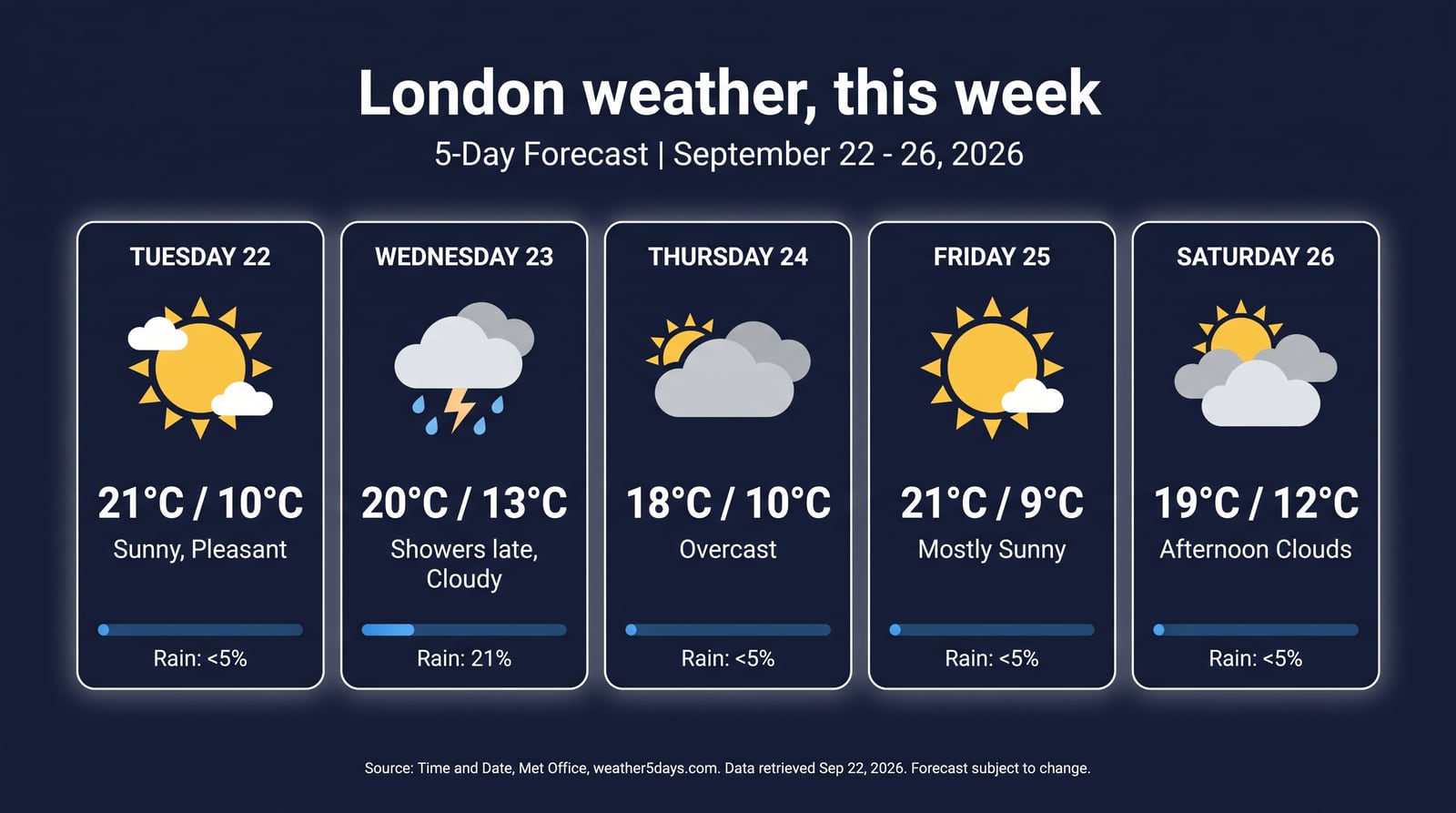
*Prompt: "A polished editorial infographic poster: London weather, this week. Use real forecast data from search for the next 5 days..." - `gemini-3-pro-image`, 16:9, 2K.*
**Text that's actually spelled correctly.** This is the thing Nano Banana Pro does that the previous generation of image models couldn't. Every label here is straight out of the model.
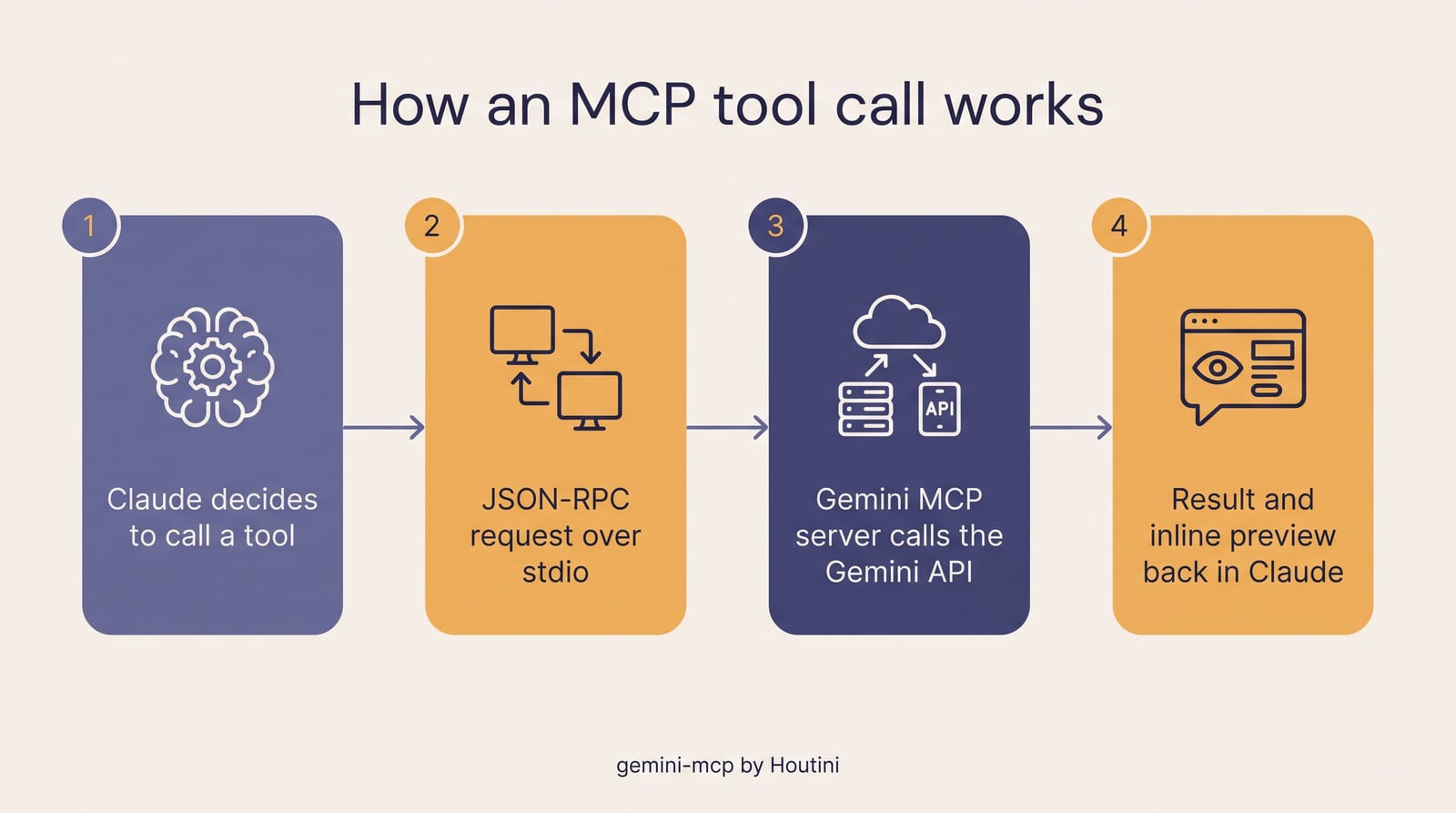
*Prompt: "A clean, magazine-quality infographic titled How an MCP tool call works, with four numbered steps..." - `gemini-3-pro-image`.*
**Generate, then edit.** Left is `generate_image`. Right is `edit_image` on that file with one sentence of instructions: change the track to Monza in daylight, swap the rim lighting for window light, make the pedals red. Same cockpit, same camera angle.
| `generate_image` | `edit_image` |
|:---:|:---:|
| 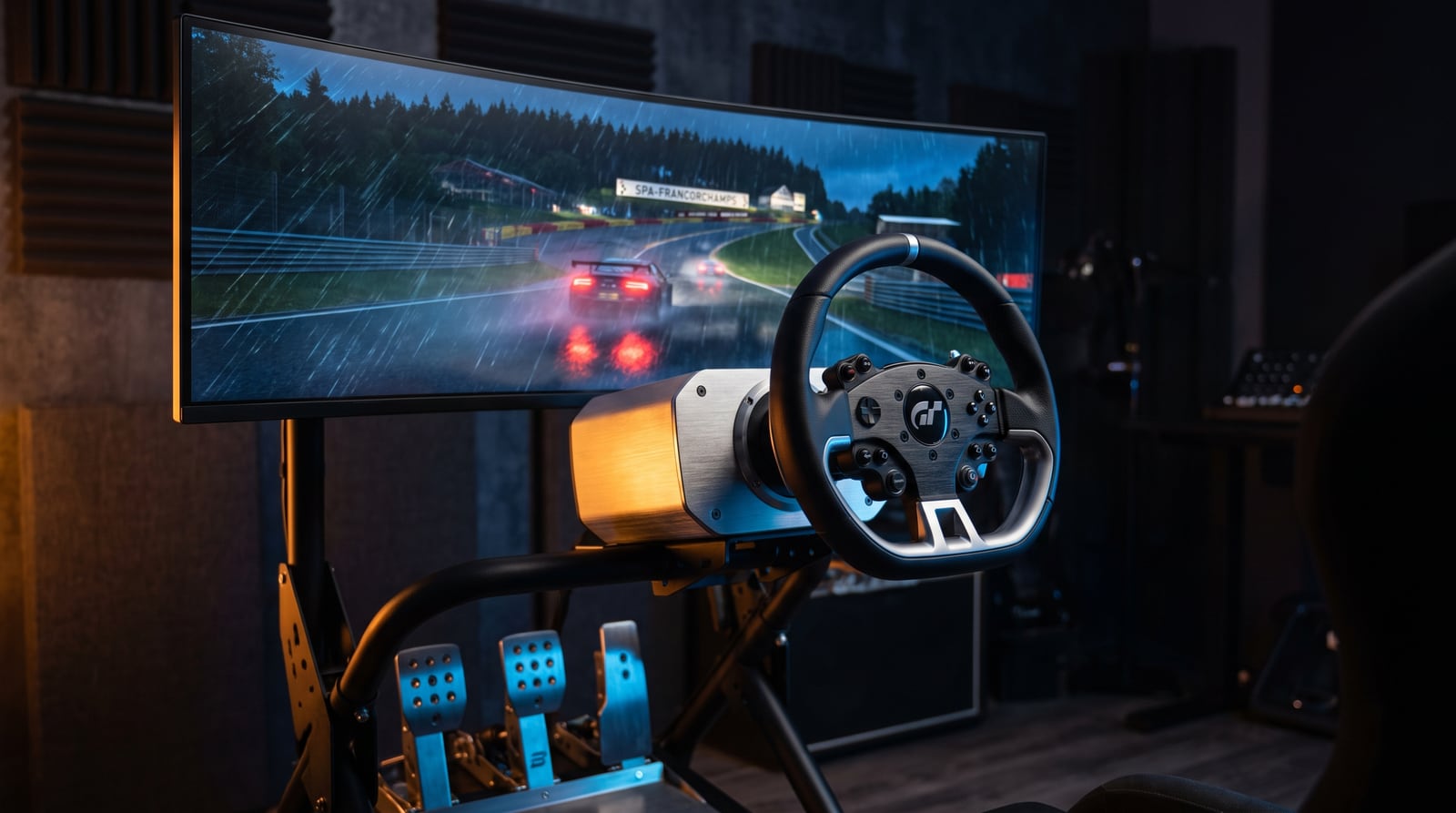 | 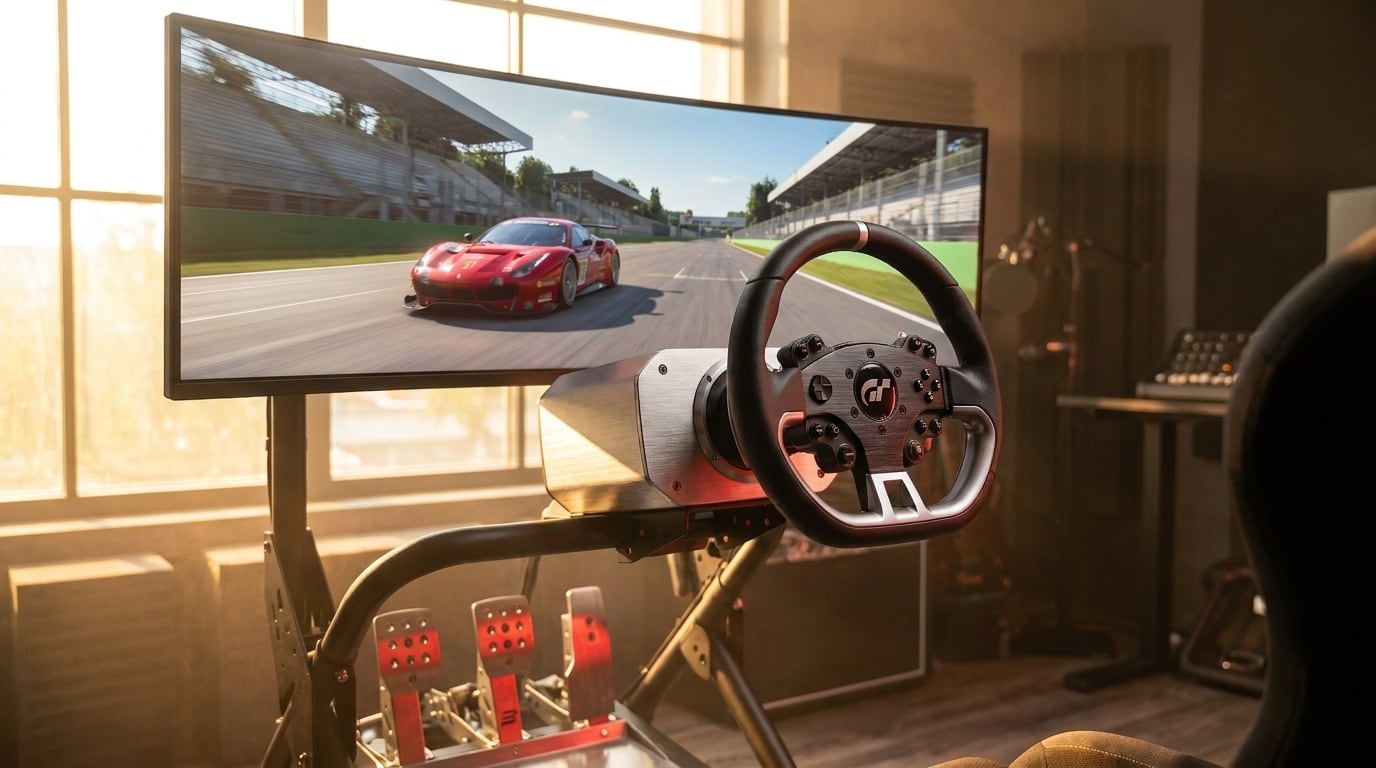 |
**Image to video with Veo 3.1.** The night-time cockpit above, passed to `generate_video` as `firstFrameImage`. Eight seconds at 1080p with generated audio (engine note, tyre hiss) - the GIF below is silent and squashed for GitHub, the real file is a proper MP4.

**SVG that you can actually use.** Not a picture of a diagram - real vector markup you can drop into a page, edit by hand or commit to a repo. Both of these are the raw `.svg` files the tool wrote to disk.
| `generate_svg` style=technical | `generate_svg` style=data-viz |
|:---:|:---:|
| 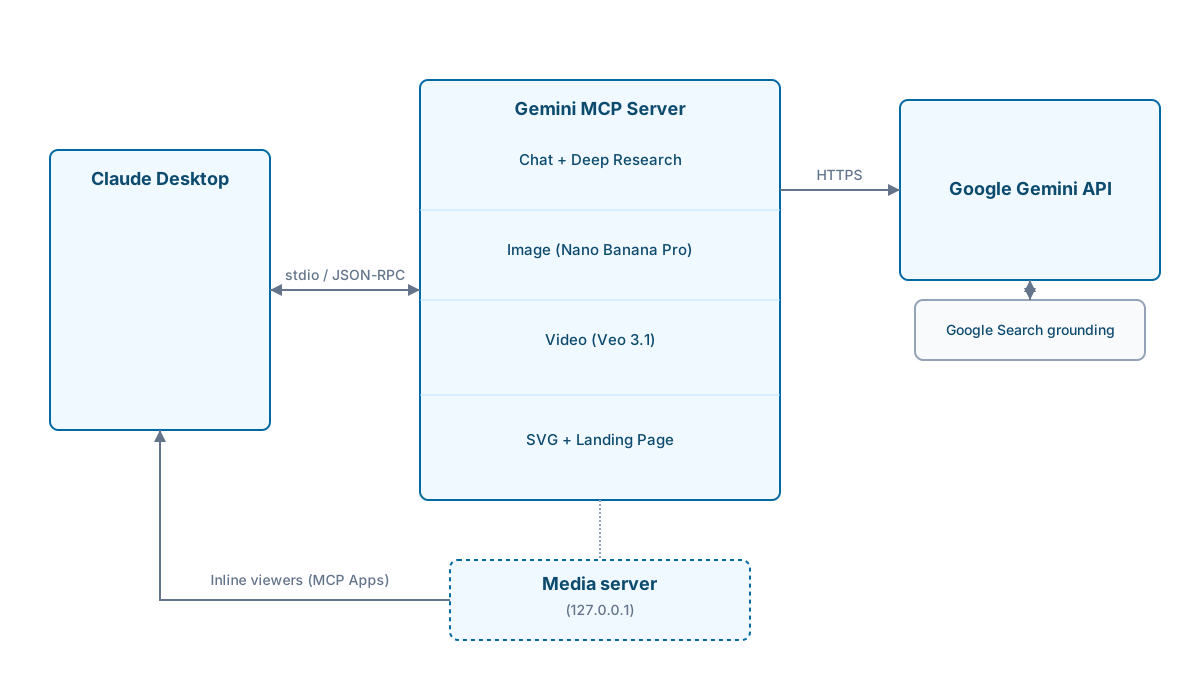 | 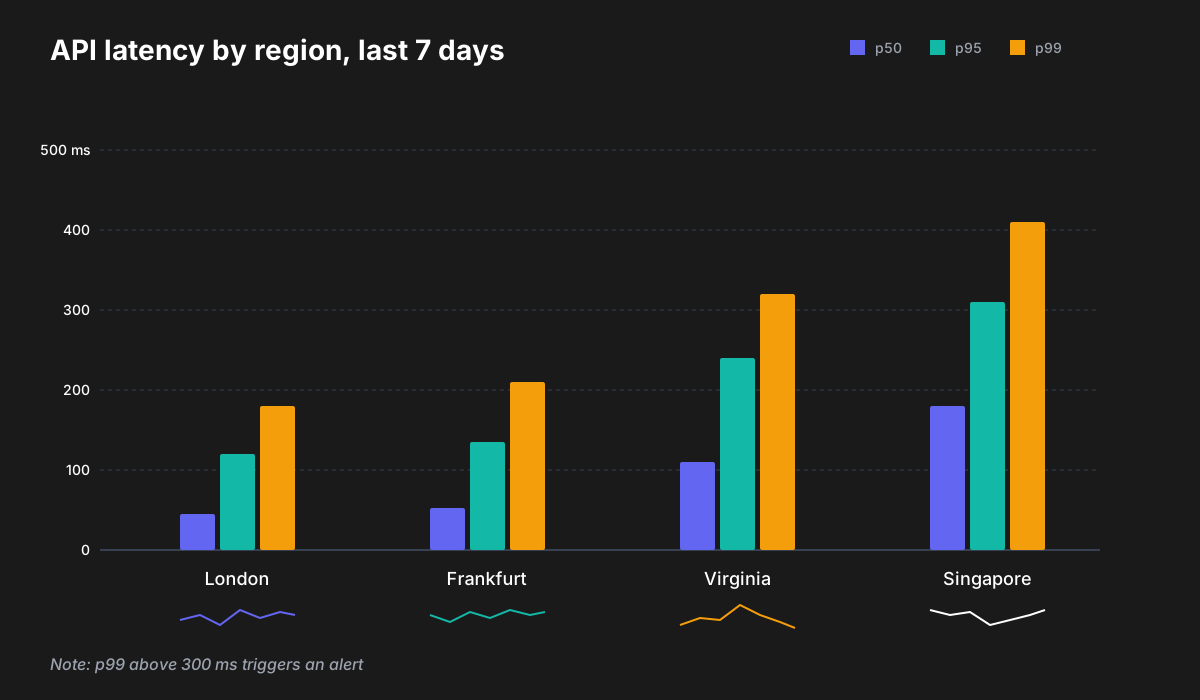 |
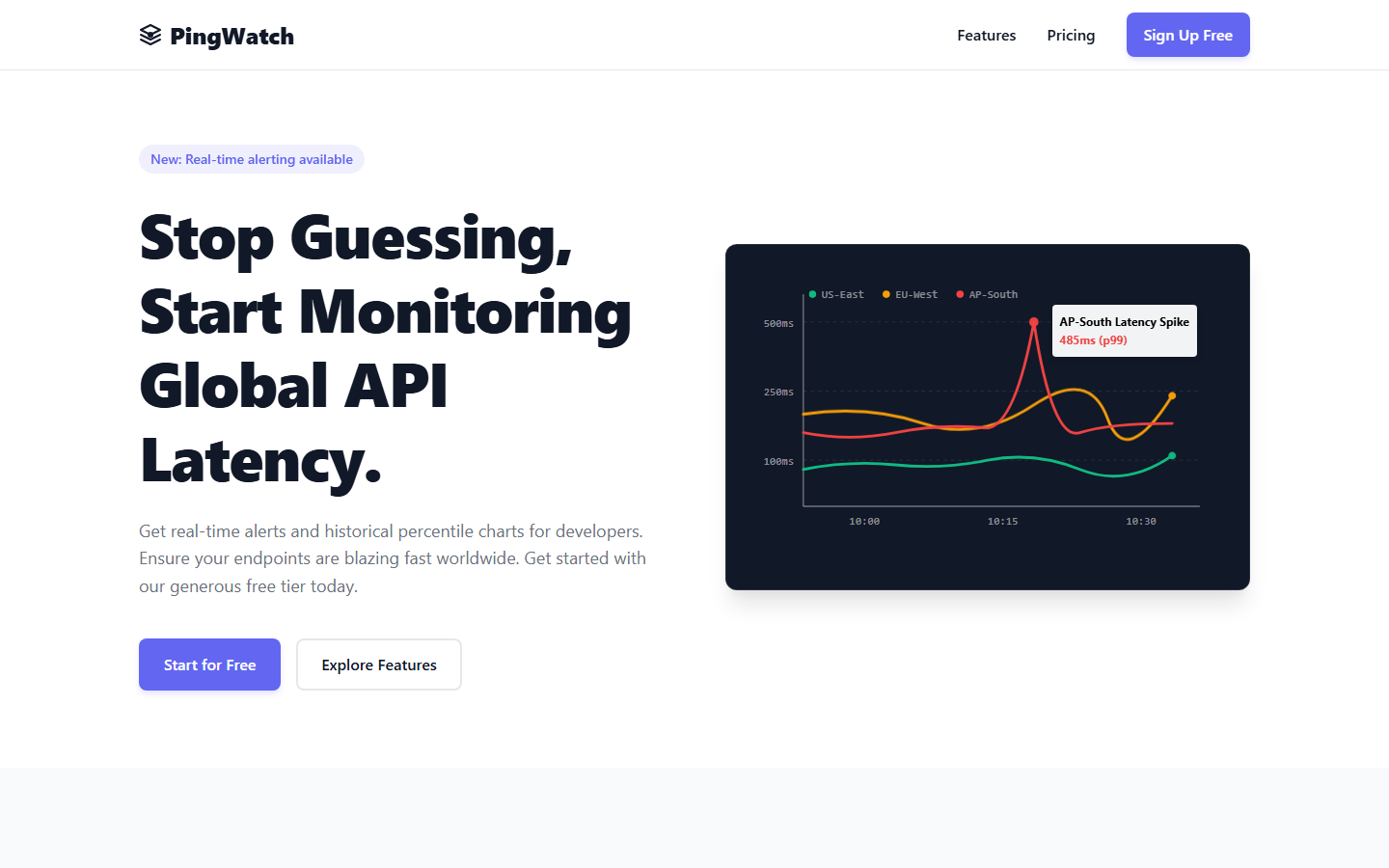
**A landing page from a paragraph.** `generate_landing_page` with a brief, a company name and a brand colour. Self-contained HTML, inline CSS, the little chart in the hero is animated SVG. Screenshot of the file opened in Chrome, nothing else touched.
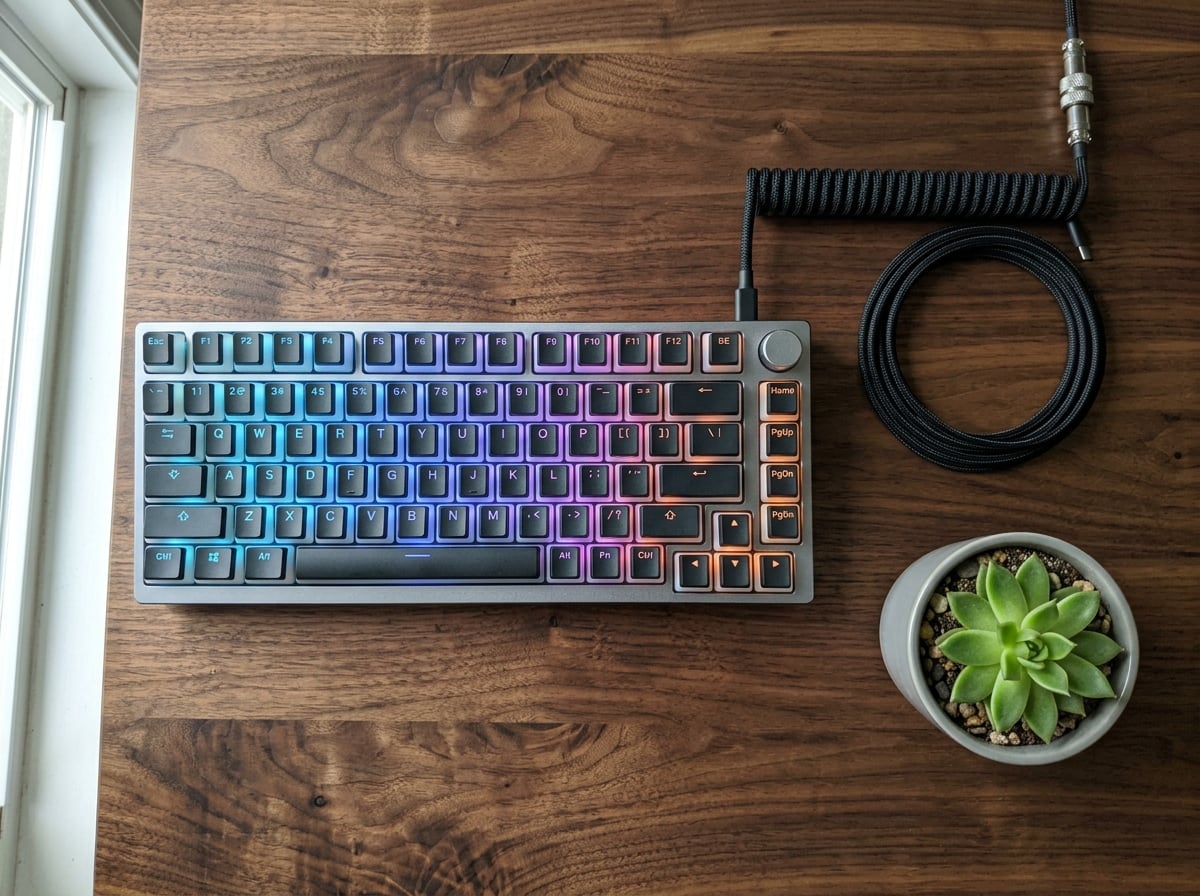
**And the fast one.** Nano Banana 2 (`gemini-3.1-flash-image`) for when you want volume rather than 4K. This took about ten seconds.
---
## Get started in two minutes
**Step 1: Get a Gemini API key**
Go to [Google AI Studio](https://aistudio.google.com/apikey) and create one. The free tier covers most development use. You'll hit rate limits on deep research if you hammer it, but for day-to-day work it's fine.
**Step 2: Add to your Claude Desktop config**
Config file locations:
- Windows: `C:\Users\{username}\AppData\Roaming\Claude\claude_desktop_config.json`
- macOS: `~/Library/Application Support/Claude/claude_desktop_config.json`
```json
{
"mcpServers": {
"gemini": {
"command": "npx",
"args": ["@houtini/gemini-mcp"],
"env": {
"GEMINI_API_KEY": "your-api-key-here"
}
}
}
}
```
**Step 3: Restart Claude Desktop**
That's it. Tools show up automatically. `npx` pulls the package on first run, so there's no separate install.
### Local build instead
For development, or if you'd rather not rely on npx:
```bash
git clone https://github.com/houtini-ai/gemini-mcp
cd gemini-mcp
npm install --include=dev
npm run build
```
Then point your config at the local build:
```json
{
"mcpServers": {
"gemini": {
"command": "node",
"args": ["C:/path/to/gemini-mcp/dist/index.js"],
"env": {
"GEMINI_API_KEY": "your-api-key-here"
}
}
}
}
```
### Claude Code (CLI)
Claude Code doesn't read `claude_desktop_config.json`. Use `claude mcp add` instead:
```bash
claude mcp add -e GEMINI_API_KEY=your-api-key-here -s user gemini -- npx -y @houtini/gemini-mcp
```
With an output directory for images and video:
```bash
claude mcp add \
-e GEMINI_API_KEY=your-api-key-here \
-e GEMINI_IMAGE_OUTPUT_DIR=/path/to/output \
-s user \
gemini -- npx -y @houtini/gemini-mcp
```
Check with `claude mcp get gemini` - you want to see `Status: Connected`.
---
## What it does
### Chat with Google Search grounding
```
Use gemini:gemini_chat to ask: "What changed in the MCP spec in the last month?"
```
Grounding is on by default. Gemini searches Google before it answers, so you get this month's information rather than a training-cutoff guess, and the sources come back as markdown links. For questions where you want pure reasoning ("explain this code", that sort of thing) set `grounding: false`.
Runs on `gemini-3.1-pro-preview` unless you say otherwise. Pass `model: "gemini-3.8-flash"` if you'd rather have speed than depth. `thinking_level` works on every Gemini 3.x model: `high` for the hard stuff, `low` to keep it snappy.
### Deep research
```
Use gemini:gemini_deep_research with:
research_question="What are the current approaches to AI agent memory management?"
max_iterations=5
```
Runs grounded search passes and then writes them up as one report. The passes run on `gemini-3.8-flash` with low thinking (they're gathering facts, not reasoning about them), and the synthesis at the end runs on `gemini-3.1-pro-preview` with high thinking. Two passes plus a synthesis is the default and lands in two to three minutes.
That split matters more than it sounds. Earlier versions ran everything on Pro with full thinking, and one pass on a broad question could run past Claude Desktop's four-minute timeout on its own. Keep `max_iterations` at 2 or 3 in Claude Desktop; in an IDE or an agent framework, 5 to 7 produces noticeably better synthesis. `focus_areas` takes an array if you want to steer each pass.
### Image generation with search grounding
```
Use gemini:generate_image with:
prompt="Stock price chart showing Apple (AAPL) closing prices for the last 5 trading days"
use_search=true
aspectRatio="16:9"
```
Default model is `gemini-3-pro-image`, which is Nano Banana Pro now that it's out of preview. It renders legible text, does 4K, and it's the only one that supports conversational editing. `gemini-3.1-flash-image` (Nano Banana 2) is the fast option - not far off in quality, a fraction of the time and the cost. There's a Lite variant too if you're doing hundreds.
With `use_search=true`, Gemini looks things up before it draws. Weather, prices, sports results, that kind of data-driven image works reliably. The full-rWhat people ask about gemini-mcp
What is houtini-ai/gemini-mcp?
+
houtini-ai/gemini-mcp is mcp servers for the Claude AI ecosystem. Google Gemini MCP - Use Google's visual, video and chat capabilities in your AI Assistant. Uses MCP Apps to preview created images, landing pages, SVGs and video It has 31 GitHub stars and its last recorded update is dated 2026-09-22.
How do I install gemini-mcp?
+
You can install gemini-mcp by cloning the repository (https://github.com/houtini-ai/gemini-mcp) or following the README instructions on GitHub. ClaudeWave also provides quick install blocks on this page.
Is houtini-ai/gemini-mcp safe to use?
+
Our security agent has analyzed houtini-ai/gemini-mcp and assigned a Trust Score of 95/100 (tier: Verified). See the full breakdown of passed checks and flags on this page.
Who maintains houtini-ai/gemini-mcp?
+
houtini-ai/gemini-mcp is maintained by houtini-ai. The last recorded GitHub activity is dated 2026-09-22, with 0 open issues.
Are there alternatives to gemini-mcp?
+
Yes. On ClaudeWave you can browse similar mcp servers at /categories/mcp, sorted by popularity or recent activity.
Deploy gemini-mcp to your cloud
Ship this repo to production in minutes. Each platform spins up its own environment with editable env vars.
Maintain this repo? Add a badge to your README
Drop the badge into your GitHub README to show it's tracked on ClaudeWave. Each badge links back to this page and reflects the live Trust Score.
[](https://claudewave.com/repo/houtini-ai-gemini-mcp)<a href="https://claudewave.com/repo/houtini-ai-gemini-mcp"><img src="https://claudewave.com/api/badge/houtini-ai-gemini-mcp" alt="Featured on ClaudeWave: houtini-ai/gemini-mcp" width="320" height="64" /></a>More MCP Servers

Fair-code workflow automation platform with native AI capabilities. Combine visual building with custom code, self-host or cloud, 400+ integrations.

User-friendly AI Interface (Supports Ollama, OpenAI API, ...)

An open-source AI agent that brings the power of Gemini directly into your terminal.

Real-time global intelligence dashboard. AI-powered news aggregation, geopolitical monitoring, and infrastructure tracking in a unified situational awareness interface

🕷️ An adaptive Web Scraping framework that handles everything from a single request to a full-scale crawl! Don't be shy, join here: https://discord.gg/EMgGbDceNQ and follow here for daily tips and tricks: https://x.com/Scrapling_dev

The fastest path to AI-powered full stack observability, even for lean teams.