

The fullstack MCP framework to develop MCP Apps for ChatGPT / Claude & MCP Servers for AI Agents.
mcp-use is a full-stack framework for building and deploying Model Context Protocol servers and interactive MCP Apps, available as both a TypeScript npm package and a Python PyPI package. Developers use the SDK to define MCP tools with Zod schemas, then optionally attach React widget components that render inside Claude, ChatGPT, and other MCP clients without rewriting code per platform. A built-in MCP Inspector, available both online and as an open-source package, lets developers test and debug servers locally at a `/inspector` endpoint during development. The `npx create-mcp-use-app` scaffolding command generates a ready-to-run project, and widgets placed in a `resources/` directory are auto-discovered without manual registration. Production deployment is handled through Manufact MCP Cloud, which adds observability, metrics, logs, and branch deployments connected directly from a GitHub repository. Claude Code users can install a dedicated skill via skills.sh to accelerate MCP App development. The framework suits developers building tools that surface structured, interactive UI inside AI chat interfaces.
- ✓Open-source license (MIT)
- ✓Actively maintained (<30d)
- ✓Healthy fork ratio
- ✓Clear description
- ✓Topics declared
- ✓Mature repo (>1y old)
claude mcp add mcp-use -- npx -y create-mcp-use-app{
"mcpServers": {
"mcp-use": {
"command": "npx",
"args": ["-y", "create-mcp-use-app"]
}
}
}Resumen de MCP Servers
<div align="center">
<div align="center">
<a href="https://mcp-use.com">
<picture>
<source media="(prefers-color-scheme: dark)" srcset="./static/logo_white.svg">
<source media="(prefers-color-scheme: light)" srcset="./static/logo_black.svg">
<img alt="mcp use logo" src="./static/logo_black.svg" width="60%" >
</picture>
</a>
</div>
<p align="center">
<a href="https://mcp-use.com/docs" alt="Documentation">
<img src="https://img.shields.io/badge/mcp--use-docs-blue?labelColor=white" /></a>
<a href="https://manufact.com" alt="Website">
<img src="https://img.shields.io/badge/made by-manufact.com-blue" /></a>
<a href="https://github.com/mcp-use/mcp-use/blob/main/LICENSE" alt="License">
<img src="https://img.shields.io/github/license/mcp-use/mcp-use" /></a>
<a href="https://discord.gg/XkNkSkMz3V" alt="Discord">
<img src="https://dcbadge.limes.pink/api/server/XkNkSkMz3V?style=flat" /></a>
<br/>
<a href="https://mcp-use.com/docs/python" alt="Python docs">
<img src="https://img.shields.io/badge/python-docs-blue?labelColor=white&logo=python" alt="Badge"></a>
<a href="https://pypi.org/project/mcp_use/" alt="PyPI Version">
<img src="https://img.shields.io/pypi/v/mcp_use.svg"/></a>
<a href="https://pypi.org/project/mcp_use/" alt="PyPI Downloads">
<img src="https://static.pepy.tech/badge/mcp-use" /></a>
<br/>
<a href="https://mcp-use.com/docs/typescript" alt="Typescript Documentation">
<img src="https://img.shields.io/badge/typescript-docs-blue?labelColor=white&logo=typescript" alt="Badge"></a>
<a href="https://www.npmjs.com/package/mcp-use" alt="NPM Version">
<img src="https://img.shields.io/npm/v/mcp-use.svg"/></a>
<a href="https://www.npmjs.com/package/mcp-use" alt="NPM Downloads">
<img src="https://img.shields.io/npm/dw/mcp-use.svg"/></a>
<br/>
</p>
</div>
## About
<b>mcp-use</b> is the fullstack MCP framework
to build MCP Apps for ChatGPT / Claude & MCP Servers for AI Agents.
- **Build** with mcp-use SDK ([ts](https://www.npmjs.com/package/mcp-use) | [py](https://pypi.org/project/mcp_use/)): MCP Servers and MCP Apps
- **Preview** on mcp-use MCP Inspector ([online](https://inspector.mcp-use.com/inspector) | [oss](https://github.com/mcp-use/mcp-use/tree/main/libraries/typescript/packages/inspector)): Test and debug your MCP Servers and Apps
- **Deploy** on [Manufact MCP Cloud](https://manufact.com): Connect your GitHub repo and have your MCP Server and App up and running in production with observability, metrics, logs, branch-deployments, and more
## Documentation
Visit our [docs](https://mcp-use.com/docs) or jump to a quickstart ([TypeScript](https://mcp-use.com/docs/typescript/getting-started/quickstart) | [Python](https://mcp-use.com/docs/python/getting-started/quickstart))
### Skills for Coding Agents
> **Using Claude Code, Codex, Cursor or other AI coding agents?**
>
> **[Install mcp-use skill for MCP Apps](https://skills.sh/mcp-use/mcp-use/mcp-apps-builder)**
## Quickstart: MCP Servers and MCP Apps
### <img src="./static/typescript.svg" height="14" style="margin-right:4px; top:-1px; position:relative;" align="center" /> TypeScript
Build your first MCP Server or MPC App:
```bash
npx create-mcp-use-app@latest
```
Or create a server manually:
```typescript
import { MCPServer, text } from "mcp-use/server";
import { z } from "zod";
const server = new MCPServer({
name: "my-server",
version: "1.0.0",
});
server.tool({
name: "get_weather",
description: "Get weather for a city",
schema: z.object({ city: z.string() }),
}, async ({ city }) => {
return text(`Temperature: 72°F, Condition: sunny, City: ${city}`);
});
await server.listen(3000);
// Inspector at http://localhost:3000/inspector
```
[**→ Full TypeScript Server Documentation**](https://mcp-use.com/docs/typescript/server)
## MCP Apps
MCP Apps let you build interactive widgets that work across Claude, ChatGPT, and other MCP clients — write once, run everywhere.
**Server**: define a tool and point it to a widget:
```typescript
import { MCPServer, widget } from "mcp-use/server";
import { z } from "zod";
const server = new MCPServer({
name: "weather-app",
version: "1.0.0",
});
server.tool({
name: "get-weather",
description: "Get weather for a city",
schema: z.object({ city: z.string() }),
widget: "weather-display", // references resources/weather-display/widget.tsx
}, async ({ city }) => {
return widget({
props: { city, temperature: 22, conditions: "Sunny" },
message: `Weather in ${city}: Sunny, 22°C`,
});
});
await server.listen(3000);
```
**Widget**: create a React component in `resources/weather-display/widget.tsx`:
```tsx
import { useWidget, type WidgetMetadata } from "mcp-use/react";
import { z } from "zod";
const propSchema = z.object({
city: z.string(),
temperature: z.number(),
conditions: z.string(),
});
export const widgetMetadata: WidgetMetadata = {
description: "Display weather information",
props: propSchema,
};
const WeatherDisplay: React.FC = () => {
const { props, isPending, theme } = useWidget<z.infer<typeof propSchema>>();
const isDark = theme === "dark";
if (isPending) return <div>Loading...</div>;
return (
<div style={{
background: isDark ? "#1a1a2e" : "#f0f4ff",
borderRadius: 16, padding: 24,
}}>
<h2>{props.city}</h2>
<p>{props.temperature}° — {props.conditions}</p>
</div>
);
};
export default WeatherDisplay;
```
Widgets in `resources/` are **auto-discovered** — no manual registration needed.
Visit [**MCP Apps Documentation**](https://mcp-use.com/docs/typescript/server/mcp-apps)
## Templates
Ready-to-use MCP Apps you can deploy in one click or remix as your own.
| Preview | Name | Tools | Demo URL | Repo | Deploy |
| --- | --- | --- | --- | --- | --- |
| 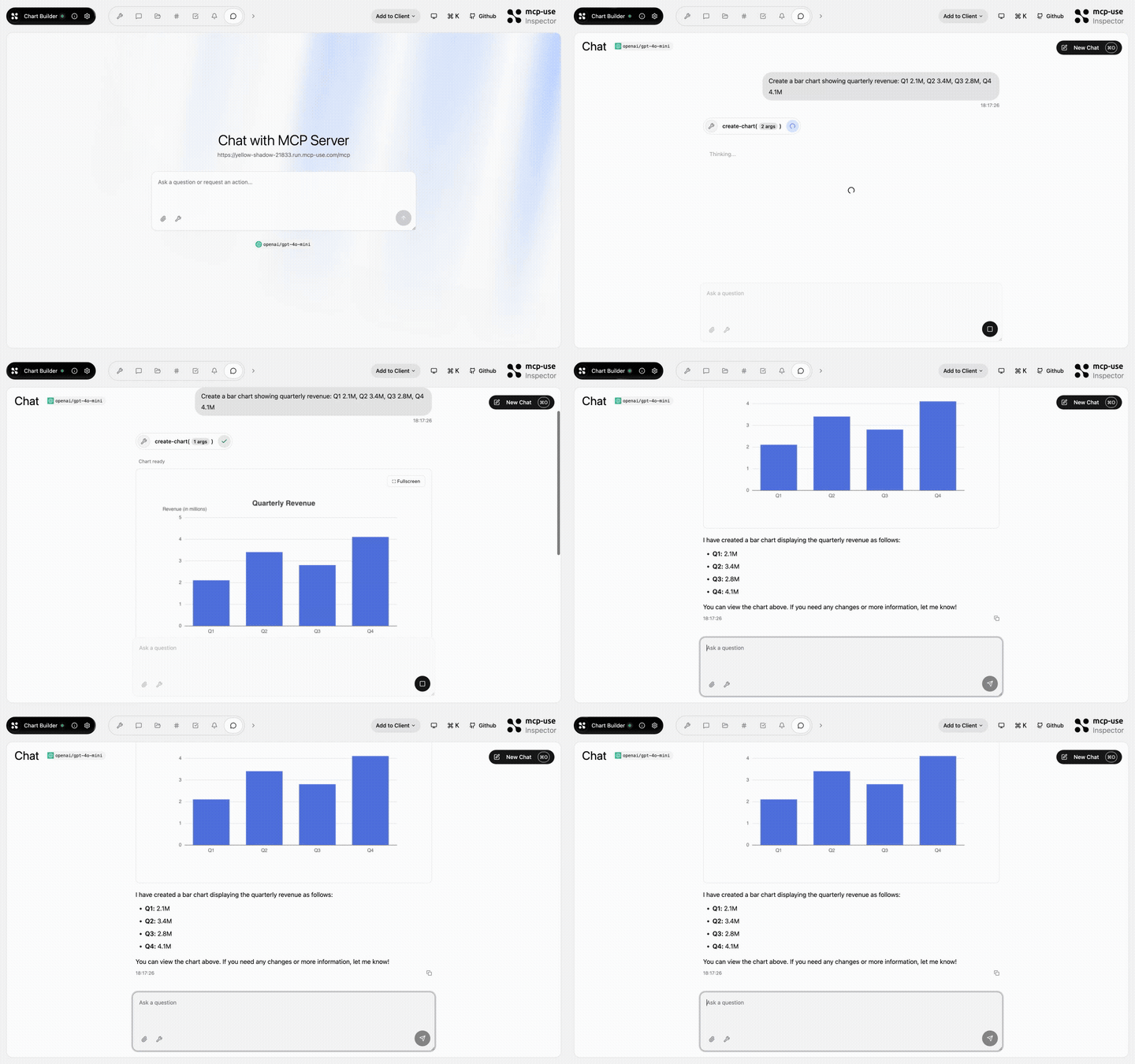 | Chart Builder | `create-chart` | [Open URL](https://yellow-shadow-21833.run.mcp-use.com/mcp) | [mcp-use/mcp-chart-builder](https://github.com/mcp-use/mcp-chart-builder) | [](https://mcp-use.com/deploy/start?repository-url=https%3A%2F%2Fgithub.com%2Fmcp-use%2Fmcp-chart-builder&branch=main&project-name=mcp-chart-builder&port=3000&runtime=node&base-image=node%3A20) |
| 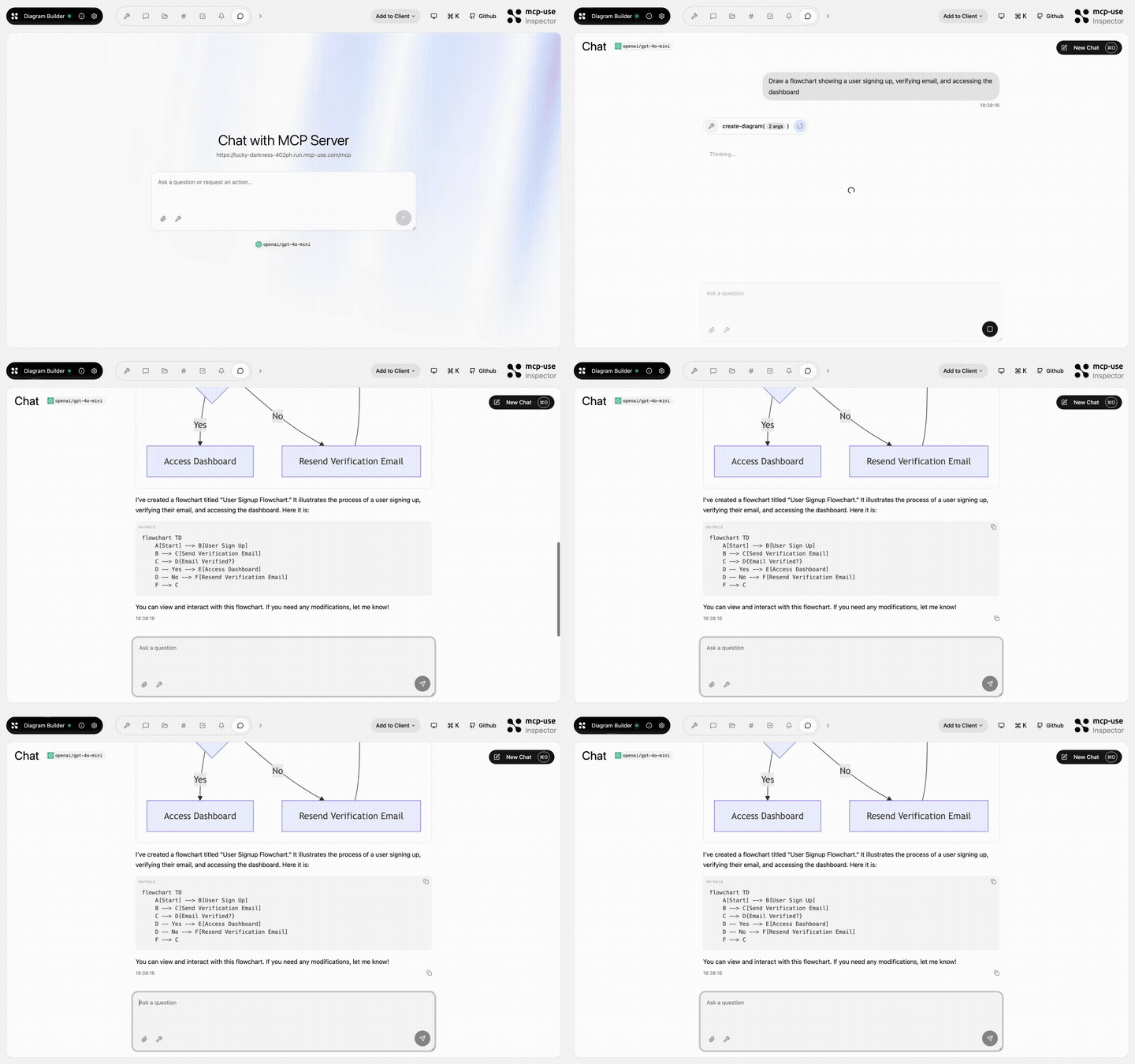 | Diagram Builder | `create-diagram`, `edit-diagram` | [Open URL](https://lucky-darkness-402ph.run.mcp-use.com/mcp) | [mcp-use/mcp-diagram-builder](https://github.com/mcp-use/mcp-diagram-builder) | [](https://mcp-use.com/deploy/start?repository-url=https%3A%2F%2Fgithub.com%2Fmcp-use%2Fmcp-diagram-builder&branch=main&project-name=mcp-diagram-builder&port=3000&runtime=node&base-image=node%3A20) |
| 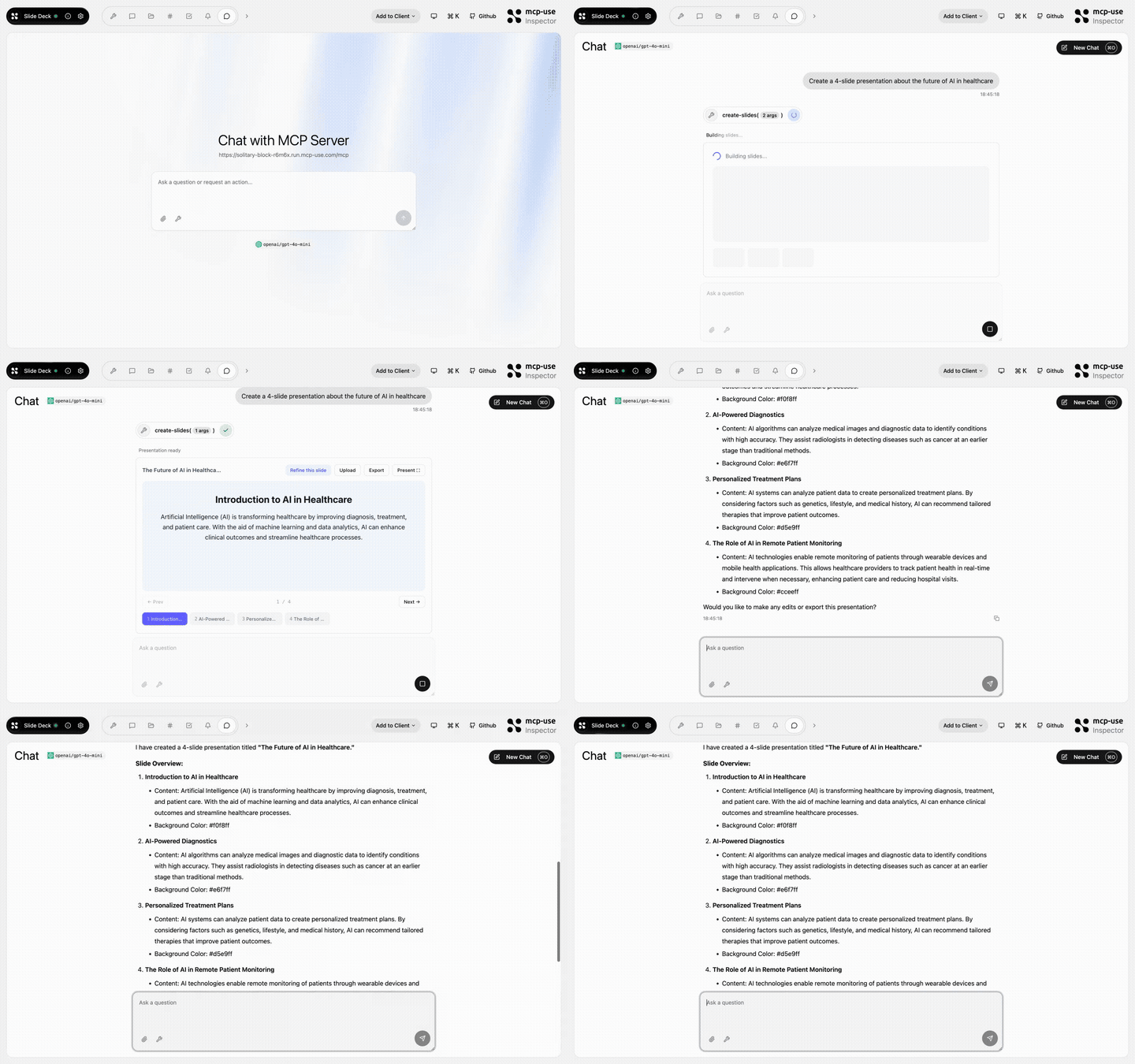 | Slide Deck | `create-slides`, `edit-slide` | [Open URL](https://solitary-block-r6m6x.run.mcp-use.com/mcp) | [mcp-use/mcp-slide-deck](https://github.com/mcp-use/mcp-slide-deck) | [](https://mcp-use.com/deploy/start?repository-url=https%3A%2F%2Fgithub.com%2Fmcp-use%2Fmcp-slide-deck&branch=main&project-name=mcp-slide-deck&port=3000&runtime=node&base-image=node%3A20) |
| 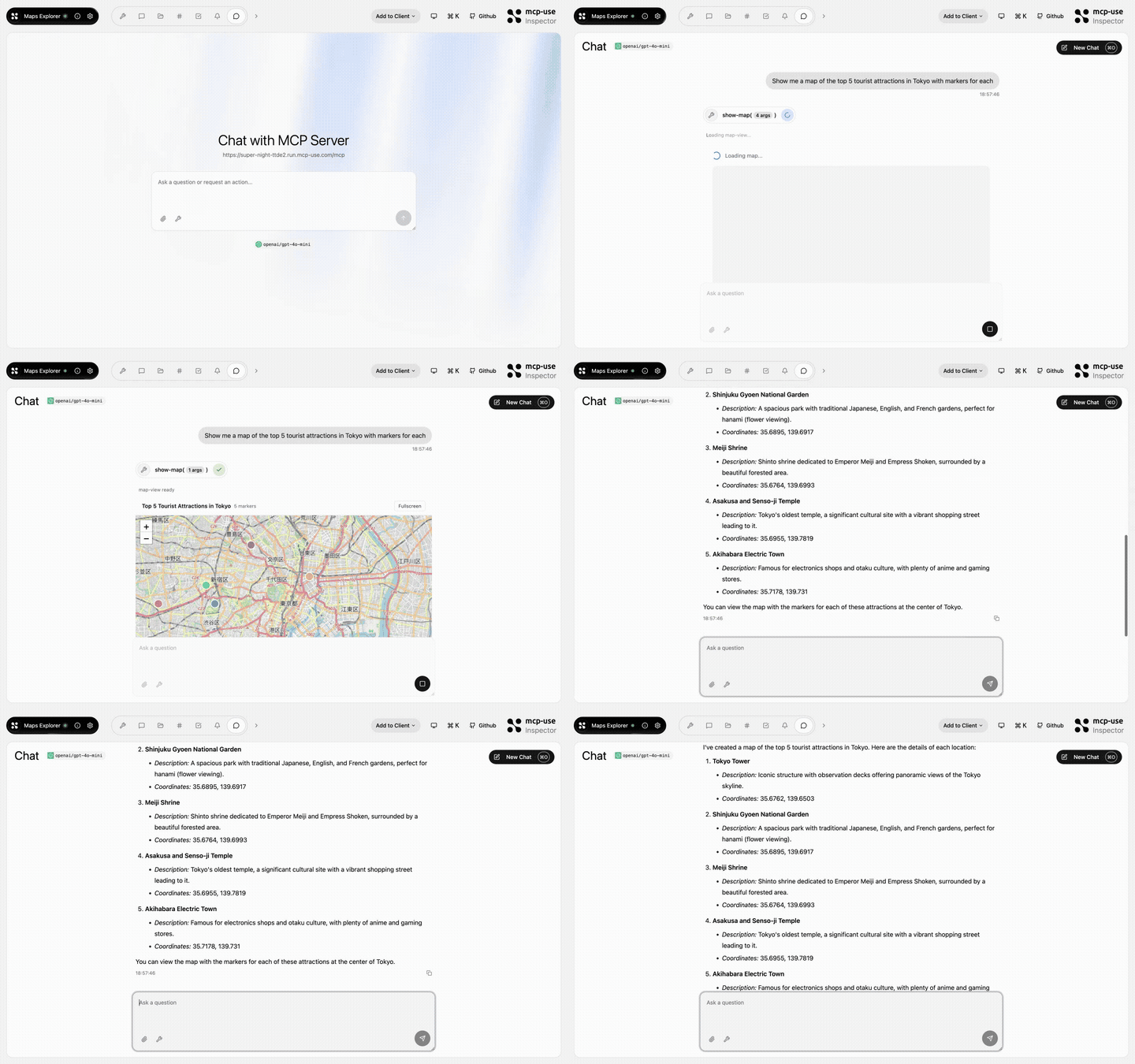 | Maps Explorer | `show-map`, `get-place-details`, `add-markers` | [Open URL](https://super-night-ttde2.run.mcp-use.com/mcp) | [mcp-use/mcp-maps-explorer](https://github.com/mcp-use/mcp-maps-explorer) | [](https://mcp-use.com/deploy/start?repository-url=https%3A%2F%2Fgithub.com%2Fmcp-use%2Fmcp-maps-explorer&branch=main&project-name=mcp-maps-explorer&port=3000&runtime=node&base-image=node%3A20) |
| 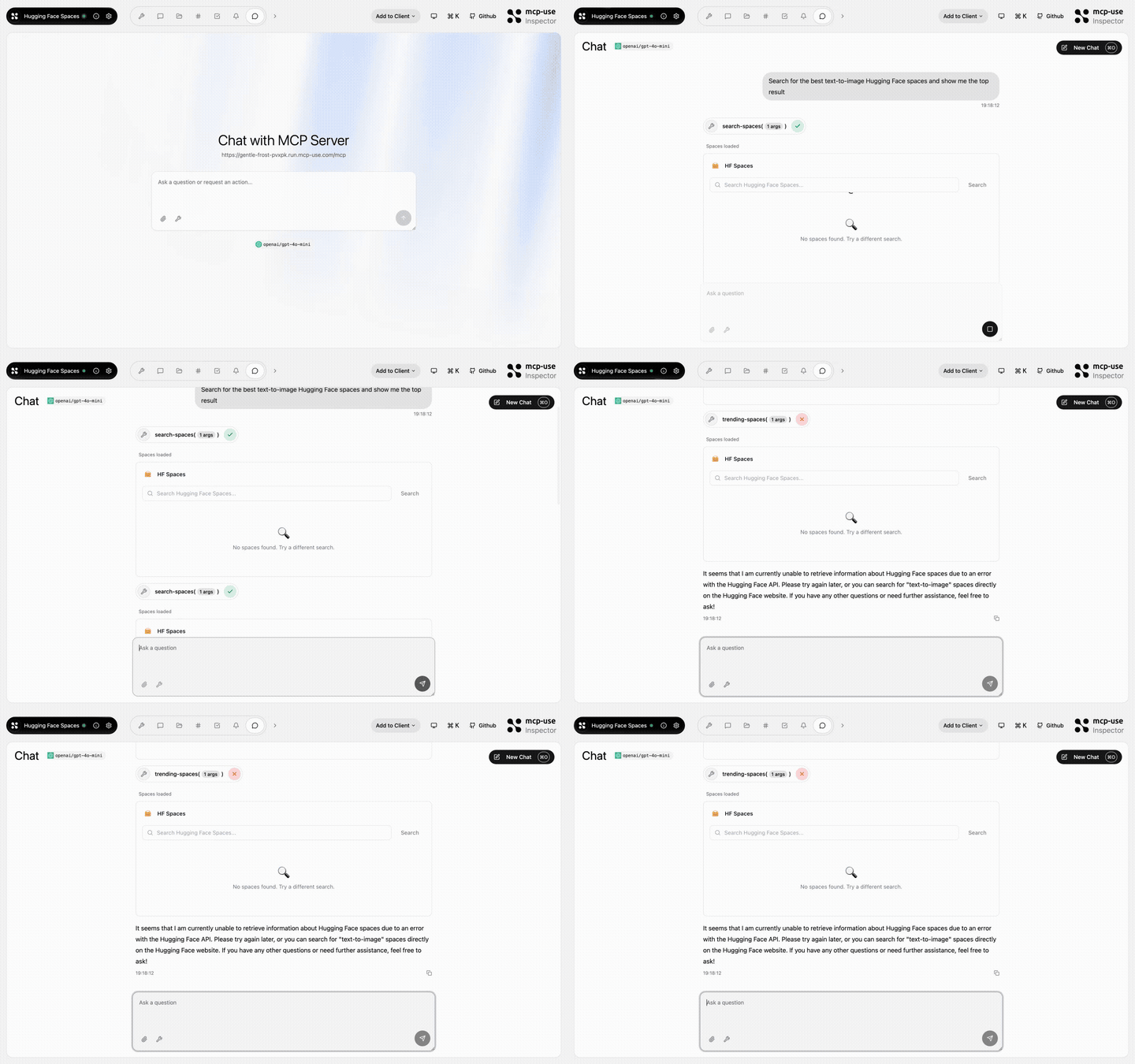 | Hugging Face Spaces | `search-spaces`, `show-space`, `trending-spaces` | [Open URL](https://gentle-frost-pvxpk.run.mcp-use.com/mcp) | [mcp-use/mcp-huggingface-spaces](https://github.com/mcp-use/mcp-huggingface-spaces) | [](https://mcp-use.com/deploy/start?repository-url=https%3A%2F%2Fgithub.com%2Fmcp-use%2Fmcp-huggingface-spaces&branch=main&project-name=mcp-huggingface-spaces&port=3000&runtime=node&base-image=node%3A20) |
| 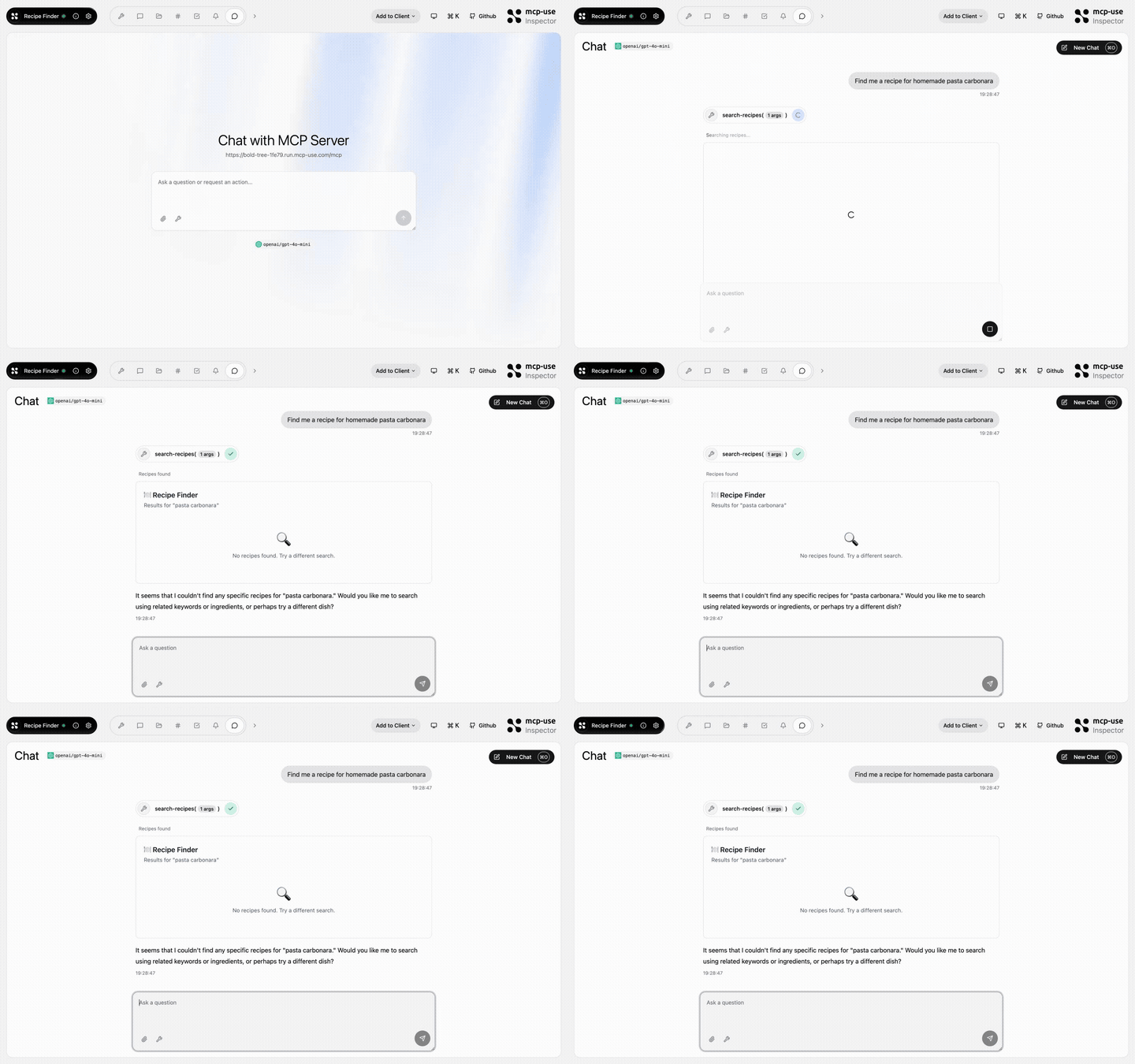 | Recipe Finder | `search-recipes`, `get-recipe`, `meal-plan`, `recipe-suggestion` | [Open URL](https://bold-tree-1fe79.run.mcp-use.com/mcp) | [mcp-use/mcp-recipe-finder](https://github.com/mcp-use/mcp-recipe-finder) | [](https://mcp-use.com/deploy/start?repository-url=https%3A%2F%2Fgithub.com%2Fmcp-use%2Fmcp-recipe-finder&branch=main&project-name=mcp-recipe-finder&port=3000&runtime=node&base-image=node%3A20) |
| 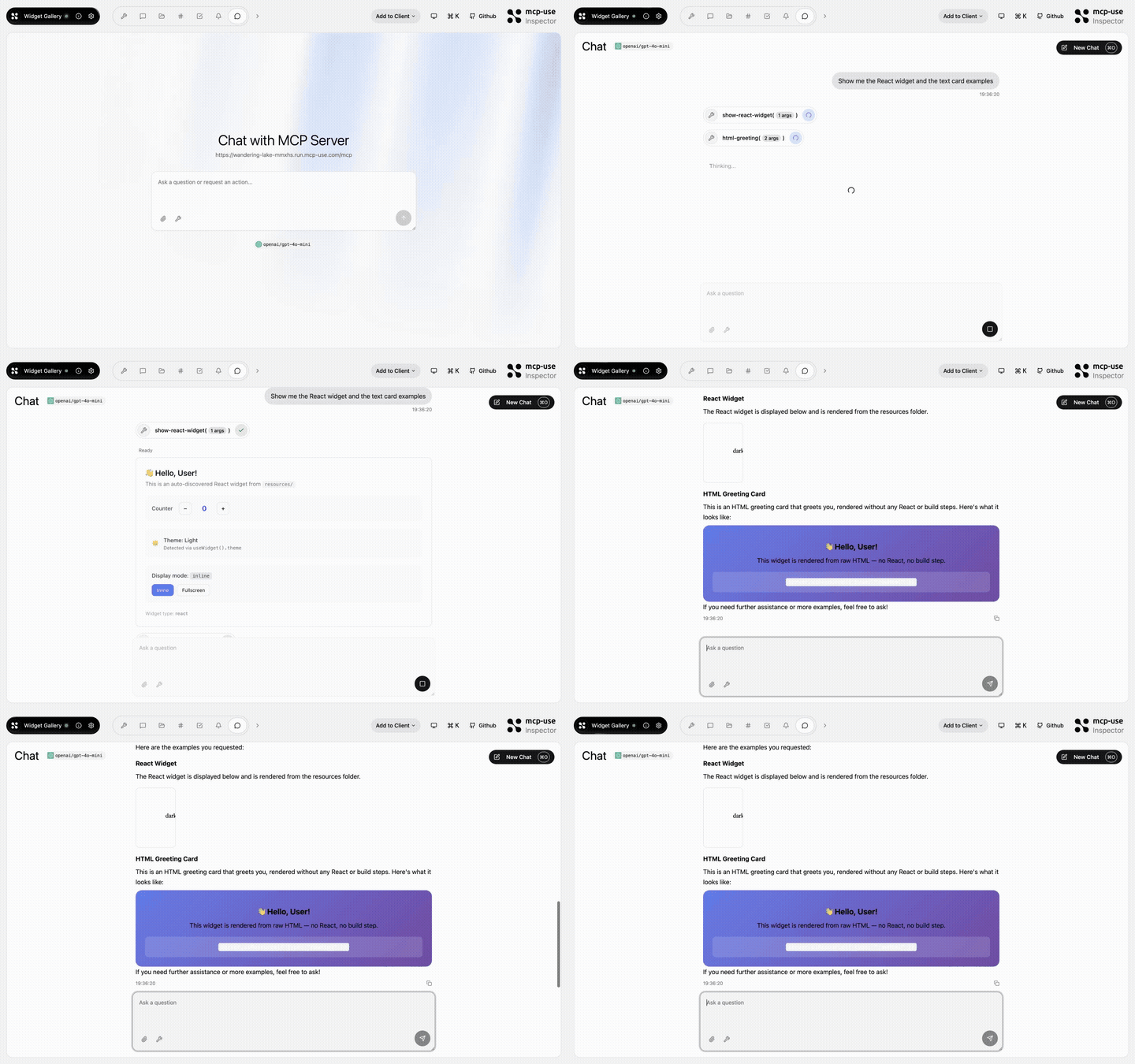 | Widget Gallery | `show-react-widget`, `html-greeting`, `mcp-ui-poll`, `programmatic-counter`, `detect-client` | [Open URL](https://wandering-lake-mmxhs.run.mcp-use.com/mcp) | [mcp-use/mcp-widget-gallery](https://github.com/mcp-use/mcp-widget-gallery) | [](https://mcp-use.com/deploy/start?repository-url=https%3A%2F%2Fgithub.com%2Fmcp-use%2Fmcp-widget-gallery&branch=main&project-name=mcp-widget-gallery&port=3000&runtime=node&base-image=node%3A20) |
|  o siguiendo las instrucciones del README en GitHub. ClaudeWave también te ofrece bloques de instalación rápida en esta misma página.
¿Es seguro usar mcp-use/mcp-use?
+
Nuestro agente de seguridad ha analizado mcp-use/mcp-use y le ha asignado un Trust Score de 100/100 (tier: Verified). Revisa el desglose completo de comprobaciones superadas y flags en esta página.
¿Quién mantiene mcp-use/mcp-use?
+
mcp-use/mcp-use es mantenido por mcp-use. La última actividad registrada en GitHub es de today, con 122 issues abiertos.
¿Hay alternativas a mcp-use?
+
Sí. En ClaudeWave puedes explorar mcp servers similares en /categories/mcp, ordenados por popularidad o actividad reciente.
Despliega mcp-use en tu cloud
Lleva este repo a producción en minutos. Cada plataforma genera su propio entorno con variables de entorno editables.
¿Mantienes este repo? Añade un badge a tu README
Pega el badge en tu README de GitHub para mostrar que está auditado por ClaudeWave. Cada badge enlaza de vuelta a esta página y muestra el Trust Score actual.
[](https://claudewave.com/repo/mcp-use-mcp-use)<a href="https://claudewave.com/repo/mcp-use-mcp-use"><img src="https://claudewave.com/api/badge/mcp-use-mcp-use" alt="Featured on ClaudeWave: mcp-use/mcp-use" width="320" height="64" /></a>Más MCP Servers

Fair-code workflow automation platform with native AI capabilities. Combine visual building with custom code, self-host or cloud, 400+ integrations.

User-friendly AI Interface (Supports Ollama, OpenAI API, ...)

An open-source AI agent that brings the power of Gemini directly into your terminal.

The fastest path to AI-powered full stack observability, even for lean teams.

Real-time global intelligence dashboard. AI-powered news aggregation, geopolitical monitoring, and infrastructure tracking in a unified situational awareness interface

🕷️ An adaptive Web Scraping framework that handles everything from a single request to a full-scale crawl!