

Client SDK and docs for MCP Billing Gateway — add Stripe + x402 billing to any MCP server
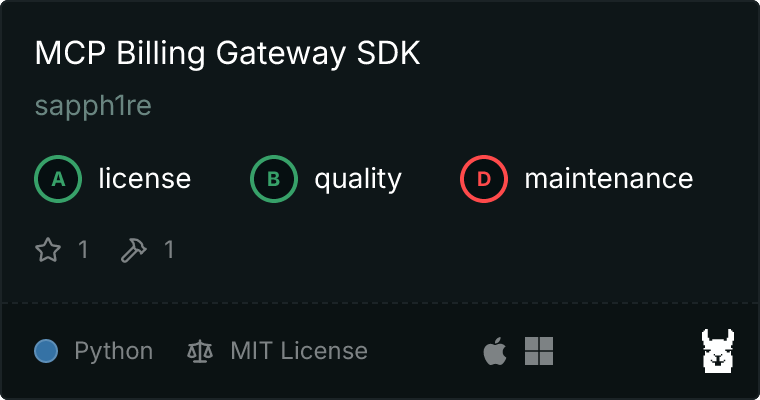
- ✓Open-source license (MIT)
- ✓Actively maintained (<30d)
- ✓Clear description
- ✓Documented (README)
- !Install pipes a remote script into a shell (curl | sh)
claude mcp add mcp-billing-gateway-sdk -- uvx mcp-billing-gateway{
"mcpServers": {
"mcp-billing-gateway-sdk": {
"command": "uvx",
"args": ["mcp-billing-gateway"]
}
}
}MCP Servers overview
<!-- mcp-name: io.github.sapph1re/mcp-billing-gateway -->
# MCP Billing Gateway
[](https://glama.ai/mcp/servers/sapph1re/mcp-billing-gateway-sdk)
[](https://mcp.directory/servers?q=mcp-billing-gateway)
Add **Stripe subscriptions**, **per-call credits**, and **x402 crypto payments** to any MCP server — without writing billing code.
MCP Billing Gateway is a hosted billing proxy that sits between AI agents and your MCP server. It handles payment verification, usage tracking, and tier enforcement automatically. You register your server, set a pricing plan, and point callers to the proxied URL. No billing code required.
Live service: **https://mcp-billing-gateway-production.up.railway.app**
**Tutorial:** [Monetize any MCP server in 10 minutes](https://github.com/sapph1re/mcp-billing-demo) — step-by-step demo with working code
## Installation
```bash
pip install mcp-billing-gateway
```
Or with [uvx](https://docs.astral.sh/uv/):
```bash
uvx mcp-billing-gateway
```
### Configuration for Claude Desktop
Add to `~/Library/Application Support/Claude/claude_desktop_config.json` (macOS) or `%APPDATA%\Claude\claude_desktop_config.json` (Windows):
```json
{
"mcpServers": {
"mcp-billing-gateway": {
"command": "uvx",
"args": ["mcp-billing-gateway"]
}
}
}
```
### Configuration for Cursor
Add to `.cursor/mcp.json` in your project:
```json
{
"mcpServers": {
"mcp-billing-gateway": {
"command": "uvx",
"args": ["mcp-billing-gateway"]
}
}
}
```
Restart your editor after adding the configuration to activate the MCP server.
## Tools
| Tool | Description |
|------|-------------|
| `get_billing_info` | Returns service capabilities, supported payment methods, features, and integration docs |
The local MCP server provides service discovery. The full billing functionality runs on the hosted gateway — register as an operator and proxy your MCP servers through it.
## How it works
```
AI Agent → MCP Billing Gateway → Your MCP Server
(billing enforced here)
```
1. Register as an operator and get an API key
2. Register your MCP server URL + pricing plan
3. Point callers to your proxy slug: `https://mcp-billing-gateway-production.up.railway.app/proxy/{your-slug}/mcp`
4. Callers pay via Stripe API key or x402 USDC — billing is handled transparently
## Features
- **Per-call billing** — charge callers per tool call (fiat or crypto)
- **Subscriptions** — monthly/annual Stripe plans with call limits
- **Tiered pricing** — free tier + paid tiers based on usage
- **x402 micropayments** — accept USDC on Base from AI agents with no API keys
- **Operator dashboard** — track revenue, usage, and callers in real time
- **MCP transport** — full Streamable HTTP MCP transport at `/mcp/` endpoint
## Quick Start
### 1. Register as operator
```bash
curl -X POST https://mcp-billing-gateway-production.up.railway.app/api/v1/operator/register \
-H "Content-Type: application/json" \
-d '{"email": "you@example.com", "name": "Your Name"}'
```
Response:
```json
{
"operator_id": "op_abc123",
"api_key": "bg_live_xxxxxxxxxxxx",
"message": "Operator registered successfully"
}
```
### 2. Register your MCP server
```bash
curl -X POST https://mcp-billing-gateway-production.up.railway.app/api/v1/servers \
-H "Authorization: Bearer bg_live_xxxxxxxxxxxx" \
-H "Content-Type: application/json" \
-d '{
"name": "My MCP Server",
"upstream_url": "https://your-mcp-server.com/mcp",
"proxy_slug": "my-server"
}'
```
### 3. Create a pricing plan
```bash
curl -X POST https://mcp-billing-gateway-production.up.railway.app/api/v1/servers/{server_id}/plans \
-H "Authorization: Bearer bg_live_xxxxxxxxxxxx" \
-H "Content-Type: application/json" \
-d '{
"name": "Pay as you go",
"billing_model": "per_call",
"price_per_call_usd_micro": 10000,
"free_calls_per_month": 100
}'
```
### 4. Connect callers to your proxied server
```json
{
"mcpServers": {
"my-server": {
"url": "https://mcp-billing-gateway-production.up.railway.app/proxy/my-server/mcp",
"headers": {
"Authorization": "Bearer CALLER_API_KEY"
}
}
}
}
```
## Payment Methods
| Method | Best for | How |
|--------|----------|-----|
| Stripe subscription | Human developers | Monthly or annual plan via Stripe Checkout |
| Stripe per-call | Human developers | Credits consumed per tool call |
| x402 micropayments | AI agents | USDC on Base, no API keys needed |
## Examples
### Check gateway capabilities
```python
# Using the MCP client
result = await session.call_tool("get_billing_info")
print(result)
# {
# "service": "MCP Billing Gateway",
# "version": "0.1.0",
# "payment_methods": ["stripe_subscription", "stripe_metered", "x402_crypto"],
# "features": ["Per-call usage tracking", "Tiered pricing", ...],
# "live_service": "https://mcp-billing-gateway-production.up.railway.app"
# }
```
### Register and monetize an existing MCP server
```bash
# 1. Register
API_KEY=$(curl -s -X POST .../api/v1/operator/register \
-H "Content-Type: application/json" \
-d '{"email": "dev@example.com", "name": "Dev"}' | jq -r .api_key)
# 2. Add your server
SERVER_ID=$(curl -s -X POST .../api/v1/servers \
-H "Authorization: Bearer $API_KEY" \
-H "Content-Type: application/json" \
-d '{"name": "my-tool", "upstream_url": "https://my-tool.com/mcp", "proxy_slug": "my-tool"}' \
| jq -r .server_id)
# 3. Set pricing: $0.01 per call, 100 free calls/month
curl -X POST .../api/v1/servers/$SERVER_ID/plans \
-H "Authorization: Bearer $API_KEY" \
-H "Content-Type: application/json" \
-d '{"name": "Starter", "billing_model": "per_call", "price_per_call_usd_micro": 10000, "free_calls_per_month": 100}'
# Callers now connect via: .../proxy/my-tool/mcp
```
## Operator Dashboard
Access your dashboard at:
```
https://mcp-billing-gateway-production.up.railway.app/dashboard
```
Track revenue, usage, active callers, and configure your servers in real time.
## API Reference
### Operator endpoints
| Endpoint | Method | Description |
|----------|--------|-------------|
| `/api/v1/operator/register` | POST | Create operator account |
| `/api/v1/operator/profile` | GET | View profile and API keys |
| `/api/v1/operator/stats` | GET | Revenue and usage stats |
### Server management
| Endpoint | Method | Description |
|----------|--------|-------------|
| `/api/v1/servers` | POST | Register an MCP server |
| `/api/v1/servers` | GET | List your servers |
| `/api/v1/servers/{id}/plans` | POST | Create pricing plan |
### Proxy
| Endpoint | Method | Description |
|----------|--------|-------------|
| `/proxy/{slug}/*` | ANY | Proxied calls with billing enforcement |
| `/mcp/` | ANY | Streamable HTTP MCP transport |
## Architecture
```
┌─────────────┐ ┌──────────────────────┐ ┌──────────────────┐
│ AI Agent / │────▶│ MCP Billing Gateway │────▶│ Your MCP Server │
│ MCP Client │◀────│ (hosted on Railway) │◀────│ (upstream) │
└─────────────┘ └──────────────────────┘ └──────────────────┘
│
├── Payment verification (Stripe / x402)
├── Usage tracking & rate limiting
├── Tier enforcement
└── Operator dashboard
```
The gateway is a transparent proxy. Callers interact with your MCP server normally — the gateway intercepts requests, verifies payment, tracks usage, and forwards to your upstream server.
## Self-hosted
The gateway is open for use at the hosted URL above. For self-hosted deployments, clone the server repository and deploy via Docker:
```bash
docker build -t mcp-billing-gateway .
docker run -p 3000:3000 mcp-billing-gateway
```
## License
[MIT](LICENSE)
<!-- mcp-name: io.github.sapph1re/mcp-billing-gateway -->
What people ask about mcp-billing-gateway-sdk
What is sapph1re/mcp-billing-gateway-sdk?
+
sapph1re/mcp-billing-gateway-sdk is mcp servers for the Claude AI ecosystem. Client SDK and docs for MCP Billing Gateway — add Stripe + x402 billing to any MCP server It has 1 GitHub stars and its last recorded update is dated 2026-08-19.
How do I install mcp-billing-gateway-sdk?
+
You can install mcp-billing-gateway-sdk by cloning the repository (https://github.com/sapph1re/mcp-billing-gateway-sdk) or following the README instructions on GitHub. ClaudeWave also provides quick install blocks on this page.
Is sapph1re/mcp-billing-gateway-sdk safe to use?
+
Our security agent has analyzed sapph1re/mcp-billing-gateway-sdk and assigned a Trust Score of 79/100 (tier: Trusted). See the full breakdown of passed checks and flags on this page.
Who maintains sapph1re/mcp-billing-gateway-sdk?
+
sapph1re/mcp-billing-gateway-sdk is maintained by sapph1re. The last recorded GitHub activity is dated 2026-08-19, with 1 open issues.
Are there alternatives to mcp-billing-gateway-sdk?
+
Yes. On ClaudeWave you can browse similar mcp servers at /categories/mcp, sorted by popularity or recent activity.
Deploy mcp-billing-gateway-sdk to your cloud
Ship this repo to production in minutes. Each platform spins up its own environment with editable env vars.
Maintain this repo? Add a badge to your README
Drop the badge into your GitHub README to show it's tracked on ClaudeWave. Each badge links back to this page and reflects the live Trust Score.
[](https://claudewave.com/repo/sapph1re-mcp-billing-gateway-sdk)<a href="https://claudewave.com/repo/sapph1re-mcp-billing-gateway-sdk"><img src="https://claudewave.com/api/badge/sapph1re-mcp-billing-gateway-sdk" alt="Featured on ClaudeWave: sapph1re/mcp-billing-gateway-sdk" width="320" height="64" /></a>More MCP Servers

Fair-code workflow automation platform with native AI capabilities. Combine visual building with custom code, self-host or cloud, 400+ integrations.

User-friendly AI Interface (Supports Ollama, OpenAI API, ...)

An open-source AI agent that brings the power of Gemini directly into your terminal.

Real-time global intelligence dashboard. AI-powered news aggregation, geopolitical monitoring, and infrastructure tracking in a unified situational awareness interface

The fastest path to AI-powered full stack observability, even for lean teams.

🕷️ An adaptive Web Scraping framework that handles everything from a single request to a full-scale crawl!